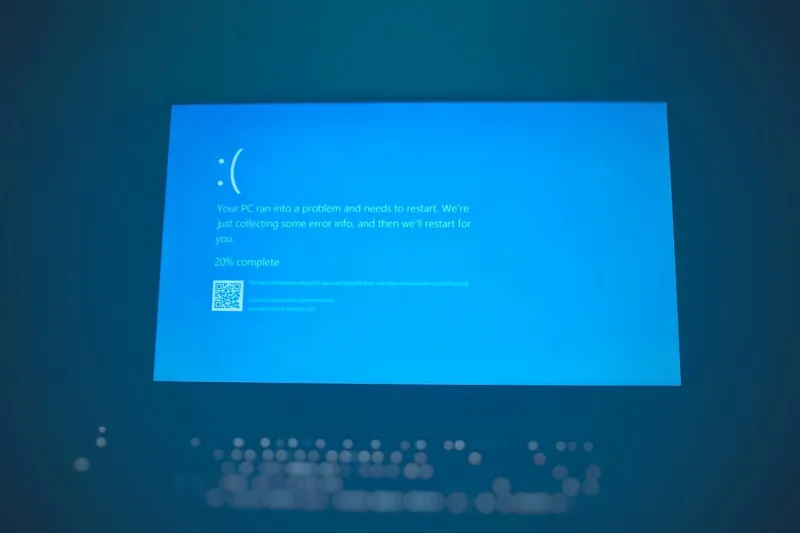

The Blue Screen of Death: A Grounded Perspective on Computer Crashes
As a seasoned IT professional, I've had my fair share of encounters with the dreaded Blue Screen of Death (BSOD). It's a sight that can strike fear into the hearts of even the most tech-savvy individuals. But, as someone who's been in the trenches, I can tell you that there's more to the BSOD than meets the eye. In this article, I'll share my insights on what causes these crashes, how to troubleshoot them, and what the future holds for computer security.
Causes of the Blue Screen of Death
The BSOD is often a symptom of a deeper issue, rather than the problem itself. Faulty hardware, corrupted system files, and driver conflicts are just a few of the common culprits. When a critical system failure occurs, Windows is forced to shut down to prevent further damage, resulting in the infamous blue screen. But what leads to these failures? In many cases, it's a combination of factors, including outdated drivers, malware infections, and hardware malfunctions. For instance, a faulty video card can cause a BSOD, especially if it's not properly seated or if its drivers are outdated.
The Role of Hardware in BSODs
Hardware issues are a significant contributor to BSODs. Overheating, power surges, and physical damage can all take a toll on your computer's hardware. For example, a failing hard drive can cause a BSOD, especially if it's due to physical damage or corruption. In such cases, upgrading to a solid-state drive can help prevent future crashes. Similarly, a faulty RAM module can cause a BSOD, especially if it's not properly seated or if it's malfunctioning.
The Impact of Software on BSODs
Software issues are another major cause of BSODs. Malware infections, corrupted system files, and driver conflicts can all lead to system crashes. For instance, a malware infection can cause a BSOD, especially if it's designed to exploit vulnerabilities in the operating system. In such cases, ensuring that your Microsoft Office software is up-to-date can help prevent future crashes. Similarly, keeping your computer's hardware and software up-to-date can help prevent BSODs caused by driver conflicts and corrupted system files.
The Future of Computer Security
As technology continues to evolve, so too will the threats to computer security. Artificial intelligence and machine learning are being used to develop more sophisticated malware and attack techniques. In response, the computer security industry is evolving to stay ahead of these threats. For instance, Microsoft Windows security has become more robust, with features like Windows Defender and Windows Firewall helping to protect against malware and unauthorized access.
Troubleshooting and Prevention
So, what can you do to prevent BSODs and minimize their impact? First and foremost, keep your software up-to-date. This includes your operating system, drivers, and applications. Regularly back up your data to prevent losses in the event of a crash. Also, run regular diagnostics to identify potential issues before they become major problems. For instance, running a video card stress test can help identify potential issues with your graphics card.
Best Practices for Computer Security
To minimize the risk of BSODs and other computer security threats, it's essential to follow best practices. Use strong passwords and enable two-factor authentication to protect your accounts. Be cautious when clicking on links or downloading attachments from unknown sources. And, keep your computer's hardware and software up-to-date to ensure you have the latest security patches and features. For example, keeping your Microsoft Windows software up-to-date can help prevent BSODs caused by security vulnerabilities.
Conclusion
The Blue Screen of Death may seem like a mysterious and intimidating phenomenon, but it's often a symptom of a larger issue. By understanding the causes of BSODs and taking steps to prevent them, you can minimize their impact and keep your computer running smoothly. As a IT professional, I've seen firsthand the importance of proactive maintenance and regular troubleshooting in preventing computer crashes. By staying informed and taking a proactive approach, you can ensure your computer remains stable and secure.
Final Thoughts
In conclusion, the Blue Screen of Death is a complex issue that requires a comprehensive approach to resolve. By understanding the causes of BSODs, following best practices for computer security, and staying informed about the latest threats and trends, you can minimize the risk of computer crashes and ensure your computer remains stable and secure. As a IT professional, I encourage you to stay vigilant and proactive in maintaining your computer's health. By doing so, you can avoid the frustration and downtime associated with BSODs and ensure your computer continues to run smoothly and efficiently.