
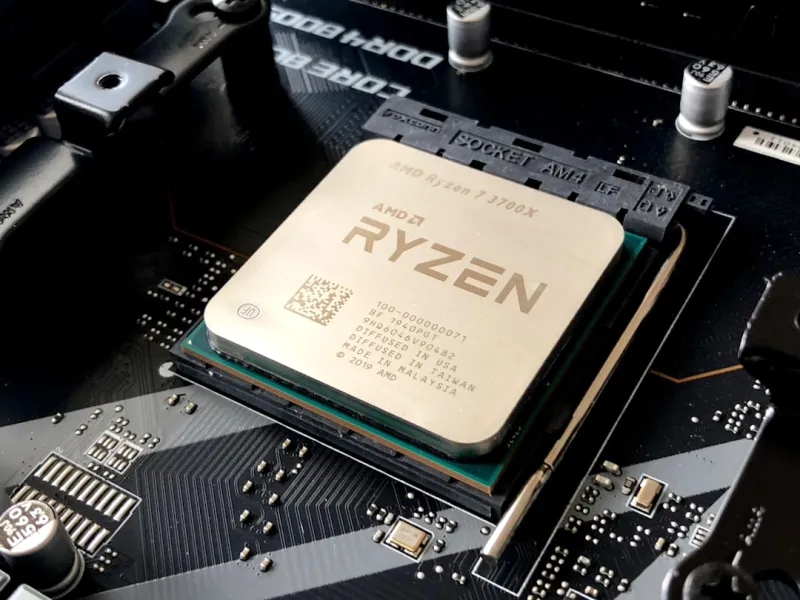
When I first cracked open a motherboard back in 2010, the biggest excitement was spotting a gold‑plated PCIe slot. Fast‑forward to 2026, and the board under your CPU is practically a miniature data‑center, humming with AI‑driven firmware, ultra‑fast interconnects, and power‑management tricks that would have made the engineers of a decade ago blush. As someone who lives at the intersection of hardware tinkering and content creation, I’m constantly reminded that the motherboard is the unsung hero of every PC build. It’s the silent conductor that synchronizes the rhythm of your GPU, memory, storage, and even the network card. In this post I’ll walk you through the trends that are reshaping motherboards this year, why they matter to gamers, creators, and professionals alike, and how to pick a board that won’t become obsolete before you finish your first AI‑enhanced project.
The Rise of AI‑Powered Firmware
Artificial intelligence is no longer confined to cloud services; it’s now embedded directly into the BIOS and UEFI layers of modern motherboards. Vendors are shipping firmware that learns your typical workload patterns—whether you’re streaming at 4K, rendering massive 3D scenes, or crunching data for machine‑learning models—and dynamically tweaks voltage curves and fan curves for optimal performance and silence. This “smart BIOS” also adds a defensive layer against the AI‑Powered Malware in 2026: What’s Changing and How to Defend threat landscape, monitoring for anomalous firmware writes and auto‑reverting to a known‑good state. While the tech is still maturing, early adopters report up to 12% better efficiency during long rendering sessions, and a noticeable reduction in unexpected reboots caused by power spikes.
Another AI‑driven feature gaining traction is predictive thermal management. By analyzing historical temperature data, the board can pre‑emptively throttle or boost certain power phases before a hot spot even forms. This is especially valuable in compact builds where airflow is limited. The result is a smoother, quieter experience that lets you focus on creativity rather than constantly tweaking fan curves. In short, AI is turning the motherboard from a static platform into an adaptive, self‑optimizing ecosystem—something that will shape every decision you make about upgrades and component compatibility this year.
PCIe 6.0 and the Bandwidth Arms Race
The leap to PCIe 6.0 in 2024 set the stage, but 2026 is where we truly see the bandwidth arms race heating up. With data rates hitting 64 GT/s, a single PCIe 6.0 x16 slot can theoretically move 256 GB/s—enough to feed the most demanding GPUs and upcoming accelerator cards without bottlenecking. This matters because modern video cards are now packing more cores than ever, and the new kind of troubleshooting required for them hinges on having a motherboard that can keep up. If you’ve ever watched frame‑rate stutters while a game tries to pull textures from the GPU, the culprit is often an insufficient PCIe lane configuration.
What’s more, motherboards are starting to expose PCIe 6.0 lanes not just for the primary GPU slot but also for secondary slots, M.2 storage, and even networking cards. This opens the door for dual‑GPU rigs, high‑speed NVMe RAID arrays, and 40 Gbps Ethernet adapters to coexist without compromising speed. However, the real magic is in the lane sharing flexibility that newer chipsets provide—automatically reallocating lanes based on workload. So whether you’re a streamer juggling a capture card and a high‑end GPU, or a data scientist running a GPU‑accelerated AI inference engine, a PCIe 6.0‑ready motherboard is now a non‑negotiable foundation.
Memory Evolution: DDR5 to DDR6
Memory technology has taken a decisive jump from DDR5 to DDR6 in 2026, delivering higher frequencies (up to 8400 MHz) and lower latencies thanks to improved signaling and on‑die ECC. For most gamers, the jump means smoother frame delivery in titles that rely heavily on texture streaming, especially at 8K resolutions. Content creators, on the other hand, benefit from the massive bandwidth when editing raw 8K video or working with large 3D assets in real time. The new DDR6 modules also sport a more efficient voltage envelope, dropping from 1.1 V to just 0.9 V, which translates to lower overall system heat.
Motherboard manufacturers have responded by redesigning DIMM traces to handle the increased signaling integrity requirements, often adding additional power planes and tighter timing control. Some high‑end boards now feature dual‑channel memory overclocking profiles that are AI‑tuned per kit, allowing you to push the modules closer to their rated speeds without sacrificing stability. If you’re still on DDR5, don’t panic—most DDR6‑ready boards are backward compatible, but you’ll want to verify BIOS support and whether the board can fully utilize the higher clock rates of the newer modules. In short, memory is no longer just a capacity issue; it’s a performance catalyst that can make or break a 2026 build.
Power Delivery & Sustainability
Power delivery on motherboards has become a sophisticated dance of phases, efficiency, and thermal management. While eight‑phase VRMs were once the gold standard for enthusiast builds, 2026 sees mainstream boards sporting 12‑plus phase designs built around GaN (gallium nitride) MOSFETs. GaN’s lower on‑resistance and faster switching capabilities mean less heat and higher efficiency—often exceeding 95% conversion at typical loads. This is a boon for both high‑performance rigs and eco‑conscious users looking to trim their electricity bills.
In addition, many manufacturers now integrate power‑sensing chips that feed real‑time data back to the AI‑driven BIOS mentioned earlier. This enables dynamic scaling of voltage to each CPU core based on demand, reducing waste during idle periods. Some premium boards even offer a “green mode” that caps power draw at a predefined ceiling, perfect for silent, low‑noise builds that still need enough juice for occasional bursts of performance. The combination of smarter VRMs and AI‑guided power management is turning the motherboard into a greener, more resilient platform—an essential factor as we all aim for more sustainable computing practices in 2026.
Connectivity: From Wi‑Fi 7 to USB4
Connectivity options on motherboards have exploded, and 2026 is the year they finally converge into a cohesive, high‑speed ecosystem. Wi‑Fi 7 (802.11be) is now standard on flagship boards, delivering up to 30 Gbps throughput with ultra‑low latency, making wireless gaming and 8K streaming practically indistinguishable from wired connections. Coupled with 2.5 GbE and emerging 10 GbE Ethernet ports, you can build a network‑centric workstation that handles massive data transfers without a hitch.
On the peripheral side, USB4 has matured into a universal hub for everything from external SSDs to VR headsets, offering 40 Gbps bandwidth and power delivery up to 100 W. Some motherboards now include a Thunderbolt 4‑compatible port that doubles as a USB4 Type‑C, simplifying cable clutter on cramped desks. If you’re curious about how networking is evolving alongside AI, check out Why 2026 Is the Year Networking Finally Catches Up to AI for a deeper dive. These connectivity upgrades ensure that your motherboard won’t become a bottleneck as other components push the envelope.
Security Features Built In
Security has become a first‑class citizen on modern motherboards. Beyond the traditional TPM 2.0, manufacturers now ship TPM 2.2 chips that support hardware‑rooted attestation for AI‑enhanced workloads, ensuring that only trusted firmware can run on the system. Combined with secure boot extensions that verify each component’s digital signature, this creates a multi‑layered defense against the AI‑Powered Threats in 2026. Some boards also feature on‑board crypto accelerators, offloading encryption tasks from the CPU and reducing latency for secure file transfers.
Another noteworthy addition is the “Secure Firmware Update” protocol, which uses encrypted, signed blobs to protect against rogue BIOS flashing—a common attack vector for sophisticated malware. Paired with real‑time monitoring of firmware integrity, these features give you peace of mind when deploying critical workloads, whether that’s a gaming server or a machine‑learning inference node. In a world where hardware-level attacks are increasingly common, a motherboard that takes security seriously is not a luxury; it’s a necessity.
How to Choose the Right Motherboard in 2026
With so many advancements, selecting a motherboard can feel overwhelming. Here’s a quick checklist: first, confirm chipset compatibility with your CPU—Intel’s 14th‑gen and AMD’s Zen 5 platforms both require specific socket families. Next, verify that the board supports PCIe 6.0 across the slots you’ll actually use, especially if you plan on dual‑GPU or high‑speed storage configurations. Third, assess the VRM phase count and cooling solution; for overclockers, look for boards with at least 12 phases and robust heat‑pipe or active cooling.
Fourth, match the memory specifications—DDR6 support is becoming the norm, but ensure the board’s QVL (Qualified Vendor List) includes the kits you intend to buy. Fifth, evaluate connectivity: Wi‑Fi 7, 2.5 GbE or higher, and multiple USB4/Thunderbolt ports are must‑haves for future‑proofing. Finally, don’t forget the BIOS UI; an intuitive, AI‑assisted interface can save hours of tweaking. For a deeper dive into the specific models that meet these criteria, see The Ultimate 2026 PC Upgrade Guide. Following this roadmap will help you avoid the common pitfalls that lead to costly upgrades down the line.
Looking Ahead: The Motherboard of Tomorrow
What does the future hold? Expect to see even tighter integration between the motherboard and AI workloads, with dedicated neural‑processing clusters embedded directly on the board to accelerate inference tasks without taxing the CPU. Imagine a motherboard that can offload background security scanning, real‑time video encoding, or even AI‑driven audio enhancement—all on the silicon beneath your components. Additionally, emerging standards like PCIe 7.0 and DDR7 are on the horizon, promising another order of magnitude in bandwidth and capacity.
For now, the key is to build on a platform that embraces modularity and upgrade paths. Choose a board with spare PCIe slots, ample M.2 sockets, and a BIOS that receives regular AI‑guided firmware updates. By doing so, you’ll not only maximize performance today but also keep your rig relevant as the hardware landscape evolves. As always, stay curious, keep an eye on the latest Critical Tech Updates Shaping 2026, and remember that the motherboard is the backbone of your digital creation—treat it with the respect it deserves, and it will reward you with years of reliable, cutting‑edge performance.




