
The Evolution of Microsoft Windows Security: A Comprehensive Overview
As a tech enthusiast, I've always been fascinated by the evolution of Microsoft Windows security. From the early days of Windows XP to the latest versions of Windows 11, the operating system has undergone significant transformations to keep pace with emerging threats. In this article, I'll provide an in-depth look at the state of Microsoft Windows security, highlighting key trends, threats, and best practices. Whether you're a seasoned IT professional or a casual Windows user, this comprehensive overview will help you stay informed and ahead of the curve.
The Early Days of Windows Security
Windows XP, released in 2001, was a game-changer for Microsoft. However, its popularity also made it a prime target for malware and viruses. The operating system's vulnerabilities were exploited by hackers, leading to widespread infections and data breaches. In response, Microsoft introduced Windows Vista, which included significant security enhancements, such as User Account Control (UAC) and Windows Defender. While these improvements were a step in the right direction, they were not enough to completely mitigate the risks associated with Windows.
The Rise of Threats and Vulnerabilities
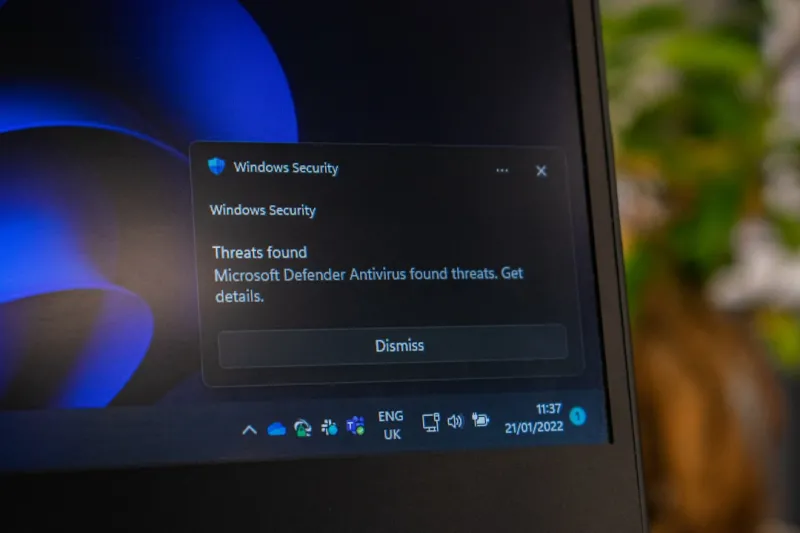
As Windows continued to evolve, so did the threats against it. The rise of ransomware and phishing attacks posed significant challenges to Windows security. Hackers began to exploit vulnerabilities in popular software applications, including Microsoft Office. In fact, Microsoft Office security has become a growing concern in the digital age, with hackers using malicious macros and other techniques to compromise user data. To combat these threats, Microsoft has implemented various security features, such as Windows Defender Advanced Threat Protection (ATP) and Windows Information Protection.
The Importance of Network Security
Network security is a critical aspect of Windows security. As our reliance on connected devices grows, so does the attack surface. The evolution of network security has led to the development of more sophisticated threat detection and response tools. However, hackers continue to find ways to exploit vulnerabilities in network protocols and devices. To stay secure, Windows users must prioritize network security best practices, such as implementing firewalls, using strong passwords, and keeping software up to date.
The Role of Hardware in Windows Security
Hardware plays a crucial role in Windows security. The rise of computer hardware vulnerabilities has led to increased concerns about the security of Windows devices. The looming threat of computer hardware vulnerabilities has significant implications for Windows security, as hackers can exploit these vulnerabilities to gain unauthorized access to sensitive data. To mitigate these risks, Windows users must prioritize hardware security best practices, such as keeping firmware up to date and using secure boot mechanisms.
Best Practices for Windows Security
So, what can Windows users do to stay secure? Here are some best practices to keep in mind:
- Keep software up to date: Regularly update Windows and software applications to ensure you have the latest security patches.
- Use strong passwords: Use complex passwords and enable two-factor authentication to prevent unauthorized access.
- Be cautious with email and attachments: Avoid suspicious emails and attachments, and never open executable files from unknown sources.
- Use antivirus software: Install reputable antivirus software and keep it up to date.
By following these best practices, Windows users can significantly reduce their risk of falling victim to cyber threats.
The Future of Windows Security
As we look to the future, it's clear that Windows security will continue to evolve. Artificial intelligence and machine learning will play a larger role in threat detection and response. Microsoft is already investing in these areas, with features like Windows Defender ATP using AI-powered threat detection. Additionally, the intersection of AI and cybersecurity will continue to shape the future of Windows security.
Conclusion
In conclusion, Microsoft Windows security has come a long way since the early days of Windows XP. However, the threats against Windows continue to evolve, and users must stay informed and vigilant to stay secure. By prioritizing best practices, staying up to date with software updates, and being aware of emerging threats, Windows users can protect themselves against cyber threats. As a tech enthusiast, I'm excited to see how Windows security will continue to evolve in the future.
Final Thoughts
As we wrap up this comprehensive overview of Microsoft Windows security, I want to emphasize the importance of staying informed and proactive. Whether you're an IT professional or a casual Windows user, Windows security is everyone's responsibility. By working together and prioritizing security best practices, we can create a safer and more secure computing environment for all.