As we continue to navigate the complexities of the digital world, it's becoming increasingly clear that security is a top priority for computer users. For years, I've been discussing the importance of keeping your computer and data secure, and today I'd like to dive deeper into the world of Microsoft Windows and the threats that come with it. With the rise of malware and viruses, it's essential to understand the risks and take necessary precautions to protect yourself.
The State of Computer Hardware Security: Threats and Trends
The state of computer hardware security is a pressing concern, with threats emerging on a daily basis. As we rely more heavily on our computers for everyday tasks, the risk of falling victim to a cyber attack increases. Computer hardware security is a critical aspect of overall computer security, and it's essential to stay informed about the latest threats and trends. From malware and viruses to hardware vulnerabilities, there are numerous threats that can compromise your computer's security.
The Looming Threat of Malware and Viruses
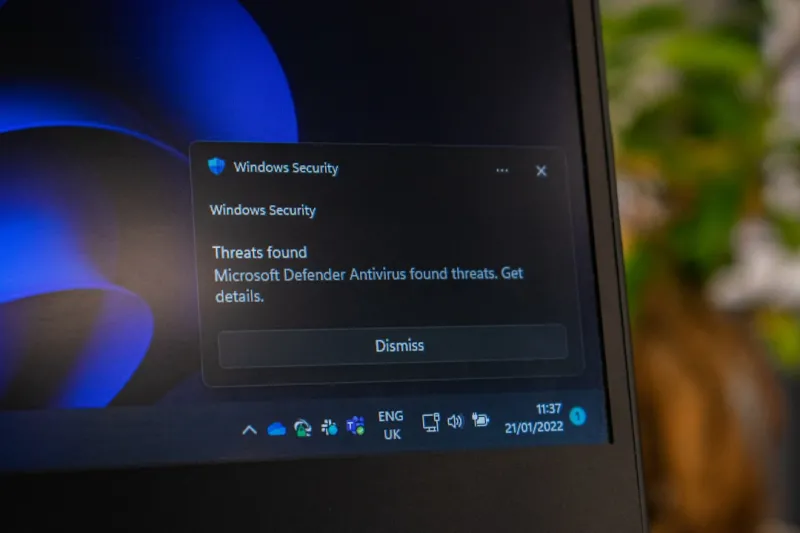
Malware and viruses are two of the most significant threats to computer security, and they can have devastating consequences if not addressed properly. These malicious programs can infiltrate your computer, steal sensitive information, and even render your device unusable. The alarming rise of malware and viruses is a growing concern for computer users, and it's crucial to take steps to protect yourself. Malware and viruses are becoming increasingly sophisticated, making it essential to stay vigilant and take proactive measures to safeguard your computer.
The Importance of Microsoft Office Security
Microsoft Office is one of the most widely used software suites in the world, and its security is a top priority. However, with the rise of cyber attacks, it's becoming increasingly clear that Microsoft Office security is a growing concern. As we rely more heavily on Office applications for everyday tasks, the risk of falling victim to a cyber attack increases. It's essential to understand the risks and take necessary precautions to protect yourself, such as keeping your software up-to-date and using strong passwords.
The Intersection of AI and Cybersecurity
The intersection of AI and cybersecurity is a rapidly evolving field, with numerous implications for computer users. As AI technology continues to advance, it's likely to play a significant role in the development of more sophisticated cyber threats. However, AI can also be used to improve cybersecurity, by detecting and responding to threats more effectively. The intersection of AI and cybersecurity is a critical area of research, and it's essential to stay informed about the latest developments and trends.
The Evolution of Computer Hardware
The evolution of computer hardware has been rapid, with numerous advancements in recent years. From faster processors to more efficient storage solutions, computer hardware has come a long way. However, with these advancements come new security threats, such as hardware vulnerabilities that can compromise your computer's security. It's essential to understand the risks and take necessary precautions to protect yourself, such as keeping your software up-to-date and using secure hardware.
The Future of Motherboards: Trends, Innovations, and Security Concerns
The future of motherboards is a rapidly evolving field, with numerous trends, innovations, and security concerns. As motherboard technology continues to advance, it's likely to play a significant role in the development of more secure computers. However, with these advancements come new security threats, such as hardware vulnerabilities that can compromise your computer's security. It's essential to stay informed about the latest developments and trends in motherboard technology, and to take necessary precautions to protect yourself.
Troubleshooting Common Issues
Troubleshooting common issues is an essential part of computer maintenance, and it's crucial to know how to fix common problems. From memory issues to video card problems, there are numerous issues that can arise. By understanding how to troubleshoot common issues, you can save time and money, and ensure that your computer runs smoothly and efficiently.
Conclusion
In conclusion, the world of Microsoft Windows is complex and ever-evolving, with numerous threats and trends emerging on a daily basis. By understanding the risks and taking necessary precautions, you can protect yourself and ensure that your computer runs smoothly and efficiently. From malware and viruses to hardware vulnerabilities, there are numerous threats that can compromise your computer's security. Stay informed, stay vigilant, and take proactive measures to safeguard your computer and data.
By following these tips and staying informed about the latest threats and trends, you can ensure that your computer runs smoothly and efficiently, and that your data is safe and secure. Remember, computer security is a top priority, and it's essential to take proactive measures to protect yourself and your data.