
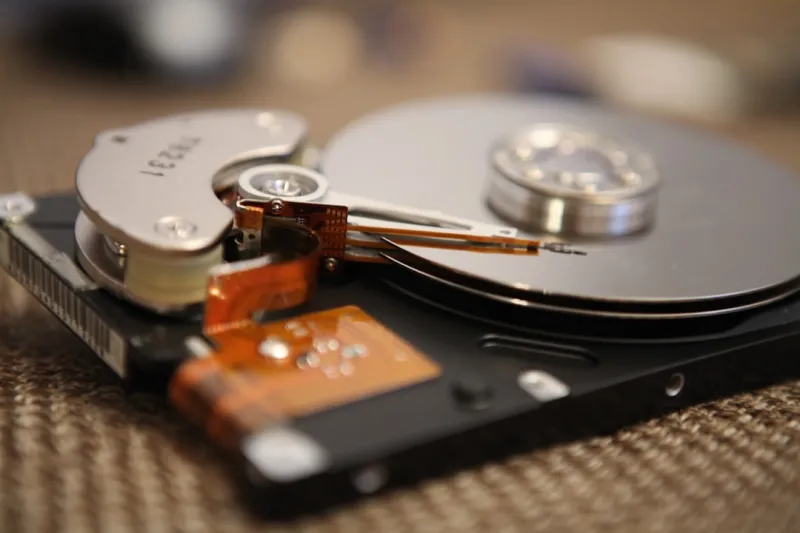
When you’ve spent a decade tinkering with every generation of storage, the clatter of a spinning platter still feels like a promise of reliability that flash can’t always match. In 2026, the market is awash with NVMe drives that tout sub‑millisecond latency, yet the hard‑drive aisle remains bustling, especially for power users who demand massive capacity without breaking the bank. I’m Shawn DesRochers, and I’ve watched the pendulum swing from early 3.5‑inch behemoths to today’s 2.5‑inch ultrathin models that can hold a terabyte of data for a fraction of the cost of an equivalent SSD. This article dives deep into why hard drives are still a cornerstone of a power‑user’s arsenal, how they’ve evolved to meet modern workloads, and what you should consider before you spin up a new rack of storage.
The Unseen Evolution of Magnetic Storage
Most people assume hard‑drive technology has plateaued, but the reality is a relentless march in areal density and recording techniques. In 2026, manufacturers are shipping drives that leverage Heat‑Assisted Magnetic Recording (HAMR) and Shingled Magnetic Recording (SMR) to push beyond 2 TB per platter, a feat unimaginable a decade ago. These advances aren’t just about cramming more bits; they also improve error‑correction algorithms, allowing drives to self‑heal minor media defects before they become catastrophic failures. The shift to thinner platters and more efficient spindle motors has reduced power draw by up to 30%, a boon for quiet, low‑heat builds. If you think the era of magnetic storage is over, you might want to revisit the arguments laid out in the hard drives still dominate the storage hierarchy, where the case for HDDs is built on real‑world data density trends and cost‑per‑gigabyte economics.
Performance Realities: When HDDs Outperform SSDs
Speed is often the first metric people use to compare SSDs and HDDs, but the story is nuanced. For workloads that involve massive sequential reads—think rendering raw video footage, training large language model datasets, or archiving scientific telemetry—modern 7200 RPM HDDs can sustain 250 MB/s, a rate that rivals many SATA SSDs and approaches the lower end of NVMe performance. Moreover, the larger cache buffers on contemporary drives, often 256 MB or more, smooth out burst I/O, making them surprisingly responsive for backup servers and media libraries. The economics of bulk storage also come into play; you can buy a 16 TB HDD for under $300, while a comparable SSD would cost more than $1,200. This cost differential means you can maintain multiple redundant copies without draining your upgrade budget, a strategy that aligns perfectly with a power‑user’s emphasis on data redundancy and fast, continuous backups.
Reliability, Data Integrity, and the Myth of the “Fragile” HDD
One lingering myth is that magnetic drives are inherently fragile. In practice, modern HDDs incorporate advanced SMART monitoring, vibration sensors, and dynamic fly‑height control to adapt to real‑world conditions. When a drive detects an upcoming failure, it can alert you via the OS, giving you time to clone the data before a catastrophic loss. For power users who run mission‑critical workloads, pairing a hard drive with a robust backup regimen—such as incremental snapshots to a secondary NAS—creates a safety net that SSDs alone often lack because they don’t expose wear‑level data as transparently. Additionally, the physical nature of magnetic media means data can survive power outages and even certain types of cyber‑attacks that target firmware on flash devices. Understanding these reliability features helps you design storage tiers where HDDs serve as the archival backbone, while SSDs handle the hot‑data, low‑latency layer.
Seamless Integration with Modern Systems
Integrating HDDs into a 2026 workstation is no longer a “plug‑and‑pray” exercise. Motherboards now ship with multiple SATA‑III ports that support hot‑swap bays, and many high‑end rigs include PCIe‑to‑SATA adapters that let you attach a dozen drives without sacrificing bandwidth. Hybrid storage solutions—such as using an SSD as a cache for a large HDD array—are now supported natively in Windows and Linux through technologies like Windows Storage Spaces Direct and btrfs SSD‑cache. These setups give you the best of both worlds: the latency of flash for OS and application binaries, and the sheer capacity of magnetic disks for data lakes. If you’re curious about orchestrating this blend, the ultimate PC upgrade playbook walks you through step‑by‑step configuration, from BIOS settings to tiered storage policies.
Security in the Age of Persistent Threats
Hard drives are not immune to security concerns, especially as ransomware and firmware attacks evolve. One of the most effective mitigations is hardware‑based encryption, which locks the magnetic media with a key that never leaves the drive. This approach is particularly relevant for portable external HDDs that travel between sites. For internal drives, enabling BitLocker or LUKS with a TPM‑backed key ensures that even if a thief lifts the platter, the data remains unreadable. The importance of these measures is underscored in our guide on encryption for power users, where we explain how to balance performance impact with airtight protection. Coupling encryption with regular firmware updates—often delivered through the manufacturer’s utility—helps close the gap that attackers exploit in legacy devices.
Planning Your Capacity: When to Add More HDDs
Capacity planning is both an art and a science. A common rule of thumb for power users is to allocate roughly 70% of total storage to HDDs for long‑term archives, with the remaining 30% reserved for SSDs that handle active projects. This ratio ensures you have ample room for versioned backups, raw media, and large datasets without constantly juggling space. When your HDD usage hits the 80% threshold, it’s time to consider expanding your array rather than compressing data, as fragmentation can degrade performance on older drives. The ultimate PC upgrade playbook offers a handy spreadsheet template for tracking growth trends, projected workloads, and the ROI of adding a new 12 TB platter versus upgrading to a higher‑density 20 TB model.
Looking Ahead: HDDs in an AI‑Driven World
Artificial intelligence workloads are notorious for generating petabytes of training data, and storing that data on flash alone is economically untenable. In 2026, many AI labs adopt a tiered architecture where raw datasets reside on multi‑terabyte HDD arrays, while processed subsets are cached on NVMe drives for rapid model iteration. The upcoming wave of HAMR‑based drives promises to push per‑platter capacities beyond 30 TB, shrinking the physical footprint of massive archives while keeping power consumption low. As we explore the roadmap for AI computing in the unlocking AI computing blueprint, you’ll see how HDDs remain essential for cost‑effective, scalable storage, especially when combined with object‑storage protocols that abstract the underlying media.
Checklist for the Power‑User Hard‑Drive Build
Before you spin up your next storage rack, run through this concise checklist:
- Confirm your motherboard’s SATA‑III bandwidth and enable AHCI mode for optimal performance.
- Choose drives with at least 256 MB cache and a 7200 RPM spindle speed for balanced speed and durability.
- Enable SMART monitoring and set up automated email alerts for pre‑failure signs.
- Implement hardware encryption and tie it to your TPM for seamless boot‑time unlocking.
- Plan a tiered storage layout: SSD cache for OS/apps, HDD tier for archives and AI data.
- Schedule regular firmware updates and verify that your backup software supports block‑level snapshots.
- Allocate spare bays for future expansion—don’t let your chassis become a bottleneck.
By following these steps, you’ll harness the full potential of magnetic storage while safeguarding against data loss, performance hiccups, and security breaches. Hard drives may not have the flashiest headlines, but in the hands of a seasoned power user, they remain the backbone of a resilient, cost‑effective computing environment.




