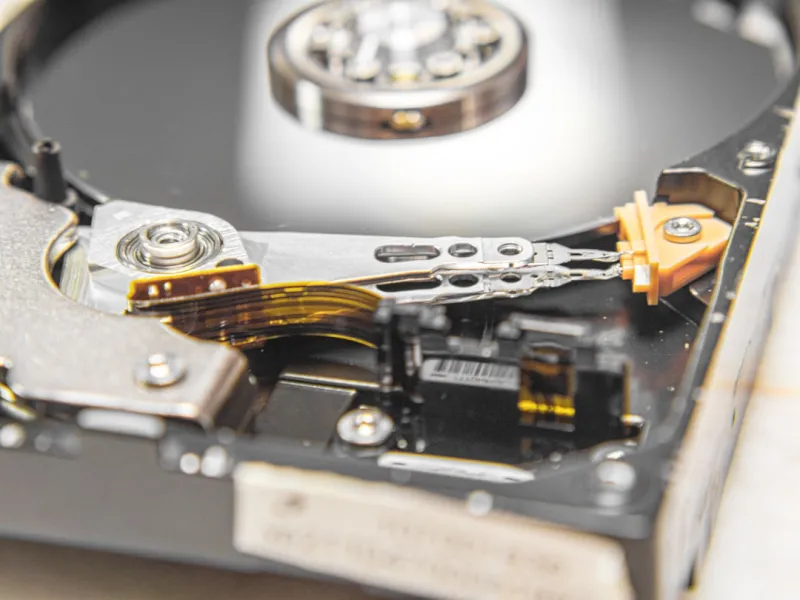
When I first unboxed my 2022 workstation, the hard drive felt like a relic in a sea of flash. Fast‑forward to 2026, and the conversation around storage has shifted from “how much can I fit?” to “how fast can I access what I need, securely and reliably.” As a self‑identified power‑user, I’ve learned that the humble hard drive—whether spinning platter or solid‑state—remains the backbone of any serious build. It’s not just about raw gigabytes; it’s about latency, endurance, and how the drive integrates with the rest of your ecosystem. In this post I’ll walk you through the decision matrix I use when selecting a drive, share the performance tricks that have shaved seconds off my render times, and reveal the security practices that keep my data safe from today’s increasingly sophisticated threats. Think of this as a playbook for anyone who treats their machine as an extension of their workflow, not just a hobbyist’s toy.
Understanding the 2026 Storage Landscape
2026 has brought a convergence of technologies that were once mutually exclusive. NVMe SSDs now sport capacities that rival traditional 4‑TB HDDs, while the emergence of PCIe 5.0 lanes delivers bandwidth that makes old bottlenecks look quaint. At the same time, the price‑per‑gigabyte gap between high‑end SATA SSDs and bulk HDDs has narrowed enough to make hybrid configurations viable for power‑users who demand both speed and massive archives. Manufacturers are also pushing new endurance metrics like TBW (terabytes written) and DWPD (drive writes per day) that better reflect real‑world workloads. For me, the key takeaway is that storage selection is no longer a binary “SSD vs. HDD” choice—it’s a layered strategy that balances capacity, performance, and longevity, all while keeping an eye on the evolving standards that could make today’s premium drive feel obsolete tomorrow.
Form Factor Matters: 2.5″, 3.5″, and M.2 Explained
The physical size of your drive dictates more than just where it fits in the chassis; it influences cooling, power consumption, and upgrade paths. The classic 3.5‑inch HDD still dominates desktop storage bays, offering the best cost‑per‑terabyte for archival needs, but they demand robust airflow to keep spin‑up times low and vibration in check. Conversely, the 2.5‑inch SSD has become the de‑facto standard for laptops and compact builds, delivering lower power draw and less heat, which translates to quieter operation. The real game‑changer, however, is the M.2 form factor, especially when paired with an NVMe controller. M.2 drives can be mounted directly on the motherboard, slashing latency and freeing up cable clutter—a boon for cable‑managed rigs. My own build uses an M.2 2280 NVMe as the primary OS drive, a 2.5‑inch SATA SSD for active projects, and a 3.5‑inch HDD for raw footage archives, creating a tiered system that maximizes each form factor’s strengths.
SSD vs. HDD: When to Choose Speed Over Capacity
If you’re editing 8K video, compiling large codebases, or running VMs, the speed advantage of NVMe SSDs is undeniable. Their sub‑microsecond latency and sequential read/write speeds exceeding 7 GB/s mean that a 4‑TB project loads in a fraction of the time it would on a traditional platter. But high‑capacity HDDs still win the marathon when you need petabytes of cold storage without breaking the bank. The trick is to align drive selection with workload characteristics: use SSDs for active datasets where I/O speed directly impacts productivity, and reserve HDDs for long‑term backups or seldom‑accessed archives. A practical rule I follow is the 80/20 split—80% of my frequently used files live on a fast NVMe, while the remaining 20% sit safely on a high‑capacity 10‑TB HDD. This hybrid approach gives me the best of both worlds without the premium price tag of an all‑flash solution.
Reliability Metrics: TBW, MTBF, and Real‑World Endurance
Manufacturers love to showcase spectacular read/write speeds, but for power‑users the real question is “how long will this drive last under heavy load?” That’s where TBW (terabytes written) and MTBF (mean time between failures) become critical. Modern NVMe drives often sport TBW ratings of 1,200 TB or more—enough to endure a professional video editor’s daily 20‑TB write volume for years. However, endurance isn’t just a spec; it’s a function of firmware, thermal management, and workload type. I regularly monitor SMART attributes via tools like CrystalDiskInfo, keeping an eye on reallocated sector count and wear leveling efficiency. When a drive approaches 70% of its rated TBW, I start planning a proactive migration. This vigilance, combined with a solid backup regimen, has saved me from catastrophic data loss more than once, reinforcing the notion that performance and reliability must go hand‑in‑hand.
Encrypting Your Data Without Sacrificing Speed
Security is no longer a optional add‑on—it’s a baseline expectation. In 2026, hardware‑based encryption (TCG Opal, Self‑Encrypting Drives) has matured to the point where the performance penalty is negligible, especially on NVMe drives with dedicated encryption engines. I enable full‑disk encryption on every SSD I use for active work, leveraging BitLocker on Windows and FileVault on macOS, but I also follow the guidelines laid out in Unlocking the Power‑User’s Playbook for Modern Computer Encryption to harden the keys and ensure that my recovery keys are stored offline. For my HDD archives, I employ VeraCrypt containers, balancing strong cryptographic protection with the drive’s slower I/O characteristics. The result is a layered security model that protects data at rest without turning my workstation into a sluggish beast, a compromise I refuse to make.
Integrating Storage Into a Future‑Ready Home Network
A power‑user’s storage strategy doesn’t end at the desk; it extends to the entire home network. With the rise of 10 GbE and Wi‑Fi 7, moving massive files across devices is no longer a chore. I’ve built a NAS using a handful of enterprise‑grade HDDs configured in RAID‑6, providing both redundancy and high throughput for media streaming. The NAS sits behind a managed switch that supports Link Aggregation, ensuring that my workstation can pull multi‑terabyte datasets without hitting a bottleneck. For those interested in a deeper dive, check out Designing a Future‑Ready Home Network for Power Users, which walks you through the exact switch models, cable standards, and QoS settings that keep storage traffic smooth and secure.
Backup Strategies: From Local Snapshots to Cloud Tiers
Even the most reliable drives can fail, so a multi‑layered backup approach is essential. I rely on three tiers: first, an automated local snapshot using Windows’ Volume Shadow Copy, which captures point‑in‑time images every hour; second, a nightly sync to the RAID‑6 NAS for off‑site redundancy within the home; and third, an encrypted cloud archive on a provider that supports S3‑compatible APIs. This laddered system ensures that a single drive failure, a house fire, or even a ransomware incident can be mitigated. I also schedule periodic integrity checks with tools like fsck and chkdsk to catch latent sector errors before they become catastrophic. The key is consistency—automated scripts, clear retention policies, and regular testing of restore procedures keep the backup plan from becoming just another forgotten folder.
Future‑Proofing: PCIe 5.0, Storage Class Memory, and Beyond
Looking ahead, the storage market is gearing up for a new wave of ultra‑fast devices. PCIe 5.0 SSDs are already hitting the market with read speeds north of 14 GB/s, effectively halving load times for data‑intensive applications. Even more exciting is the emergence of Storage Class Memory (SCM) solutions that blend DRAM‑like latency with non‑volatile persistence. While still pricey, early adopters are seeing dramatic gains in database transaction processing and real‑time analytics. When planning a build, I allocate at least one PCIe 5.0 lane for future upgrades and choose a motherboard with spare M.2 slots that support both NVMe and SCM modules. Investing in a robust power delivery system and adequate cooling ensures that tomorrow’s high‑speed drives won’t overheat or destabilize the system, protecting your investment for years to come.
Final Thoughts: Building a Storage Strategy That Grows With You
In the end, the best hard‑drive setup is the one that aligns with your personal workflow, budget, and long‑term goals. By treating storage as a layered ecosystem—fast NVMe for active projects, SATA SSDs for secondary workloads, and high‑capacity HDDs for archives—you create a flexible foundation that can adapt as technology evolves. Pair that with vigilant health monitoring, robust encryption (Power‑User Playbook: Securing Your Tech in the Age of Sophisticated Threats), and a future‑ready network, and you’ll have a system that not only meets today’s demands but also stands the test of time. Remember, the goal isn’t just more storage—it’s smarter storage that empowers you to focus on creation, not maintenance.