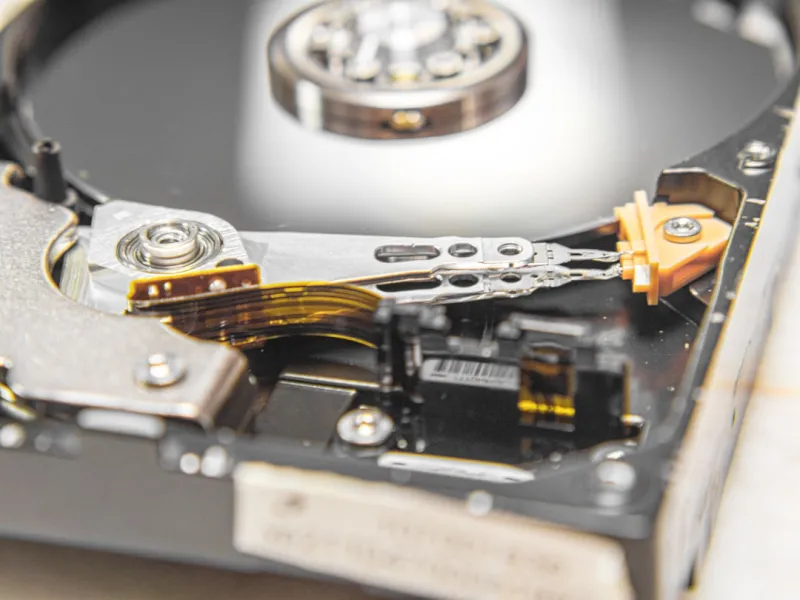
When I first cracked open a dusty 2‑TB platter drive in my college dorm, the whir of the motor felt like a secret handshake among true tech enthusiasts. Fast forward to 2026, and I’ve watched the storage landscape morph from clunky desktop behemoths to sleek NVMe flash that fits on a fingertip. Yet, despite the hype surrounding cloud vaults and ultra‑fast SSDs, I still find myself reaching for a reliable hard‑drive when I need massive, affordable capacity that won’t vanish if my Wi‑Fi flickers. In this post, I’ll walk you through why hard drives remain a cornerstone of a power user’s arsenal, how to squeeze every ounce of performance out of them, and what trends are shaping the next wave of magnetic storage. Think of this as a backstage pass to the world of platters, read/write heads, and the quirks that only a seasoned tinkerer like myself appreciates.
Magnetic Media vs. Solid‑State: Debunking the Myths
It’s easy to assume that SSDs have rendered HDDs obsolete, but that narrative overlooks a few critical realities. First, the cost per gigabyte for a traditional spinning drive still undercuts flash by a factor of three to five, making multi‑terabyte storage projects financially viable. Second, while SSDs excel at low‑latency random reads, HDDs shine in sequential workloads—think large video libraries, raw photography archives, or massive database dumps where sustained throughput matters more than microsecond access times. Third, the endurance curve of flash media means you’ll eventually hit write‑wear limits, especially in environments that churn data constantly. By contrast, a well‑maintained hard drive can clock millions of write cycles without a hiccup. Understanding these nuances helps you allocate the right tool to the right job, preventing costly over‑engineered solutions that waste both budget and power.
Capacity, Cost, and the Art of Archival
When budgeting for storage, I always start with the simple equation: total data projected × safety margin ÷ cost per GB. In 2026, a 10‑TB external HDD can be sourced for under $200, delivering roughly $0.02 per gigabyte—a bargain you won’t find with any consumer‑grade SSD. This price advantage is why I keep my long‑term archives on magnetic media, especially when dealing with 4K video projects that balloon into terabytes within hours of shooting. Moreover, modern HDDs now support technologies like shingled magnetic recording (SMR) and helium‑filled internals, which boost areal density without compromising reliability. Pairing a high‑capacity drive with a disciplined backup routine—think the classic 3‑2‑1 rule—ensures that even if a platter fails, your data lives on elsewhere. For those looking to integrate these drives into a broader upgrade plan, the guide Turbocharge Your Rig: The Ultimate PC Upgrade Playbook offers a roadmap for harmonizing HDDs with SSD caches.
Performance Tweaks: Getting the Most Out of Spinning Disks
Hard drives may not boast the nanosecond latency of NVMe, but clever configuration can narrow the performance gap dramatically. Begin by enabling write‑back caching in the OS; this buffers disk writes in RAM before flushing them to platter, smoothing out those dreaded “spinning” pauses. Next, consider partitioning a high‑speed SSD as a cache tier for your HDD—a technique known as “Hybrid Storage”—so that frequently accessed files launch at SSD speeds while the bulk of data remains on magnetic media. Don’t forget to align partitions on 4K boundaries; misalignment can cause unnecessary read‑modify‑write cycles, eroding both speed and drive lifespan. Finally, keep firmware up‑to‑date, as manufacturers often release optimizations that improve power management and error handling. If you’re curious about integrating these tweaks into a broader system overhaul, the article Unlock Hidden Windows Tricks Every Power User Should Know dives deeper into OS‑level tweaks that complement storage performance.
Reliability, SMART, and the Silent Threats
Even the most robust hard drive can fall victim to silent failures, so proactive monitoring is non‑negotiable. The Self‑Monitoring, Analysis, and Reporting Technology (SMART) interface offers a wealth of metrics—reallocated sector count, spin‑up time, and temperature trends—that, when parsed correctly, can forewarn of impending demise. I run a nightly script that logs these parameters and sends alerts when thresholds are crossed. However, reliability isn’t just about mechanical wear; firmware‑level malware has emerged as a subtle, yet potent, adversary. Modern threats can embed malicious code directly onto the drive’s controller, evading traditional antivirus scans. To understand this evolving menace, read The Hidden War: How Modern Malware Is Evolving, which outlines how attackers weaponize firmware and what safeguards you can employ, such as signed firmware updates and strict supply‑chain verification.
Encryption: Safeguarding Data at Rest
Hard drives are often the final repository for sensitive information, making encryption a cornerstone of any security strategy. Full‑disk encryption (FDE) ensures that, even if a thief walks off with a stolen external HDD, the data remains unreadable without the proper key. In 2026, hardware‑based encryption modules built into many enterprise‑grade drives provide near‑zero performance overhead, while software solutions like BitLocker or FileVault remain viable for consumer devices. I recommend enabling encryption at the moment of initial formatting—retroactive encryption can be a resource‑intensive process and may introduce fragmentation. For a deeper dive into why encryption should be on every power user’s checklist, see Why Encryption Matters to Every Power User. Pair encryption with strong, unique passphrases and a secure key vault, and you’ll have a defense-in-depth approach that protects both data in motion and at rest.
Backup Strategies: The 3‑2‑1 Rule in Practice
Backing up isn’t a one‑size‑fits‑all operation; it’s a layered strategy that balances speed, redundancy, and geography. The 3‑2‑1 rule—three copies of data, on two different media, with one off‑site—remains the gold standard. In my workflow, the primary copy lives on an internal 8‑TB HDD, a secondary copy syncs nightly to a 10‑TB external drive, and a third replica streams to a secure cloud bucket for disaster recovery. Automation is key: tools like rsync or PowerShell scripts can handle incremental backups without manual intervention. Additionally, I employ checksum verification after each backup run to catch silent corruption early. For those who need to troubleshoot why a backup failed or a drive keeps freezing, the guide Why Does My Computer Keep Freezing? Common Causes and Fixes offers practical steps to diagnose and resolve these hiccups.
Future Horizons: HAMR, SMR, and Beyond
The hard‑drive industry isn’t standing still; emerging technologies promise to push capacity and durability to new heights. Heat‑Assisted Magnetic Recording (HAMR) uses a tiny laser to momentarily heat the magnetic media, allowing bits to be packed more tightly and enabling drives that exceed 30 TB in a single 3.5‑inch chassis. Meanwhile, Shingled Magnetic Recording (SMR) continues to gain traction for write‑once, read‑many workloads such as cold‑storage archives, albeit with some trade‑offs in random write performance. Helium‑filled drives reduce friction and heat, extending lifespan while supporting higher platter counts. As these innovations mature, we’ll likely see a convergence where magnetic storage can rival flash in density while retaining its cost advantage. Keeping an eye on product roadmaps and firmware releases will ensure you’re ready to adopt the next generation without sacrificing reliability or data integrity.
Final Thoughts: Making the Hard Drive Work for You
At the end of the day, the choice between flash and magnetic storage isn’t binary; it’s a spectrum where each medium plays to its strengths. By understanding cost structures, performance tuning, reliability metrics, and emerging technologies, you can build a storage ecosystem that’s both resilient and economical. Whether you’re a content creator archiving terabytes of raw footage, a sysadmin safeguarding critical logs, or a home enthusiast curating a massive game library, hard drives still have a vital role to play. Embrace the tools, stay proactive with monitoring, and keep your data encrypted and backed up—then you’ll reap the benefits of massive capacity without the anxiety of data loss. Happy spinning, and may your platters stay silent and your data stay safe.