
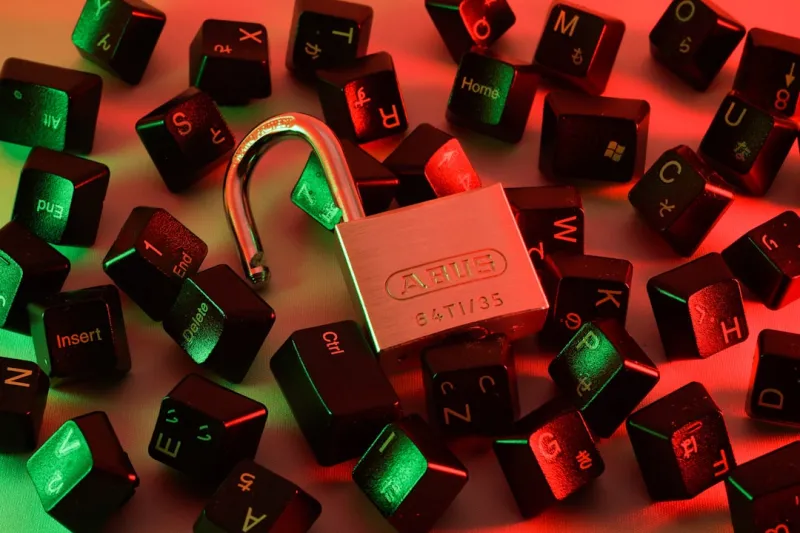
When I first dug into encryption back in the early 2020s, I treated it like an optional security garnish—something nice to add on top of a solid firewall. Fast forward to 2026, and the landscape has shifted dramatically. Threat actors now leverage AI‑driven ransomware that can crack weak passwords in minutes, and data breaches are measured not just in rows but in the reputational fallout that follows. As a power user, my workflow is built on speed, reliability, and absolute control; any weak link in the cryptographic chain can bring the whole operation to a halt. That’s why I now view encryption as the backbone of every system I touch, from the moment I boot a fresh install to the final byte that leaves my laptop for the cloud. In this article, I’ll walk you through the most practical, battle‑tested encryption strategies that have become non‑negotiable for power users in 2026, blending hardware‑level safeguards with software finesse to keep data truly private.
The Rise of Hardware‑Centric Encryption
One of the most powerful shifts I’ve witnessed is the migration from software‑only encryption to hardware‑anchored solutions. Modern CPUs now ship with built‑in Trusted Platform Modules (TPM 2.2) that can generate and store cryptographic keys in a tamper‑resistant enclave. Pair that with self‑encrypting drives (SEDs) and you have a fortress that encrypts data at the physical layer, making it virtually impossible for an attacker to extract usable information without the proper credentials. I still swear by the reliability of traditional hard drives for bulk storage, but I now outfit them with hardware encryption modules to get the best of both worlds. For a deeper dive into why hard drives still matter to power users, check out Why Hard Drives Still Rule the Power‑User Storage Landscape. The key takeaway? Leverage hardware roots wherever possible, because they offload cryptographic work from the OS and provide a baseline level of protection that software alone can’t guarantee.
Software Encryption: Tools, Techniques, and Trust
While hardware gives you a solid foundation, software encryption remains indispensable for day‑to‑day tasks. Open‑source tools like VeraCrypt and Cryptomator have matured to the point where they can encrypt entire partitions, individual files, or even cloud sync folders with minimal performance overhead. In my own setup, I chain a full‑disk encryption solution with file‑level containers for the most sensitive documents, ensuring that even if the hardware is compromised, the data stays sealed. The real challenge is managing passwords and keyfiles without falling into the habit of writing them down on sticky notes. I’ve adopted a passphrase manager that integrates with my password vault, generating strong, unique keys for each container. This approach also dovetails nicely with the principles outlined in Outsmarting Modern Malware, where a layered defense—combining endpoint protection, network segmentation, and robust encryption—creates a multi‑faceted barrier that modern ransomware simply can’t breach.
Zero‑Trust Networks and End‑to‑End Encryption
The security paradigm has moved beyond “perimeter defense” to a zero‑trust model where every connection, whether internal or external, is assumed hostile until verified. This means encrypting traffic not just over the internet, but also within your LAN, especially when you’re moving large datasets between workstations, NAS devices, or edge servers. Implementing IPsec tunnels and TLS‑wrapped SMB shares ensures that data remains encrypted in transit, eliminating the risk of packet sniffing on a compromised switch. For power users who juggle multiple environments—home labs, corporate VPNs, and remote cloud instances—this level of granular encryption is essential. I routinely audit my network with tools that highlight any unencrypted channels, a habit I honed after reading Beyond the Firewall. By treating every node as a potential attack surface, you enforce a consistent encryption policy that protects data at every hop.
Key Management: The Unsung Hero of Encryption
Even the strongest encryption algorithm is worthless if you lose the key. Over the years, I’ve experimented with everything from USB‑based hardware tokens to cloud‑based key vaults, and I’ve settled on a hybrid approach that balances accessibility with security. Critical master keys live on a YubiKey that’s physically secured in a fire‑proof safe, while secondary keys for less sensitive workloads are stored in an encrypted vault synced across my devices. Rotation policies are non‑negotiable; I schedule automated key regeneration every 90 days, coupled with immediate revocation of any stale keys. This practice not only limits the window of exposure if a key is compromised, but it also aligns with compliance frameworks that are increasingly demanding strict key lifecycle management. For those who love digging into the nitty‑gritty of storage, the article on hard‑drive mastery offers useful insights that translate well to key storage strategies.
Encrypting the Cloud: Client‑Side vs. Server‑Side
As power users, we often rely on cloud platforms for collaboration, backup, and compute elasticity. The default encryption offered by major providers—AES‑256 at rest and TLS in transit—provides a baseline, but it’s still server‑side, meaning the provider holds the keys. To retain full control, I employ client‑side encryption before any file ever touches the cloud. Tools like Cryptomator encrypt individual files locally, producing ciphertext that the cloud service can store without ever seeing the plaintext. For larger workloads, I spin up encrypted virtual machines using BitLocker or LUKS, ensuring that even if a VM snapshot is leaked, the underlying data remains unintelligible. The trade‑off is a modest increase in CPU overhead, but on modern hardware, the impact is negligible. Remember, the principle remains the same: keep the key with you, never with the service.
Preparing for a Quantum‑Ready Future
Quantum computing is no longer a distant theory; early‑stage quantum processors are already being used in research labs to test cryptographic primitives. While large‑scale quantum attacks on RSA or ECC are still years away, the risk is real enough that forward‑looking power users should start experimenting with post‑quantum algorithms. NIST’s ongoing standardization process has produced candidates like CRYSTALS‑Kyber and Dilithium, which are already available in experimental OpenSSL builds. I’ve begun testing these algorithms in a sandbox environment, encrypting test data and measuring performance hits. The current consensus is that for most everyday workloads, the performance penalty is acceptable, especially when weighed against the future‑proofing benefits. By integrating post‑quantum ready libraries now, you avoid a painful migration later and demonstrate a proactive security posture that can be a differentiator in compliance audits.
Automation, Scripting, and the Power‑User Playbook
Manually encrypting each new drive or file container is a recipe for human error. That’s why I’ve automated the entire encryption pipeline using PowerShell scripts that detect new volumes, prompt for a passphrase, and apply BitLocker or VeraCrypt encryption on the fly. The scripts also log key fingerprints to a secure vault, providing an auditable trail for each encryption event. Automation not only speeds up deployment across multiple machines—think of a fleet of workstations in a lab—but also ensures consistency, a core tenet of any power‑user methodology. If you’re interested in the hardware side of things, the guide on Mastering Modern Computer Hardware offers a solid foundation for understanding how your CPU’s encryption extensions can be leveraged programmatically.
Final Thoughts: Making Encryption a Habit, Not a Afterthought
Encryption in 2026 is no longer an optional security add‑on; it’s a fundamental component of any power‑user’s workflow. By combining hardware‑based safeguards, robust software tools, disciplined key management, and forward‑looking post‑quantum strategies, you create a layered defense that adapts to evolving threats. The journey starts with a mindset shift: treat every piece of data—whether at rest, in motion, or in use—as something that must be protected by default. As you integrate these practices, you’ll find that the friction once associated with encryption disappears, replaced by a seamless, automated experience that lets you focus on what you do best—pushing technology to its limits. Stay curious, stay secure, and let encryption be the quiet guardian of your digital empire.




