
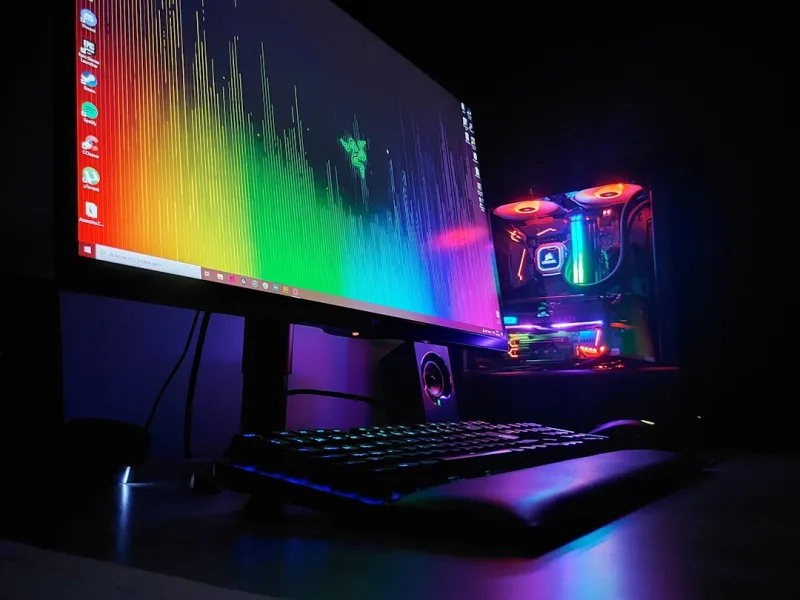
When you hear the term “upgrade” in 2026, it’s no longer just about squeezing a few extra frames per second out of an aging rig. The PC landscape has been reshaped by AI acceleration, edge‑first computing, and unprecedented bandwidth demands. Upgrading now means aligning hardware with the software pipelines that power modern creation, gaming, and AI workloads. Whether you’re a content creator streaming 8K video, a developer training lightweight models, or a gamer chasing ray‑traced immersion, the right upgrades can transform latency bottlenecks into smooth, responsive experiences. In this post I’ll walk you through the most impactful components to replace, the rationale behind each choice, and how to future‑proof your build for the next wave of technological evolution—all while keeping an eye on cost efficiency and real‑world performance.
Why Upgrading Your PC Matters in 2026
In 2026 the software ecosystem is heavily AI‑infused; operating systems are delegating routine tasks to on‑board neural engines, and cloud‑edge hybrids demand low‑latency local compute. Staying on legacy hardware means you’ll constantly hit performance ceilings and security blind spots. Upgrades are no longer optional add‑ons; they’re essential for maintaining system stability, especially as Windows and Linux distributions push AI‑driven telemetry and predictive maintenance features that rely on modern instruction sets. Moreover, the rise of real‑time ray tracing and AI upscaling in games, plus 8K video editing workflows, require massive bandwidth and compute headroom. Ignoring these trends can lead to a frustrating experience where the CPU becomes a choke point, the GPU stalls, and storage latency drags overall responsiveness down the line.
CPU Choices: From Core Counts to AI Acceleration
The centerpiece of any upgrade is the processor. In 2026, the market is dominated by CPUs that blend traditional high‑core counts with dedicated AI accelerators. For example, the latest “Zen‑5” and “Alder Lake‑X” lineups ship with on‑chip tensor cores designed to offload inference tasks, reducing the load on your GPU and freeing up cycles for gaming or rendering. When selecting a CPU, look for support of AVX‑512 and the newer AMX extensions, which dramatically speed up matrix operations common in AI workloads. Additionally, consider the platform’s upgrade path—many motherboards now support socket longevity, allowing you to hop to next‑gen CPUs without a full board replacement. Pairing a high‑core, AI‑ready CPU with a robust cooling solution ensures you can sustain boost clocks under heavy workloads without throttling.
Graphics Cards: The Rise of Real‑Time Ray Tracing and AI Upscaling
Graphics technology in 2026 has crossed a threshold where ray tracing is no longer a premium feature but a baseline expectation. The newest RTX and Radeon cards incorporate next‑gen RT cores and AI‑driven upscalers like DLSS 3 and FidelityFX Super Resolution 2, which can double frame rates while preserving image fidelity. When choosing a GPU, evaluate the amount of VRAM—12 GB is the new sweet spot for 4K gaming, while 24 GB caters to 8K and professional workloads. Also, watch for support of PCIe 5.0 x16, which offers the bandwidth needed for the massive data streams of high‑resolution textures and AI‑enhanced effects. Don’t overlook power requirements; a 450 W+ card demands a quality PSU and adequate airflow, otherwise you’ll risk thermal throttling that negates the performance gains you’re after.
Memory and Storage: DDR5, DDR6, and NVMe 5.0
Memory speeds have surged with DDR5 and the emerging DDR6 standard, delivering latency reductions that directly benefit both gaming and AI inference. For most users, 32 GB of DDR5‑6000 is a comfortable baseline, but power users pushing large language models or video rendering should consider 64 GB of DDR6‑7200, which offers higher bandwidth per pin. Storage has evolved just as quickly; NVMe 5.0 SSDs now provide read/write speeds exceeding 14 GB/s, dramatically cutting load times and data transfer bottlenecks. If you’re unsure which drive to pick, my Hard Drive Guide: Capacity, Reliability & Future Trends breaks down the options, emphasizing endurance ratings and the importance of thermal throttling mitigation. Pair a high‑speed NVMe drive for the OS and primary applications with a larger SATA SSD for bulk storage to balance performance and cost.
Power Supply and Cooling: Efficiency Meets Quiet
Modern components demand clean, stable power. In 2026, 80 Plus Platinum and Titanium certified PSUs have become the norm, offering >94% efficiency even at low loads, which translates to lower heat output and quieter operation. When sizing your PSU, factor in the GPU’s peak draw, the CPU’s turbo power, and additional peripherals; a 750 W unit comfortably covers most high‑end builds, while 1000 W+ units provide headroom for multi‑GPU setups. Cooling solutions have also advanced—dual‑tower AIOs with 360 mm radiators now incorporate AI‑based fan curves that adapt to workload intensity, maintaining optimal temperatures without sacrificing acoustics. For those preferring air cooling, high‑static pressure fans paired with large heat sinks can achieve comparable performance, especially in compact chassis where liquid cooling may be impractical.
Motherboards for the AI‑Ready Era
The motherboard is the unsung hero that ties together AI acceleration, high‑speed memory, and next‑gen connectivity. Look for boards that advertise “AI‑Ready” features: integrated neural processing units, support for PCIe 5.0, and robust VRM designs that can sustain prolonged CPU boost. My recent deep‑dive, Why Your Next PC Build Needs an AI‑Ready Motherboard, highlights models that include built‑in Wi‑Fi 7 and 10 Gb Ethernet, ensuring your system can handle the bandwidth demands of edge‑first applications. Additionally, prioritize boards with ample M.2 slots (preferably PCIe 5.0) for future storage upgrades and a rich I/O suite that includes USB4 and Thunderbolt 4, giving you flexibility for fast external peripherals and high‑speed data transfers.
Peripheral Upgrades: Monitors, SSD Enclosures, and USB4
Even the best internal components can be bottlenecked by outdated peripherals. A 1440p @ 165 Hz monitor with HDR support offers a sweet spot for most gamers, while creators benefit from 4K panels with 100% AdobeRGB coverage and low‑blue‑light technology. External SSD enclosures leveraging Thunderbolt 4 or USB4 can provide near‑native NVMe speeds, perfect for on‑the‑go editing or backup workflows. Don’t forget the importance of a high‑quality keyboard and mouse—mechanical switches with low actuation force and high‑DPI sensors enhance productivity and gaming precision. Investing in these peripherals not only improves day‑to‑day usability but also ensures you can fully exploit the performance gains of your upgraded core components.
Software Tweaks to Unlock Hardware Potential
Hardware upgrades shine brightest when paired with optimized software settings. Start by updating BIOS/UEFI firmware to enable the latest power and performance profiles, especially for AI‑accelerated cores. In Windows 11, enable the “Hardware‑Accelerated GPU Scheduling” option to reduce latency and improve frame pacing. For gamers, tools like NVIDIA’s GeForce Experience now auto‑tune settings based on AI analysis of your hardware configuration, delivering balanced visuals and performance. Power users should also explore driver-level tweaks that allocate more memory to AI engines, and consider using lightweight Linux distributions that expose low‑level CPU features out of the box. Finally, regular maintenance—cleaning dust, reapplying thermal paste, and monitoring temperatures via tools like HWInfo—keeps the system running at peak efficiency.
Future‑Proofing: Planning for the Next Five Years
Looking ahead, the next five years will likely see deeper integration of AI at the silicon level, wider adoption of DDR6, and the mainstream arrival of PCIe 6.0. To future‑proof your rig, choose a case with ample space for additional radiators and modular cable routing, facilitating later upgrades. Select a PSU with enough headroom to accommodate higher‑power GPUs that will emerge as AI inference becomes more localized. When buying RAM, opt for kits that are easily upgradable—pop‑in additional modules without compromising dual‑channel operation. Finally, keep an eye on emerging standards like Compute Express Link (CXL) that promise faster inter‑processor communication, and ensure your motherboard’s BIOS can receive updates to support them. By planning with these trends in mind, you’ll avoid costly overhauls and keep your PC relevant well into the late 2020s.
Bottom Line: Building a Balanced, Future‑Ready Rig
Upgrading your PC in 2026 is about more than just swapping parts; it’s about constructing a harmonious ecosystem where CPU, GPU, memory, storage, and motherboard collaborate seamlessly, bolstered by intelligent software and peripherals. Focus on AI‑ready CPUs, next‑gen GPUs with robust RT and upscaling capabilities, high‑speed DDR5/DDR6 memory, and NVMe 5.0 storage to eliminate bottlenecks. Pair these with a reliable AI‑Ready motherboard, efficient power delivery, and adaptive cooling to sustain peak performance. Don’t overlook the peripheral and software layers that unlock the full potential of your hardware. With a thoughtful approach, you’ll enjoy smoother gaming, faster content creation, and a platform that can adapt to emerging technologies for years to come.




