
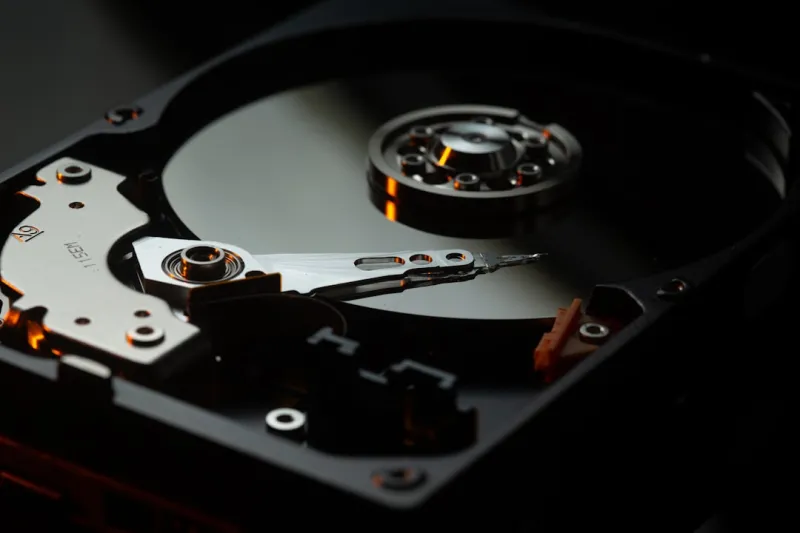
When I first cracked open a 250‑megabyte platter back in the early 2000s, the hum of the spindle felt like a promise of endless storage. Fast‑forward to 2026, and the narrative has shifted dramatically, yet the core of the story—reliable, affordable, high‑capacity storage—remains unchanged. In my years troubleshooting everything from home media servers to enterprise‑grade data farms, I’ve learned that the humble hard drive still carries the weight of the digital world. Whether you’re a creator hoarding 8K video footage or a small business safeguarding customer records, the hard drive’s balance of cost per gigabyte and proven durability makes it an irreplaceable pillar of any storage strategy. In this article, I’ll walk you through the current state of hard drives, unpack performance nuances, discuss how to protect the data you store, and peek at the cutting‑edge technologies set to redefine magnetic storage in the years ahead.
The 2026 Hard‑Drive Landscape: SSDs, HDDs, and the Sweet Spot
Solid‑state drives have stolen much of the limelight thanks to blistering read/write speeds, but they haven’t entirely eclipsed magnetic disks. In 2026, the market is a nuanced mosaic where SSDs dominate operating system partitions and latency‑critical workloads, while HDDs reign supreme for bulk archival, cold‑storage, and cost‑sensitive projects. The price gap between a 4 TB SSD and a 12 TB HDD remains stark—often a factor of five—making the latter the logical choice for anyone needing terabytes on a budget. Moreover, advancements in SATA‑III and emerging SAS‑4 interfaces have squeezed more performance out of spinning platters without sacrificing the low price point. As a result, most power users I consult still allocate a fast NVMe SSD for the OS and primary applications, then lean on a high‑capacity HDD for everything else, achieving a hybrid setup that feels both modern and pragmatic.
Capacity Arms Race: Why 20‑TB and Beyond Matter
Capacity has become the headline act in the hard‑drive arena, with 20‑TB and even 30‑TB models now commonplace on retailer shelves. These massive disks are built on shingled magnetic recording (SMR) technology, which layers tracks like roof shingles to squeeze more data onto the same platter surface. For media professionals, this means storing an entire season of 8K video in a single, portable enclosure—no more juggling multiple drives or external RAID arrays. For small businesses, the sheer volume enables a “one‑drive‑does‑it‑all” approach, simplifying backup policies and reducing the chance of human error. Yet the capacity surge isn’t just a vanity metric; it directly impacts total cost of ownership. When you calculate the per‑gigabyte expense over a five‑year lifespan, a 20‑TB HDD often undercuts an equivalent SSD solution by a significant margin, especially when you factor in the reduced need for frequent drive replacements.
Performance Nuances: Speed Isn’t Just About RPM
It’s tempting to equate hard‑drive performance solely with spindle speed—7200 RPM versus the older 5400 RPM models—but the reality is far richer. Modern drives employ larger caches (up to 256 MB), advanced firmware algorithms, and hybrid SMR/CMR (conventional magnetic recording) zones that dynamically allocate high‑traffic data to faster regions. These enhancements shrink average seek times and improve sequential throughput, sometimes reaching 250 MB/s on a SATA‑III link. However, the trade‑off lies in random read/write latency, where SSDs still dominate. Understanding your workload is key: video editing, large file transfers, and backup routines benefit from the high sustained throughput of a 7200 RPM SMR drive, whereas database queries and virtual machine hosting may suffer. I always recommend pairing a modest‑speed SSD for latency‑sensitive tasks with a robust, high‑capacity HDD for the heavy lifting, achieving a balanced performance profile without breaking the bank.
Reliability, Data Protection, and the Role of Encryption
Hard‑drive reliability has improved dramatically, thanks to refined head parking mechanisms and better error‑correction codes. Yet no magnetic medium is immune to failure, and the stakes are higher than ever as data volumes swell. That’s why I advocate a layered defense: regular SMART monitoring, proactive health checks, and, crucially, encryption at rest. When you encrypt a drive, you add a cryptographic shield that protects data even if the platter falls into the wrong hands. For practical guidance on implementing encryption in 2026, check out Unlocking the Future of Data Protection: Practical Encryption Strategies for 2026. Pair this with the classic “3‑2‑1” backup rule—three copies, two different media, one off‑site—and you’ve built a fortress that can survive hardware faults, ransomware, and accidental deletions alike.
Backup Strategies: Making the Most of External Hard Drives
External hard drives remain the workhorse of the backup world, offering plug‑and‑play simplicity that cloud services can’t always match, especially in bandwidth‑constrained environments. When configuring a backup regimen, I prioritize drives that support USB‑4 or Thunderbolt 4, ensuring you can saturate modern connection speeds and reduce backup windows. Portable 4‑TB or 8‑TB enclosures are ideal for weekly snapshots, while larger 12‑TB desktop units serve as the long‑term archival tier. Remember to rotate drives periodically—using a fresh drive every month reduces the risk of a single point of failure. Additionally, keep one backup physically isolated (the “air‑gapped” copy) to protect against ransomware that can propagate across network‑connected storage. By combining a fast internal SSD, a high‑capacity internal HDD, and an external backup drive, you create a multi‑layered safety net that covers both speed and security.
Hard Drives in the AI‑Edge Ecosystem
In the AI‑first, edge‑centric era of 2026, storage isn’t just a passive repository; it’s an active participant in data pipelines. Edge servers handling real‑time video analytics, autonomous vehicle telemetry, or IoT sensor streams often need massive, inexpensive storage to buffer raw inputs before feeding them into on‑device neural nets. Here, high‑capacity HDDs act as the “cold buffer,” absorbing bursts of data without stalling the processing core. Meanwhile, AI‑accelerated software platforms intelligently tier data, moving frequently accessed tensors to NVMe caches while relegating older logs to the magnetic disk. To navigate this landscape, the AI‑Powered Playbook for Staying Secure in an Edge‑First World offers valuable insights on how to secure data at every tier, ensuring that the massive datasets you store on hard drives remain both accessible and protected.
Future‑Ready Technologies: HAMR, MAMR, and Beyond
The next wave of hard‑drive innovation centers on heat‑assisted magnetic recording (HAMR) and microwave‑assisted magnetic recording (MAMR). By briefly heating the magnetic medium during write operations, HAMR dramatically increases the areal density of data, paving the way for 30‑TB and even 50‑TB drives within the next few years. MAMR, a less complex cousin, already powers several 20‑TB models on the market. While these technologies are still emerging, early adopters can expect modest price premiums but significant gains in storage density—ideal for data centers and enterprises planning multi‑petabyte expansions. From a consumer standpoint, the trickle‑down effect will eventually bring affordable, ultra‑high‑capacity drives into the home office, making it feasible to store entire media libraries locally without resorting to expensive cloud tiers.
Buying Guide: What to Look for in a 2026 Hard Drive
Choosing the right hard drive today means balancing several criteria. First, verify the interface: SATA‑III remains ubiquitous, but SAS‑4 offers higher throughput for enterprise deployments. Next, examine the cache size—larger caches smooth out bursty workloads. Spin speed still matters; 7200 RPM is the sweet spot for most power users, while 5400 RPM drives excel in silent, low‑power scenarios. Don’t overlook the recording technology—CMR provides consistent performance for random writes, whereas SMR shines in sequential, archival workloads. Warranty length is another proxy for reliability; reputable brands often offer five‑year coverage, which can be a lifesaver. Lastly, consider the drive’s form factor: 3.5‑inch units dominate desktops and NAS enclosures, while 2.5‑inch models fit laptops and compact builds. By aligning these specs with your usage patterns, you can select a drive that delivers both performance and longevity.
Conclusion: Embracing the Magnetic Future
Hard drives have traveled a long road from the days of floppy disks to the era of multi‑terabyte magnetic marvels, and they show no signs of fading away anytime soon. In 2026, they occupy a vital niche between the flash‑driven speed of SSDs and the massive, cost‑effective storage demands of modern data‑heavy workflows. By understanding capacity trends, performance trade‑offs, and best practices for reliability and backup, you can harness the full potential of magnetic storage while staying prepared for the next generation of HAMR‑driven capacities. So next time you’re planning a build or a data‑migration strategy, give the hard drive the respect it deserves—it’s still the quiet workhorse that keeps our digital world turning.




