
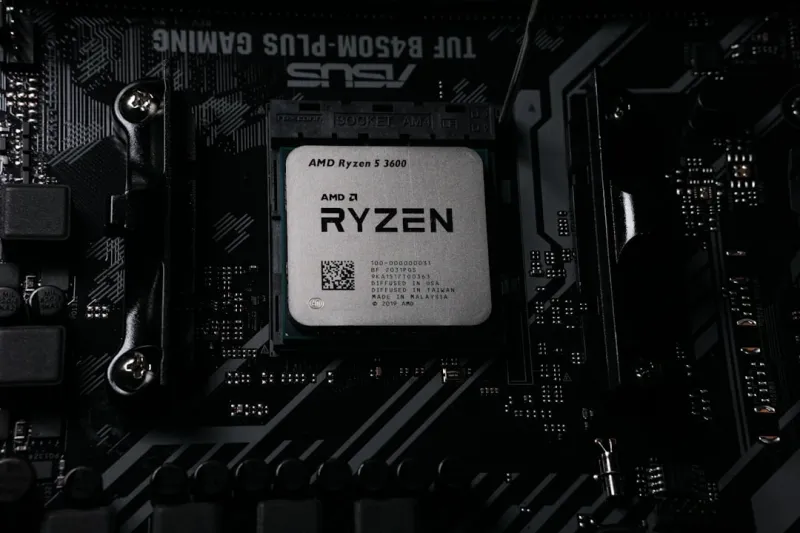
When I first cracked open a custom rig back in the early 2020s, I never imagined I’d be writing about motherboards that practically think for you. Fast‑forward to 2026, and the landscape has shifted dramatically—AI isn’t just a software add‑on; it’s baked into the silicon that powers every frame, every compile, every render. The modern enthusiast now faces a decision that feels more strategic than ever: choose a board that merely supports today’s workloads, or invest in an AI‑ready platform that can adapt to the edge‑first, data‑heavy demands of tomorrow. In my experience, the latter isn’t just a nice‑to‑have—it’s becoming the baseline for any serious build. This article walks through why the motherboard has reclaimed its throne as the heart of a future‑proof PC, how to read the new specs without getting lost in jargon, and what upgrades you can make now without breaking the bank.
The AI‑Ready Motherboard Revolution
Motherboard manufacturers have finally caught up with the hype surrounding AI accelerators, and the results are impressive. Today’s high‑end boards sport dedicated AI inference chips, often co‑located with the CPU socket, offering low‑latency processing for tasks like real‑time image enhancement, voice synthesis, and even on‑the‑fly code optimization. Coupled with PCIe 6.0, these boards can funnel massive data streams to GPUs or dedicated AI modules with bandwidth that rivals older internal networks. Power delivery has also evolved; 12‑plus‑phase VRM designs now incorporate dynamic load‑balancing algorithms that adjust voltage in milliseconds, ensuring stable performance under the erratic power draws of AI workloads. In short, the motherboard is no longer a passive conduit—it’s an active participant, constantly monitoring temperature, workload, and power to keep the system humming efficiently. As we move deeper into the edge‑first era, this intelligent orchestration becomes the differentiator between a rig that simply runs and one that truly excels.
One of the most compelling shifts is the integration of on‑board neural processing units (NPUs). These silicon islands specialize in matrix multiplications and tensor operations, the core of most AI models, and they offload these tasks from the CPU, freeing cycles for gaming or creative work. The result? Lower latency, reduced power consumption, and a smoother user experience when running AI‑enhanced applications—think real‑time ray tracing upscaling or adaptive audio filters that react to your environment. While many enthusiasts still gravitate toward external GPU‑based AI solutions, the convenience and efficiency of an integrated NPU can’t be ignored, especially for compact builds where space and power are at a premium. As these capabilities mature, the distinction between “gaming motherboard” and “AI motherboard” blurs, prompting a new categorization: AI‑Ready Motherboards.
Key Components to Pair With an AI‑Focused Board
Choosing the right chipset is the first step in unlocking a board’s AI potential. While the legacy Z‑series still offers the highest overclock headroom, the newer X‑series chipsets are engineered with AI workloads in mind, providing expanded PCIe lane counts and native support for DDR6 memory. DDR6, though still emerging, delivers higher bandwidth per pin and lower latency, which translates directly into faster model inference and smoother multitasking when you’re juggling a 3D rendering session alongside a machine‑learning training run. Pairing DDR6 with an NVMe 5.0 SSD ensures that data pipelines stay fed without bottlenecking, a crucial factor when feeding large datasets into AI models on the fly. For those still on a budget, DDR5 remains viable, especially when combined with a high‑quality heatsink that mitigates the thermal spikes common during sustained AI tasks.
Cooling solutions have also adapted to the AI‑centric paradigm. Modern motherboards feature AI‑driven fan curves that learn from your usage patterns, adjusting speeds preemptively to keep components within optimal thermal envelopes. This predictive cooling reduces acoustic noise during light tasks while still providing aggressive cooling when you fire up a demanding AI workload. If you’re building a quiet workstation, consider a hybrid liquid‑air cooling loop that interfaces directly with the board’s thermal sensors via the Future‑Proof Your Rig guide for step‑by‑step integration. Such setups not only preserve performance but also extend the lifespan of both the CPU and the onboard NPU, which can be sensitive to sustained high temperatures.
Power supply considerations have become more nuanced as well. AI‑accelerated boards can draw sudden bursts of power, especially when the NPU ramps up for intensive inference tasks. An 80+ Platinum unit with a high amperage rail on the 12 V line ensures that these spikes are handled gracefully without voltage sag. Look for PSUs that advertise AI‑optimized power management—these units communicate with the motherboard to adjust wattage delivery on the fly, improving overall efficiency and reducing heat output. In an era where sustainability matters, such intelligent power handling not only trims your electricity bill but also aligns with the broader industry push toward greener computing.
Building a Future‑Proof Rig
When planning upgrades, the mantra “buy once, upgrade often” takes on new meaning. A modular approach—selecting a motherboard with ample M.2 slots, extra PCIe lanes, and a robust VRM—allows you to swap out components as AI standards evolve. For example, many boards now support both PCIe 5.0 and the emerging PCIe 6.0, meaning you can start with a current‑gen GPU and later transition to a next‑gen AI accelerator without a full motherboard replacement. The Strategic PC Upgrades for 2026 article outlines a phased upgrade path that balances cost with performance gains, ensuring you get the most bang for your buck at each stage.
Don’t overlook the software side of the equation. An AI‑ready board often ships with firmware that can be tuned via a dedicated BIOS tab, allowing you to enable or disable the onboard NPU, adjust power profiles, and even allocate dedicated memory for AI tasks. Staying current with BIOS updates is crucial; manufacturers are continuously refining AI algorithms to improve efficiency and security. Pairing these firmware tweaks with a modern operating system—see Operating Systems in 2026 for a deep dive—ensures your hardware and software communicate seamlessly, delivering the performance you expect from a next‑gen rig.
In conclusion, the motherboard has reclaimed its status as the cornerstone of a high‑performance, AI‑ready PC. By selecting a board that embraces AI accelerators, advanced memory standards, and intelligent power and cooling management, you future‑proof your investment against the rapid advances expected in the next few years. Whether you’re a content creator, a developer diving into edge‑first AI models, or a gamer seeking ultra‑responsive performance, the right motherboard will keep you ahead of the curve without forcing a full rebuild. So, as you plot out your next upgrade, remember: it starts at the very foundation—choose wisely, and let your rig evolve alongside the technology that’s reshaping computing today.




