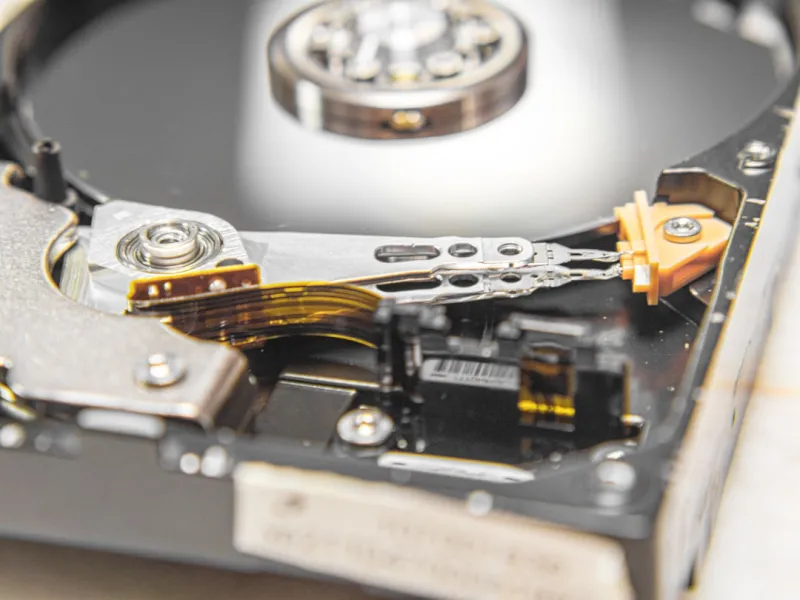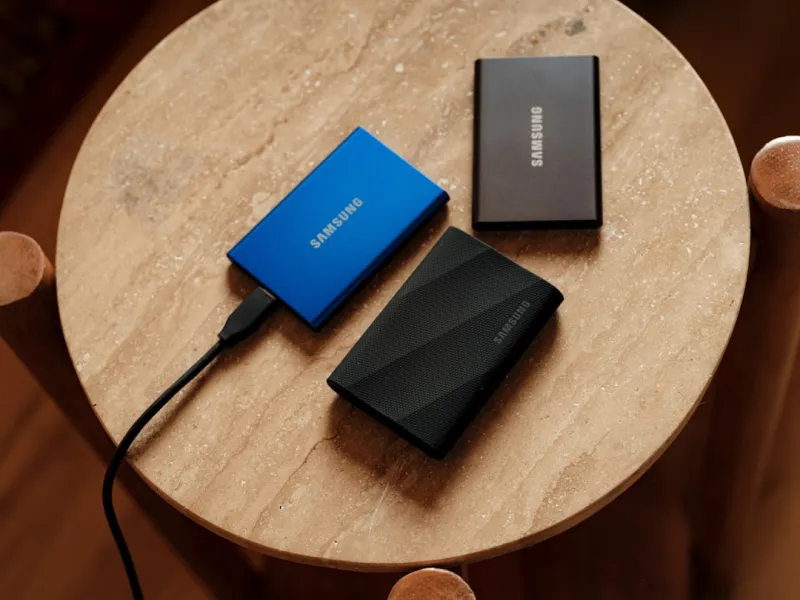
When I first cracked open a 2‑terabyte platter back in the early 2020s, I thought the era of spinning disks was winding down. Fast‑forward to 2026, and the picture is far richer. As a power user who lives on the edge of performance, storage, and reliability, I’ve learned that hard drives remain a cornerstone of any serious workstation. The tactile hum of a well‑balanced HDD is a reminder that raw capacity doesn’t have to come at the expense of speed. In my daily grind—rendering 8K video, training AI models, and hoarding massive data sets—I rely on hard drives for bulk storage while SSDs handle the OS and applications. This hybrid dance lets me keep costs in check and still meet the demanding I/O patterns of modern software. If you’ve ever wondered why the old‑school platters still have a seat at the table, let’s dive into the technical and practical reasons that keep them relevant for power users like us.
From Megabytes to Multi‑Terabytes: The Evolution of HDD Technology
Hard‑disk technology has marched forward in surprising ways over the past few years. In 2026, areal density has cracked the 3 TB per platter barrier, thanks to advances in heat‑assisted magnetic recording (HAMR) and shingled magnetic recording (SMR). These innovations mean that a single 4‑inch drive can now store upwards of 20 TB, a figure that would have been science‑fiction a decade ago. Yet the form factor remains the same, and the interface has standardized around SATA‑III and NVMe‑over‑PCIe for hybrid drives. The result? You get massive storage without sacrificing the familiar reliability that comes from decades of engineering. I’ve swapped out older 8 TB workhorses for newer 20 TB models and noticed not just a jump in capacity but also improved power efficiency—thanks to smarter spindle control algorithms that spin down when idle. This evolution is why I can archive entire video libraries and still have room for the next big project, without constantly juggling external USB drives.
Performance Nuances: When Speed Matters and When It Doesn’t
It’s easy to assume that hard drives are inherently slower than SSDs, but the reality is more nuanced. Sequential read/write speeds on modern 7200 RPM drives now hover around 250 MB/s, which is more than adequate for bulk data transfers and streaming large media files. Random I/O, however, remains the Achilles’ heel, especially in workloads that involve frequent small‑file access. That’s why I pair my HDDs with a fast NVMe cache, creating a tiered storage architecture that feeds the OS and active applications from low‑latency memory while relegating cold data to the platter. This setup mirrors the strategies discussed in Future‑Ready Hardware Strategies for Power Users, where a balanced hierarchy can squeeze the most out of each component. By aligning workload characteristics with the appropriate storage tier, you can achieve near‑SSD responsiveness for daily tasks while still leveraging the cost‑effective bulk of hard drives for archival and less time‑critical data.
Reliability and Data Recovery: The Hard Drive’s Secret Weapon
One of the biggest misconceptions is that hard drives are more prone to catastrophic failure than SSDs. In practice, a well‑maintained HDD can outlast a cheap consumer SSD, especially when it comes to write endurance. Modern drives incorporate self‑monitoring, analysis, and reporting technology (SMART) that provides early warnings of bearing wear, read‑error rates, and temperature spikes. I run diagnostics weekly, and the alerts have saved me from data loss more than once. When a drive does begin to falter, the physical nature of magnetic storage allows for professional data recovery services to reconstruct sectors that an SSD would simply mark as bad and become inaccessible. For a power user who deals with irreplaceable footage or proprietary codebases, that safety net is priceless. Pairing this with a solid backup routine—think 3‑2‑1 strategy—ensures that even if the platter finally gives out, your data lives on elsewhere.
Cost‑Per‑Gigabyte: Budgeting for Massive Archives
Budget is a perpetual concern, even for the most enthusiastic power user. In 2026, the cost per gigabyte for HDDs has settled around $0.02, whereas high‑performance NVMe SSDs still hover near $0.15 per gigabyte. This eight‑fold difference translates into massive savings when you need tens of terabytes for projects like 4K video editing, large‑scale simulations, or extensive code repositories. I allocate roughly 70 % of my storage budget to HDDs, reserving the remaining 30 % for SSDs that handle the OS, development environments, and active datasets. By doing so, I can afford to maintain a 50 TB archive without breaking the bank, while still enjoying snappy boot times and rapid application launches. This financial flexibility also lets me experiment with newer technologies—like a small, dedicated NVMe drive for AI model inference—without sacrificing the bulk storage that keeps my workflow humming.
Hybrid Solutions: Merging Speed and Capacity Seamlessly
Hybrid drives, or SSHDs, have carved out a niche that blends the best of both worlds. They embed a small SSD cache (typically 8–32 GB) directly on the platter, using intelligent algorithms to store frequently accessed data. The result is a noticeable boost in boot times and application launches, while still offering the massive capacity of a traditional HDD. In my setup, I use an SSHD as a primary work drive for day‑to‑day tasks, allowing the drive’s firmware to autonomously promote hot files to the SSD cache. For those who want more granular control, I prefer building a custom tiered system, as described in the earlier sections, but the convenience of an all‑in‑one hybrid is undeniable for portable rigs or secondary machines. The synergy between SSD speed and HDD capacity ensures that power users can stay agile, whether they’re crunching data on the road or rendering a feature‑length documentary at the studio.
Real‑World Use Cases: From Video Production to AI Training
Let’s talk specifics. In video production, raw 8K footage can easily consume 15 TB per project. Storing the source material on a high‑capacity HDD while editing proxies on an NVMe drive creates a workflow that’s both efficient and cost‑effective. In AI development, training datasets for large language models often exceed 30 TB. I keep the raw dataset on a 20 TB HDD, pull the necessary shards into RAM‑backed SSDs for rapid access, and let the model train uninterrupted. For archival enthusiasts, the sheer durability of magnetic platters—especially when housed in low‑vibration, temperature‑controlled enclosures—offers peace of mind for long‑term storage of family photos, tax records, or legal documents. The flexibility to move a 10 TB HDD between machines without worrying about compatibility also makes it a go‑to solution for field engineers and researchers who need to swap data on the fly.
Maintenance, Firmware, and the Power‑User Playbook
Keeping a hard drive healthy is an active process. Firmware updates, though less flashy than driver patches, can introduce vibration mitigation, improved error correction, and better power management. I routinely check the manufacturer’s website for the latest firmware and apply it via a bootable USB, following the steps outlined in the Mastering the 2026 PC Upgrade Cycle: A Power‑User’s Playbook. Monitoring tools that read SMART data give me real‑time insight into health metrics—seek error rates, spin‑up times, and temperature trends. When a drive’s temperature consistently exceeds 50 °C, I upgrade the enclosure’s cooling or relocate the drive to a cooler bay. Regularly defragmenting non‑SSD partitions can also improve sequential performance, though it’s a practice that’s become more selective with modern drives that handle fragmentation more gracefully. By treating maintenance as a routine, you extend the lifespan of your drives and keep data flow smooth.
Looking Ahead: Emerging HDD Technologies and Their Impact
Even as solid‑state solutions dominate headlines, the HDD roadmap is far from stagnant. Researchers are pushing HAMR and microwave‑assisted magnetic recording (MAMR) to achieve densities beyond 40 TB per platter, promising even larger single‑drive capacities in the next few years. Meanwhile, the industry is experimenting with energy‑efficient spindle designs that reduce power draw by up to 30 percent—a boon for data centers and environmentally conscious power users. I’m already eyeing the upcoming 30 TB models for future upgrades, as they align perfectly with the “future‑proof” mindset championed in the article Why Hard Drives Still Matter for Power Users in 2026. As these advances mature, the synergy between high‑capacity HDDs and ultra‑fast SSD caches will only grow stronger, ensuring that hard drives remain an essential piece of the power‑user puzzle for years to come.