
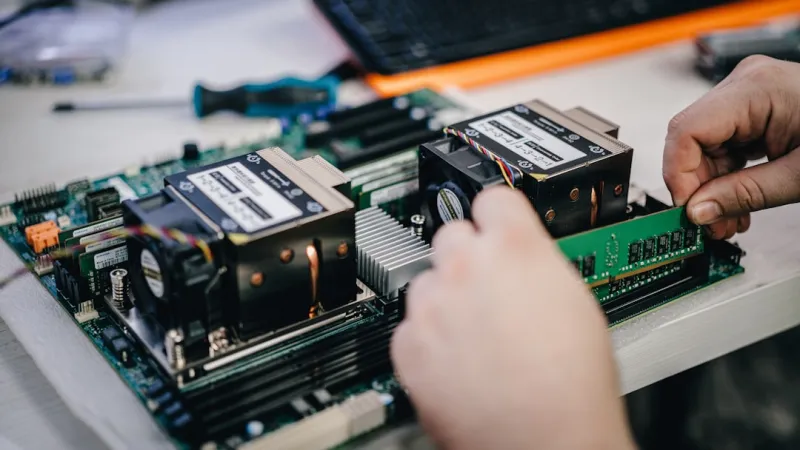
When I first built my dream rig back in the early 2020s, the idea of a “future‑ready” workstation felt like a distant sci‑fi fantasy. Fast‑forward to 2026, and the hardware landscape has exploded with innovations that make that fantasy a daily reality—if you know where to look. As a power‑user who lives and breathes every new silicon drop, I’ve learned that staying ahead isn’t just about splurging on the latest GPU; it’s a holistic dance between processing power, memory bandwidth, storage reliability, and a security mindset that anticipates threats before they even surface. In this post, I’m pulling back the curtain on the trends that matter most to those of us who push PCs to the edge, sharing the practical insights I’ve gathered from countless builds, benchmark marathons, and late‑night troubleshooting sessions. Whether you’re eyeing a next‑gen RTX‑X card, debating DDR6 versus DDR7, or wondering why a seemingly “old‑school” hard drive still has a place in a modern build, I’ve got you covered with the kind of granular detail that turns curiosity into confident upgrades.
The GPU Arms Race and Why Stability Still Trumps Pure Power
2026’s flagship GPUs are undeniably jaw‑dropping—think 80 + teraflops of ray‑traced rendering, AI‑enhanced upscaling that rivals native 8K, and power envelopes that would make a data center blush. Yet, with that raw horsepower comes a new breed of instability: driver crashes, thermal throttling, and power delivery hiccups that can cripple even the most robust rigs. I’ve spent countless nights chasing phantom artifacts and sudden freezes, and the lesson is clear: a GPU’s specs are only as good as the ecosystem supporting it. That’s why I always keep the GPU troubleshooting playbook bookmarked on my desktop. It walks you through everything from checking the VRM temperature curve to validating firmware signatures, and it reminds you to audit your PSU’s amperage headroom before you even think about overclocking. By treating stability as the foundation, you can safely extract the full performance envelope of those monstrous silicon beasts without turning your bench into a fire hazard.
Memory Madness: The Quiet Bottleneck You Can’t Afford to Ignore
While GPUs steal the spotlight, RAM is the unsung hero that determines whether your CPU can keep up with the data deluge. In 2026, DDR7 is finally mainstream, offering sub‑nanosecond latencies and bandwidths that dwarf its predecessors. But the transition isn’t seamless—many power‑users find themselves grappling with intermittent crashes, blue‑screen moments, or subtle performance dips that seem to appear out of nowhere. The culprit is often a mismatch between the motherboard’s memory controller and the new DIMM timings, or simply an over‑aggressive XMP profile that pushes the chips beyond their comfort zone. My go‑to resource for diagnosing these issues is the memory issues guide, which breaks down stress‑testing with MemTest86, reading SPD data, and fine‑tuning voltage offsets. The key takeaway? Don’t chase the highest frequency without confirming system stability; a well‑balanced 5600 MHz kit with tight timings will outpace an unstable 7200 MHz monster every time you run a heavy compile or AI model.
Storage Strategy: Why Hard Drives Still Matter in a Flash‑Driven World
SSD adoption is now universal for boot drives and primary workloads, but the hard drive isn’t dead—it’s simply evolved. In 2026, high‑capacity NVMe drives dominate the premium segment, yet they come with a price tag that makes multi‑terabyte archives prohibitive for many enthusiasts. Enter the modern 3.5‑inch HDD: now boasting 10 TB per platter, improved SMR algorithms, and hardware‑level encryption that satisfies both budget constraints and data‑security policies. For a power‑user who archives massive 8K video libraries or runs a local AI dataset cache, pairing a lightning‑fast NVMe boot drive with a massive, reliable HDD for cold storage is the sweet spot. The trick lies in configuring your OS to intelligently tier data, using tools like Windows Storage Spaces or Linux btrfs with SSD caching. This hybrid approach ensures that you reap the speed of PCIe‑5.0 while keeping your storage costs under control—a strategy that many “flash‑only” advocates overlook.
AI‑Ready Workstations: Building a Platform That Grows With Your Ambitions
Artificial intelligence workloads have moved from the cloud back onto the desktop, thanks to on‑board tensor cores and dedicated AI accelerators. If you’re aiming to train diffusion models, run real‑time inference, or experiment with generative audio, your hardware choices must reflect those specific demands. The AI computing for power users guide outlines a roadmap that starts with selecting a GPU that offers both high FP16 throughput and ample VRAM—think 48 GB or more—to accommodate large model parameters. Equally important is provisioning enough system RAM (128 GB+ is common for heavy training) and a fast NVMe tier for dataset streaming. Don’t forget the role of a dedicated AI accelerator card, such as a PCIe‑based inference chip, which can offload repetitive matrix multiplications and free your primary GPU for rendering or gaming tasks. By designing a modular system where each component can be upgraded independently, you protect your investment against the rapid pace of AI hardware innovation.
Security in the Age of Self‑Replicating Malware
As hardware gets more powerful, malware authors have gotten smarter—leveraging GPU compute to mine cryptocurrency, using firmware exploits to persist across OS reinstalls, and even weaponizing AI to craft polymorphic code that evades traditional signatures. For power‑users, a standard antivirus suite simply isn’t enough. You need a layered defense that includes hardware‑based security like TPM 2.0, secure boot, and firmware whitelisting, combined with regular BIOS updates and a vigilant monitoring of driver integrity. The threat landscape in 2026 is so aggressive that many security professionals recommend a “zero‑trust” mindset: assume every peripheral could be compromised and segment your network accordingly. Tools like Windows Defender Application Guard, Linux SELinux policies, and third‑party EDR solutions can provide the visibility you need to spot anomalous GPU usage patterns that might indicate a malicious cryptomining operation. By treating your machine as an enterprise endpoint, you dramatically reduce the risk of a breach that could wipe years of data and configuration work.
Mastering the 2026 PC Upgrade Cycle
Every power‑user knows that the sweet spot for upgrades is a moving target, especially when component roadmaps are as aggressive as they are in 2026. The best strategy is to align your upgrades with the release cadence of the major hardware tiers: GPUs typically see a generational shift every 18 months, while CPUs follow a 12‑month cadence, and memory standards mature on a 24‑month timeline. By planning your purchases around these cycles, you can “future‑proof” your platform—select a motherboard with a robust PCIe 5.0 lane configuration, a CPU socket that supports the next two generations of processors, and RAM that can be easily upgraded from DDR7‑5600 to DDR7‑6400 without replacing the DIMM slots. The 2026 PC upgrade playbook offers a detailed timeline and budget allocation matrix that helps you decide when to splurge on a new GPU versus when to hold off and let the next‑gen cards bring price drops.
A Practical Checklist for the Modern Power‑User
Putting theory into practice is where most enthusiasts stumble. Here’s a concise, battle‑tested checklist that I run through before I seal any new build or major upgrade: 1) Verify PSU headroom—calculate total system draw and add a 20 % safety margin; 2) Run a full MemTest86 suite for 12 hours after installing new RAM; 3) Flash the latest BIOS and enable “Secure Boot” with a custom key; 4) Benchmark GPU stability with both synthetic (3DMark) and real‑world (gaming, AI inference) workloads; 5) Configure a storage tiering plan—NVMe for OS and active projects, HDD for archives; 6) Deploy a hardware‑rooted security solution (TPM, firmware signing); 7) Document every firmware version and driver change in a changelog; 8) Schedule quarterly re‑validation of all stress tests to catch latent wear‑out. By following this systematic approach, you eliminate guesswork and ensure that each component not only performs at its peak but also coexists harmoniously with the rest of your ecosystem.
Looking Ahead: The Power‑User’s Role in Shaping Tomorrow’s Hardware
We often think of hardware trends as top‑down, driven solely by manufacturers, but the reality is that power‑users like us influence the roadmap through feedback loops, benchmark results, and community‑driven firmware hacks. In 2026, the dialogue between enthusiasts and OEMs is more transparent than ever—forums host live firmware patches, and open‑source driver projects accelerate innovation cycles. By staying vocal, sharing performance data, and contributing to open‑source tooling, we help shape a future where hardware is not just more powerful, but also more secure, modular, and sustainable. So, whether you’re fine‑tuning a custom water‑cool loop, beta‑testing a new GPU BIOS, or publishing a deep‑dive article on RAM latency, remember that your expertise fuels the next wave of breakthroughs. Keep experimenting, keep questioning, and most importantly, keep building the machines that turn bold ideas into reality.




