
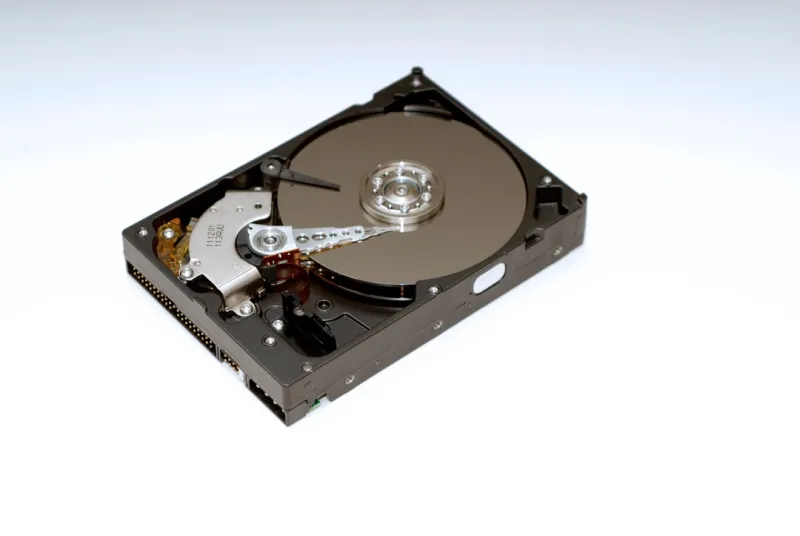
When I first tore apart a legacy tower back in the early 2010s, the hulking 3.5‑inch hard drive felt like the beating heart of any serious workstation. Fast forward to 2026, and while NVMe flash has taken the spotlight for speed, the humble hard drive still commands a seat at the power‑user table. I’m Shawn DesRochers, and I’ve spent countless nights optimizing storage stacks for everything from 8K video pipelines to massive AI training sets. In this deep dive, I’ll unpack why hard drives remain a strategic asset, how to pick the right model for your workflow, and what the next wave of magnetic‑storage tech looks like. Whether you’re building a new rig or extending an existing NAS, you’ll find actionable intel that respects both performance cravings and the hard‑earned budget discipline of a seasoned enthusiast.
From Spinning Platters to Modern Magnetics
The storage landscape has evolved dramatically over the past decade. In the early 2020s, the industry’s hype train vaulted SSDs into the mainstream, and by 2024 the price‑per‑gigabyte for NVMe had dipped below that of traditional spinning media. Yet hard drives have not vanished; they’ve simply found new niches where capacity, cost, and endurance intersect. Technologies like Shingled Magnetic Recording (SMR) and Conventional Magnetic Recording (CMR) have allowed manufacturers to push densities beyond 20 TB on a single 3.5‑inch chassis, while still keeping the unit price under $200. Moreover, the rise of heat‑assisted magnetic recording (HAMR) promises to break the 30 TB barrier within the next couple of years. For a power‑user who needs petabytes of archival storage without breaking the bank, these advancements keep the hard drive relevant in an SSD‑centric world.
Capacity Planning for the Power‑User
One of the first questions I face when a client asks, “What size HDD should I buy?” is rooted in real‑world data habits. If you’re a content creator who archives 4K footage daily, a 12 TB CMR drive can comfortably hold roughly 600 hours of raw video at 60 Mbps. For those managing large photo libraries or extensive software repositories, the math shifts—SMR drives shine when write‑once, read‑many (WORM) patterns dominate, offering up to 20 TB at a fraction of the cost. The key is to match the drive’s recording style to your workload: CMR for random writes, SMR for sequential, bulk storage. I also recommend pairing your primary storage with a secondary “cold‑storage” tier—think a 16 TB SMR drive housed in a quiet NAS for data you rarely touch but must keep.
Performance Metrics That Matter
Speed is no longer the sole domain of SSDs, but hard drives still have performance levers you can pull. Rotational speed—measured in RPM—directly influences latency; a 7200 RPM drive offers roughly half the average seek time of a 5400 RPM counterpart, translating to noticeable gains when loading large game textures or indexing media libraries. Cache size also plays a role; a 256 MB cache on a modern SATA drive can smooth out burst writes, reducing the impact of the drive’s inherent mechanical latency. For enterprise‑grade users, SAS interfaces deliver higher bandwidth and dual‑port redundancy, but for most enthusiast builds, SATA III’s 6 Gb/s ceiling remains more than sufficient. Understanding these nuances helps you avoid the “bottleneck surprise” that can cripple a high‑performance workstation.
Reliability, Redundancy, and the Backup Mindset
Even the most robust magnetic platters can succumb to wear, vibration, or sudden power loss. That’s why I always stress the importance of MTBF (Mean Time Between Failures) ratings—look for drives boasting 1.2 million hours or higher for mission‑critical tasks. Error‑correcting code (ECC) is another hidden safeguard; drives with built‑in ECC can silently repair bit‑flips before they corrupt your files. However, no single drive can guarantee data integrity forever. I advise a 3‑2‑1 backup strategy: three copies of data, on two different media, with one off‑site. Pair a high‑capacity HDD array with cloud snapshots or an external SSD for rapid recovery. This layered approach turns a single point of failure into a resilient safety net.
Hard Drives in a Future‑Ready Build
Integrating hard drives into a modern, future‑ready rig may feel like mixing oil and water, but it’s a dance worth mastering. When you’re assembling a new machine, start with the SSD for the OS and primary applications, then slot in a dedicated HDD bay for bulk storage. I often reference The Ultimate Guide to Building a Future‑Ready PC in 2026 for layout tips, especially regarding airflow and vibration dampening. Positioning the drives on a separate mounting bracket reduces heat transfer from the GPU and CPU, extending the drive’s lifespan. Additionally, make use of the motherboard’s SATA ports that support hot‑swap, allowing you to add or replace drives without powering down the system—a boon for users who need to scale storage on the fly.
Hybrid and Tiered Storage Strategies
Hybrid solutions, such as SSHDs (Solid State Hybrid Drives), blend a modest NAND cache with traditional spinning media, delivering a speed boost for frequently accessed files while retaining massive capacity. For a power‑user juggling heavy workloads, a tiered storage architecture can be a game‑changer: place your active project files on an NVMe drive, cache hot data on an SSHD, and offload older assets to a high‑capacity CMR HDD. This hierarchy mirrors the way modern operating systems manage memory, ensuring that the fastest media serves the most demanding tasks. The result is a smoother editing experience, faster data indexing, and a more predictable performance curve across diverse workloads.
What’s on the Horizon for Magnetic Storage?
2026 is a turning point for magnetic tech. HAMR, which uses a laser to momentarily heat the recording surface, is finally hitting mainstream production, promising drives that exceed 30 TB while maintaining the same form factor. Meanwhile, advances in SMR algorithms have mitigated many of the write‑amplification penalties that once made SMR unsuitable for mixed workloads. Another exciting development is the emergence of “dual‑actuator” drives, which effectively double the read/write heads, cutting latency in half for sequential tasks. While these innovations are still pricier than conventional HDDs, they open the door for power‑users who need massive, high‑throughput storage without migrating entirely to costly SSD arrays.
Hard Drives Meet AI and Big Data
When training large language models or processing terabytes of sensor data, raw storage bandwidth becomes a bottleneck. Many AI pipelines now employ a “scratch‑disk” approach: the model ingests data from a fast NVMe SSD, while the bulk dataset resides on a sprawling HDD array. This setup balances cost and speed, allowing researchers to store petabytes of training data without inflating hardware budgets. I often point colleagues to AI Computing Unleashed: Power‑User Strategies for 2026 for deeper insights on orchestrating this hybrid storage model. By staging data intelligently, you can keep your GPU pipelines fed while keeping storage expenditures in check.
Practical Checklist for the Modern Power‑User
Before you click “Add to Cart,” run through this quick audit: 1) Determine your primary workload—random writes vs. sequential archiving—to choose CMR or SMR. 2) Verify the drive’s RPM and cache size align with your performance expectations. 3) Confirm MTBF and ECC support for reliability. 4) Plan your physical layout—use vibration‑isolating brackets and keep drives cool. 5) Map out a backup regime, ideally following the 3‑2‑1 rule. 6) Review your future‑upgrade path; a modular NAS chassis or hot‑swap bays can save you headaches later. 7) Finally, keep an eye on emerging tech like HAMR, which may soon become cost‑effective for ultra‑high‑capacity needs. By treating your hard drive selection as a strategic component rather than an afterthought, you’ll build a storage ecosystem that scales with your ambitions and stays resilient for years to come.




