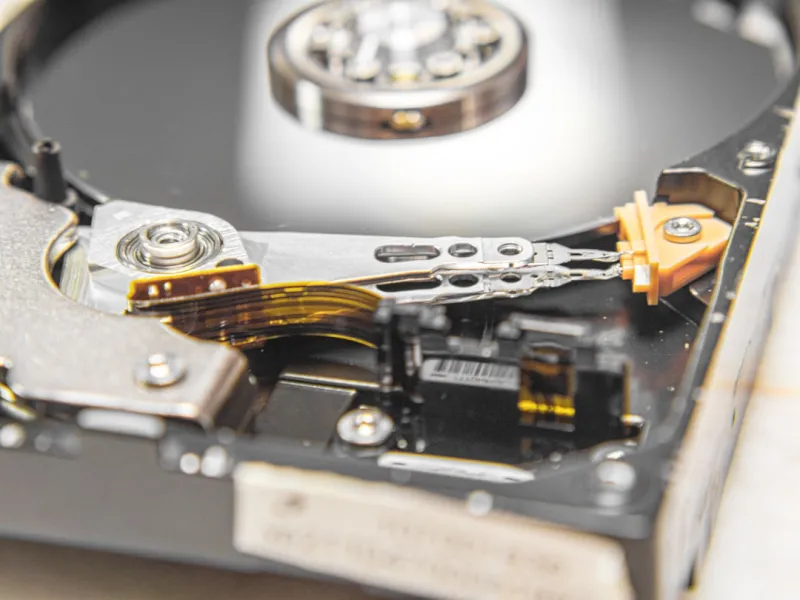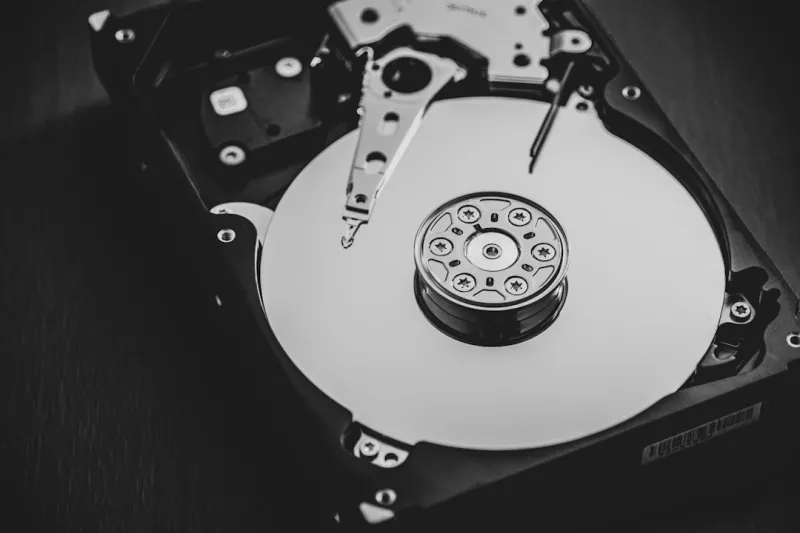
When you hear most tech pundits talking about storage in 2026, they’re practically shouting “SSD” at the top of their lungs. I get it—solid‑state drives are lightning fast, they’re quiet, and they fit snugly into the sleek chassis of today’s high‑performance rigs. But after a decade of living in the fast lane, I’ve learned that a true power‑user’s arsenal still needs the dependable, cost‑effective backbone that only a hard drive can provide. In my own workstation, the 8‑terabyte workhorse sits quietly beside the blazing NVMe boot drive, ready to swallow massive video libraries, scientific datasets, and that ever‑growing pile of archived code. It’s not just nostalgia; it’s a strategic decision that balances raw speed with bulk capacity, ensuring that I never hit the dreaded “out of space” wall while keeping the overall build budget in check.
Why Hard Drives Remain the Power‑User’s Secret Weapon
Let’s face the numbers: an SSD still costs roughly $0.12 per gigabyte, while a modern 12‑TB enterprise‑grade HDD can be found for a fraction of that—around $0.04 per gigabyte. That price differential isn’t a trivial line‑item; it dictates how many petabytes you can realistically keep on‑hand for projects like 8K video editing, AI model training, or massive GIS archives. The internal article Why Hard Drives Remain the Power‑User’s Secret Weapon dives deeper into that cost‑benefit analysis, but the takeaway is simple: when you’re budgeting for terabytes of raw data, the hard drive’s economics become a decisive factor. Moreover, the durability of magnetic platters has improved dramatically, with newer models offering mean‑time‑between‑failures (MTBF) numbers that rival many consumer‑grade SSDs. This means you can trust a well‑chosen HDD to sit idle for months—maybe even years—without degradation, a comforting thought for anyone who treats data as a long‑term asset rather than a fleeting cache.
The Technological Leap: SMR, HAMR, and Beyond
Hard drives aren’t stagnant relics; they’ve undergone a quiet revolution in the last five years. Shingled Magnetic Recording (SMR) has become mainstream, allowing manufacturers to stack tracks like roof shingles, effectively squeezing more bits onto each platter. While SMR initially raised eyebrows over write‑amplification concerns, modern firmware algorithms now intelligently offload random write workloads to a dedicated cache, preserving performance for typical power‑user patterns. Meanwhile, Heat‑Assisted Magnetic Recording (HAMR) is inching out of the lab and into the data center, promising areal densities exceeding 2 terabits per square inch. Even though HAMR drives currently target enterprise environments, the trickle‑down effect means that consumer‑grade HDDs will soon inherit these density gains, pushing price‑per‑gigabyte even lower. Paired with advancements in error‑correcting codes (ECC) and adaptive spin‑up mechanisms, the latest generation of drives can spin up in under a second, reducing that dreaded “click‑of‑death” latency that once haunted us.
Reliability: The Unseen Backbone of Power‑User Workflows
Reliability isn’t just a buzzword; it’s the silent foundation that lets us push the envelope on creative and analytical projects. In 2026, hard drive manufacturers have embraced multi‑layered protection strategies: from advanced servo‑control that monitors head alignment in real‑time, to proprietary wear‑leveling algorithms that distribute head wear evenly across the platter surface. These innovations translate to MTBF figures that regularly surpass 2 million hours for premium models. For a power user like me, that reliability means I can archive a year’s worth of 4K footage on a single 16‑TB drive, confident that the platter will not betray me mid‑project. Additionally, modern drives now feature built‑in S.M.A.R.T. diagnostics that report not just temperature and spin‑up time, but also predictive failure models based on vibration patterns—effectively giving you a heads‑up before a catastrophic event.
Performance Strategies: Tiered Storage and the Role of Caching
Speed‑hungry applications still demand SSDs for active datasets, but the trick to a truly balanced system lies in tiered storage. By designating a fast NVMe SSD for the OS, frequently accessed applications, and current project files, you keep the latency low where it matters most. Then, you allocate a high‑capacity HDD for archival data, less‑frequent renders, and raw footage that can be streamed as needed. The article Master the Art of PC Upgrades: A Power‑User’s 2026 Playbook outlines how to configure Windows Storage Spaces or Linux LVM to automatically migrate data between tiers based on usage patterns. Adding a modest 64‑GB DRAM cache module—available on some high‑end HDDs—further smooths sequential reads, making bulk data transfers feel surprisingly snappy, even when the platters spin at 7200 RPM.
Hard Drives in the Age of AI and Massive Datasets
Artificial intelligence workloads have exploded, and with them the need for petabyte‑scale storage that can be accessed affordably. Training a transformer model today can involve terabytes of raw text, images, and audio. While the model itself resides on high‑performance NVMe media, the training data often lives on hard drives during preprocessing. The sheer volume makes SSDs cost‑prohibitive, especially when you factor in the need for redundancy and backup. A well‑configured HDD array, using RAID‑10 for both performance and fault tolerance, can feed the GPU cluster at a sustained 200 MB/s—sufficient for many data‑shuffling tasks. Moreover, the lower power draw of modern 5400‑RPM enterprise drives reduces the overall energy footprint of a data‑intensive workstation, aligning with the growing emphasis on sustainable computing in 2026.
Security and Encryption: Treating Data as a Core Component
Security isn’t an afterthought; it’s woven into the fabric of any power‑user build. Hard drives now support hardware‑based self‑encrypting drive (SED) functionality, allowing you to lock the entire platter with a 256‑bit AES key that’s tied to the TPM on your motherboard. When combined with a zero‑trust architecture—something I explore in depth in Why Power Users Must Adopt a Zero‑Trust, AI‑Driven Defense in 2026—you get end‑to‑end encryption without sacrificing performance. Even if a drive is physically removed, the encrypted data remains unintelligible without the proper authentication token. For offline backups, I prefer using drives that support secure erase commands, ensuring that decommissioned media can be wiped clean in a single, verified operation.
Choosing the Right Hard Drive for Your Power‑User Build
Not all hard drives are created equal, and the selection process should start with your system’s architecture. A modern motherboard, like those highlighted in Choosing the Right Motherboard in 2026: A Power‑User’s Guide, offers multiple SATA ports and, increasingly, U.2 connectors that can host high‑capacity NVMe‑based SSDs. For pure magnetic storage, focus on drives with a 7200 RPM spindle speed, a 256‑MB cache, and a SATA‑III interface for maximum throughput. If your workload involves massive sequential writes—think video rendering or scientific simulations—look for drives marketed as “high‑density” with SMR technology and a large on‑board cache. Conversely, for environments with frequent random reads, a “CMR” (Conventional Magnetic Recording) model will outperform SMR, albeit at a slightly higher cost per terabyte. Always verify that the drive’s warranty matches your risk tolerance; a five‑year limited warranty is standard for most consumer‑grade models, but enterprise‑class units can stretch to ten years.
The Road Ahead: Hard Drives in a Post‑Moore’s Law World
As Moore’s Law slows and semiconductor scaling faces physical limits, the industry is rediscovering the value of magnetic storage as a complementary technology. Emerging concepts like DNA‑based archival storage and optical‑layered discs promise ultra‑long‑term preservation, but they’re still years away from practical deployment. In the meantime, the hard drive’s evolution—driven by SMR, HAMR, and ever‑increasing areal densities—ensures it remains a viable, cost‑effective solution for bulk data. For power users, that means we can continue to build workstations that handle today’s AI‑heavy pipelines while keeping storage budgets under control. The key is to stay informed, leverage tiered storage strategies, and never underestimate the humble platter’s ability to adapt and thrive in a rapidly changing tech landscape.