
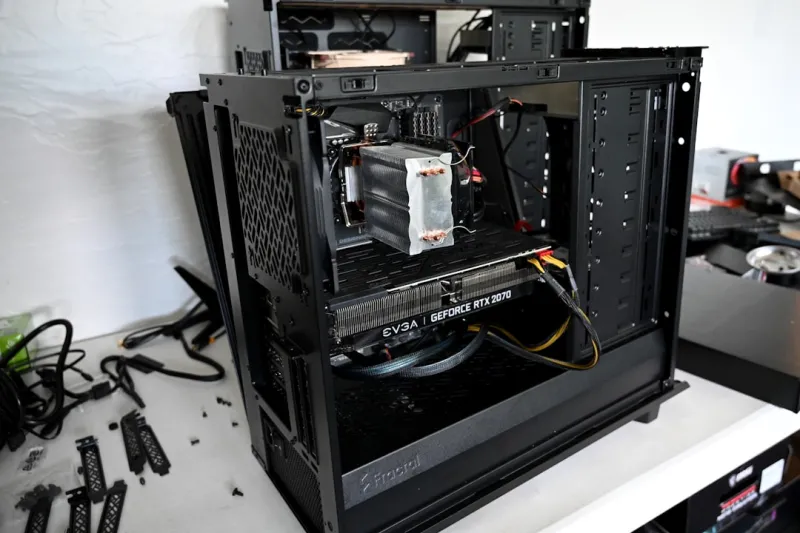
When you stare at a blinking cursor on a half‑finished render, you know it’s time to ask the uncomfortable question: “Is my rig still keeping up?” In 2026 the upgrade cycle has accelerated thanks to AI‑driven workloads, real‑time ray tracing, and ever‑shrinking latency budgets. Yet the decision isn’t just about raw specs; it’s about aligning hardware with the way you actually work. As a longtime power‑user, I’ve learned that the most satisfying upgrades are those that eliminate bottlenecks you didn’t even realize were there. That’s why I start every upgrade plan by mapping my current workflow—coding, 3‑D modeling, streaming—and identifying which component is silently throttling productivity. From there, the roadmap becomes clear, whether you’re swapping out a legacy CPU for a 16‑core beast or finally giving your SSD a PCIe 5.0 lane. The goal is simple: create a machine that feels effortless, not just faster on paper. Strategic upgrades keep the experience smooth, extend the life of your investment, and—most importantly—let you focus on creation rather than waiting.
The GPU Upgrade Dilemma
Graphics cards have become the wild west of the upgrade market. On one hand, the newest RTX 50‑series and AMD RX 9000 GPUs promise teraflops of AI inference and buttery‑smooth ray tracing. On the other, power draw, thermals, and driver stability can turn a dream rig into a maintenance nightmare. I’ve spent countless evenings wrestling with driver rollbacks and fan curves, which is why I always cross‑reference any new purchase with real‑world diagnostics. If you’re already flirting with GPU hiccups, take a look at When Your GPU Misbehaves: A Power‑User’s Step‑by‑Step Troubleshooting Playbook. That guide taught me how to isolate power‑delivery issues versus firmware bugs, a skill that saved me from a $1,200 card that kept throttling under load. When you finally decide on a card, match its power envelope to a quality PSU, ensure your case supports the required airflow, and don’t forget to verify that your motherboard’s PCIe slot runs at full x16 speed.
RAM and Memory Stability
Memory upgrades used to be a simple matter of “more is better,” but in 2026 the conversation has shifted to latency, ECC support, and mixed‑frequency compatibility. DDR5‑5600 modules are the sweet spot for most creators, offering a balance of bandwidth and power efficiency. Yet I’ve seen too many builds suffer random crashes because the memory timings weren’t tuned for the chosen CPU’s memory controller. That’s why I always run a quick memtest86+ after any RAM swap and keep an eye on the JEDEC specifications. For a deep dive into troubleshooting those elusive memory errors, see Diagnosing and Fixing Memory Issues: A Power‑User’s Guide to Stable RAM. It walks you through stress‑testing, BIOS tweaks, and when to consider ECC modules for mission‑critical workloads. Remember, stable RAM is the silent backbone of every frame you render and every line of code you compile.
Storage Choices: SSDs vs. Hard Drives
It’s tempting to dump every terabyte into an NVMe SSD, but the truth is that a hybrid storage strategy can still be the most cost‑effective route. Modern NVMe drives deliver blistering sequential reads, yet many workloads—like large video archives or backup sets—don’t benefit from that raw speed. That’s where the often‑underestimated hard drive shines. In Why Hard Drives Remain the Power‑User’s Secret Weapon, I explore how a 10 TB 7200 RPM drive can offload cold data, freeing up SSD space for active projects and OS partitions. Pair a 2 TB PCIe 5.0 SSD for your OS and primary work files, then stack a high‑capacity HDD for archives, and you’ll enjoy the best of both worlds: lightning‑fast access where it matters and budget‑friendly storage for the rest.
Choosing the Right Motherboard
The motherboard is the unsung hero that determines how many of those shiny components can actually communicate. In 2026, the key differentiators are PCIe 5.0 lane allocation, robust VRM designs, and native support for DDR5 with high‑frequency profiles. I’ve learned that a board with a 12+2 power stage not only stabilizes overclocked CPUs but also provides cleaner power for memory and storage. Don’t overlook the importance of dual‑M.2 slots with heatsinks—these prevent thermal throttling on high‑end SSDs during prolonged writes. For a comprehensive checklist, see Choosing the Right Motherboard in 2026: A Power‑User’s Guide. It breaks down the trade‑offs between ATX, micro‑ATX, and the emerging mini‑ITX form factors, helping you match the board to your case size and expansion needs without sacrificing future‑proofing.
Power Supply and Cooling: The Unsung Duo
Power delivery and thermal management are the twin pillars that keep every upgrade stable. A 750‑W Gold‑rated PSU used to be overkill for most builds, but today’s high‑end GPUs and CPUs can easily demand 600 W under peak load. I now aim for a PSU that offers at least 30 % headroom and features a fully modular cable set to improve airflow inside the case. On the cooling side, liquid AIOs have matured; a 360 mm radiator with a dual‑fan setup now provides whisper‑quiet performance while maintaining sub‑70 °C temperatures during intense AI model training. If you’re still on stock coolers, you’ll notice throttling in less than an hour of sustained load. Investing in a quality cooler and a reliable PSU is not just about performance—it’s about safeguarding the expensive components you just upgraded.
Building an AI‑Ready Workstation
AI workloads have reshaped the definition of a “power‑user” machine. Training models, running inference, and handling large datasets require more than just a fast GPU; you need a balanced ecosystem. That’s why I spent months fine‑tuning a build that could juggle TensorFlow, PyTorch, and real‑time video upscaling without missing a beat. The cornerstone is a CPU with strong single‑core performance and ample PCIe lanes—think a 24‑core Zen 4 or an equivalent Intel Xeon. Pair that with a multi‑GPU setup on a motherboard that supports bifurcation, and you have a workstation that scales. For a step‑by‑step blueprint, check out Building an AI‑Ready Development Workstation That Wins in 2026. It walks you through component selection, software stack optimization, and even cable management tricks that keep airflow pristine.
Security Considerations When Upgrading
Every new component introduces a fresh attack surface, and in 2026 a zero‑trust, AI‑driven defense strategy isn’t optional—it’s essential. Upgrading your BIOS, flashing firmware, and enabling TPM 2.0 should be part of your upgrade checklist. I’ve adopted a layered approach: hardware‑rooted security via TPM, firmware integrity checks with Secure Boot, and continuous monitoring using AI‑based threat detection. If you need a playbook that ties these concepts together, dive into Secure Your Power‑User Workstation: A 2026 Playbook for Unstoppable Defense. It outlines how to configure Windows Hello, enable BitLocker, and set up a micro‑segmented network that isolates development environments from internet‑facing services, keeping your upgraded rig both fast and safe.
Future‑Proofing and the Upgrade Roadmap
Finally, think of upgrades as a phased roadmap rather than a single, massive spend. In my experience, the most sustainable builds evolve with a modular mindset: start with a solid motherboard and PSU, then add GPU power, expand storage, and finally fine‑tune cooling. This approach lets you absorb new technologies—like emerging DDR6 or PCIe 6.0—without ripping the whole system apart. Keep an eye on upcoming standards, but remember that the “best” component today may be “good enough” for the next two years if the rest of the system is well balanced. By planning upgrades in stages and regularly revisiting performance metrics, you’ll stay ahead of the curve, keep your budget in check, and enjoy a workstation that feels fresh long after the initial build. Happy upgrading, and may your frames per second always stay high and your render times stay low.




