
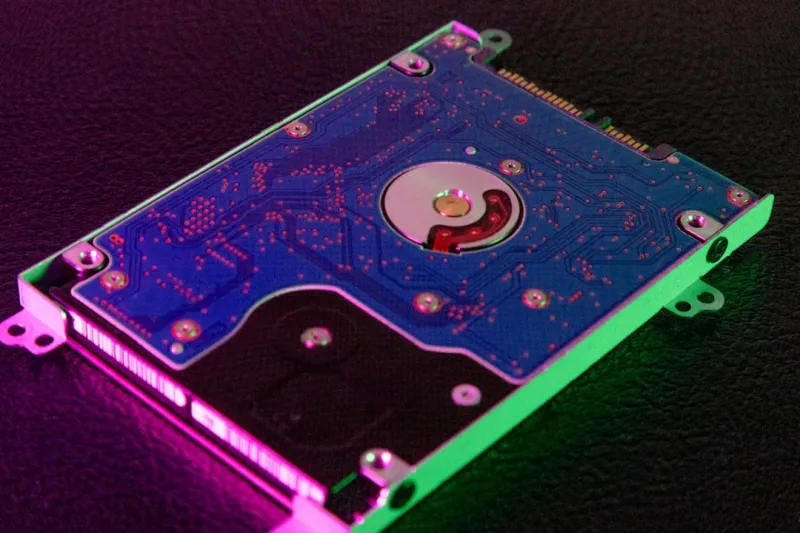
Hard Drives in 2026: Why the Classic Still Wins the Power‑User Race
When I first cracked open a 3.5‑inch drive back in the early 2010s, I never imagined I’d still be championing the same technology a decade later. In 2026, the hype train for flash storage barrels past us at breakneck speed, but the hard‑drive market has quietly solidified its role as the power‑user’s most reliable, cost‑effective storage backbone. My own workflow—juggling multi‑terabyte video archives, massive codebases, and AI model checkpoints—relies on the raw capacity and predictable economics that only a modern HDD can deliver. While SSDs boast dazzling read/write bursts, they still wrestle with price‑per‑gigabyte constraints that make them impractical for bulk storage at scale. In this post, I’ll walk you through the technical nuances, cost calculus, and strategic upgrades that make hard drives the secret weapon in any serious build, all while weaving in the latest power‑user strategies you’ve come to expect from my columns.
The Evolution of Hard Drives: From Gigabytes to Multi‑Terabytes
Hard‑drive technology has made a quiet but impressive leap since the early days of 500 GB platters. In 2026, you can snag a 20‑TB 3.5‑inch HDD for a fraction of the cost of a comparable SSD, thanks to advances in areal density, magnetic recording techniques, and refined servo‑control algorithms. These drives now sport helium‑filled chambers that reduce friction and allow tighter spacing of magnetic media, pushing capacity limits while keeping power draw low. The shift to SMR (Shingled Magnetic Recording) for archival tiers and CMR (Conventional Magnetic Recording) for performance‑critical workloads gives power users the flexibility to tier data without buying separate devices. Moreover, the resurgence of the SATA‑III interface, now paired with native NVMe‑over‑SATA bridges, means you can still plug a massive HDD into the fastest ports on today’s motherboards without sacrificing bandwidth for most sequential workloads. This evolution underpins the practical decision to keep an HDD in every power‑user rig.
Why Hard Drives Remain the Power‑User’s Secret Weapon in 2026
If you’ve ever wondered why the seasoned pros still swear by spinning disks, the answer lives in the sweet spot of capacity, durability, and cost. In my deep‑dive hard drive secret weapon article, I highlighted how an HDD’s price per terabyte can be as low as $15, whereas SSDs hover around $80‑$120 for the same space. This disparity matters when you’re storing raw footage, large GIS datasets, or nightly backups of development environments. Additionally, modern drives incorporate advanced error‑correction codes (ECC) and predictive failure analysis that give you early warnings before a catastrophic crash. Pair that with the fact that mechanical drives are inherently resilient to sudden power loss—thanks to built‑in capacitors that safely flush caches—you get a storage medium that’s both robust and forgiving. For a power user who values uptime and budget, the HDD remains the pragmatic choice for bulk storage and cold archives.
Performance Strategies: Tiered Storage and Hybrid Configurations
While raw sequential speeds of HDDs still lag behind NVMe SSDs, you can engineer a hybrid system that extracts the best of both worlds. The key is tiered storage: keep your active projects on a lightning‑fast SSD cache, then funnel completed work to a high‑capacity HDD. Modern operating systems, especially the AI‑ready builds highlighted in my AI‑ready PC guide, now support native tiering, automatically moving infrequently accessed files to the slower tier without user intervention. For those who like hands‑on control, tools like Intel’s Optane Memory or AMD’s StoreMI let you configure a dedicated SSD as a cache for a 10‑TB or larger HDD, dramatically reducing load times for large datasets. The result is a seamless experience where you enjoy SSD‑level responsiveness for daily tasks while still leveraging the massive, affordable storage pool of a hard drive for everything else.
Reliability and Data Recovery: The Hard Drive’s Hidden Advantage
One of the most underrated qualities of modern HDDs is their predictability in failure modes, which translates to smoother data recovery processes. Unlike some SSDs that can fail silently due to worn‑out NAND cells, a failing hard drive often exhibits clear warning signs—clicking sounds, slow spin‑up, or SMART attribute spikes. This transparency lets power users act before data is lost, employing tools like CrystalDiskInfo or the built‑in Windows Event Viewer to monitor health metrics. When a drive does finally give out, professional data recovery services can often retrieve up to 95% of the data from a mechanically damaged platter, a feat far more difficult with damaged flash memory. For a developer who cannot afford to lose months of code or a photographer guarding terabytes of raw images, that level of recoverability is priceless.
Security Considerations: Encryption and Physical Protection
Security remains a top priority for any power user, and hard drives have kept pace with modern encryption standards. Many 2026‑era HDDs come with hardware‑based AES‑256 self‑encryption (SED) that activates automatically when you set a password through your BIOS or OS. This means your data is encrypted at rest without any performance penalty, and the key is stored securely inside the drive’s controller. When combined with full‑disk encryption solutions like BitLocker or Linux’s LUKS, you get a layered defense that protects against both physical theft and remote compromise. Additionally, the larger form factor of a 3.5‑inch drive makes it easier to secure physically—mount it in a locked drive cage or use anti‑vibration brackets to protect against shock. Pair these measures with regular firmware updates—see my critical 2026 updates guide—to ensure your storage remains both fast and fortified.
Integrating HDDs with Modern Motherboards and Platforms
One misconception that still circulates is that new motherboards have abandoned SATA in favor of PCIe. The truth is that 2026 motherboards still ship with multiple SATA‑III ports, often paired with a dedicated SATA controller that can handle up to eight drives simultaneously. This is especially true for workstation‑class boards highlighted in the motherboard revolution article. Moreover, the emergence of U.2 and NVMe‑over‑SATA adapters allows you to attach high‑capacity HDDs to PCIe lanes, gaining a modest bandwidth boost for large sequential transfers. For power users building a rack of storage, leveraging a combination of SATA, U.2, and NVMe bridges lets you maximize both capacity and throughput without compromising on the tried‑and‑true reliability of mechanical drives.
Practical Upgrade Guidance: Building the Ultimate Storage Stack
Ready to overhaul your storage? My PC upgrade playbook lays out a step‑by‑step roadmap, and here’s a condensed version tailored for hard‑drive enthusiasts. Start by assessing your current capacity: if you’re under 5 TB and hitting the ceiling, consider a 12‑TB or 20‑TB CMR drive for active projects, reserving a 30‑TB SMR unit for archives. Next, allocate a 1‑TB NVMe SSD as your primary OS and application drive—this handles the OS boot and your most demanding apps. Then, set up a software RAID‑0 or RAID‑5 array using the high‑capacity HDDs, depending on whether you prioritize speed or redundancy. Finally, implement a scheduled backup routine that mirrors your RAID array to an external 30‑TB enclosure, ensuring you have an off‑site copy in case of disaster. This layered approach gives you blazing performance where it counts, massive bulk storage, and peace of mind—all without breaking the bank.
The Road Ahead: HDDs in an AI‑Driven World
Looking forward, the role of hard drives may evolve, but their core value proposition remains intact. AI workloads in 2026 are hungry for petabyte‑scale datasets, and while training cores run on high‑speed NVMe, the raw datasets—video corpora, sensor logs, simulation outputs—still need affordable, long‑term storage. Emerging technologies like heat‑assisted magnetic recording (HAMR) promise to push individual platters beyond 30 TB, further cementing HDDs as the backbone of big‑data pipelines. Meanwhile, the software ecosystem is catching up; AI frameworks now support direct streaming from SATA‑connected drives, reducing the need to shuffle data onto SSDs before processing. For power users who demand both scale and budget‑friendly solutions, the humble hard drive is poised to stay relevant, serving as the silent workhorse that powers tomorrow’s breakthroughs.




