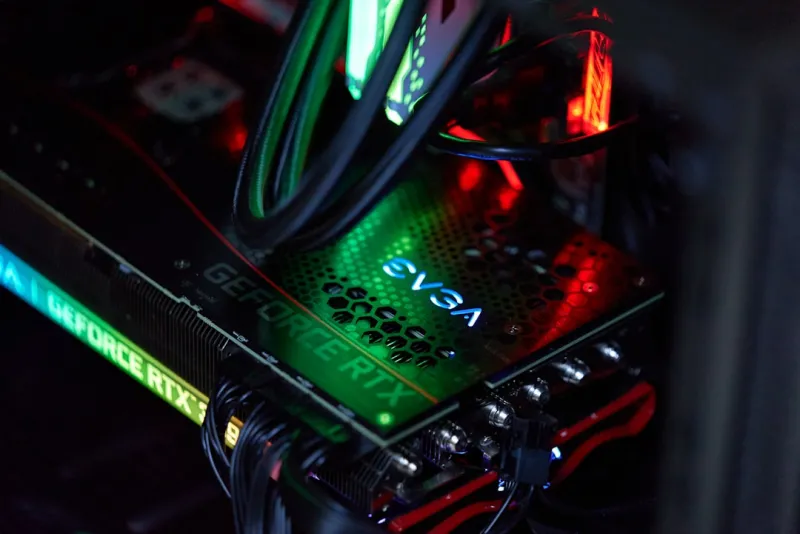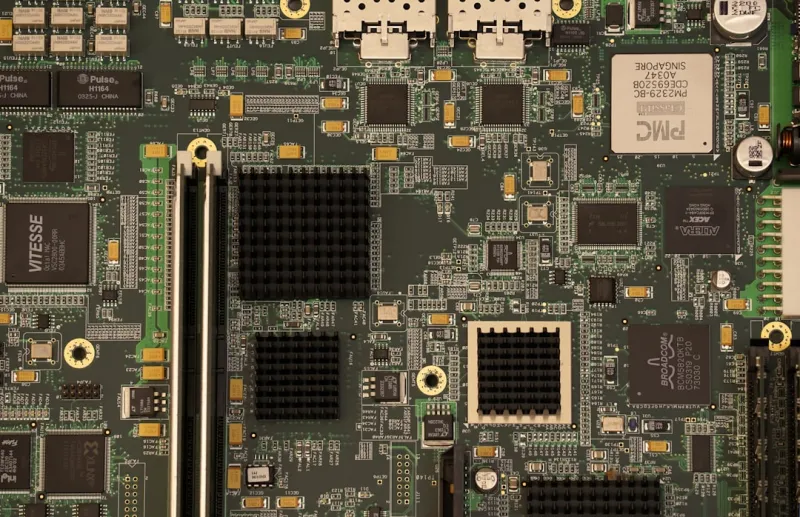
When I first tore open a motherboard back in the early days of my hobby, the layout was a simple grid of slots and a handful of chips that felt almost mystical. Fast forward to 2026, and the board beneath my CPU has become a high‑density city of power phases, AI accelerators, and integrated networking that would make any power user’s heart race. I still remember the thrill of spotting a hidden debug header on a vintage board, but today the excitement comes from spotting a 20‑plus phase VRM or a dedicated TPM 2.2 module that promises rock‑solid security. In this post, I’ll walk you through the trends that are reshaping motherboards for creators, gamers, and AI enthusiasts alike, sharing the nuances that only a seasoned power user like myself can appreciate. Expect deep dives into chipset choices, form‑factor evolution, and the hidden features that separate a good board from a truly future‑proof platform.
Chipset Wars: What 2026’s Options Mean for You
Chipsets have always been the silent architects of performance, dictating everything from PCIe lane count to memory compatibility. In 2026, AMD’s X670E and Intel’s Z790+ have pushed the envelope with native support for DDR5‑6000 and PCIe 5.0, but the real differentiator is how each vendor handles AI workloads. AMD’s integrated AI engine leverages the Infinity Fabric to offload inference tasks directly on the motherboard, while Intel’s new Thread Director 2.0 dynamically reallocates cores for mixed‑precision workloads. For a power user who runs large language models locally, these subtle chipset distinctions translate into measurable gains in latency and throughput. Moreover, both platforms now ship with on‑board crypto accelerators, which dovetail nicely with the principles outlined in Why Encryption Matters to Every Power User, ensuring that data at rest and in motion remains shielded without sacrificing speed.
Form Factor Frenzy: Beyond the Classic ATX
The ATX form factor still dominates the market, but 2026 has seen a surge in specialized layouts tailored for niche use cases. Mini‑ITX boards, once relegated to compact builds, now boast dual‑M.2 slots, PCIe 5.0 x16 slots, and even integrated 10 GbE Ethernet—all without compromising thermal headroom. Meanwhile, the rise of the “flex‑ATX” format offers a middle ground: a compact footprint with enough real estate for a full VRM suite and advanced cooling solutions. For creators who need a portable workstation, a high‑end mini‑ITX can slip into a 15‑liter case yet still deliver desktop‑class performance. On the other end of the spectrum, E‑ATX boards for workstation rigs are embracing modular power delivery, allowing users to swap out VRM modules as their power demands evolve. Understanding these form‑factor nuances is crucial when you’re planning a build that must balance space constraints, expandability, and thermal efficiency.
Power Delivery & VRM: The Backbone of High‑Performance Builds
In the era of 24‑core CPUs and 48‑lane GPUs, power delivery is no longer an afterthought—it’s the backbone of any serious build. Modern motherboards now feature up to 24‑phase VRM designs, with digital PWM controllers that adjust voltage on a per‑nanosecond basis. This precision not only maximizes overclocking headroom but also reduces ripple, extending the lifespan of both the CPU and the board itself. For AI practitioners pushing large models, stable power translates directly to fewer training interruptions. To truly harness this power, you’ll want a board that supports Unlocking AI Computing: A Power‑User’s Blueprint for 2026, which emphasizes the importance of robust VRMs, high‑quality capacitors, and comprehensive thermal monitoring. Pairing a premium VRM with a well‑designed heatsink—often a combination of heatsinks and heat pipes—ensures that even under sustained loads, temperatures stay within safe margins, protecting your investment for years to come.
PCIe Evolution: Bandwidth for Storage and GPUs
PCIe 5.0 has become the baseline in 2026, delivering up to 32 GT/s per lane, but the real excitement lies in the early adoption of PCIe 6.0 on select high‑end boards. This next‑gen interface doubles the bandwidth, opening doors for ultra‑fast NVMe SSDs that can saturate a single x8 slot with read speeds exceeding 16 GB/s. For gamers and content creators, this means near‑instant load times and seamless 8K video editing pipelines. Additionally, GPU manufacturers are leveraging the extra lanes to support multi‑GPU configurations without throttling. When selecting a motherboard, verify that the PCIe layout places your primary GPU in a full x16 slot and that the secondary slot isn’t compromised by shared lanes—a common pitfall in budget designs. To deepen your understanding of how these interfaces fit into a broader system, check out Mastering Modern Computer Hardware: A Power‑User’s Blueprint for 2026, which breaks down the interplay between CPU, chipset, and PCIe lanes.
BIOS/UEFI Features & Security: The Silent Guardians
Modern BIOS/UEFI firmware has evolved into a full‑featured operating environment, offering everything from AI‑assisted tuning to built‑in hardware root of trust. Features like Secure Boot 2.0 and hardware‑based TPM 2.2 are now standard on premium boards, providing a layered defense against firmware attacks. As a power user, I rely heavily on the firmware’s ability to create immutable boot paths and to encrypt the BIOS image itself—a practice echoed in Why Encryption Matters to Every Power User. Additionally, many manufacturers now ship with a secondary BIOS chip, allowing a quick rollback if a flash fails. The UI has also become more user‑friendly, with graphical dashboards that display real‑time VRM temperatures, power draw, and even AI‑driven recommendations for optimal fan curves. Mastering these tools can shave seconds off boot times and provide peace of mind that your system’s firmware is as robust as its hardware.
Connectivity Revolution: From USB4 to Wi‑Fi 7
Connectivity on motherboards has undergone a quantum leap. USB4 now dominates the front panel, offering up to 40 Gbps while supporting Thunderbolt 4 compatibility, which simplifies docking station setups for mobile professionals. Meanwhile, Wi‑Fi 7 (802.11be) delivers multi‑gigabit wireless speeds, reducing the reliance on Ethernet in many office environments. Yet, for latency‑sensitive tasks like real‑time AI inference or high‑frequency trading simulations, 2.5 GbE and even 10 GbE ports remain indispensable. Many high‑end boards now feature dual 2.5 GbE LAN controllers with failover capabilities, ensuring uninterrupted network performance. The integration of these connectivity options not only streamlines cable management but also future‑proofs the system against the rapid pace of network evolution. When you pair these interfaces with a motherboard’s robust power delivery, you get a harmonious ecosystem where data flows unimpeded from storage to GPU to network.
Thermal Management & Layout: Designing for Stability
Effective thermal management starts on the PCB. Engineers now employ staggered VRM layouts and split power planes to dissipate heat more evenly across the board. Heatpipe‑augmented VRM heatsinks are commonplace, and many premium motherboards include dedicated M.2 thermal guards that prevent SSD throttling during prolonged writes. Moreover, the placement of the chipset heatsink—often positioned away from the CPU socket—reduces thermal coupling, allowing both components to operate at lower temperatures. For enthusiasts who push CPUs to 5 GHz or beyond, a well‑designed airflow path is essential. I recommend pairing a high‑end board with a case that supports dual‑intake fans and a rear exhaust, creating a front‑to‑back airflow that sweeps heat away from critical components. Remember, a cooler system not only maintains performance but also extends the lifespan of both the motherboard and connected peripherals.
Future‑Proofing: Modular Upgrades and Emerging Standards
Looking ahead, modularity is the keyword for a motherboard that can adapt to tomorrow’s tech. Some 2026 releases feature removable VRM modules, allowing users to upgrade power stages without swapping the entire board. Others provide spare M.2 slots and even an empty PCIe x4 slot that can be repurposed for future expansion cards, such as dedicated AI inference accelerators. Additionally, the rise of “smart” power connectors—capable of communicating load and temperature data back to the BIOS—promises more granular power management. When planning a build, consider a board that offers these upgrade paths, as they can save you from a costly full‑system replacement when a new CPU socket or memory standard emerges. This forward‑thinking approach aligns with the power‑user mindset of building once, upgrading often.
Final Thoughts: Choosing the Right Motherboard for Your 2026 Build
After dissecting chipset capabilities, form factors, power delivery, and connectivity, the ultimate decision comes down to matching the motherboard’s strengths to your workload. If you’re a creator focused on AI workloads, prioritize a board with robust VRMs, a native PCIe 6.0 slot, and integrated AI accelerators. Gamers should look for high‑refresh-rate networking, low‑latency BIOS settings, and strong audio codecs. For those who value portability, a mini‑ITX with dual‑M.2 slots and Wi‑Fi 7 will serve you well. No matter your focus, remember that the motherboard is the foundation of your system’s reliability, security, and upgrade path. Take the time to read user reviews, consult the manufacturer’s roadmap, and leverage the internal resources we’ve linked throughout this guide. Your next build can be the platform that not only meets today’s demands but also stands ready for the innovations of tomorrow.