
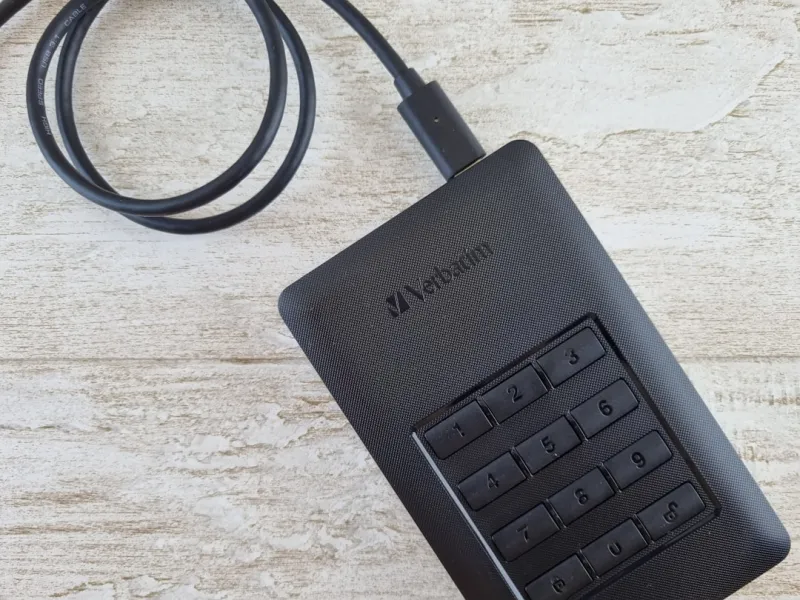
When I first ripped open my 2012 tower, the satisfying whirr of a 7200 RPM hard drive was the soundtrack of every upgrade. Fast‑forward to 2026, and while NVMe flash has stolen the limelight, the humble hard disk drive (HDD) remains a silent workhorse in my power‑user arsenal. I’ve spent the last decade juggling SSDs for speed and HDDs for bulk, and the lesson is clear: discarding magnetic storage simply because it’s “old” is a mistake. In this post I’ll walk you through why hard drives still earn a seat at the table, how to pick the right one for a high‑performance rig, and the strategies I use to keep my data safe and fast. Whether you’re a seasoned builder or a newcomer chasing that perfect balance of cost, capacity, and reliability, you’ll find practical takeaways that reflect my hands‑on experience and the reality of today’s hardware market.
From Platters to Petabytes: The Technological Journey
The last ten years have seen areal density push past 2 TB per platter, thanks to technologies like heat‑assisted magnetic recording (HAMR) and shingled magnetic recording (SMR). These advances mean a 16 TB desktop drive now fits in a 2.5‑inch form factor without sacrificing reliability. While SSDs have shrunk the latency gap, they haven’t solved the fundamental economics of bulk storage. The cost per gigabyte for HDDs has dipped below $0.02, a figure that SSDs still can’t match at comparable capacities. As a power user who routinely archives 4K video, large data sets, and game libraries, the ability to stockpile terabytes for pennies is priceless. Moreover, the longevity of magnetic media—often outlasting flash by a decade under proper conditions—provides a safety net when you need a stable, long‑term repository for critical files.
Why Hard Drives Still Matter for Power‑Users in 2026
Many power users assume SSDs are the default for every tier of storage, but the reality is more nuanced. The Why Hard Drives Still Matter for Power‑Users in 2026 article outlines a clear hierarchy: NVMe for OS and hot‑swap apps, SATA SSDs for latency‑sensitive workloads, and HDDs for massive, cold‑storage archives. This tiered approach leverages the strengths of each technology while keeping the total build cost in check. For example, a 2 TB NVMe for your primary drive paired with a 12 TB 7200 RPM HDD for media results in a system that boots in under a second and streams 8K content without hiccups, all while staying under a modest budget. The trade‑off is acceptable because the HDD never sits in the performance‑critical path; it simply holds data that you rarely need to fetch instantly.
Performance Metrics That Matter to the Savvy Builder
When evaluating HDDs, I focus on three metrics: spindle speed, cache size, and interface bandwidth. A 7200 RPM drive offers roughly 150 MB/s sequential reads—perfect for large file transfers—while 5400 RPM models hover around 100 MB/s and are best reserved for backup vaults. Larger onboard caches (256 MB or 512 MB) can mitigate latency spikes during random reads, a subtle benefit when accessing fragmented media libraries. Interface choice also plays a role: SATA III tops out at 6 Gbps, but newer drives support U.2 or NVMe over PCIe, bridging the gap between magnetic and flash performance. In my recent builds, I’ve paired a 4 TB U.2 drive with a dual‑channel SATA controller, achieving near‑SSD burst speeds during bulk copy operations without breaking the bank. Understanding these specs lets you fine‑tune a system that feels fast, even when the data lives on a magnetic platter.
Backup Strategies: The 3‑2‑1 Rule Reinvented with HDDs
Data loss is the nightmare that keeps any power user up at night, which is why I still champion the 3‑2‑1 backup rule: three copies of data, on two different media, with one off‑site. Hard drives excel at the “different media” portion because they are cheap enough to keep multiple offline copies without ballooning the budget. I typically spin up two 10 TB NAS drives for local redundancy and archive a third 12 TB external HDD in a fire‑proof safe at a secondary location. To keep those offline copies secure, I follow the guidelines in Encrypt Like a Power User: Practical Strategies for 2026, encrypting the backup volumes with AES‑256 before they leave the house. This layered approach—speedy primary SSD, high‑capacity HDD for local redundancy, and encrypted off‑site HDD—creates a fortress that protects against both hardware failure and ransomware.
Monitoring Health: SMART, Predictive Failure, and the BSOD Connection
Hard drives are not immune to wear, but modern SMART (Self‑Monitoring, Analysis, and Reporting Technology) data gives you a window into impending trouble. I set up real‑time alerts that flag rising reallocated sector counts, abnormal spin‑up times, and temperature spikes. When a drive starts flirting with its limits, the operating system can throw a blue screen—a dreaded symptom I dissected in Why the Blue Screen Still Matters to Power Users in 2026. By catching the warning early, I replace the drive before it catastrophically fails, sparing myself data loss and the dreaded downtime. Tools like CrystalDiskInfo and the built‑in Windows Event Viewer make this monitoring painless, and automating the process via PowerShell scripts ensures I never miss a critical alert, even during marathon coding sessions.
Selecting the Ideal HDD for Your Build
Choosing the right drive starts with clarifying its role. For a media server, I prioritize capacity and 7200 RPM speed, opting for a 12 TB Seagate IronWolf Pro with NAS‑optimized firmware. For a backup drive that sits in a drawer, a slower 5400 RPM Western Digital Red Plus offers quiet operation and lower power draw, perfect for long‑term archival. Form factor matters too: 2.5‑inch drives fit tighter spaces and consume less power, while 3.5‑inch models usually provide higher capacities and better cooling. Brand reputation and warranty length also influence my decision; a five‑year warranty is a safety net I rarely overlook. Finally, I verify that the drive’s rotational tolerance aligns with my chassis airflow—excessive vibration can shorten lifespan, especially in densely packed builds.
The Future of Magnetic Storage: HAMR, SMR, and AI‑Optimized Caches
Looking ahead, magnetic storage isn’t standing still. HAMR technology promises to push per‑platter capacities beyond 20 TB, while SMR techniques enable higher density at the cost of write performance—an acceptable trade‑off for cold storage. Additionally, manufacturers are embedding AI‑driven cache algorithms that predict which data blocks you’ll need next, temporarily promoting them to faster cache layers. This hybrid approach narrows the performance gap with SSDs without sacrificing the cost advantage of HDDs. As a power user, I keep an eye on these trends, planning to incorporate a HAMR‑based archive drive into my next generation of workstations. The key takeaway: magnetic drives will continue to evolve, and the savvy builder will leverage that evolution to keep storage both affordable and future‑proof.
Putting It All Together: Your Next Upgrade Playbook
If you’re ready to revamp your system, start by mapping out data tiers: OS and applications on NVMe, active projects on a SATA SSD, and massive libraries on a high‑capacity HDD. My favorite checklist lives in Mastering the 2026 PC Upgrade: A Power‑User’s Playbook, where I break down budgeting, compatibility checks, and step‑by‑step installation tips. Remember, the goal isn’t to chase the flashiest spec but to build a balanced machine that serves your workflow for years to come. By respecting the unique strengths of hard drives—raw capacity, cost efficiency, and proven reliability—you’ll craft a storage ecosystem that feels fast, stays secure, and scales gracefully as your data grows. Happy building, and may your platters spin smoothly for many upgrades to come.




