
When you’re a power user, your home network is the nervous system that keeps every application, workstation, and IoT device firing on all cylinders. In 2026, the line between a “home” and a “professional” network has blurred, and the expectations for speed, reliability, and security have shot through the roof. I’ve spent the past decade fine‑tuning my own setups, and what I’ve learned is that a network built on solid fundamentals but flexible enough for tomorrow’s tech is the only way to stay productive without constantly fighting bottlenecks. Whether you’re rendering 8K video, running multiple virtual machines, or streaming low‑latency gaming sessions, the underlying infrastructure dictates how smooth the experience feels. That’s why I’m diving deep into the components that matter most, from the emerging Wi‑Fi 7 standard to enterprise‑grade VLAN segmentation, and how you can stitch them together into a cohesive, future‑proofed ecosystem. For a quick start, check out the home network guide that walks you through the essential steps.
Embracing Wi‑Fi 7: Speed Meets Efficiency
Wi‑Fi 7 (IEEE 802.11be) finally landed in consumer gear this year, promising up to 30 Gbps of raw throughput, multi‑link operation, and ultra‑low latency that rivals wired connections for many workloads. For a power user, this isn’t just a marketing buzzword; it translates into smoother 8K video streams, faster large‑file transfers across multiple devices, and more stable cloud gaming sessions even when the router sits a few rooms away. The new Multi‑AP mode lets a single access point dynamically allocate channels across the 2.4 GHz, 5 GHz, and 6 GHz bands, ensuring each device gets the most efficient path. However, Wi‑Fi 7 is only as good as the devices that support it, so inventory your laptops, tablets, and smart displays to verify 6 GHz compatibility. When you pair a Wi‑Fi 7 router with high‑quality client adapters, you’ll notice a dramatic reduction in jitter, which is essential for real‑time collaboration tools and remote desktop sessions that power users rely on daily.
Mesh vs. Traditional Router: Choosing the Right Architecture
The classic “one router, one device” topology can’t keep up with sprawling floor plans or the growing number of high‑bandwidth gadgets in a modern home office. Mesh networking has matured into a viable alternative, offering seamless handoffs and consistent coverage across multiple nodes. In 2026, mesh systems now support true backhaul over 10 Gbps Ethernet, eliminating the bottleneck that plagued earlier generations. If your workspace spans a multi‑story house or you have a dedicated media room, a three‑node mesh can distribute Wi‑Fi 7 signals with minimal loss, while still allowing you to run critical devices—like your NAS or workstation—directly to the main node via fiber‑optic or Cat‑8 cabling for maximum throughput. On the other hand, a high‑end standalone router paired with a managed switch can be more cost‑effective if you have fewer coverage challenges. The key is to assess the layout, the devices you’ll be connecting, and whether you need the added redundancy that mesh provides for uninterrupted productivity.
Segmenting with VLANs: Isolation Without Compromise
Virtual LANs (VLANs) have long been a staple in enterprise environments, yet many power users still shy away from implementing them at home. In 2026, the barrier to entry has lowered dramatically thanks to affordable managed switches that sport intuitive web interfaces and even mobile apps. By carving your network into logical segments—such as a “Work” VLAN for your development rigs, a “Media” VLAN for streaming devices, and an “IoT” VLAN for smart thermostats—you protect critical workloads from the inevitable noise and security risks posed by less trusted devices. VLAN tagging also simplifies Quality of Service (QoS) policies, letting you prioritize latency‑sensitive traffic like video conferencing over background sync jobs. The result is a cleaner, more secure traffic flow that doesn’t sacrifice speed. If you’re new to VLANs, start by assigning your primary workstation and server to a dedicated VLAN and gradually expand as you get comfortable. This modular approach keeps the network scalable and reduces the chances of a rogue device compromising your entire setup.
Zero‑Trust Security: A New Mindset for Home Networks
Traditional firewalls are no longer sufficient on their own, especially when you have a mixture of personal, work, and IoT devices all sharing the same broadcast domain. The zero‑trust model, popularized in corporate settings, is now a must‑have philosophy for power users who treat their home network as an extension of their professional environment. The core idea is “verify everything, trust nothing”—meaning each device, user, and application must authenticate before gaining access to resources. Implementing this starts with strong, unique passwords and multi‑factor authentication for all network equipment, coupled with regular firmware updates. Next, deploy a network‑wide DNS filtering service to block malicious domains, and consider a dedicated intrusion detection system (IDS) that can alert you to suspicious traffic patterns. For deeper protection, integrate a software‑defined perimeter that enforces micro‑segmentation, ensuring that even if an IoT device is compromised, it cannot reach your work VLAN. The unbreakable security strategies guide dives into the specific tools and configurations you can apply to achieve this level of resilience.
Hardware Selection: Routers, Switches, and Network Interface Cards
Choosing the right hardware is the backbone of any future‑proof network. In 2026, the sweet spot for a power‑user setup includes a Wi‑Fi 7 router with built‑in 10 GbE ports, a managed switch supporting 2.5 GbE, 5 GbE, and 10 GbE uplinks, and high‑performance NICs for your primary workstations. Look for routers that offer modular antenna systems; this allows you to fine‑tune coverage patterns without swapping the entire unit. Managed switches from brands like Ubiquiti and Netgear now feature intuitive L2/L3 capabilities, making VLAN configuration a breeze. When selecting NICs, prioritize those with support for RDMA over Converged Ethernet (RoCE) if you dabble in high‑speed data processing or GPU clustering. Don’t forget power‑over‑Ethernet (PoE) ports on your switch for powering access points, IP cameras, and even some smart lighting without additional adapters. For a deeper dive into component choices, the Power‑User Hardware Guide outlines the best routers, switches, and NICs for a truly resilient network.
Cable Management and Future‑Proofing: The Quiet Heroes
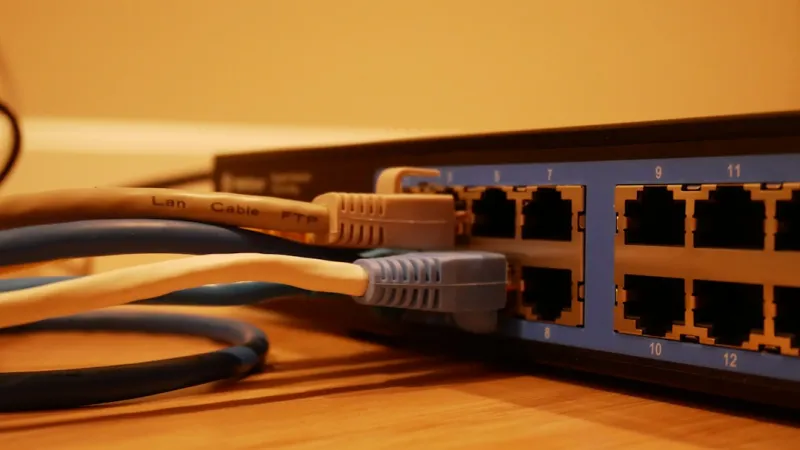
While flashy wireless specs get most of the attention, the humble Ethernet cable remains the most reliable conduit for data. In 2026, Cat‑8 remains the gold standard for 25 Gbps and 40 Gbps runs, but for most home environments, Cat‑6a or Cat‑7 cables strike the perfect balance between cost and performance, delivering 10 GbE over 100 meters with robust shielding against interference. Investing in structured cabling—think conduit, patch panels, and labeled keystone jacks—pays dividends when you add or reconfigure devices later. It also simplifies troubleshooting, as you can quickly isolate a faulty link without pulling walls apart. When planning your layout, run cables to a central rack or wall‑mounted cabinet that houses your router, switch, and UPS. This not only keeps the setup tidy but also makes it easier to integrate future upgrades like fiber‑optic backbones or additional PoE devices. Remember, a clean, well‑documented cabling scheme reduces latency, improves airflow for cooling, and gives you the confidence to scale your network as your demands evolve.
Monitoring, Automation, and the Power‑User Dashboard
Modern networking isn’t set‑and‑forget; it thrives on continuous insight and automation. Tools like Grafana, Prometheus, and open‑source network monitoring platforms let you visualize bandwidth utilization, latency spikes, and device health in real time. By configuring alerts for abnormal traffic patterns—such as sudden spikes from a newly added IoT device—you can react before a potential breach escalates. Automation scripts, often written in Python or PowerShell, can handle routine tasks like firmware updates, VLAN reassignments, or even dynamic QoS adjustments based on time‑of‑day usage. For a truly integrated experience, consider deploying a home‑lab dashboard that aggregates data from your router’s API, switch logs, and IDS alerts into a single pane of glass. This empowers you to make informed decisions on the fly, whether you’re optimizing a large file transfer to your NAS or throttling a noisy torrent client during a critical video call. The ability to proactively manage your network ensures that you stay ahead of both performance bottlenecks and emerging security threats.
Conclusion: Building a Network That Grows With You
The essence of a power‑user home network in 2026 is adaptability—embracing cutting‑edge standards like Wi‑Fi 7 while grounding the design in proven, enterprise‑grade practices such as VLAN segmentation and zero‑trust security. By thoughtfully selecting hardware, investing in high‑quality cabling, and deploying robust monitoring and automation, you create a resilient platform that can handle today’s demanding workloads and tomorrow’s innovations. Remember, the network is an evolving organism; regular audits, firmware updates, and a willingness to experiment with new configurations will keep it humming at peak performance. If you follow the guidelines laid out here and stay curious, you’ll enjoy a seamless, secure, and lightning‑fast digital environment that empowers every project you tackle. Ready to take the next step? Dive into the linked resources and start architecting the network that will power your future.




