
2026 is shaping up to be the year that power‑users finally get the hardware they’ve been dreaming about for the past decade. The convergence of ultra‑fast silicon, AI‑optimized GPUs, and storage that rivals the speed of RAM is forcing us to rethink how we design our rigs. In this post I’ll walk you through the most impactful upgrades you can make today, why they matter for both creative workloads and heavy‑duty development, and how to avoid the common pitfalls that trip up even seasoned builders. From the moment you crack open the case, every component now carries a dual‑purpose narrative: raw performance and future‑proof resilience. I’ll share the lenses I use to evaluate each piece, the benchmarks that matter, and the strategic order in which I install them so you can keep your machine humming efficiently for years to come.
Choosing the Right CPU: Balancing Core Count, Frequency, and AI Acceleration
The heart of any power‑user machine in 2026 is no longer just about clock speed; it’s about how many specialized cores you can harness for parallel workloads. Intel’s 14‑nanometer “Meteor” line and AMD’s Zen 5 architecture both offer up to 32 cores, but the decisive factor is the integrated AI tensor cores that now sit alongside traditional cores. If your day‑to‑day includes machine‑learning inference, video transcoding, or large‑scale compilation, a CPU with dedicated AI acceleration can shave minutes off tasks that used to take hours. When evaluating options, I prioritize the “performance per watt” metric because power efficiency directly translates to cooler, quieter rigs—a must for long coding marathons. Pairing a high‑core‑count chip with a motherboard that supports PCIe 5.0 and ample power delivery ensures you won’t hit a bottleneck when you later add an AI‑focused GPU. Remember, the best CPU is the one that aligns with the specific mix of compute, latency, and thermal constraints you face.
GPU Evolution: From Gaming Powerhouses to AI Workstations
The GPU market in 2026 has finally caught up to the demands of power‑users who need more than rasterized frames per second. Nvidia’s RTX 7000 series and AMD’s Radeon X‑Pro cards now ship with dedicated AI inference cores, on‑board ray‑tracing, and massive VRAM buffers exceeding 48 GB. For developers, this means you can run large language models locally without offloading to the cloud, dramatically cutting latency and subscription costs. When selecting a card, look beyond the raw TFLOPs rating; consider the software ecosystem, driver stability, and the presence of hardware‑accelerated codecs for video editing pipelines. My own build uses a GPU that supports DirectX 13 and Vulkan 2.0, giving me the flexibility to toggle between real‑time rendering for design work and deep‑learning inference for research tasks. If you’re budget‑conscious, a mid‑tier card with a strong AI core count can still outperform a high‑end gaming‑only GPU in compute‑heavy scenarios.
Memory and Storage: The New Speed Baselines for Power‑User Systems
DDR5 has been the default for a few years, but 2026 introduces DDR6‑X, which pushes bandwidth past 100 GB/s per module. For developers compiling massive codebases or running in‑memory databases, that extra headroom translates to noticeable reductions in compile times and smoother multitasking. Pair your RAM with a motherboard that supports quad‑channel configurations to fully exploit the bandwidth. On the storage front, NVMe 2.0 SSDs now deliver read speeds north of 12 GB/s, rivaling the throughput of high‑end RAID arrays while maintaining the simplicity of a single drive. I recommend a tiered approach: a fast NVMe for OS and active projects, complemented by a larger SATA‑based SSD or HDD for archival data. The key is to avoid mixing DRAM speeds—pairing DDR5 with DDR6 can cause latency mismatches, so commit to a uniform memory generation for the best stability and performance.
Why Motherboard Choices Matter More Than Ever for Power Users
The motherboard is the unsung hero that determines how well all your high‑end components play together. In 2026, boards with robust VRM designs, PCIe 5.0 x16 slots, and native support for DDR6‑X are no longer premium— they’re essential. I always start by checking the power delivery phases; a 12‑phase VRM can sustain a 32‑core CPU under full load without voltage droop, which is crucial for long rendering sessions. Additionally, look for integrated Thunderbolt 4 and 10 GbE Ethernet ports, as these simplify external GPU enclosures and high‑speed network connections. For those who love modular upgrades, choose a board with multiple M.2 slots that support both NVMe 2.0 and PCIe 5.0 devices, ensuring you can add future storage accelerators without a full redesign. For deeper insights into selecting the perfect board, see Why Motherboard Choices Matter More Than Ever for Power Users.
Power Delivery and Cooling: Keeping the Beast Calm Under Load
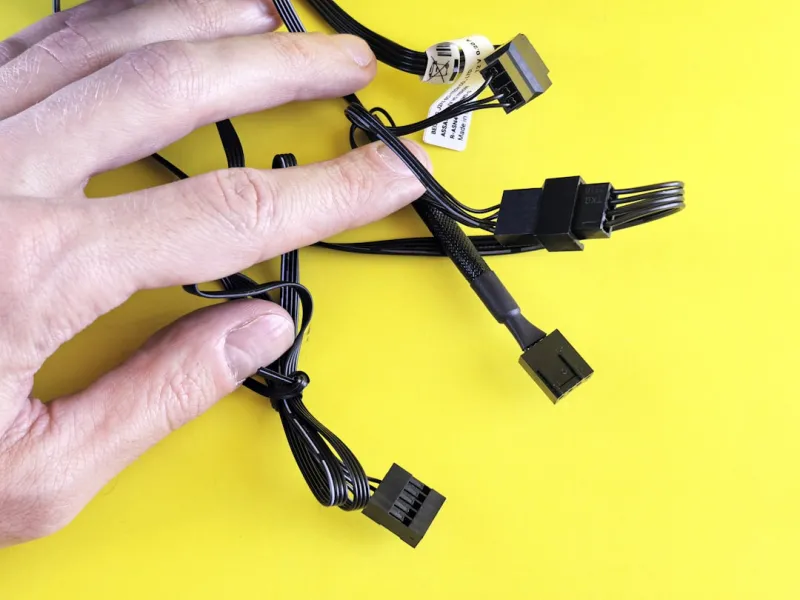
When you stack a 32‑core CPU, a 48‑GB VRAM GPU, and DDR6‑X RAM, the power draw can easily exceed 600 W at peak. Modern 80+ Gold and Platinum power supplies now come with digitally controlled rails that dynamically adjust voltage in response to load, improving efficiency and prolonging component lifespan. I opt for a 1000 W unit with a built‑in monitoring interface, so I can see real‑time wattage on my dashboard. Cooling has also evolved: hybrid liquid‑air coolers combine the quietness of large‑diameter fans with the heat‑pipe efficiency of liquid loops, allowing you to maintain sub‑70°C temps even during intensive AI model training. Don’t forget to route airflow strategically—intake at the front, exhaust at the top, and a dedicated exhaust for the GPU area. This setup not only protects hardware but also reduces acoustic noise, which is a subtle yet vital factor for developers who spend hours in front of the machine.
Future‑Proof PC Upgrades: What Power Users Should Upgrade First
Even the most cutting‑edge rigs become outdated, but smart upgrade paths can extend a system’s relevance for years. In my experience, the first upgrade after the initial build should target storage bandwidth; swapping a legacy NVMe for an NVMe 2.0 drive yields immediate performance gains without altering the rest of the system. Next, evaluate your GPU’s AI core utilization—if you find yourself hitting the limits of tensor performance, a next‑gen GPU will provide the biggest ROI. Finally, consider modular power supplies and motherboard firmware that support upcoming standards like PCIe 6.0, ensuring you can adopt future accelerators without a full rebuild. For a deeper dive into strategic upgrades, read Future‑Proof PC Upgrades: What Power Users Should Upgrade First. By following a phased approach, you avoid unnecessary expense while keeping your workstation at the forefront of performance.
Integrating the Rig into a 2026‑Ready Home Network
A powerhouse PC is only as good as the network it lives on. Modern power‑users rely on low‑latency, high‑throughput connections for code repositories, cloud sync, and AI model distribution. Building a 10 GbE or even 25 GbE wired backbone eliminates the bottlenecks that can cripple large data transfers. I recommend a mesh of managed switches that support link aggregation, allowing you to bond multiple Ethernet ports on the motherboard for combined bandwidth. For wireless needs, Wi‑Fi 7 routers now deliver multi‑gigabit speeds with improved latency, but wired connections remain the gold standard for consistency. Pairing your high‑speed rig with a robust network also safeguards against the dreaded “blue screen” caused by network‑related driver failures—see my guide on troubleshooting those when they arise. For a step‑by‑step network build, check out Building a 2026‑Ready Home Network for Power Users. A well‑engineered network completes the ecosystem, ensuring every component—from CPU to cloud—is fully leveraged.




