
When I first set up a home lab in 2022, a single router and a handful of Ethernet cables felt like the pinnacle of connectivity. Fast‑forward to 2026, and that modest setup looks like a relic next to the sprawling, multi‑band ecosystems power users now command. The rise of Wi‑Fi 7, 10 Gbps Ethernet, and AI‑driven traffic shaping has turned the humble home network into a mini‑data‑center, demanding a strategic mindset that blends hardware savvy with software finesse. In this article I’ll walk you through the trends that are reshaping networking for power users, why we can’t afford to stick with “set‑and‑forget” gear, and the concrete steps you can take today to build a resilient, high‑performance network that scales with your ambitions.
Rethinking the Home Network Blueprint
Most power users still treat their home network like an afterthought, tucking a consumer‑grade router behind a TV and calling it a day. In 2026, that mindset is a liability. Devices now span from 8K streaming rigs and AI inference boxes to latency‑critical gaming rigs and IoT sensors, each with distinct bandwidth and security needs. The solution starts with a top‑down audit: map every device, classify its traffic profile, and assign it to a logical segment. By doing so, you not only avoid bottlenecks but also isolate potential threats before they spread. For a deep dive into why this matters, see Why Modern Power Users Must Rethink Their Home Networks, which outlines the pitfalls of a monolithic network and offers a roadmap for compartmentalization.
Choosing the Right Wireless Backbone
Wi‑Fi 7 is no longer a buzzword; it’s the new standard for ultra‑low latency and multi‑gigabit throughput, leveraging 320 MHz channels and 4096‑QAM modulation. However, raw specs don’t guarantee real‑world performance. Placement of access points, channel selection, and client compatibility all dictate outcomes. A hybrid approach—combining a Wi‑Fi 7 AXE router for high‑density areas with dedicated 10 Gbps Ethernet backhaul to a mesh of Wi‑Fi 6E nodes—balances coverage and speed. Remember to enable OFDMA and MU‑MIMO to maximize simultaneous device handling, and always align your antenna orientation with the floor plan’s high‑traffic zones. This layered design ensures that a VR workstation in the basement enjoys the same seamless experience as a 4K media server in the living room.
Hardening the Perimeter: Beyond the Firewall
Security can’t be an afterthought, especially when you’re running a personal server farm from your garage. Traditional firewalls block inbound threats, but modern attacks often infiltrate via compromised devices or rogue firmware updates. Implement a zero‑trust model: every device, even trusted laptops, must authenticate before gaining network access. Pair this with deep packet inspection (DPI) and AI‑driven anomaly detection to spot irregular traffic patterns before they cause damage. For those looking to cement their defenses, check out Beyond the Firewall: A Power‑User’s Blueprint for Unbreakable Computer Security, which offers actionable steps to create a multi‑layered shield that adapts as threats evolve.
Fiber, Symmetric Speeds, and ISP Realities
In many urban hubs, fiber to the premises (FTTP) now offers symmetrical 10 Gbps connections, a boon for anyone who uploads large AI models or streams high‑resolution content. Yet, the promise of fiber is only as good as the equipment that terminates it. Invest in a carrier‑grade ONT (Optical Network Terminal) that supports link aggregation (LACP) and QoS tagging. This setup allows you to split traffic across multiple VLANs—one for latency‑sensitive gaming, another for bulk uploads, and a third for IoT devices—ensuring each class receives the bandwidth it deserves. Keep an eye on your ISP’s service level agreements (SLAs); many now guarantee sub‑5‑ms latency, which is critical for real‑time collaborative tools and cloud‑based development pipelines.
Segmentation with VLANs and Managed Switches
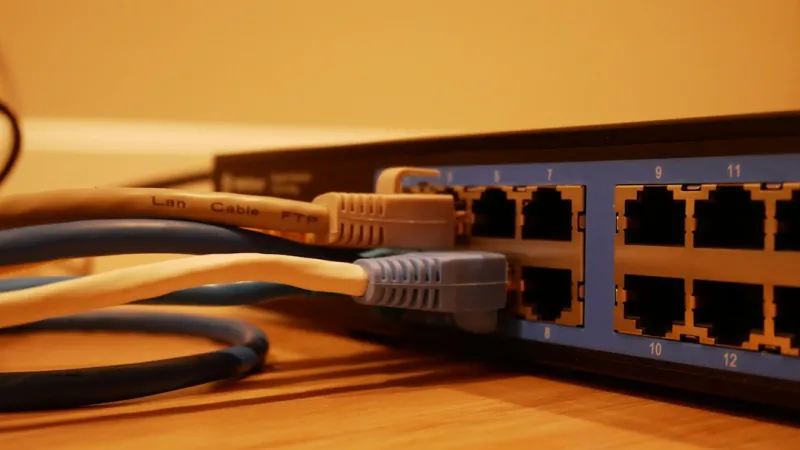
Virtual LANs (VLANs) are the unsung heroes of a clean, efficient network. By assigning each device class its own VLAN, you enforce traffic isolation, reduce broadcast storms, and simplify troubleshooting. For instance, create VLAN 10 for workstations, VLAN 20 for smart home devices, and VLAN 30 for guest Wi‑Fi. A managed 10 Gbps switch with PoE+ support can handle this segmentation effortlessly while powering devices like IP cameras and access points without extra adapters. Remember to configure inter‑VLAN routing on your firewall or a dedicated L3 switch, applying strict ACLs (Access Control Lists) to limit cross‑traffic. This granular control not only boosts performance but also curtails the blast radius of any compromised device.
Software‑Defined Networking (SDN) at Home
SDN isn’t confined to data centers; it’s increasingly accessible for home labs via platforms like OpenWrt, pfSense, and OPNsense. By abstracting the control plane, you gain programmable routing, dynamic QoS policies, and real‑time traffic visualization. Deploy a low‑power mini‑PC as your central SDN controller, running a lightweight Linux distro with Docker containers for services such as Pi-hole, Suricata IDS, and a VPN gateway. With the controller’s REST API, you can script bandwidth throttling for nightly backups or auto‑scale Wi‑Fi channels based on usage spikes. This level of automation turns a static network into a responsive, self‑optimizing ecosystem, freeing you to focus on building and experimenting rather than firefighting connectivity issues.
Future‑Proof Upgrades: Prioritize What Matters
When budgeting for upgrades, focus on components that deliver the highest ROI in performance and longevity. Start with the network interface cards (NICs); a 10 Gbps NIC with DP83867 support unlocks the full potential of modern switches and fiber connections. Next, invest in a modular chassis switch that supports both 2.5 Gbps and 10 Gbps ports, ensuring you can add faster links as devices evolve. Finally, consider upgrading your Wi‑Fi hardware to a Wi‑Fi 7‑compatible access point, but only after your wired backbone can sustain the increased traffic. For a comprehensive guide on upgrade sequencing, see Future‑Proof PC Upgrades: What Power Users Should Upgrade First. This strategic approach prevents bottlenecks and extends the lifespan of your network infrastructure.
Actionable Checklist for the 2026 Power‑User Network
Wrap up your networking overhaul with this concise checklist: 1) Audit every device and classify traffic. 2) Deploy a Wi‑Fi 7 router paired with Ethernet‑backed mesh nodes. 3) Implement zero‑trust authentication and AI‑driven DPI. 4) Secure a fiber‑grade ONT and enable link aggregation. 5) Segment traffic with VLANs on a managed 10 Gbps switch. 6) Install an SDN controller with OpenWrt/pfSense for dynamic routing. 7) Upgrade NICs and switches to 10 Gbps standards. 8) Regularly review ISP SLAs and firmware updates. By following these steps, you’ll transform a cluttered, unreliable setup into a high‑performance, secure network that can handle the demands of AI workloads, immersive gaming, and next‑gen content creation—all while staying one step ahead of emerging threats.




