
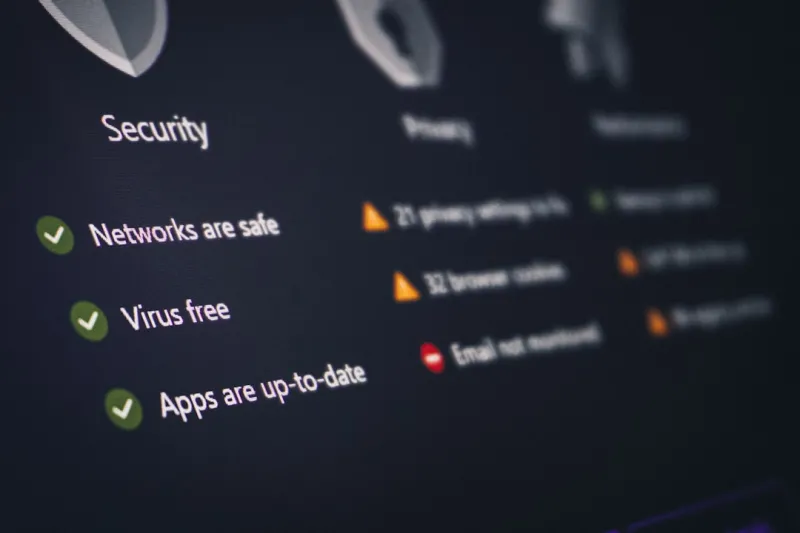
When I first built my rig back in the early 2020s, the biggest security worry was a rogue Wi‑Fi hotspot stealing my passwords. Fast‑forward to 2026, and the threat landscape looks like a hyper‑connected battlefield where ransomware, AI‑driven phishing, and supply‑chain attacks have become daily headlines. As a power‑user who lives and breathes hardware tinkering, software optimization, and relentless performance tuning, I’ve learned that security can’t be an afterthought—it must be woven into every bolt, line of code, and network packet. In this deep dive, I’ll walk you through the layered defenses that keep my workstation unbreachable, how to stay ahead of emerging threats, and why the same habits that make my PC lightning‑fast also make it a fortress. Think of this as a playbook for anyone who refuses to sacrifice power for peace of mind, all grounded in the realities of 2026.
Start with a Rock‑Solid Hardware Baseline
The first line of defense is the chassis you physically touch. Modern CPUs and GPUs now ship with built‑in hardware encryption modules and secure boot chains, but you still need to verify firmware signatures and lock down unused ports. I always enable TPM 2.0 in the BIOS, disable legacy USB support, and flash the latest microcode directly from the vendor’s signed repository. These steps sound basic, yet they stop a whole class of boot‑kits that try to hijack the system before the OS even loads. For power‑users who frequently overclock or experiment with custom cooling loops, the temptation to bypass security for marginal gains is real. Resist that urge—your investment in performance is only worthwhile if the machine remains trustworthy. If you need a deeper walkthrough, check out Fortify Your Power‑User Setup for a step‑by‑step hardening guide that doesn’t sacrifice the overclock headroom you love.
Never Underestimate the Power of Timely Updates
Critical updates are the lifeblood of a secure system, especially in a year when zero‑day exploits can propagate across the internet in minutes. In 2026, manufacturers release firmware patches on a weekly cadence, and OS vendors push cumulative updates that bundle dozens of vulnerability fixes. I’ve set up an automated, staged rollout: first to a sandbox VM, then to my primary workstation after a brief verification. This workflow catches regressions that could otherwise crash a high‑performance build. Skipping or delaying updates isn’t a minor inconvenience; it’s an open invitation to threat actors who scan for known loopholes. For a power‑user‑centric look at why staying current matters, see the article on why critical updates matter more than ever for power users. Trust me, the few minutes you spend reviewing a changelog will save you hours—or days—of downtime later.
Unlock Encryption at Every Layer
Encryption isn’t just a buzzword; it’s the digital equivalent of a vault door. In 2026, AES‑256 remains the gold standard for data at rest, while post‑quantum algorithms are being trialed for future‑proofing. I encrypt my SSDs with BitLocker leveraging the TPM, secure my home‑network traffic with WireGuard, and even encrypt individual containers using ChaCha20‑Poly1305 for performance‑critical workloads. The key is to manage secrets centrally—my go‑to is HashiCorp Vault, which offers dynamic credential generation and audit logging. Remember, a strong encryption strategy also includes protecting the keys themselves; hardware security modules (HSMs) and air‑gapped key storage are non‑negotiable for high‑value data. If you’re curious about extracting the maximum security benefit from modern encryption tools, dive into Unlocking the Full Power of Encryption for Modern Power Users for a practical guide that balances speed and safety.
Segment Your Network Like a Pro
One of the smartest moves I made in 2025 was to segment my home lab from my gaming rig and from the IoT devices that litter the living room. Using VLANs on a managed switch, I isolate high‑value assets—development servers, crypto wallets, and media editing workstations—into their own logical subnet with strict ACLs. This way, if a smart thermostat is compromised, the attacker can’t hop laterally to your encrypted SSDs. I also deploy a dedicated firewall with deep‑packet inspection that logs every connection attempt, making anomaly detection a breeze. For power‑users who love to experiment with multiple OSes and virtual machines, network segmentation is the digital moat that keeps your kingdom safe while you tinker freely.
Stay Ahead of Malware with Real‑Time Threat Intelligence
The malware tsunami that rolled in during early 2025 taught us a harsh lesson: static defenses are obsolete the moment a new strain surfaces. Today, I integrate a cloud‑based threat intelligence feed into my endpoint detection and response (EDR) platform, which automatically quarantines suspicious processes and cross‑checks hash signatures against an ever‑growing database. I also run regular scans with a multi‑engine scanner that leverages both signature‑based and behavior‑based detection. When a new ransomware variant surfaced that targeted the default PowerShell logging configuration, my EDR flagged the deviation within seconds, preventing encryption of critical project files. Pair this with a disciplined habit of reviewing the latest security advisories, and you’ll turn the tide against attackers who rely on the element of surprise.
Adopt a Zero‑Trust Identity Model
In 2026, the old perimeter‑focused mindset has given way to zero‑trust—a philosophy where every request, whether from a local application or a remote device, must prove its legitimacy. I’ve migrated all my cloud services to rely on multi‑factor authentication (MFA) and conditional access policies that evaluate device health, location, and risk scores before granting access. On the local side, I use Windows Hello for Business combined with a YubiKey for hardware‑based second factors. For privileged operations, I enforce Just‑In‑Time (JIT) elevation via PowerShell scripts that request temporary admin rights, logged and approved through an internal ticketing system. This layered identity verification ensures that even if a credential leaks, the attacker still faces multiple hurdles before gaining foothold.
Build a Rapid Incident Response and Backup Routine
No system is invulnerable, and the moment you recognize an intrusion is the moment you can limit damage. I keep a dedicated recovery VM that boots from an immutable image, allowing me to pivot instantly if my primary OS is compromised. Snapshots are taken hourly for critical VMs, and I employ the 3‑2‑1 backup rule: three copies, two different media, one off‑site. My off‑site backups are stored in an encrypted object store with versioning, so ransomware can’t rewrite history. Regular tabletop exercises—where I simulate a breach and walk through containment steps—keep my response plan sharp. This disciplined approach turns a potential catastrophe into a manageable event, preserving both data integrity and peace of mind.
Look Forward: Embrace AI‑Assisted Security without Blind Trust
The future of computer security in 2026 is undeniably intertwined with AI. From predictive threat modeling to automated patch validation, AI tools can amplify a power‑user’s capabilities. However, I treat them as assistants, not arbiters. I vet AI‑generated alerts against known baselines, and I maintain a human‑in‑the‑loop for any action that could impact system stability. By coupling AI insights with my deep technical expertise, I stay ahead of adversaries who are also leveraging machine learning to craft sophisticated attacks. The key takeaway? Leverage AI to augment, not replace, your security instincts. When you blend cutting‑edge tech with disciplined fundamentals, you create a security posture that’s as resilient as it is performant.




