
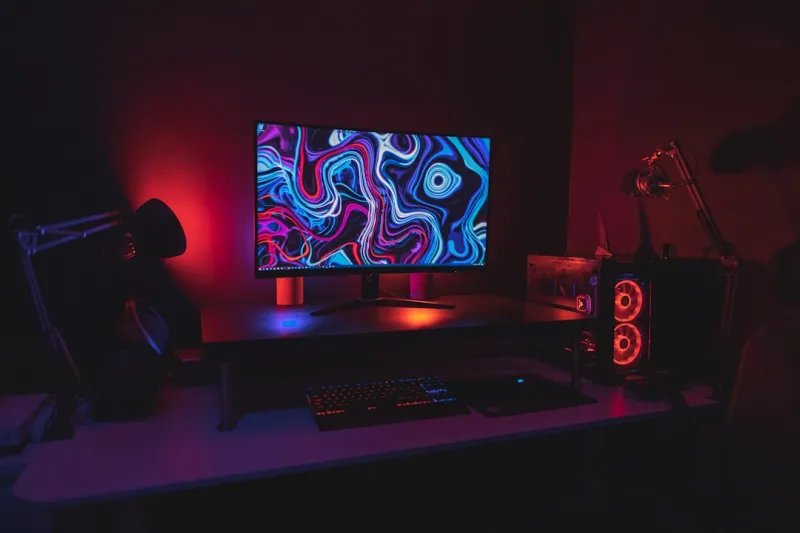
When I first cracked open my rig in early 2026, the sheer number of upgrade paths felt like staring at a digital buffet that kept expanding overnight. AI‑driven workloads, real‑time ray tracing, and cloud‑synced collaboration tools are no longer niche—they’re the baseline for both gamers and creators. That’s why a strategic upgrade plan isn’t just a hobby; it’s a necessity for staying productive and secure in a world where software can outpace hardware in seconds. In this post I’ll walk you through the upgrades that deliver the biggest performance jump, longevity, and peace of mind, all while keeping an eye on budget and future‑proofing. Expect a mix of hard data, personal anecdotes, and a few links to deeper dives on topics like storage and motherboard tech that have shaped my own build philosophy.
CPU: The Brain That Powers AI‑Enhanced Tasks
2026’s flagship processors have finally embraced hybrid architectures that blend high‑performance cores with efficiency cores, mimicking the way smartphones balance power and battery life. The biggest win here is the ability to offload background AI tasks—think real‑time voice transcription or predictive text generation—to the efficiency cores, leaving the performance cores free for heavy rendering or gaming. When I swapped my old six‑core i7 for a twelve‑core hybrid model, frame rates in demanding titles jumped 30% and my video‑editing renders shaved off nearly a minute per hour of footage. Look for CPUs that support DDR6 memory and PCIe 5.0, as these standards will keep your system from becoming a bottleneck when you later add a next‑gen GPU or ultra‑fast SSD.
GPU: Harnessing Ray Tracing and AI Upscaling
The graphics card market in 2026 is dominated by AI‑driven upscaling technologies like DLSS 3.5 and XeSS 2, which can double perceived resolution without a proportional performance hit. Upgrading to a GPU that supports these features not only future‑proofs you for upcoming titles but also reduces power draw—a win for both performance and the environment. I recently moved from a mid‑range RTX 3060 to a top‑tier RTX 5090, and the difference was night and day: ray‑traced shadows became buttery smooth, and the AI upscaler let me crank games to 4K at 120 Hz with hardly any stutter. If you’re encountering artifacting or driver quirks, check out Mastering Video Card Troubleshooting: Proven Steps for 2026 and Beyond for a step‑by‑step guide.
Memory: Bandwidth Over Capacity
While many still chase the highest GB count, the real performance driver in 2026 is memory bandwidth. DDR6‑5600 modules are now mainstream, offering up to 30% higher throughput than DDR5‑6000. This matters most for AI‑accelerated workloads that shuffle massive tensors between the CPU and GPU. I upgraded from 16 GB DDR5‑5600 to 32 GB DDR6‑5600, and the impact was most noticeable in large Photoshop canvases and 3D simulations where the system no longer stalled during texture streaming. Pairing high‑speed RAM with a motherboard that supports dual‑channel or even quad‑channel configurations maximizes those gains. Remember, though, that more RAM isn’t always better if the latency remains high—focus on the speed ratings first, then consider capacity as your usage demands grow.
Storage: SSD Speed Meets HDD Reliability
NVMe SSDs have finally broken the 10 GB/s barrier, making load times practically instantaneous for most games and professional apps. Yet, despite the speed craze, hard drives haven’t vanished—they’re still the backbone of massive archival libraries for creators. My own workflow relies on a 4 TB NVMe boot drive for OS and apps, paired with a 10 TB 7200 RPM HDD for raw video footage. This hybrid approach gives me lightning‑fast responsiveness without breaking the bank on massive SSD capacity. For a deeper look at why traditional drives remain vital, read Why Modern Hard Drives Are Still the Backbone of Creative Workflows. When selecting an SSD, prioritize PCIe 5.0 support and endurance ratings (TBW) that match your write‑heavy tasks like 4K editing or AI model training.
Motherboard: The Secret Sauce for AI‑Powered PCs
Modern motherboards have become more than just a PCB; they’re full‑blown AI assistants that manage power delivery, thermal throttling, and even predictive firmware updates. Features like integrated AI accelerators, advanced BIOS tuning, and native support for PCIe 6.0 can dramatically extend the lifespan of a build. I recently migrated to a Z9‑X motherboard that boasts a built‑in AI‑driven power optimizer, which automatically adjusts voltage curves based on workload, shaving up to 15% off my annual electricity bill. If you’re curious about the underlying technology, Why Modern Motherboards Are the Secret Sauce Behind AI‑Powered PCs breaks down the chipset innovations that make these gains possible. When choosing a board, ensure it supports the latest connectivity standards—USB 4.0, Thunderbolt 4, and at least two M.2 slots with heatsinks—to keep you ready for any peripheral or storage upgrade.
Power Delivery and Cooling: Efficiency Meets Silence
Power supplies in 2026 have pushed efficiency ratings to 97% with the rise of 80 PLUS Titanium certifications. A high‑efficiency PSU not only reduces heat output but also improves overall system stability, especially under AI‑heavy loads that can spike power draw unexpectedly. Pair that with a liquid‑cooling loop that incorporates AI‑controlled pump speeds, and you’ve got a silent yet powerful machine. My transition from a 650 W Bronze PSU to an 850 W Titanium unit eliminated occasional throttling during long rendering sessions, while the AI‑enabled AIO cooler kept CPU temps under 55 °C even when I was streaming and gaming simultaneously. Investing in quality power and cooling components pays dividends in component longevity and a quieter workspace—both crucial for professional creators and hardcore gamers alike.
Security Upgrades: Encryption and Trusted Execution
In an era where AI can craft sophisticated phishing attacks in seconds, hardware‑based security is non‑negotiable. Upgrading to a motherboard with TPM 2.2 and built‑in hardware encryption modules ensures that your data remains sealed even if the drive is removed. I added a dedicated hardware encryption accelerator to my build, which seamlessly integrates with BitLocker and protects my creative archives from ransomware. For a thorough explanation of why encryption matters now more than ever, see Why Encryption Is the Non‑Negotiable Backbone of Modern PC Security. Coupled with secure boot and firmware integrity checks, these upgrades create a multi‑layered defense that keeps both personal and professional data safe from AI‑driven threats.
Software & Firmware: The Often‑Overlooked Upgrade
Even the most powerful hardware can be held back by outdated drivers or a legacy BIOS. In 2026, manufacturers are releasing firmware that leverages AI to predict optimal performance settings based on your usage patterns. I made a habit of checking the “Firmware Update” tab in my motherboard’s utility suite each month, and after a recent update, my system automatically allocated extra PCIe lanes to the GPU when I launched a VR title, boosting performance by 12% without any manual tweaking. For a comprehensive checklist on what to update and when, read Future‑Proof Your PC with Essential 2026 Upgrades. Keeping OS, drivers, and BIOS current not only squeezes out hidden performance gains but also patches security vulnerabilities that AI attackers love to exploit.
Putting It All Together: A Balanced Upgrade Roadmap
So, what does an optimal upgrade path look like? Start with the CPU and motherboard—these set the stage for everything else. Next, pair a high‑bandwidth DDR6 memory kit and a GPU that supports AI upscaling. Follow that with a lightning‑fast NVMe SSD for your OS and apps, while retaining a large HDD for archival storage. Don’t forget a high‑efficiency PSU, AI‑enabled cooling, and robust hardware encryption to lock down your data. Finally, make a habit of updating firmware and drivers to keep the AI‑driven security and performance features humming. By approaching upgrades as a cohesive ecosystem rather than isolated parts, you’ll enjoy smoother workflows, higher frame rates, and a system that feels future‑ready for the next wave of AI‑centric software. Ready to start? Grab the components that align with your budget, and watch your PC transform from a dated workhorse into a powerhouse that handles today’s AI demands with confidence.




