
We’re living in a data‑driven era where a single 4K video project can swell to dozens of gigabytes in minutes, and AI‑enhanced apps are chewing through terabytes of training data daily. As a builder‑and‑creator who’s been assembling rigs since the early 2010s, I’ve watched storage tech swing like a pendulum between speed and capacity. In 2026, the pendulum finally settled into a rhythm that lets us keep massive archives without breaking the bank. The secret sauce? A renewed respect for traditional hard drives, now smarter, denser, and more affordable than ever. This article dives deep into why you should still consider a high‑capacity HDD in your next build, how to pair it with SSDs for optimal performance, and what emerging trends will shape the next wave of storage decisions.
The Resilient Rise of the Hard Disk Drive
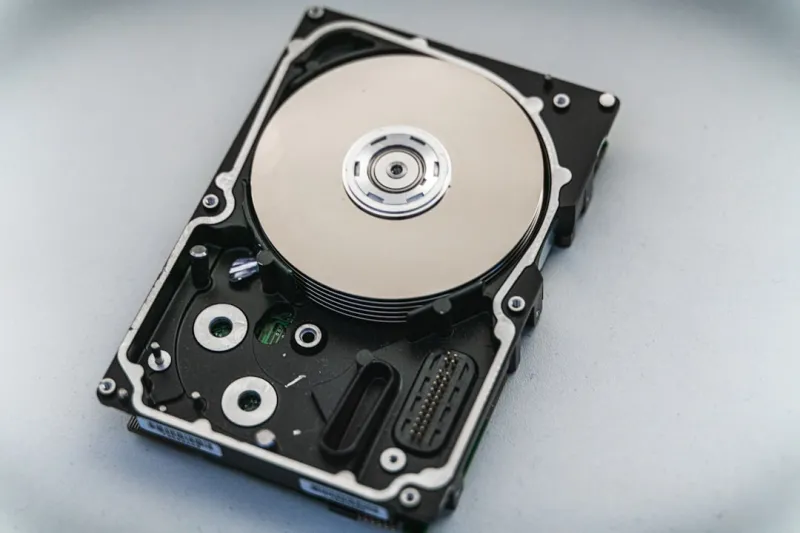
When you hear “hard drive” today, many immediately picture the bulky, noisy relics of the early 2000s. Yet the modern HDD is a far cry from those ancestors. Thanks to advances in magnetic recording—especially heat‑assisted magnetic recording (HAMR) and shingled magnetic recording (SMR)—manufacturers now squeeze 20 TB or more into a single 3.5‑inch platter, delivering a cost per gigabyte that SSDs simply can’t match. While SSDs dominate boot drives and latency‑sensitive workloads, HDDs have reclaimed their throne as the workhorse for bulk storage, media libraries, and AI training datasets where raw throughput trumps milliseconds of access time. In my own studio, a 20 TB HAMR drive holds my entire backlog of 8K footage, letting me archive for years without constantly hunting for more space.
Performance Metrics That Matter
Speed isn’t just about “SSD vs. HDD” any more; it’s about the nuances within each category. Rotational speed (RPM) remains a key metric for traditional drives. A 7200 RPM HDD offers noticeably better sequential read/write speeds than its 5400 RPM counterpart, often hitting 200 MB/s versus 150 MB/s. Meanwhile, onboard cache—ranging from 256 MB to 1 GB—helps smooth out random I/O bursts, a boon for video editing timelines that hop between frames. Hybrid drives, which blend a small SSD cache with a magnetic platter, provide a sweet spot: the quick boot times of an SSD and the massive capacity of an HDD. If you’re building a workstation that needs fast access to recent projects but also long‑term archiving, a hybrid solution can be a cost‑effective compromise.
Reliability, Security, and the Role of Encryption
Hard drives have earned a reputation for being rugged, but they’re not invincible. Mechanical wear, head crashes, and sudden power loss can still jeopardize data. That’s why modern HDDs ship with SMART (Self‑Monitoring, Analysis, and Reporting Technology) that predicts failures before they happen, giving you a chance to clone or back up critical files. Pair SMART with regular offline backups, and you’ve built a safety net that most creators overlook. Encryption is another layer you can’t ignore; many drives now support hardware‑based AES‑256 encryption, ensuring that even if the platter lands in the wrong hands, the data stays sealed. I always enable full‑disk encryption on my external archives because, as I’ve learned the hard way, data theft isn’t just a corporate issue—it’s a creator’s nightmare.
Tiered Storage for AI‑Heavy Workloads
AI workloads in 2026 are no longer the exclusive domain of high‑end servers; desktop rigs now train diffusion models and run large language models locally. The trick is to store massive training sets on a high‑capacity HDD while keeping active tensors and inference caches on an NVMe SSD. This tiered approach lets you leverage the HDD’s massive bandwidth for sequential reads while the SSD handles the random access patterns AI demands. The result? Lower latency for model iteration without blowing your budget on terabytes of ultra‑fast NAND. If you’ve ever felt the frustration of an SSD filling up mid‑project, consider a dual‑drive setup: a 2 TB NVMe for OS and active work, paired with a 20 TB HDD for everything else. This configuration mirrors what many pro studios adopt and keeps your workflow fluid.
Smart Buying Guide: What to Look For
When scouting for a new HDD, start with three fundamentals: capacity, interface, and reliability ratings. Opt for drives that support SATA III (6 Gb/s) or the newer PCIe‑based U.2 interface if your motherboard offers it; the latter can shave seconds off large file transfers. Look for a drive rated for at least 2 TB per platter and a warranty of three years or more—manufacturers often back their most reliable models with longer guarantees. Don’t overlook acoustic performance; a drive with a “quiet operation” badge can make a big difference in a home studio where every fan whine is audible. For deeper insight, check out the Hard Drive Strategies for Builders and Creators in 2026 article, where I break down specific model recommendations based on budget tiers.
Emerging Technologies Shaping the Future
While today’s HDDs already boast impressive capacities, the next frontier is on the horizon. HAMR is scaling beyond 20 TB, promising 30‑plus terabyte platters within the next two years, while SMR continues to improve its write‑amplification efficiency, making it more suitable for mixed‑workload environments. Meanwhile, the industry is experimenting with heat‑assisted and microwave‑assisted recording techniques that could push densities to 1 Pb (petabyte) per drive in a decade. As these technologies mature, the price‑per‑gigabyte curve will steepen, further solidifying HDDs as the go‑to solution for archival and bulk storage. Keeping an eye on these trends now means you can future‑proof your build without over‑investing in SSDs that will become obsolete for massive datasets.
Integrating Storage Into a Holistic PC Upgrade Strategy
Storage isn’t an isolated component; it fits into a broader upgrade roadmap. Pairing a robust HDD with a modern motherboard that supports PCIe 5.0, AI‑accelerated cores, and fast DDR5 RAM creates a synergistic platform where each part amplifies the others. For example, the latest motherboards come with dedicated storage controllers that can manage multiple SATA and NVMe lanes, reducing bottlenecks and improving overall system stability. If you’re planning a mid‑year refresh, consider the Smart PC Upgrades That Keep You Ahead of the AI Curve guide for a step‑by‑step plan that aligns your storage choices with CPU, GPU, and cooling upgrades.
Final Thoughts: Why Hard Drives Still Matter
In a world where every gigabyte seems to scream for speed, the hard drive remains a quiet, dependable champion of capacity and cost‑efficiency. By understanding the nuances of RPM, caching, encryption, and emerging magnetic technologies, you can build a storage ecosystem that serves both creative bursts and long‑term archives. Whether you’re a solo creator juggling 8K footage or a small studio training AI models on a shoestring budget, integrating a modern HDD into your workflow is not just an option—it’s a strategic advantage. Dive deeper into specific models and practical deployment tips in the companion pieces linked throughout this post, and start planning a storage strategy that will keep you ahead of the data curve for years to come.




