
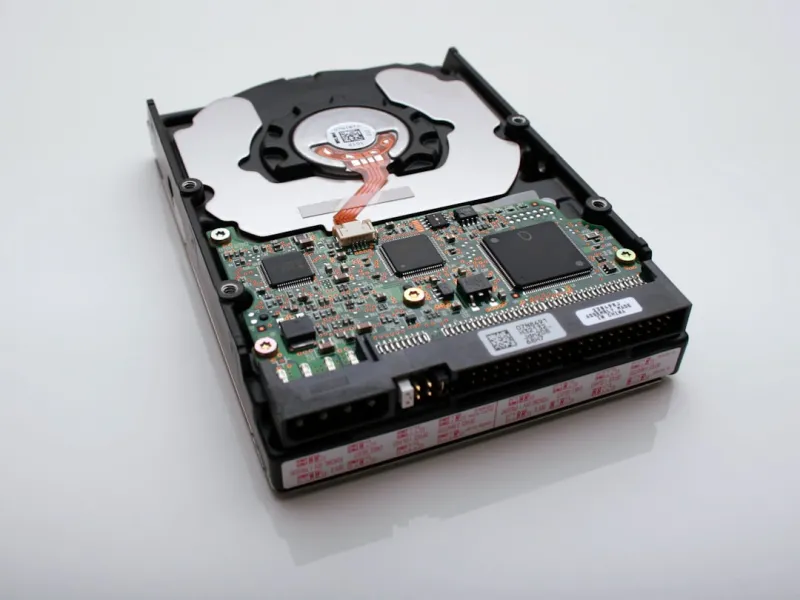
When I first got my hands on a solid‑state drive back in the early 2020s, I thought the HDD era was officially over. Fast forward to 2026, and while NVMe flash still reigns supreme for raw speed, the hard drive has evolved into a strategic component rather than a relic. In my own builds—whether a home studio for video editing or a high‑performance workstation for AI model training—I treat the hard drive as the storage backbone that balances capacity, cost, and endurance. The market now offers 20‑TB and 30‑TB SATA and SAS options that deliver reliable sequential reads for massive media libraries, while still integrating seamlessly with the latest motherboard architectures. Understanding this balance is essential for anyone who wants to squeeze every ounce of performance without blowing the budget, and that’s exactly what we’ll unpack in this deep dive.
Why Hard Drives Still Matter in an NVMe‑Centric World
Even as NVMe drives push the limits of latency down to sub‑millisecond levels, they remain pricey per terabyte, especially at the ultra‑high capacities demanded by 8K video creators and data scientists. Hard drives, on the other hand, have slashed their price‑per‑gigabyte dramatically, making multi‑terabyte storage affordable for hobbyists and pros alike. Moreover, the mechanical nature of HDDs actually provides a certain resilience to power fluctuations that some early‑generation SSDs struggled with. In my personal rigs, I reserve NVMe slots for the operating system and active project files, while dedicating a 20‑TB 7200 RPM drive for archival footage, raw datasets, and backups. This hybrid approach not only optimizes cost but also leverages each technology’s strengths, delivering a seamless workflow that feels both fast and secure.
Choosing the Right Capacity and Form Factor
The first decision point is capacity versus form factor. Traditional 3.5‑inch drives still dominate the high‑capacity market, offering up to 30 TB in a single bay. Meanwhile, 2.5‑inch drives provide a slimmer profile for compact builds but typically cap out at 8 TB. In 2026, I’ve seen a surge in 4‑TB and 8‑TB 2.5‑inch options that use helium‑filled technology to keep temperatures low—perfect for mini‑ITX cases where airflow is at a premium. When sizing your storage, think about your workflow: if you’re editing raw 8K footage, a 20‑TB 3.5‑inch drive will be your go‑to. If you’re a creator who frequently moves between locations, a 4‑TB 2.5‑inch drive paired with a portable SSD makes for a flexible solution. Plan ahead by estimating your yearly data growth; a rule of thumb is to allocate 1.5 × your projected storage needs to avoid constant upgrades.
NVMe vs SATA: Where Each Shines
NVMe drives excel at random I/O, making them indispensable for OS boot, game loading, and real‑time rendering caches. SATA drives, however, still hold the crown for sustained sequential throughput in bulk transfers—especially when dealing with terabytes of media files. In practice, I set up a tiered storage system: the NVMe as a “scratch disk” for active work, the SATA SSD as a fast staging area, and the large SATA HDD as the final repository. This architecture mirrors the advice in Unlocking the Power of Modern Hard Drives, where the author emphasizes a balanced mix to maximize both speed and capacity. By aligning each storage tier with its optimal workload, you minimize bottlenecks and ensure that your system never stalls, even under the pressure of AI‑enhanced video rendering.
Reliability and Longevity: What the Specs Really Mean
Hard drive reliability is often quantified by the MTBF (Mean Time Between Failures) rating, but in real‑world terms, it translates to how many years you can expect a drive to survive under typical use. In 2026, manufacturers have introduced drives with MTBFs exceeding 2 million hours, coupled with improved vibration tolerance and error‑correcting codes. Yet, no drive is immune to failure. I always enable SMART monitoring and schedule quarterly health checks, a practice I first adopted after a sudden 8‑TB drive collapse cost me weeks of editing time. Pair that with a robust backup strategy—think 3‑2‑1 rule: three copies, two on different media, one offsite—and you’ve built a safety net that lets you sleep at night. For creators handling irreplaceable footage, the peace of mind from proactive monitoring is priceless.
Security Considerations for Massive Storage
As storage capacities swell, so does the potential impact of a data breach. Hard drives now often come with built‑in hardware encryption, but you still need to configure it correctly. In my experience, enabling Opal‑compatible self‑encrypting drives (SEDs) and pairing them with a solid password strategy dramatically reduces the attack surface. For deeper protection, I integrate full‑disk encryption tools that tie into the operating system’s login, ensuring that even if the drive is physically removed, the data remains locked. The importance of this approach is highlighted in Why Encryption Is the Non‑Negotiable Backbone of Modern PC Security, where the author outlines how encryption mitigates ransomware risks. Combining hardware encryption with regular, encrypted backups creates a layered defense that safeguards your most valuable assets.
Performance Tuning for Creators and Power Users
Optimizing hard drive performance goes beyond just picking the right model. In 2026, I recommend enabling write caching and ensuring the drive is connected to a SATA III (6 Gb/s) port rather than an older SATA II link, which can halve throughput. Additionally, partition alignment matters—misaligned partitions can cause a 10‑15 % drop in sequential performance. Using modern partition tools that automatically align to 1 MiB boundaries eliminates this issue. For those using RAID configurations, a RAID 0 array of two 10‑TB drives can deliver near‑NVMe speeds for large file transfers, though you sacrifice redundancy. If redundancy is a priority, RAID 5 or RAID 6 offers a balance, with the added benefit of parity data protecting against a single drive failure. Always monitor array health with dedicated utilities to catch degrading drives before they fail.
Future‑Proofing Your Storage Ecosystem
Looking ahead, the industry is already experimenting with SMR (Shingled Magnetic Recording) drives that push capacities beyond 30 TB, as well as HAMR (Heat‑Assisted Magnetic Recording) technologies promising even higher densities. While these are still emerging, it’s wise to choose chassis and power supplies that can accommodate additional bays and the slightly higher power draw of future‑generation drives. I’ve designed my recent builds with modular drive cages that can expand from four to eight bays, ensuring that when a 40‑TB SMR drive finally hits the mainstream market, I can slot it in without a full case overhaul. This forward‑thinking mindset aligns with the guidance in Smart PC Upgrades That Keep You Ahead of the AI Curve, where the focus is on scalability and adaptability as AI workloads continue to grow.
Putting It All Together: A Blueprint for the Modern Builder
To wrap up, building a storage solution in 2026 is about marrying speed, capacity, security, and foresight. Start by defining your primary workloads: allocate NVMe for the OS and active projects, a high‑capacity SATA HDD for bulk storage, and consider a secondary SSD tier for frequently accessed assets. Implement hardware encryption and a solid backup regime, keep SMART monitoring active, and tune your system for optimal alignment and caching. Finally, choose a chassis that can evolve with emerging drive technologies, ensuring you’re ready for the next wave of SMR or HAMR breakthroughs. By following this layered approach, you’ll create a resilient, high‑performing storage ecosystem that serves both today’s demanding AI‑enhanced applications and tomorrow’s unknown challenges.




