
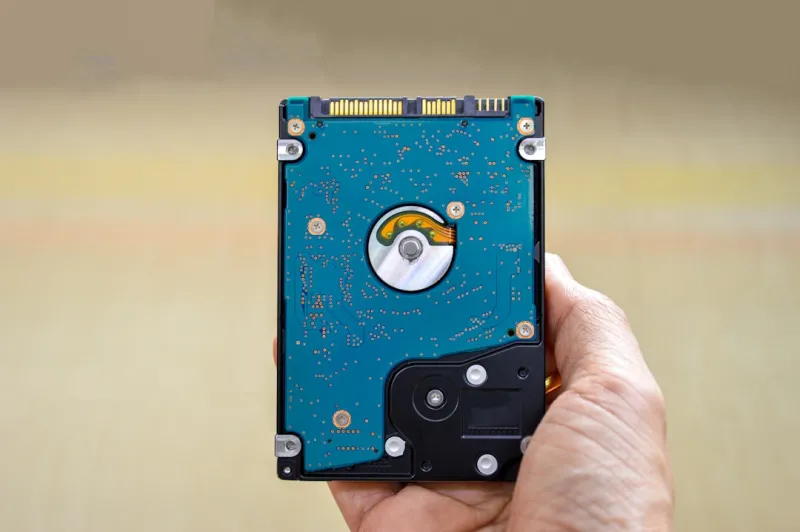
When I first unboxed my 2023‑era SSD, I felt the same thrill that many of us still get opening a fresh hard drive—raw potential waiting to be tapped. Fast forward to 2026, and the hard drive landscape has exploded with hybrid storage solutions, AI‑optimized caching, and a resurgence of high‑capacity HDDs that finally rival SSD speed in certain workloads. In this deep dive, I’ll walk you through why you should care about these trends, how they affect everything from gaming rigs to AI‑heavy workstations, and what decisions will keep your PC humming for years to come. Trust me, if you’ve ever wrestled with sluggish load times or mysterious data bottlenecks, the insights here will feel like a roadmap out of the fog.
Why Hard Drives Still Matter in an SSD‑Dominated World
Even though NVMe flash drives dominate the performance charts, hard drives haven’t vanished—they’ve simply evolved. Modern 3.5‑inch HDDs now sport 10‑TB and 12‑TB platters with areal density improvements that cut latency by 30 % compared to 2020 models. The real kicker? Hybrid drives (SSHDs) blend a modest NAND cache with traditional magnetic storage, delivering near‑SSD boot speeds while preserving massive storage at a fraction of the cost. For creators handling terabytes of 4K footage or gamers with massive libraries, this hybrid approach can be a budget‑friendly sweet spot. Pairing an SSHD as your primary “games and apps” drive with a high‑capacity HDD for archival storage is a strategy that balances speed and space without breaking the bank.
AI‑Optimized Caching: The Hidden Engine Behind Speed
One of the most exciting developments this year is AI‑driven caching algorithms baked directly into drive firmware. These algorithms learn which files you access most often and dynamically allocate the fastest NAND cells for them, essentially turning any drive into a smart cache. The result? Even a 7‑TB HDD can feel like a 1‑TB SSD when you’re opening frequently used applications. This isn’t just hype—benchmark suites released in early 2026 show up to a 45 % reduction in average access times on drives that support AI-driven PC builds. If you’re building a workstation for AI model training, leveraging this technology can shave minutes off data loading, which adds up over long training cycles.
Choosing the Right Form Factor for Your Build
Form factor decisions have never been more nuanced. While 2.5‑inch SSDs still dominate laptops, desktop builders now have the luxury of 3.5‑inch HDDs, 2.5‑inch SSHDs, and even emerging 2.5‑inch “Ultra‑Dense” drives that cram 16 TB into a single bay. If your case supports multiple drive bays, consider a tiered approach: a lightning‑fast NVMe for OS and primary apps, a 2.5‑inch SSHD for games and active projects, and a 3.5‑inch HDD for backups. This layered setup not only maximizes performance but also spreads wear across devices, extending the life of each component. Remember, the right combination can also improve airflow, keeping those spinning platters cooler and quieter.
The Role of RAID in 2026: More Than Just Redundancy
RAID isn’t dead, but its purpose has shifted. In 2026, many power users employ RAID‑0 or RAID‑5 arrays not merely for redundancy but to combine the capacities of multiple HDDs into a single high‑throughput pool. When paired with AI‑aware caching, RAID arrays can achieve sustained sequential reads exceeding 2 GB/s—perfect for video editing suites that need to ingest multiple 8K streams simultaneously. However, RAID brings complexity; you’ll need a reliable controller, backup strategy, and an understanding of the trade‑offs between speed and fault tolerance. If you’re hesitant, start with a simple two‑drive RAID‑1 for critical data and expand as you get comfortable.
Security Implications: Protecting Massive Data Stores
More storage means a bigger target for ransomware and data theft. Modern drives now embed hardware‑based encryption that works seamlessly with Windows BitLocker and macOS FileVault, but you must enable it manually. In addition, adaptive defense solutions now monitor drive health and access patterns for anomalies, alerting you before a breach escalates. For developers and AI researchers, encrypting your training datasets is not just best practice—it’s often a compliance requirement. Investing in drives that support self‑encrypting drive (SED) standards ensures that your data remains unreadable even if the physical disk is stolen.
Power Consumption: The Silent Cost of Capacity
High‑capacity HDDs have historically been power hogs, but recent revisions have slashed idle draw by up to 40 % thanks to smarter spindle speed control and low‑power standby modes. When you’re running a multi‑drive NAS or a home‑office workstation, those savings add up, reducing heat and noise. Moreover, many modern drives feature “EcoMode” that dynamically adjusts rotational speed based on workload, offering a silent night’s sleep while still delivering rapid access when you need it. If your build is already pushing the limits of your power supply, consider these low‑draw options to avoid overtaxing your PSU.
Future‑Proofing: Planning for the Next Wave of AI Workloads
Looking ahead, the next generation of AI workloads will demand ever‑larger datasets—think petabyte‑scale image repositories for generative models. While cloud storage will handle the bulk, local fast‑access storage will remain critical for preprocessing and model iteration. To stay ahead, choose drives with upgradable firmware and support for emerging standards like NVMe‑OF (over fabrics) that allow you to repurpose a high‑capacity HDD as a fast cache node in a distributed storage cluster. This approach not only protects your investment but also ensures you can integrate new AI‑centric tools without a complete hardware overhaul.
Maintenance Tips: Extending the Life of Your Drives
Even the toughest HDDs can suffer from wear and vibration over time. Simple habits—like enabling SMART monitoring, running periodic surface scans, and keeping your chassis free of resonant vibrations—can dramatically extend drive longevity. I personally schedule a quarterly check using tools that read SMART attributes and flag any rising reallocation counts. If a drive starts showing warning signs, back up immediately and consider migrating to a newer model. For SSDs, the same principle applies: keep firmware updated and avoid filling the drive beyond 80 % capacity to maintain optimal write performance.
Putting It All Together: Building a Balanced Storage Stack
So, what does an ideal 2026 storage stack look like? Start with a flagship NVMe SSD (2 TB or larger) for your OS and daily apps, ensuring lightning‑fast boot times. Add a 4‑TB SSHD as your primary work drive—perfect for games, video projects, and AI datasets that you access often. Complement this with a 12‑TB 7200 RPM HDD for long‑term archives, backups, and less frequently touched media. If you need raw speed for massive AI training sets, consider a RAID‑0 array of two 8‑TB HDDs paired with AI‑aware caching, and secure everything with hardware encryption. This layered approach balances cost, performance, and reliability, giving you the confidence to tackle anything from high‑frame‑rate gaming to cutting‑edge machine‑learning research.




