
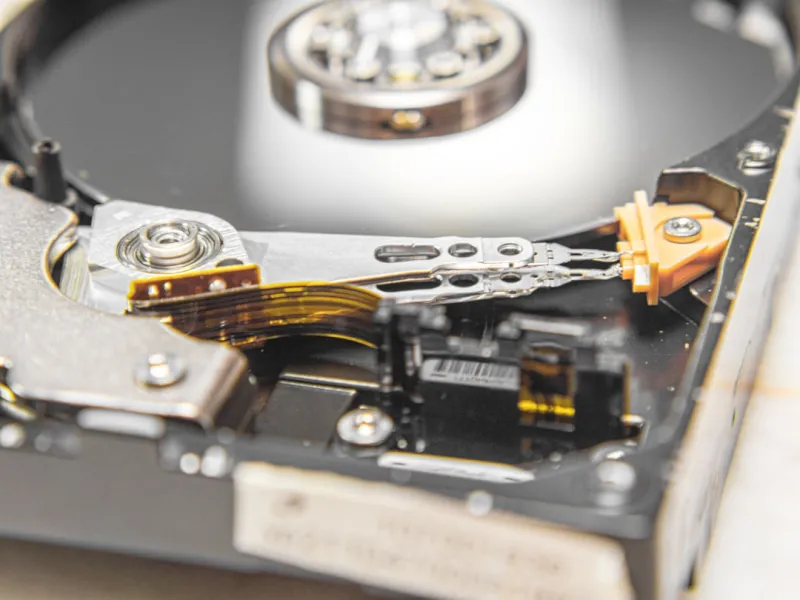
When the buzzword of the year is “cloud‑first,” many power users instinctively push local storage to the back of the closet. I’ve been building and tearing down rigs for a decade, and I still hear the same question at every tech meetup: “Do I really need a hard drive in 2026?” The answer is a resounding yes—for anyone who craves raw speed, absolute data sovereignty, and a predictable upgrade path that isn’t throttled by bandwidth caps or ISP outages. A modern hard drive, especially the high‑capacity 12‑to‑20 TB models, fills the sweet spot between the blistering performance of NVMe SSDs and the sheer volume of archival storage. In this post, I’ll walk you through why hard drives remain a cornerstone of a power‑user’s toolkit, how they dovetail with the latest software ecosystems, and which specs you should be hunting for when you next upgrade. Trust me, the right platter‑based solution can shave minutes off massive render jobs, keep your AI training sets instantly accessible, and protect you from the hidden latency of a saturated cloud pipeline.
The SSD‑HDD Balancing Act: When to Reach for Each
It’s easy to get caught up in the flash‑driven hype of NVMe drives that promise sub‑microsecond latency. Yet, the cost per gigabyte of a solid‑state drive still dwarfs that of a 14 TB 7200 RPM HDD by a factor of five or more. For power users, the decision isn’t “SSD vs. HDD”—it’s “SSD for the hot tier, HDD for the cold tier.” Think of your operating system, frequently accessed apps, and active project files living on a PCIe 5.0 SSD. Meanwhile, massive video libraries, machine‑learning datasets, and backup snapshots find a natural home on a high‑density hard drive, where sequential read/write speeds of 250 MB/s are more than sufficient. The price differential means you can afford to keep several terabytes of readily available data without breaking the bank. Moreover, many modern HDDs now sport shingled magnetic recording (SMR) and conventional magnetic recording (CMR) hybrids, giving you a blend of high capacity and respectable random‑access performance that rivals older SSDs in real‑world workloads.
Reliability Metrics That Matter to Power Users
When I’m evaluating a drive for a production environment, I look beyond advertised speeds and focus on durability indicators such as MTBF (Mean Time Between Failures), AFR (Annualized Failure Rate), and the drive’s error‑correction capabilities. A reputable enterprise‑grade 12 TB HDD typically boasts an MTBF of 2 million hours and an AFR under 0.5 %. Those numbers translate to fewer unexpected downtimes during critical render farms or data‑intensive simulations. Additionally, modern drives incorporate advanced SMART monitoring, allowing you to set up automated alerts for temperature spikes, re‑allocation events, or imminent read‑write errors. Pairing these insights with a robust monitoring suite means you can preemptively replace a drive before it jeopardizes a deadline. In short, a high‑quality HDD isn’t just a storage bucket—it’s an active participant in your system’s health, giving you the confidence to push workloads harder without fearing silent data loss.
Performance Bottlenecks: The Role of Cache and Sustained Write
One misconception I encounter frequently is that hard drives are inherently sluggish for any serious task. While random I/O latency does lag behind flash, the sustained sequential performance of a modern 7200 RPM HDD can exceed 250 MB/s, and the built‑in DRAM cache—often 256 MB or more—smooths out short bursts of activity. When you’re training a neural network on terabytes of image data, the system will stream large chunks sequentially, making the HDD’s bandwidth a non‑issue. Moreover, the cache mitigates “stutter” during file copy or video transcoding operations, delivering a more fluid experience. For power users who also run virtual machines, the cache can act as a temporary swap buffer, reducing the reliance on slower system RAM. Understanding these nuances lets you allocate resources intelligently: keep latency‑sensitive processes on SSDs, and let the HDD handle the heavy lifting of continuous data flow.
Future‑Proofing: Capacity, Interface, and Form Factor
Looking ahead, the hard drive market is expanding beyond the familiar 3.5‑inch form factor, with some manufacturers offering 2.5‑inch variants that still pack 10 TB of space. However, the real game‑changer for 2026 is the adoption of the SATA III 3.2 Gb/s and emerging SATA‑Express hybrids that bridge the gap between SATA and PCIe. When you select a drive, prioritize one that supports SATA III while offering a future‑upgrade path to an eSATA or even a PCIe‑based storage expander. Capacity is also scaling quickly; 20 TB platters are already shipping, and they’re priced to compete with lower‑capacity SSDs for bulk storage scenarios. By opting for a drive that supports higher capacities now, you avoid the dreaded “replace‑everything” cycle in two years. In practice, this means you can stockpile massive raw datasets or 8K video footage without constantly re‑architecting your storage array—a crucial advantage for any power user looking to stay ahead of the curve.
Choosing the Right Drive: A Strategic Checklist
When you sit down to pick a hard drive, treat it like you would any critical component: list your workload requirements, budget constraints, and long‑term growth plans. Start by defining your primary use case—archival, media production, AI training, or a hybrid of all three. Next, match the drive’s specifications to those needs: look for CMR over SMR if you need high random‑write performance, ensure a 256 MB+ cache for smoother bursts, and verify the warranty length (five years is a solid benchmark). Don’t forget to factor in power consumption; newer 7200 RPM models have optimized spindle motors that draw less wattage, translating to quieter, cooler builds. For a deeper dive into selection criteria, check out Choosing a Hard Drive That Keeps You Ahead of the Curve, which walks you through each metric in detail and helps you future‑proof your storage decisions.
Integration with Windows 12: Leveraging OS‑Level Optimizations
Windows 12, released this year, introduces several storage‑centric features that power users can exploit. The new “Hybrid Storage Manager” intelligently places frequently accessed files on the fastest tier—be it an NVMe SSD or a high‑performance HDD—while relegating static content to slower volumes. Additionally, the OS now supports tiered caching at the kernel level, allowing a 14 TB HDD to act as a spill‑over cache for an SSD, effectively expanding your fast storage pool without additional hardware. To maximize these benefits, enable the “Advanced Storage Tiering” option in the system settings and ensure your HDD is set to “high‑performance” power mode. Pairing these OS features with a well‑chosen hard drive can shave seconds off large file indexing and improve the responsiveness of development environments, especially when you’re juggling multiple IDEs, containers, and local databases simultaneously.
Backup, Redundancy, and the Hybrid Cloud Approach
No matter how reliable a hard drive is, a single point of failure is unacceptable for mission‑critical work. I always recommend a multi‑layered backup strategy: local RAID‑1 or RAID‑10 for immediate redundancy, combined with off‑site cloud snapshots for disaster recovery. Modern NAS units now support direct integration with popular cloud providers, allowing you to schedule incremental backups of your HDD arrays without saturating your home internet. This hybrid approach ensures you retain the speed and control of on‑premise storage while benefiting from the geographic resilience of the cloud. For power users who run continuous integration pipelines, a local mirrored array can serve as the primary workspace, while nightly cloud syncs protect against catastrophic hardware loss. The key is to automate the process; manual copy‑pasting is a recipe for human error, especially when dealing with terabytes of data on a daily basis.
Actionable Upgrade Playbook for 2026 Power Users
Ready to level up your storage game? Here’s a concise playbook: 1) Audit your current storage usage and identify hot vs. cold data. 2) Allocate 1‑2 TB of NVMe SSD for OS and active projects. 3) Add a 14‑20 TB CMR hard drive for bulk storage, ensuring it’s mounted on a dedicated SATA III controller. 4) Enable Windows 12’s tiered caching and configure SMART alerts. 5) Set up a RAID‑1 mirror for the new HDD and schedule nightly cloud backups. 6) Review performance metrics after a week—if you see sustained write speeds below 200 MB/s, consider a drive with a larger cache or a hybrid SSD/HDD solution. For a deeper dive into the entire upgrade workflow, see Power‑User PC Upgrade Playbook: Future‑Proof Strategies for 2026. Follow these steps, and you’ll have a storage subsystem that not only meets today’s demands but also scales gracefully as data volumes explode in the years ahead.




