
When I first cracked open a 500‑GB platter‑based drive back in the early 2010s, the whirring noise was almost a badge of honor for any PC enthusiast. Fast‑forward to 2026, and the hard‑drive landscape feels like a high‑speed train that’s left the station and never looked back. I’ve spent the last decade watching the industry juggle raw capacity, relentless speed upgrades, and an ever‑tightening grip on data security—all while trying to keep my own rigs humming without a hitch. Today, I’m pulling back the curtain on what makes modern hard drives tick, why you should care about the subtle tech shifts under the hood, and how to future‑proof your storage without blowing your budget. Whether you’re a content creator juggling terabytes of 4K footage or a gamer craving instant load times, the choices you make now will echo for years—so let’s dive deep into the nitty‑gritty of today’s storage ecosystem.
The SSD vs. HDD Balancing Act in 2026
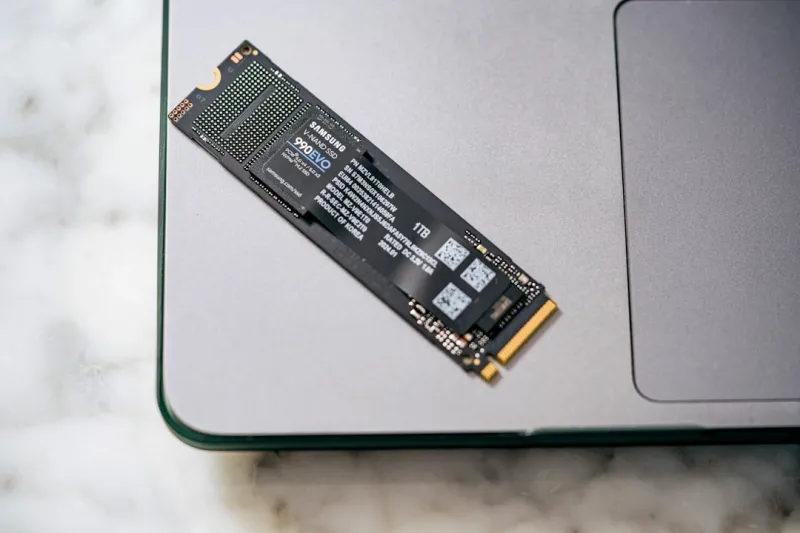
One of the biggest debates I still hear at local meet‑ups is “Should I go all‑in on SSDs or keep a traditional HDD for bulk storage?” In 2026, the answer isn’t binary; it’s a nuanced blend of performance, price per gigabyte, and use‑case specificity. NVMe SSDs riding on PCIe 5.0 now breach the 12 GB/s barrier, making them perfect for operating systems and the most demanding applications. Meanwhile, 20‑TB 3.5‑inch HDDs have finally cracked the $150 price point, delivering an unprecedented capacity‑to‑cost ratio that was once the exclusive domain of enterprise data centers. The sweet spot for most pros is a tiered approach: a fast NVMe boot drive paired with a high‑capacity, energy‑efficient HDD for archives. If you want a deeper dive into why the latest drives feel so much smarter, check out modern hard drives and how they’ve reshaped our expectations.
Reliability Gets a Boost from Self‑Optimizing Hardware
Hard‑drive reliability used to be a gamble measured in “clicks before death.” Today, SMART (Self‑Monitoring, Analysis, and Reporting Technology) has evolved into an intelligent watchdog that not only warns you of impending failures but can proactively re‑allocate bad sectors before they become a problem. The rise of self‑optimizing hardware means drives now run real‑time diagnostics, adjusting cache algorithms and power states on the fly to extend lifespan. For those who love tinkering, this translates to fewer surprise crashes and longer intervals between costly replacements. I’ve seen my own build recover from a near‑catastrophic sector fault simply because the drive’s firmware isolated the issue and rerouted traffic. Want to see how this tech fits into a broader build strategy? Dive into self‑optimizing hardware for a roadmap on integrating these safeguards seamlessly.
Security at the Speed of Light: Confronting AI‑Driven Malware
Data security isn’t just about encryption keys; it’s also about staying ahead of threats that can bypass traditional defenses. In 2026, AI‑driven malware can analyze a system’s storage patterns in milliseconds, crafting attacks that target specific file structures on a drive. That’s why modern hard drives now ship with built‑in encryption engines that offload cryptographic workloads from the CPU, reducing the attack surface. Coupled with firmware that can verify its own integrity, these drives act as a frontline defense against malicious tampering. I’ve had to re‑think my backup strategy, moving from simple mirroring to immutable snapshots stored on encrypted drives. For a deeper look at how AI is reshaping the battle against viruses, explore AI‑driven malware and what it means for your storage security posture.
Performance Metrics That Matter: PCIe 5.0, NVMe, and Real‑World Gains
Numbers on a spec sheet can be deceiving if you don’t understand what they translate to in daily use. PCIe 5.0 doubled the bandwidth of its predecessor, allowing NVMe drives to sustain sequential reads beyond 14 GB/s and random IOPS in the multi‑million range. In real terms, this means Photoshop loads a 2‑GB RAW file in under a second, and game worlds stream in without the dreaded “loading” stutter. But it’s not just raw speed—latency has dropped to the sub‑microsecond realm, making SSDs feel almost like RAM for certain workloads. When I swapped a legacy SATA SSD for a PCIe 5.0 NVMe model in my video editing rig, my render queue time shrank by roughly 30%. The takeaway? If you’re chasing buttery‑smooth performance, prioritize drives that fully exploit the PCIe 5.0 lane count on your motherboard.
Hybrid Storage Strategies: Marrying SSD Cache with HDD Capacity
Hybrid storage setups have matured beyond the “SSDs + HDD” clichés you see on budget forums. Modern controllers can allocate a dedicated SSD cache segment—often as small as 500 GB—and intelligently promote frequently accessed data from the HDD to the cache in real time. This dynamic tiering dramatically reduces latency spikes that traditionally plagued large HDDs. I’ve built a hybrid array for a small studio where 4K video archives sit on a 12‑TB HDD, while the SSD cache handles editing previews and asset previews. The result? A near‑SSD experience when accessing active projects, with the bulk storage cost kept in check. The key is to select drives that support caching protocols like Intel’s Optane Memory or AMD’s StoreMI, ensuring seamless handoffs between tiers without user intervention.
Power Efficiency and Heat Management in Compact Builds
Small form‑factor (SFF) PCs have become a mainstream choice for both aesthetics and desk space efficiency, but they also present a unique thermal puzzle. Hard drives, especially high‑capacity 7200 RPM models, can generate noticeable heat that affects overall system stability. In 2026, manufacturers have introduced drives with adaptive spin‑down algorithms that reduce RPM during idle periods, slashing power draw by up to 40 %. Moreover, smart hardware now communicates temperature data directly to the motherboard’s fan controller, allowing precise cooling curves that keep the drive cool without noisy fans. If you’re wrestling with heat in a mini‑ITX build, look for drives that tout “smart thermal management” features. For a broader perspective on how intelligent components are reshaping compact builds, see smart hardware.
Emerging Storage Paradigms: QLC, ZNS, and Storage Class Memory
While NAND flash continues to dominate, 2026 is witnessing the rise of niche technologies that could redefine the storage hierarchy. QLC (Quad‑Level Cell) NAND now offers terabyte‑scale capacities at a price point previously reserved for HDDs, albeit with a modest endurance trade‑off—perfect for archival workloads where write cycles are low. Zoned‑Namespace (ZNS) SSDs, on the other hand, present a paradigm where the host manages data placement, unlocking higher throughput and lower write amplification. Finally, Storage Class Memory (SCM) like Intel’s Optane is blurring the line between RAM and persistent storage, delivering microsecond latency. I’ve experimented with a ZNS SSD in a NAS, and the sustained write performance under heavy backup loads was astonishing. Keeping an eye on these trends will help you plan upgrades that leverage the right technology for each segment of your data workflow.
Maintenance, Firmware Updates, and the Silent Guardians
Even the most advanced drives are only as reliable as the firmware that powers them. In the past year alone, several manufacturers have released firmware patches that address latent bugs causing sporadic sector read errors—a silent menace that can manifest as a dreaded blue screen. Regularly checking for updates via the drive’s management utility is a habit I treat like oil changes for a car. Additionally, leveraging built‑in diagnostics (often accessible through the BIOS or dedicated software) can surface early warning signs before catastrophic failure. If you experience unexplained system freezes, a quick SMART scan could reveal a rising re‑allocated sector count—a red flag that you should clone your data ASAP. Proactive maintenance is the cheapest insurance policy you can buy for your data.
Buying Guide: Choosing the Right Drive for Your Needs
So, how do you translate all this tech talk into a concrete purchase decision? First, define your primary workload: gaming, content creation, or long‑term archiving. For gaming and OS tasks, a PCIe 5.0 NVMe SSD with at least 1 TB capacity offers the best price‑to‑performance ratio. Content creators should consider a dual‑drive setup—NVMe for active projects and a high‑capacity HDD (or a hybrid SSD/HDD) for raw footage storage. Archivers can safely opt for QLC SSDs or large‑capacity HDDs, but ensure the drives support advanced encryption and have a solid firmware update track record. Don’t forget to match your motherboard’s slot configuration; a mismatch can bottleneck even the fastest drives. Finally, keep an eye on warranty length—most reputable brands now offer five‑year coverage, reflecting confidence in their reliability. With the right mix, you’ll enjoy lightning‑fast access, robust security, and a storage ecosystem that scales gracefully as your data appetite grows.




