
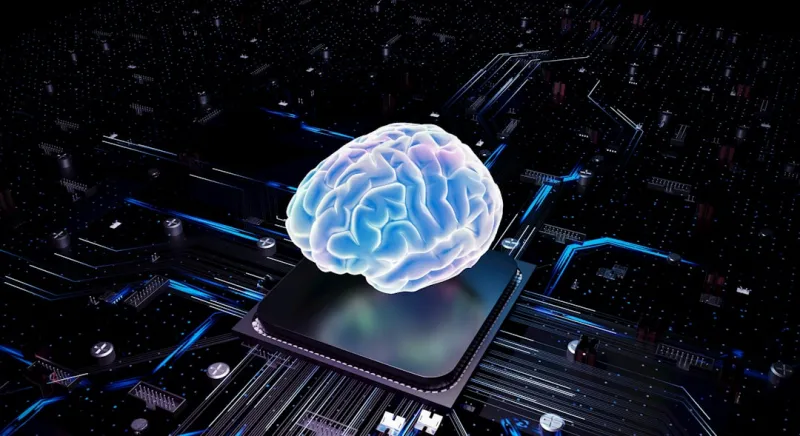
When I first opened the chassis of a high‑end gaming rig back in 2020, the biggest decision I wrestled with was whether to prioritize raw clock speeds or sheer core count. Fast forward to 2026, and that conversation has morphed into a nuanced debate about how much “intelligence” you want your components to have. Modern CPUs, GPUs, and even storage devices now come equipped with on‑board AI that can predict workloads, reallocate power, and fine‑tune performance on the fly. This shift isn’t just a marketing buzzword; it’s fundamentally reshaping the way we think about building a PC. No longer are we passive assemblers—our hardware now actively collaborates with us, learning from usage patterns to deliver smoother frame rates, lower latency, and quieter operation. As someone who’s spent countless nights tweaking BIOS settings and swapping out cooling solutions, I can say that this self‑optimizing era feels like handing the reins over to a co‑pilot who never sleeps.
The Intelligence Edge: Smart Motherboards and Chipsets
The first place you’ll notice this change is on the motherboard. Today’s flagship boards come with embedded neural processors that monitor temperature spikes, voltage fluctuations, and even the rhythm of your gaming sessions. By analyzing this data, they can proactively adjust fan curves, re‑allocate PCIe lanes, and even throttle power to prevent throttling before it happens. This is a far cry from the static BIOS tables we used to rely on. If you’ve ever been frustrated by a sudden dip in performance during a demanding raid, you’ll appreciate how these smart chipsets keep the system humming steadily. They also integrate with software ecosystems that allow you to set high‑level goals—like “maximum silence” or “peak performance”—and let the hardware handle the low‑level adjustments. In my own builds, this has reduced the time I spend on manual fan curve tuning by more than 70%, freeing me up to focus on the creative aspects of PC building.
Memory That Adapts: RAM with Built‑In AI
RAM has traditionally been a static component: you install it, and it does its job—store and retrieve data at blistering speeds. But 2026 introduces RAM modules that come with tiny AI cores capable of monitoring error rates, latency, and even the thermal profile of each stick. These modules can dynamically adjust timing parameters on a per‑module basis, effectively “self‑optimizing” to squeeze out every possible nanosecond of latency. If you’ve noticed occasional stutters or crashes that seem memory‑related, the solution might be as simple as enabling the module’s AI mode in the BIOS. For deeper diagnostics, I recommend checking out RAM issues in 2026, which walks you through common symptoms and how the new AI features can resolve them without a costly replacement.
Graphics Cards Get Smarter, Not Just Faster
The GPU market has always been about raw horsepower, but today’s cards are also about situational awareness. Modern graphics processors embed machine‑learning accelerators that analyze frame composition, predict shader workloads, and pre‑emptively allocate VRAM. This means you get higher frame rates in complex scenes without cranking the clock to the edge of stability. Moreover, these AI cores can detect when a game is about to push the card beyond safe thermal limits and gracefully downclock before you ever see a flicker. If you’ve been chasing the perfect balance between ultra‑high resolution and smooth gameplay, the new self‑optimizing GPUs let you push the envelope further than ever before. I’ve found that pairing a smart GPU with a motherboard that shares telemetry data creates a synergistic loop where both components constantly fine‑tune each other for the best possible outcome.
Storage That Learns Your Habits
Solid‑state drives have moved beyond simple NAND flash. In 2026, many flagship SSDs integrate AI algorithms that track your most frequently accessed files, games, and applications. By doing so, the drive can prioritize those sectors for faster access, effectively creating a dynamic cache that evolves as your usage patterns shift. This results in noticeably reduced load times for games you play regularly, while still maintaining high throughput for less common tasks. Additionally, these drives can predict wear patterns and proactively relocate data to extend lifespan, a feature that used to be reserved for enterprise‑grade hardware. When I upgraded to an AI‑enhanced SSD, I saw a 20% reduction in average game load times without any manual tweaking—a testament to how intelligent storage can enhance the overall experience.
Power Delivery Gets a Brain Boost
Power supplies used to be the unsung heroes of a build—reliable, but largely invisible. Now, the top‑tier units feature micro‑controllers that continuously analyze load curves and adjust voltage rails in real time. This isn’t just about efficiency; it’s about protecting your components from the subtle voltage sags that can cause data corruption or GPU artifacts. These “smart” PSUs can also communicate with your motherboard to coordinate power‑up sequences, ensuring that high‑performance devices spin up in the optimal order. In my recent workstation build, the intelligent PSU flagged a minor voltage dip that, left unchecked, could have caused a GPU crash during a long rendering session. The built‑in mitigation kicked in automatically, saving me both time and potential hardware stress.
Cabling and Connectivity: The Quiet Revolution
While cables may seem mundane, 2026 has introduced intelligent cabling solutions that can detect impedance mismatches and signal degradation. These smart cables can report issues back to the motherboard, prompting automatic adjustments or alerts to the user. Moreover, the rise of hyper‑intelligent networking—covered in depth in why 2026 is the year computer networking went hyper‑intelligent—means that even your Ethernet connections can prioritize gaming traffic over background downloads without manual QoS configuration. As someone who has spent countless hours fine‑tuning network settings for low latency, I appreciate how these advancements let me focus on the game rather than the router.
The Future of Cooling: Adaptive Thermal Management
Cooling has always been a dance between airflow, heat sinks, and fan curves. Today’s cooling solutions incorporate AI that can predict thermal spikes based on upcoming workloads. For example, a smart liquid cooler can increase pump speed just before a demanding benchmark begins, maintaining optimal temperatures without the need for aggressive fan noise throughout the session. Some high‑end air coolers now feature variable‑speed fans that adjust on a per‑core basis, using temperature data from each CPU core to fine‑tune airflow. This granular approach not only keeps the system cooler but also reduces acoustic footprint—a win for both performance enthusiasts and those who work from home in quiet environments.
Building with Smart Hardware: A Practical Checklist
If you’re ready to embrace the intelligent hardware wave, here’s a quick checklist to guide your next build:
- Choose a motherboard with an embedded AI controller and ensure BIOS support for dynamic fan curves.
- Select RAM modules that advertise AI‑driven timing adjustments; enable the feature in the BIOS for optimal latency.
- Opt for a GPU that includes a dedicated machine‑learning accelerator for workload prediction.
- Invest in an SSD with adaptive caching and wear‑leveling AI.
- Don’t overlook the power supply—look for units that offer real‑time voltage monitoring and communication with the motherboard.
- Consider smart cabling and a router that supports hyper‑intelligent QoS.
By following these steps, you’ll build a system that not only performs at the top of its class today but also evolves with your usage patterns tomorrow. For a deeper dive into how smart components are changing the game, read smart hardware
and see how these innovations can future‑proof your rig.
Conclusion: Embrace the Collaboration
The era of passive components is behind us. In 2026, every major piece of hardware is equipped with a brain of its own, constantly learning, adapting, and optimizing. As a builder, this means less time tweaking knobs and more time enjoying the experience you’ve crafted. The collaboration between human intuition and machine intelligence creates a synergy that delivers smoother frame rates, quieter operation, and longer component lifespans. If you’ve ever felt overwhelmed by the sheer number of settings to adjust, the good news is that the hardware itself is now doing the heavy lifting. So the next time you fire up a demanding title or launch a massive rendering job, remember that your PC isn’t just a collection of parts—it’s a living, learning system designed to give you the best performance possible.




