
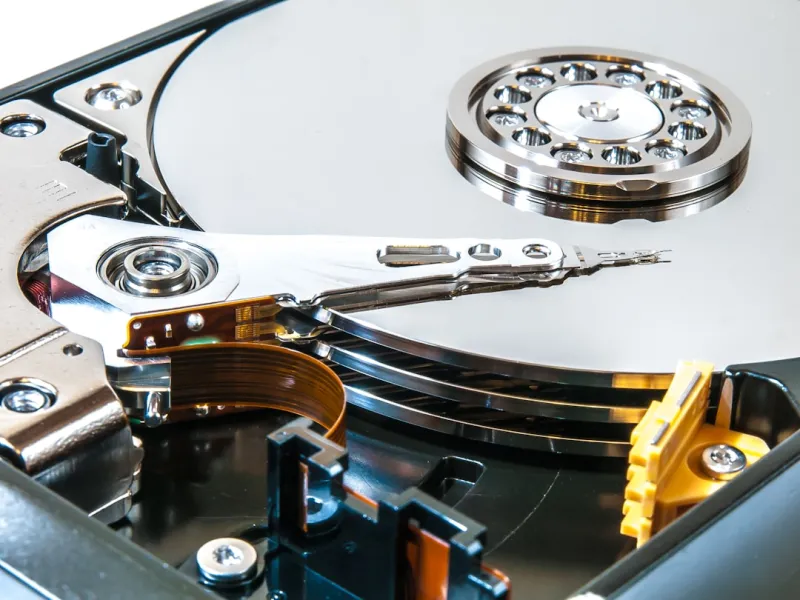
When most people think about storage in 2026, the first image that pops into their mind is a sleek, lightning‑fast NVMe SSD humming away behind a glossy laptop lid. As a longtime power‑user, I’ve watched the flash‑first narrative dominate headlines, yet I keep a dedicated hard‑drive bay humming in my own rig. The reason? Hard drives still offer a unique blend of capacity, cost efficiency, and reliability that no SSD can fully replace—especially when you’re juggling massive media libraries, 4K video archives, and hefty development environments. In this deep dive, I’ll walk you through why the humble platter‑based drive remains a cornerstone of a balanced workstation, how modern motherboards and emerging drive technologies keep them relevant, and what strategic choices you should make to future‑proof your storage stack.
The Economics of Capacity: Why Gigabytes Still Cost Money
One of the most compelling arguments for keeping hard drives in your arsenal is simple math: the cost per gigabyte on a traditional 7200 RPM HDD is a fraction of what you’ll pay for the same amount of space on an SSD. In 2026, you can snag a reliable 10‑TB hard drive for under $200, whereas a comparable SSD would set you back well over $1,000. For power users who archive raw footage, large datasets, or multiple virtual machine images, that price differential adds up fast. Budget‑conscious professionals often allocate SSDs for the OS and active projects, then fall back on HDDs for long‑term storage. The result is a tiered storage architecture that maximizes performance where it matters while keeping the overall bill of materials manageable. This approach aligns perfectly with the advice in Key Tech Updates Every Power User Must Know, where balancing cost and capability is a recurring theme.
Performance Nuances: Sequential vs. Random Access
It’s a myth that hard drives are universally “slow.” In practice, their performance characteristics are more nuanced. Sequential read/write speeds on modern 7200 RPM drives can comfortably sit in the 200‑250 MB/s range, which is more than enough for bulk data transfers, backups, and media streaming. Random I/O, however, remains their Achilles’ heel—latency spikes can make a noticeable difference when you’re working with databases or codebases that require frequent small‑file access. That’s why many power users employ a hybrid strategy: an NVMe drive for the OS and applications that demand low latency, and an HDD for sequential‑heavy workloads. Understanding this split lets you allocate tasks to the appropriate medium, minimizing bottlenecks. When you pair a high‑capacity HDD with a motherboard that supports native SATA‑III acceleration, you’ll see the difference in real‑world copy jobs, especially when moving terabytes of video footage in a single night.
Reliability and Longevity: The Hard Drive’s Quiet Strength
Hard drives have matured to the point where their mean time between failures (MTBF) rivals many SSDs, especially when you opt for enterprise‑grade models with rotational speeds of 7200 RPM or higher. Their mechanical nature actually offers a form of graceful degradation: you can often hear the early signs of bearing wear or read/write errors before catastrophic data loss occurs. This gives power users a valuable window to schedule backups or replace a failing unit. Moreover, HDDs are inherently less susceptible to write‑amplification wear, making them ideal for write‑intensive archival tasks. Pairing a reliable HDD with a robust backup regimen—think 3‑2‑1 strategy—creates a safety net that many SSD‑only setups struggle to match, particularly when dealing with multi‑petabyte archives that would be cost‑prohibitive to replicate on flash media alone.
Emerging HDD Technologies: SMR, CMR, and HAMR Explained
Not all hard drives are created equal, and the industry has introduced several layering techniques to squeeze more capacity onto the same platter real estate. Shingled Magnetic Recording (SMR) stacks tracks like roof shingles, boosting density but at the expense of write performance. Conventional Magnetic Recording (CMR) maintains traditional track spacing, delivering consistent write speeds—ideal for workloads with frequent random writes. Meanwhile, Heat‑Assisted Magnetic Recording (HAMR) uses a laser to temporarily heat the magnetic media, allowing for unprecedented areal density and future‑proofing storage capacity beyond 20 TB per drive. As a power user, you need to match the drive’s recording technology to your usage pattern: SMR for archival or backup servers where writes are mostly sequential, CMR for active project files, and keep an eye on HAMR as it becomes more mainstream in the coming years.
Selecting the Right Drive for Your Power‑User Build
Choosing the optimal HDD isn’t just about capacity; it’s about aligning the drive’s specs with your workflow. Start by mapping out your data hierarchy: which files need instant access, which can sit in cold storage, and which are rarely touched but must be preserved. For a workstation that runs Windows 12 and multiple virtual machines, I typically allocate a 2‑TB CMR drive for the VM images—ensuring quick spin‑up and stable I/O—and a 10‑TB SMR unit for raw video footage and archival projects. If you’re building a new rig, the Upgrade Your PC in 2026: A Power‑User’s Blueprint for Maximum Performance guide recommends pairing a high‑end NVMe SSD with at least one 7200 RPM HDD to strike the perfect balance between speed and storage economy.
Motherboard Compatibility: Harnessing Modern Features
Modern motherboards have become the power‑user’s secret weapon, offering advanced SATA controllers, RAID support, and even built‑in caching algorithms that can treat an HDD as a tiered storage cache for an SSD. These features mean you can extract more performance from a traditional platter drive than ever before. For example, a motherboard with a dedicated SATA‑III controller can maintain full 6 Gbps throughput, reducing bottlenecks during large file transfers. Additionally, some boards now support BIOS‑level write‑back caching, which temporarily stores write commands in fast memory before committing them to the slower HDD, smoothing out the latency spikes typical of mechanical drives. To dive deeper into how these motherboard innovations empower storage decisions, check out Why Modern Motherboards Are the Power‑User’s Secret Weapon.
Future‑Proofing with Hybrid and Tiered Storage Solutions
Looking ahead, the line between SSD and HDD is blurring as manufacturers experiment with hybrid configurations. Some high‑end drives now incorporate a small NAND cache on the same platter, delivering SSD‑like performance for frequently accessed data while retaining massive capacity for the rest. This “dual‑mode” operation can be a game‑changer for power users who need both speed and space without maintaining separate devices. Additionally, software‑defined storage solutions are emerging, allowing the OS to dynamically allocate data across SSD, HDD, and even network‑attached storage based on usage patterns. By embracing these tiered strategies, you can future‑proof your rig against the inevitable growth of data while still capitalizing on the cost benefits of hard drives.
Environmental and Power Considerations: The Green Angle
Hard drives consume less power per gigabyte than many SSDs, especially when idle. A typical 3.5‑inch 7200 RPM drive draws around 6‑8 watts under load, compared to a high‑performance NVMe that can spike above 15 watts during intensive operations. For users running multiple drives in a workstation or a small server, those savings add up, reducing both electricity bills and thermal output. Lower heat generation also means quieter cooling solutions, which is a subtle yet appreciated benefit for anyone who spends long hours in a home office. If you’re environmentally conscious, consider the lifecycle impact: HDDs have a longer usable lifespan for archival storage, and their recyclability has improved with newer material recovery programs.
Conclusion: Embrace the Duality of Modern Storage
In 2026, the storage landscape is richer and more complex than ever. While NVMe SSDs dominate the conversation around speed, hard drives remain indispensable for capacity, cost efficiency, and reliability. By understanding the nuances of recording technologies, leveraging motherboard advancements, and implementing intelligent tiered storage, power users can craft a system that delivers the best of both worlds. Keep an eye on emerging hybrid drives, stay updated with the latest motherboard features, and always align your storage choices with your specific workflow demands. When you blend the flash‑first ethos with the steady, reliable heart of a hard drive, you create a resilient, high‑performance environment that’s ready for whatever data challenges the next year brings.




