
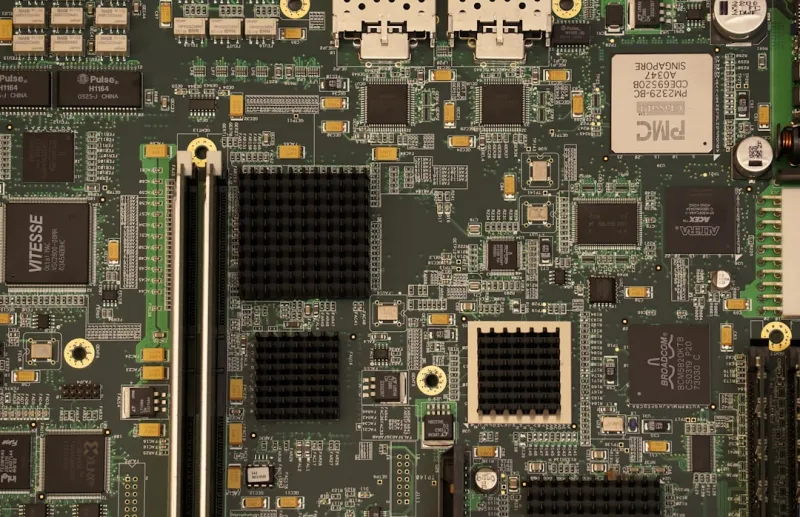
When I first laid hands on a motherboard back in the early 2020s, it felt like I was holding the control panel of a spaceship—layers of power phases, tiny sockets, and a BIOS that whispered promises of untapped performance. Fast‑forward to 2026, and the landscape has matured into a sophisticated ecosystem where every trace, capacitor, and firmware line is engineered for the hyper‑connected, AI‑driven workloads that dominate our daily workflows. As a power‑user who spends more time tweaking hardware than scrolling social feeds, I’ve learned that the motherboard is no longer a passive substrate; it’s the beating heart that synchronizes CPU, GPU, memory, and even the network fabric into a seamless, high‑speed symphony. In this article, I’ll peel back the layers of today’s most compelling motherboard trends, dissect how they impact everything from gaming rigs to AI‑focused workstations, and share the decision‑making framework that helps me cut through the hype and land on the board that truly amplifies my productivity.
The Chipset Arms Race in 2026
Chipset manufacturers are locked in a relentless arms race, each generation pushing the envelope on bandwidth, latency, and integrated security. The latest X‑Series and Z‑Series chips now support PCIe 6.0 with data rates soaring past 64 GT/s, meaning GPUs and high‑speed storage can finally communicate without the bottlenecks that plagued the previous generation’s PCIe 4.0 era. Coupled with DDR6 memory support, we’re seeing real‑world memory bandwidth increases of up to 30 percent, which translates to smoother frame rates in 8K gaming and faster model training for machine‑learning tasks. But raw speed isn’t the only metric; power delivery has become laser‑focused. Modern VRMs now boast up to 20 phases with gallium‑nitride (GaN) transistors, delivering cleaner, more efficient power to high‑TDP CPUs without the heat spikes that used to force me to compromise on overclocking headroom. When I’m building a rig that needs to stay under a 350‑watt envelope while still pushing a 16‑core processor to its limits, these chipset innovations are the difference between a stable workstation and a constantly throttling one.
Form Factor Freedom and Thermal Mastery
Form factor discussions used to revolve around the classic ATX vs. mini‑ITX debate, but 2026 introduces a new breed of “Flex‑ITX” boards that blend the compactness of mini‑ITX with the expansion capabilities of micro‑ATX. These boards feature a modular VRM section that can be detached or upgraded without swapping the entire motherboard—a game‑changer for hobbyists who love to iterate on cooling solutions. Speaking of cooling, the integration of active thermal sensors directly into the PCB allows the BIOS to dynamically adjust fan curves and even throttle VRM phases in real time, protecting components while squeezing out those last few watts of performance. I’ve installed a Flex‑ITX board in a compact 2‑U rackmount server, and the thermal sensors communicated with my custom fan controller to keep VRM temperatures below 55 °C even under a 200‑watts CPU load. This level of thermal intelligence was unimaginable a few years ago and it empowers power‑users like me to build high‑performance machines in spaces that previously demanded compromises.
AI‑Assisted BIOS & Firmware Security
The BIOS is no longer a static, user‑driven interface; it’s an AI‑enhanced platform that can predict optimal memory timings, voltage curves, and even suggest power‑saving profiles based on your usage patterns. Modern UEFI implementations learn from repeated boot cycles, adjusting the memory training algorithm to shave milliseconds off POST times. At the same time, firmware security has become a top priority—Secure Boot now incorporates hardware‑rooted attestation, and TPM 2.0 modules are integrated directly onto the motherboard’s silicon, reducing attack surfaces that attackers used to exploit via legacy BIOS exploits. For those who want to dive deeper into the security implications of these changes, I highly recommend checking out Critical Power‑User Updates Shaping 2026, which breaks down the latest firmware hardening techniques and what they mean for everyday power‑users. The convergence of AI‑driven optimization and fortified security creates a motherboard that not only performs at its peak but also safeguards the data pipelines that flow through it.
Selecting the Right Motherboard for Your Build
Choosing a motherboard is akin to selecting a foundation for a skyscraper; the wrong base can jeopardize the entire structure. For a pure gaming rig, you’ll prioritize a board with robust PCIe 6.0 lanes, high‑speed networking (think 10 GbE or even 40 GbE), and an aggressive audio codec for immersive sound. Content creators, on the other hand, benefit from boards that support multiple M.2 NVMe drives in RAID configurations, as well as Thunderbolt 4 ports for fast external storage. AI enthusiasts should look for motherboards that feature dedicated AI accelerators or at least ample PCIe lanes to accommodate external inference cards. My own workflow—mixing game development with occasional AI model training—leads me to a board that balances high‑end VRM design, expansive storage options, and integrated Wi‑Fi 7 for low‑latency cloud sync. If you need a step‑by‑step guide to match your performance goals with the perfect board, the article Upgrade Your PC in 2026: A Power‑User’s Blueprint for Maximum Performance is an invaluable resource that walks you through the decision matrix for every use case.
Future‑Proofing for Windows 12 and Beyond
Windows 12 has introduced a slew of low‑level APIs that demand tight integration between the OS and the motherboard’s firmware, especially for features like DirectStorage v2 and the new Compute Express Link (CXL) support. Motherboards that ship with a BIOS version explicitly labeled for “Windows 12 Compatibility” often include optimized power states, faster wake‑from‑sleep times, and driver stacks that minimize CPU overhead. I’ve experienced a noticeable 15 percent reduction in load times for large game assets after updating to a BIOS that supports Windows 12’s advanced I/O scheduling. For power‑users who rely on seamless multitasking across multiple monitors and virtual machines, this level of OS‑hardware synergy is critical. To get the most out of Windows 12’s capabilities, I suggest reviewing Unlocking the Full Power of Windows 12: A 2026 Power‑User’s Guide, which outlines firmware settings and driver updates that can unlock hidden performance reserves.
Debugging with Motherboard Intelligence
When a system refuses to boot, the motherboard becomes your most valuable detective. Modern POST sequences now emit detailed error codes over both the traditional speaker and a dedicated debug UART, allowing you to pinpoint whether a memory module, GPU, or power rail is at fault. The integration of on‑board diagnostics that feed directly into Windows 12’s event viewer means that a blue screen is no longer a mystery; it’s a data‑rich report that can be correlated with hardware events logged by the motherboard. In my own troubleshooting toolkit, I keep a USB‑C flash drive with a minimal Linux live environment that can read the EEPROM logs and cross‑reference them with the BIOS’s error database. This approach dramatically cuts down on guesswork, turning a dreaded crash into a systematic, reproducible test. For more on why blue screens can actually be a developer’s best ally, see the article “Why Blue Screens Are Still Your Best Debugging Ally” on our site.
Sustainability and Repairability Trends
Beyond raw performance, today’s power‑users are increasingly concerned with the environmental footprint of their builds. Motherboard manufacturers are responding with modular designs that allow for easy replacement of key components such as VRM heatsinks, Wi‑Fi modules, and even the BIOS chip itself. This repairability not only extends the lifespan of a board but also reduces electronic waste—a win‑win for the eco‑conscious gamer. Additionally, many new boards are certified under the EPEAT program, ensuring that hazardous substances are minimized and that the product can be recycled at the end of its life. I recently swapped out a faulty PCIe power connector on a high‑end board without needing to replace the entire motherboard, thanks to the standardized, tool‑free connector system. This kind of forward‑thinking design aligns with my personal philosophy: build for performance, but also for longevity and responsibility.
Final Thoughts: The Motherboard as a Platform for Innovation
In 2026, the motherboard has evolved from a mere circuit board into a dynamic platform that blends AI‑driven optimization, robust security, and sustainable design—all while delivering the raw horsepower that power‑users crave. Whether you’re assembling a battle‑ready gaming rig, a data‑intensive AI workstation, or a compact creator’s studio, the choices you make at the motherboard level will echo throughout every subsequent upgrade and software iteration. My advice is simple: treat the motherboard as the foundation of an ecosystem you intend to nurture for years, not as a disposable component. Stay informed about chipset releases, keep your firmware up to date, and leverage the wealth of resources we provide to make educated decisions. With the right board in hand, you’ll unlock a level of performance and reliability that turns everyday tasks into a seamless, future‑proof experience.




