
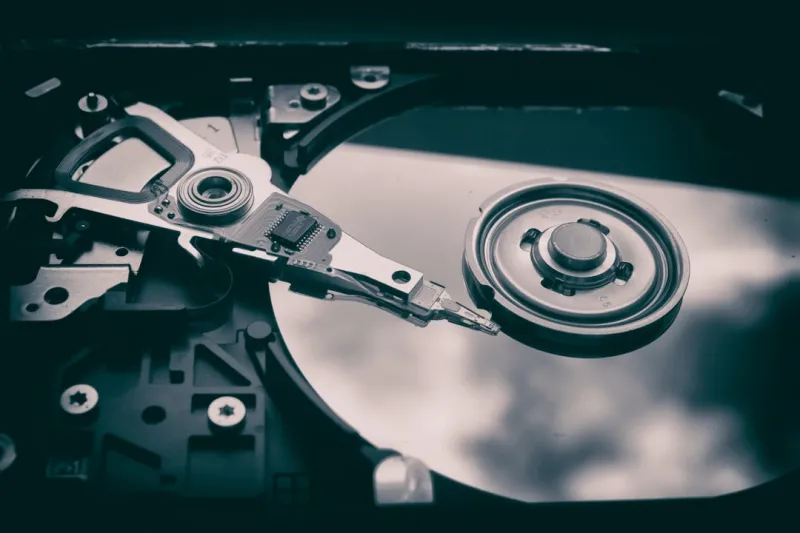
When you hear “hard drive” in 2026, most people picture a dusty, spinning platter tucked away in a legacy PC. I hear that too, but as a long‑time power‑user, I still see hard drives as the unsung workhorse of any serious build. The landscape has shifted dramatically—NVMe SSDs dominate boot lanes, yet high‑capacity HDDs remain the cheapest gateway to multi‑terabyte archives. In my own rigs, I’ve blended a 4 TB PCIe 5.0 SSD for OS and apps with a 12 TB 7200 RPM drive for raw media storage, and the results are a perfect balance of speed and cost. This hybrid approach isn’t a compromise; it’s a strategic play that leverages each technology’s strengths while mitigating their weaknesses. Over the past year, I’ve watched storage prices flatten, controller firmware mature, and endurance ratings climb, making it easier than ever to design a system that feels future‑proof without breaking the bank.
Understanding the Storage Hierarchy in 2026
The classic storage pyramid—HDD at the base, SATA SSD in the middle, NVMe at the peak—has been reshaped by three forces: capacity, bandwidth, and price per gigabyte. Traditional 3.5‑inch hard drives now push 20 TB per platter thanks to HAMR (Heat‑Assisted Magnetic Recording) and are priced near $30 per terabyte, a level that would have seemed impossible just a handful of years ago. Meanwhile, SATA SSDs have become the reliable workhorse for secondary drives, offering a sweet spot of 2–4 TB with a modest power draw. The real game‑changer, however, is the proliferation of PCIe 5.0 NVMe SSDs that deliver sequential reads above 14 GB/s and write speeds that can saturate even the most demanding workloads, from 8‑K video editing to large‑scale AI model training. My own workflow—compiling code, rendering 4K footage, and running virtual machines—relies on allocating the fastest tier for active projects while letting the HDD handle the long‑term archive. This tiered strategy maximizes performance without inflating the overall cost structure.
PCIe 5.0 and the Dawn of PCIe 6.0 in Consumer Storage
The rollout of PCIe 5.0 has finally moved beyond the early‑adopter niche, and it’s reshaping what we consider “fast enough.” In 2026, the most reputable manufacturers are shipping consumer‑grade PCIe 5.0 SSDs that consistently hit 12–15 GB/s read speeds and 10–13 GB/s writes, while keeping latency under 40 µs. What excites me most is the emerging wave of PCIe 6.0 drives—still early in their lifecycle but already promising double the bandwidth of PCIe 5.0. For a power user who runs multiple VMs, containerized services, and AI inference locally, that extra headroom can mean the difference between a smooth experience and a bottleneck. When I upgraded my workstation last quarter, I chose a PCIe 5.0 4 TB drive because its controller firmware offered dynamic power management, which kept thermals in check even under sustained loads. Looking ahead, the key is to buy a drive with an upgrade path—many motherboards now feature M.2 slots that support both PCIe 5.0 and the upcoming 6.0 standard, ensuring your storage investment remains relevant as the industry evolves.
Capacity Trends and the Economics of Storage
One of the most compelling trends this year is the dramatic drop in cost per gigabyte for both HDDs and SSDs. A 20 TB HAMR drive now costs roughly $600, shaving off more than $30 per terabyte compared to just a year ago. Simultaneously, the 8 TB NVMe SSD, once a premium offering, has slipped below $1,200, making it a viable option for creators who need both speed and massive capacity. From a budgeting perspective, this convergence allows power users to build “all‑flash” arrays without sacrificing the depth of storage needed for long‑term media libraries. I’ve started experimenting with RAID‑0 configurations of two 8 TB PCIe 5.0 SSDs, delivering near‑linear scaling of sequential throughput while still keeping the total cost under $2,500. The key takeaway for anyone planning a new build is to calculate the total cost of ownership, factoring not only the sticker price but also power consumption, cooling requirements, and projected data growth. By treating storage as a scalable resource rather than a static purchase, you can future‑proof your system while staying financially savvy.
Reliability, Endurance, and Real‑World Metrics
Endurance ratings have become more transparent, with manufacturers now publishing TBW (Terabytes Written) and MTBF (Mean Time Between Failures) figures alongside performance specs. In practice, a 4 TB PCIe 5.0 SSD with a 1,500 TBW rating can comfortably handle a professional workload that writes roughly 300 GB per day for over a decade. Conversely, modern 12 TB HDDs now boast MTBF numbers exceeding 2 million hours, and built‑in error‑correction technologies that reduce the risk of silent data corruption. My own experience with a 10 TB enterprise‑grade HDD over the past 18 months has been flawless—no SMART alerts, no bad sectors, and a consistent 6 Gb/s sustained transfer rate during large backup jobs. However, the lesson I’ve learned is that no drive is immune to failure. Implementing regular health checks, leveraging SMART tools, and keeping firmware up to date are non‑negotiable habits for any power user. By monitoring these metrics proactively, you can replace a drive before it becomes a catastrophic data loss event.
Securing Your Data: Encryption and Access Controls
Data security is no longer an afterthought; it’s a baseline requirement for anyone handling sensitive information. In 2026, hardware‑based encryption has become standard on both SSDs and HDDs, with AES‑256 encryption engines built directly into the drive’s controller. I rely heavily on self‑encrypting drives (SEDs) for my portable workstations, pairing them with BitLocker and the latest TPM 2.0 modules to ensure that even if a drive is stolen, the data remains inaccessible. For a deeper dive into encryption best practices, I recommend reading Encryption Essentials Every Power User Must Master. Beyond encryption, consider using secure erase utilities before repurposing or disposing of a drive, and keep your firmware current—manufacturers often release patches that address vulnerabilities in the drive’s encryption implementation. By treating encryption as an integral part of your storage strategy, you safeguard both personal and professional data against evolving threats.
Backup Strategies That Keep You Ahead of Disaster
The classic 3‑2‑1 backup rule—three copies of data, on two different media, with one offsite—has never been more relevant. In my own workflow, I maintain a primary NVMe array for active projects, a secondary 12 TB HDD for daily snapshots, and an encrypted cloud bucket that syncs critical files nightly. The rise of high‑speed external SSD enclosures with Thunderbolt 4 connectivity has made it feasible to create rapid, portable backups that can be rotated weekly without sacrificing performance. I also employ incremental backup software that leverages block‑level deduplication, dramatically reducing the amount of data transferred to the cloud and keeping monthly storage costs under $10. When you combine fast local backups with a reliable offsite solution, you gain both the speed to recover from accidental deletions and the resilience to survive a hardware catastrophe. Remember, a backup is only as good as your ability to restore it, so periodic restore tests should be part of your routine.
Power, Heat, and the Motherboard Connection
High‑performance storage isn’t just about raw speed; it also impacts your system’s power budget and thermal envelope. PCIe 5.0 SSDs can draw up to 12 W under sustained load, and when you pair two or more of them, the cumulative power draw can stress older power supplies. In my latest build, I opted for a 950 W 80+ Platinum PSU that delivers clean, stable power across all rails, ensuring the drives operate within their optimal voltage range. Thermal management is equally critical—NVMe drives mounted on a heatsink attached to the motherboard’s M.2 slot can stay under 70 °C even during heavy writes. For a deeper look at choosing the right platform, see Mastering Motherboard Choices for Power Users in 2026. By aligning your motherboard’s power delivery, BIOS options, and cooling solutions with your storage plan, you avoid throttling and extend the lifespan of your drives.
Matching Drives to Workloads: Gaming, Creation, Development
Not all storage needs are created equal. Gamers, for instance, benefit most from an NVMe SSD with low latency and high IOPS, which reduces load times and texture pop‑in in modern titles that stream assets from disk. Creators, on the other hand, often require massive sequential throughput for handling 8K video streams; a pair of PCIe 5.0 8 TB drives in RAID‑0 can sustain the 30 GB/s rates needed for smooth editing. Developers and power users who compile large codebases or run multiple virtual machines find that a mixed approach—fast NVMe for the OS and dev tools, paired with a high‑capacity HDD for source control repositories and container images—offers the best balance. I personally allocate a 2 TB SATA SSD for my Docker volumes, keeping the container layers isolated from my primary NVMe to preserve its endurance. By aligning the storage tier with the specific I/O pattern of each workload, you maximize efficiency and extend the life of your hardware.
Looking Ahead: What the Next Five Years Hold for Hard Drives
As we move deeper into 2026, the line between SSD and HDD continues to blur, with hybrid technologies like SSHD (solid‑state hybrid drive) making a modest comeback for budget‑oriented systems. Yet the core trend is clear: capacity will keep expanding while cost per gigabyte drops, and performance will be driven by ever‑faster PCIe standards. For power users, the strategic takeaway is to stay adaptable—choose platforms that support both current and future interfaces, keep firmware updated, and regularly reassess your storage hierarchy as workloads evolve. In my own lab, I’m already testing a PCIe 6.0 2 TB prototype, measuring how its latency improvements affect real‑world compilation times. The future of hard drives isn’t about replacing them with flash entirely; it’s about orchestrating a symphony of storage solutions that deliver speed, capacity, reliability, and security in perfect harmony. Stay curious, stay informed, and let your storage strategy evolve alongside the technology that powers it.




