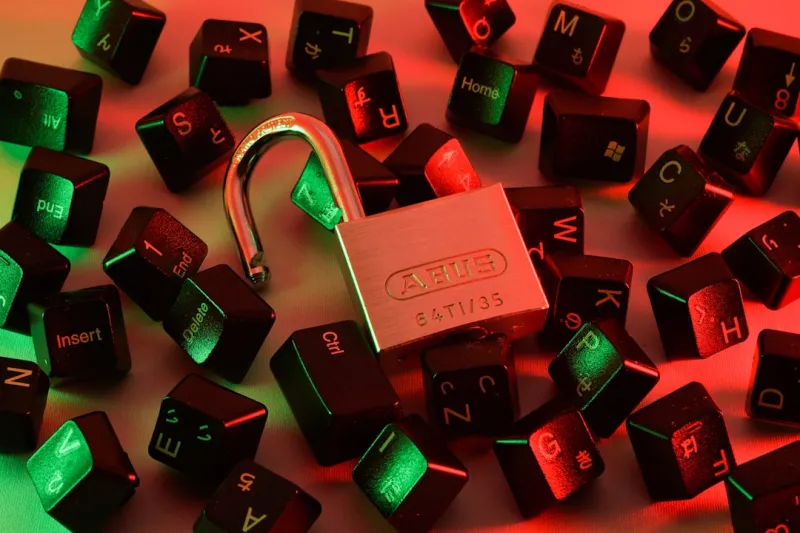
When I first dug into encryption back when I was still wrestling with dial‑up modems, the idea of locking down my files felt like a luxury—something only corporations could afford. Fast forward to 2026, and the reality is that every power user, from the home‑studio musician to the AI‑research hobbyist, needs a rock‑solid encryption strategy as essential as a good GPU. In my day‑to‑day, I’ve seen data leaks turn a thriving side‑project into a public embarrassment in minutes. That’s why I’m doubling down on encryption not as a checkbox, but as a habit woven into every workflow. In this post, I’ll walk you through the why, what, and how of modern encryption, peppered with the gritty lessons I’ve learned while troubleshooting blue screens and tinkering with custom rigs. If you’ve ever felt the sting of a compromised USB drive or watched a ransomware note pop up on a fresh install, you’ll recognize the urgency in every line that follows.
Why Encryption Is No Longer Optional for Power Users
The threat landscape in 2026 is a moving target that blends classic ransomware with AI‑generated phishing that can bypass many traditional defenses. The New Malware Playbook reveals that attackers now weaponize encrypted payloads to evade sandbox detection, meaning the moment you think your system is safe, it could already be compromised. Even if you’re the type who builds a workstation for AI‑heavy workloads, your data—model weights, proprietary code, client datasets—are all high‑value trophies. A single breach can erode years of reputation and cost you more in downtime than the price of a top‑tier GPU. That’s why I treat encryption as the first line of defense, not the afterthought. By encrypting both at rest and in transit, you create a double‑layered barrier that forces an attacker to break two separate cryptographic walls before they can claim any loot.
Full‑Disk vs. File‑Level Encryption: Finding the Sweet Spot
Most power users start with full‑disk encryption (FDE) because it’s a “set‑and‑forget” solution that protects everything on the drive, including the OS, swap file, and temporary caches. In 2026, modern UEFI firmware paired with TPM 2.0 chips makes FDE seamless—boot times barely budge, and the performance hit of AES‑256 is negligible on a recent Intel or AMD platform. However, FDE alone doesn’t protect data once you’ve logged in, especially if you’re moving files to external SSDs or USB sticks. That’s where file‑level encryption (FLE) shines. Tools that support per‑file or per‑folder keys let you encrypt only the most sensitive assets, like client contracts or research datasets, without the overhead of encrypting your entire system constantly. I’ve found a hybrid approach—FDE for the primary drive and FLE for external media—offers the best balance of security and speed. It also aligns with the advice from the “Why Hard Drives Remain Essential for Power Users in 2026” guide, which stresses the importance of having a trusted, encrypted local backup.
Selecting the Right Encryption Suite for Your Rig
Choosing an encryption suite isn’t just about picking the most popular brand; it’s about matching the software’s capabilities with your hardware’s strengths. Look for solutions that leverage hardware‑accelerated AES‑NI instructions—most modern CPUs support this, and it slashes encryption overhead to a fraction of a percent. Additionally, ensure the suite integrates with your TPM, enabling secure key storage that’s isolated from the OS. In my experience, solutions that support XTS‑mode for block‑level encryption provide stronger protection against certain forensic attacks compared to CBC mode. Another often‑overlooked feature is “plausible deniability,” which lets you create hidden volumes that remain invisible without the correct passphrase. While this may sound like something out of a spy novel, it can be a lifesaver when you need to protect sensitive work from a hostile insider or a sudden subpoena. Remember to test the suite’s recovery options—no amount of encryption helps if you lock yourself out of your own data.
Encrypting the Cloud Without Losing Control
Power users aren’t confined to local storage; the cloud is where we sync large datasets, share models, and back up our creative work. Yet, trusting a third‑party provider with raw, unencrypted data is a gamble you can’t afford. The answer lies in zero‑knowledge encryption: you encrypt data on the client side before it ever touches the provider’s servers. This approach gives you full control over the encryption keys, meaning the provider can’t hand over your data even under a court order. Look for services that support client‑side encryption standards like OpenPGP or the newer age format, which are both lightweight and robust. When you combine zero‑knowledge cloud storage with a solid local key manager, you create an end‑to‑end encrypted pipeline that keeps your data safe whether it’s sitting on a home NAS or a public bucket. The trade‑off is a bit more complexity in key management, but the peace of mind is worth every extra step.
Key Management: The Achilles’ Heel of Encryption
If encryption is the lock, key management is the hinge. A strong lock is useless if you lose the key, and a poorly managed key can become the single point of failure. I rely on a hybrid strategy: a hardware security module (HSM) or a YubiKey for master key storage, coupled with a reputable password manager for everyday passwords and passphrases. Multi‑factor authentication (MFA) should protect any access to the key vault, whether it’s a desktop app or a mobile client. Don’t forget to rotate your keys regularly—annual rotation is a good baseline, but consider more frequent changes if you’re handling especially sensitive data. Backup your keys in multiple secure locations: an encrypted USB stick stored in a fire‑proof safe, and a sealed, offline copy in a safety deposit box. Finally, document your recovery procedures; in the event of hardware failure, you’ll want a clear, step‑by‑step guide that even a non‑technical teammate can follow.
Integrating Encryption into Your Daily Workflow
Encryption should never feel like a roadblock; it needs to be as fluid as your coding environment or DAW session. Automation is your friend here. Use scripts that trigger encryption on file save for designated folders, or set up watchdog services that automatically encrypt any new file placed on an external drive. Many modern IDEs and editors support plugins that encrypt snippets on the fly, keeping API keys and credentials out of plain sight. For backups, schedule encrypted snapshots with tools like Borg or Restic, which combine deduplication with strong encryption. The key is to treat encryption as an invisible layer—once set up, you shouldn’t have to think about it unless something goes wrong. I’ve built a PowerShell module that encrypts my research logs before they hit the cloud, and it runs in the background without any noticeable latency. When encryption becomes part of the routine, you free up mental bandwidth to focus on the creative or analytical work that truly matters.
Preparing for the Future: Quantum‑Ready Encryption
While quantum computers are still in the experimental stage, the cryptographic community is already preparing for a post‑quantum world. In 2026, most mainstream encryption tools still rely on RSA‑2048 or ECC, which could be vulnerable once large‑scale quantum machines become viable. To future‑proof your setup, consider hybrid encryption schemes that combine classical algorithms with post‑quantum candidates like Kyber or Dilithium. Many vendors now offer optional post‑quantum modes that can be toggled on without a full system overhaul. Even if you don’t switch today, staying informed about the transition roadmap will save you a painful migration later. The good news is that the performance impact of post‑quantum algorithms on today’s CPUs is modest, especially when you’re already leveraging hardware acceleration for AES. Keeping an eye on standards bodies like NIST and incorporating their recommendations early ensures your data remains secure even as the computational landscape evolves.
Bottom Line: Make Encryption a Habit, Not a Project
At the end of the day, the best encryption strategy is the one you never have to think about because it’s woven into the fabric of your digital life. From full‑disk protection on your primary workstation to zero‑knowledge encryption for cloud assets, from robust key management to forward‑looking post‑quantum readiness, each layer adds confidence that your data is safe from prying eyes. Remember the lessons from the “New Malware Playbook” and the essential role of hard drives highlighted earlier—security is a marathon, not a sprint. Take the time now to audit your current setup, plug any gaps, and automate the rest. When the next ransomware wave rolls in, you’ll be the one who’s already ahead of the curve, focusing on building the next great project instead of scrambling to recover lost files.