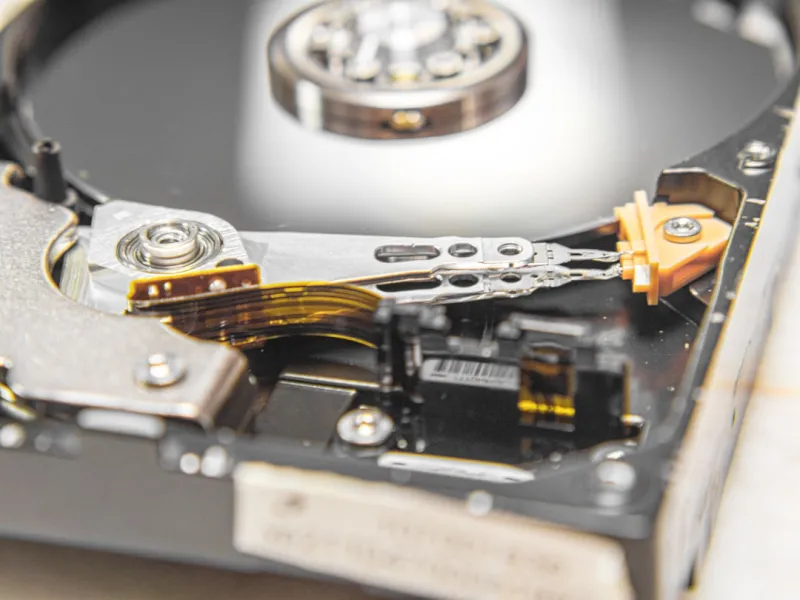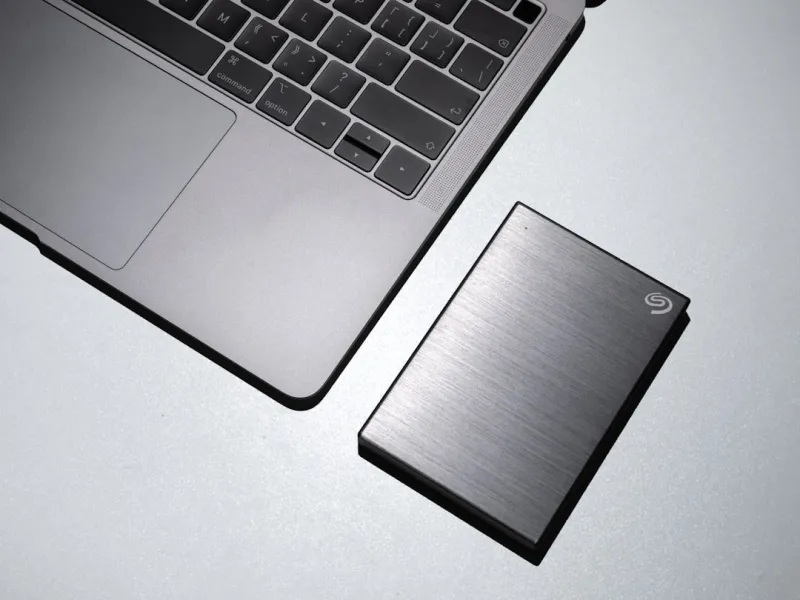
When I first built my rig in the early 2020s, the buzz was all about “SSD or bust.” Fast forward to 2026, and the conversation has matured. As a power user who spends every waking hour juggling 8K video edits, massive AI model datasets, and a personal library of retro games, I’ve learned that a well‑chosen hard drive isn’t just a relic—it’s a strategic asset. In this deep dive I’ll walk you through why hard drives still matter, how they complement modern SSDs, and what you should be looking for when you upgrade your storage stack. Think of this as a roadmap that blends hard‑earned experience with the latest tech trends, so you can make informed, future‑proof decisions for your workstation.
The Evolution of Storage: From Spinning Platters to Flash
Back in 2020, SSDs began to dominate the consumer market, promising lightning‑fast read/write speeds that made traditional spinning disks look sluggish. Yet the fundamental physics of magnetic storage haven’t vanished. Over the past six years, manufacturers have refined areal density, pushing platters past 5 TB per drive while keeping the price per gigabyte under $0.03—a sweet spot that SSDs still can’t consistently hit for multi‑terabyte workloads. For a power user who routinely works with datasets exceeding 20 TB, the cost differential becomes significant. Moreover, the endurance limits of NAND flash mean that constantly rewriting terabytes of AI training data can erode an SSD’s lifespan in just a few years. By integrating a high‑capacity HDD into your workflow, you preserve your SSD’s performance envelope for the tasks that truly demand speed, while relegating bulk storage to a medium that’s both affordable and robust.
Capacity and Cost: The Hard Drive’s Competitive Edge
One of the most compelling reasons to keep hard drives in your arsenal is raw capacity at a fraction of the price. A 20 TB 7200 RPM SATA HDD now costs less than a quarter of a comparable SSD, and the price gap widens dramatically as you scale up. This makes HDDs ideal for archiving massive media libraries, long‑term backups, and even as a staging area for AI model checkpoints that don’t need instant access. In my own setup, I allocate a 24 TB HDD exclusively for raw footage and raw model weights, allowing my 2 TB NVMe drive to stay lean and speedy for active project files. The separation of “working” and “store‑and‑forget” tiers not only optimizes performance but also simplifies backup strategies—snapshots of the HDD can be taken nightly without choking the system’s I/O bandwidth.
Performance Strategies: Hybrid Configurations and Caching
While HDDs can’t match SSDs in raw throughput, clever architecture can mitigate that gap. Many modern motherboards support Intel’s Rapid Storage Technology, enabling a cache tier where a small SSD accelerates the most frequently accessed portions of a larger hard drive. In practice, I’ve seen read speeds jump from 150 MB/s to over 500 MB/s for cached workloads, a noticeable boost when browsing a massive video library. RAID configurations also come into play—RAID 0 strips data across two drives for higher sequential speeds, while RAID 1 offers mirroring for redundancy. For power users who need both speed and safety, a hybrid approach—NVMe for active files, HDD for bulk storage, and a modest SSD cache—delivers a sweet spot that maximizes throughput without breaking the bank.
Reliability and Longevity: Why Magnetic Media Still Holds Up
Durability is another area where hard drives shine. Unlike NAND flash, which degrades with each write cycle, magnetic platters can endure endless reads and writes without a measurable wear‑out curve. This makes HDDs the go‑to medium for long‑term archival. I’ve kept a 10‑year‑old 8 TB drive in a climate‑controlled server rack, and it still reads data without error. For compliance‑driven environments—think GDPR‑level data retention policies—having a storage medium that can sit idle for years without power consumption is a pragmatic choice. Pairing this with a reliable power‑loss protection system, such as a UPS, ensures that sudden outages won’t corrupt your critical data, a scenario that SSDs, with their volatile cache, can be more vulnerable to.
Security Considerations: Encrypting the Bulk Store
Data security can’t be an afterthought, especially when you’re housing sensitive client files on a massive HDD array. Whole‑disk encryption tools like BitLocker and VeraCrypt now support hardware‑accelerated AES‑256, making the performance hit negligible. For those who want a deeper dive into protecting their drives, check out our Encryption Essentials for the Modern Power User guide. By encrypting the entire hard drive, you safeguard against physical theft or unauthorized access, while still preserving the drive’s longevity. Remember to store your recovery keys offline—preferably on an air‑gapped device—to avoid a single point of failure that could lock you out of your own data.
Future‑Proofing: Choosing the Right Form Factor and Interface
When planning a storage upgrade, it’s tempting to focus solely on capacity, but the interface you choose can dramatically affect your system’s scalability. SATA III remains ubiquitous and fully compatible with every modern motherboard, but newer platforms are adding PCIe‑based SATA controllers that squeeze a little more bandwidth out of the same connection. If you anticipate moving into higher‑end AI workloads, consider a hybrid SAS‑backed HDD that can sit on a PCIe‑to‑SAS expansion card, offering up to 12 Gb/s per lane. Our Future‑Proof PC Upgrades: What Every Power User Needs in 2026 article outlines how to balance these choices to avoid bottlenecks down the line.
Practical Buying Guide: Specs, Brands, and Warranties
In the current market, not all hard drives are created equal. Look for drives that advertise a 7200 RPM spindle speed, a 256‑MB cache, and a 2‑year limited warranty as baseline criteria. Brands like Western Digital’s Gold series and Seagate’s Exos line have proven track records for enterprise‑grade reliability at consumer prices. When evaluating a drive, check the MTBF (Mean Time Between Failures) rating—values above 1 million hours are a good indicator of durability. Also, consider purchasing from a retailer that offers a “no‑questions‑asked” return policy within 30 days, giving you a safety net in case the drive exhibits early‑life issues like SMART errors. Finally, keep a spreadsheet of your drives’ serial numbers, purchase dates, and warranty expirations; this simple habit can save hours of troubleshooting later on.
Conclusion: Embrace the Balance for a Resilient Workflow
Hard drives may not have the flashiness of the newest NVMe modules, but they remain a cornerstone of a balanced, high‑performance workstation. By leveraging their cost‑effectiveness, massive capacity, and proven reliability, you can free up your SSDs for the tasks that truly benefit from ultra‑low latency while keeping bulk data secure, accessible, and affordable. As we push further into AI‑driven workloads and 8K content creation in 2026, the smartest power users will treat storage as a layered ecosystem—SSD for speed, HDD for depth, and intelligent caching to bridge the two. Ready to upgrade? Dive into our Why Hard Drives Still Matter for Power Users in 2026 piece for more real‑world scenarios and start building a storage solution that scales with your ambition.