
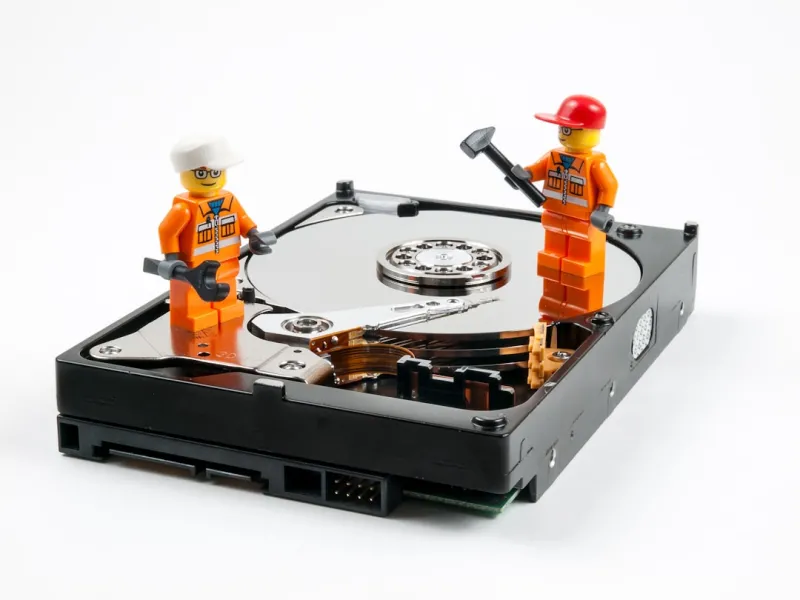
When I first cracked open my dad’s clunky 200‑year‑old desktop in 2002, the whirr of its 80 GB hard drive felt like a futuristic symphony. Fast‑forward to 2026, and the landscape has morphed into a kaleidoscope of SSDs, NVMe modules, and even storage‑class memory that blurs the line between RAM and disk. As someone who’s spent countless nights rebuilding rigs, troubleshooting boot loops, and rescuing data from failing platters, I’ve learned that understanding the nuances of hard drives isn’t just geek‑talk—it’s the backbone of a reliable, high‑performance PC. In this deep dive, I’ll walk you through the current state of storage, why capacity alone doesn’t guarantee speed, and how to future‑proof your build without breaking the bank. Whether you’re a creator hunting for seamless 8K video pipelines or a gamer craving sub‑millisecond load times, the choices you make today will echo through every task you throw at your machine for years to come.
The Evolution: From Spinning Platters to Storage‑Class Memory
Hard drives have traveled an incredible journey from the massive, noisy 3.5‑inch HDDs of the early 2000s to today’s sleek, silent SSDs that fit on a fingertip. Back in 2005, a 500 GB SATA‑II drive was a premium upgrade; now, a 2 TB SATA SSD costs less than a cup of coffee. The biggest catalyst for this shift has been the relentless drop in NAND flash prices, driven by the proliferation of smartphones and data centers. Yet, the story doesn’t end with SSDs. NVMe, leveraging PCIe lanes, slashes latency to single‑digit microseconds, delivering throughput that can exceed 7 GB/s on a single drive. And now, storage‑class memory (SCM) is emerging, promising performance that rivals DRAM while retaining non‑volatile characteristics. For the average builder, the key takeaway is that the “hard drive” you install today will dictate not just storage size but the very feel of your system’s responsiveness. Understanding where each technology sits on the performance‑cost spectrum lets you align your budget with your real‑world needs.
SSD vs. HDD: When Speed Beats Capacity (and Vice Versa)
Choosing between a traditional HDD and an SSD isn’t a binary decision; it’s a balance of speed, capacity, and cost per gigabyte. An SSD’s flash memory eliminates the mechanical latency that hampers HDDs, resulting in near‑instant boot times and snappy application launches. However, HDDs still hold a distinct advantage when you need massive storage on a shoestring budget—think 10 TB+ for archival media or large‑scale backups. In practice, many power users adopt a hybrid approach: an NVMe or SATA SSD for the operating system and frequently used applications, paired with a high‑capacity HDD for bulk data. This setup mirrors the strategy outlined in Upgrade Your PC in 2026: A Builder’s Blueprint for Maximum Performance, where I recommend a “fast‑first” SSD tier followed by a “store‑later” HDD tier. By allocating the right workloads to the appropriate drive, you get the best of both worlds—speed where it matters and space where it’s needed.
Capacity Trends: Are Bigger Drives Always Better?
In 2026, manufacturers are pushing 20 TB and even 30 TB HDDs to the consumer market, while SSDs are climbing to 8 TB and beyond. Yet, larger capacity doesn’t automatically translate to better performance. With HDDs, increased platter count can sometimes introduce higher seek times, especially on lower‑end models. SSDs, on the other hand, suffer from diminishing returns once you fill them past 70 % of their rated capacity; write amplification and garbage collection become more aggressive, subtly throttling performance. The sweet spot for most users lies in a 1‑2 TB SSD for primary storage—enough to house the OS, apps, and a healthy buffer for growth—while keeping a secondary HDD of 4‑8 TB for less frequently accessed files. If you’re a video editor working with raw 8K footage, you might need multiple SSDs in RAID to sustain the sustained write speeds required. The key is to match capacity to your workflow, not simply chase the highest numbers advertised on the box.
Performance Bottlenecks: The Hidden Limits of Interfaces
Even the fastest NAND flash can be throttled by the interface it rides on. SATA III tops out at 6 Gbps (~600 MB/s real‑world), which is adequate for budget SSDs but pales beside PCIe 4.0 ×4 NVMe drives that push past 7 GB/s. Meanwhile, emerging PCIe 5.0 platforms promise up to 14 GB/s, but only the newest motherboards can harness that bandwidth. If you pair a cutting‑edge NVMe SSD with an older chipset, you’ll never see its full potential. This is where a solid understanding of your platform becomes vital. In the Motherboard Mastery: Building the Ultimate 2026 Platform guide, I stress checking the lane allocation and BIOS support before committing to a high‑speed drive. Also, remember that drive performance isn’t isolated—CPU, RAM, and even cooling can affect sustained throughput. An overheated SSD may throttle to protect its cells, turning a once‑blazing drive into a sluggish bottleneck. Proper thermal management, through heatsinks or airflow, ensures you reap the full benefits of your investment.
Reliability and Data Integrity: Protecting What Matters
Speed is seductive, but reliability is the silent guardian of your digital life. SSDs have a finite write endurance measured in TBW (terabytes written) or DWPD (drive writes per day). Modern drives, especially those using TLC or QLC NAND, boast endurance ratings that comfortably exceed the average consumer’s workload—often over 1,200 TBW for a 2 TB drive. Nonetheless, a failing SSD can manifest as sudden read errors, boot loops, or silent data corruption. HDDs, while generally offering longer lifespans for static data, are susceptible to mechanical wear, head crashes, and vibration‑induced failures. The best defense is a layered approach: enable SMART monitoring, schedule regular health checks, and maintain a disciplined backup regimen. In today’s threat landscape, data security extends beyond hardware failures. As highlighted in Why Modern Threats Demand a New Security Playbook, ransomware and firmware attacks can target storage devices directly, making encryption and immutable backups essential. Pairing hardware‑level encryption with off‑site cloud snapshots creates a resilient fortress around your critical files.
Choosing the Right Drive for Your Workload: A Practical Checklist
To simplify decision‑making, I’ve distilled the selection process into a quick checklist you can run before hitting “Add to Cart.”
- Boot and everyday apps: NVMe PCIe 4.0 ×4 SSD, 1‑2 TB.
- Creative workloads (video, 3D rendering): Multiple NVMe drives in RAID 0 or RAID 1, prioritizing high endurance TLC or enterprise‑grade NAND.
- Gaming libraries: SATA III SSD for fastest load times; HDD for massive libraries you don’t need instant access to.
- Long‑term archival: 8 TB+ HDD with 7200 RPM, consider RAID 6 for redundancy.
- Budget constraints: 500 GB SATA SSD paired with a 2‑TB HDD provides a balanced entry point.
By aligning your primary tasks with the appropriate storage tier, you avoid over‑paying for speed you never use while ensuring your critical data sits on the most reliable medium available.
Future‑Proofing: Emerging Technologies on the Horizon
The storage arena isn’t standing still. In 2026, we’re seeing the early adoption of PCIe 5.0 NVMe drives that double the throughput of their PCIe 4.0 cousins, while also introducing lower power envelopes. Meanwhile, QLC (quad‑level cell) NAND continues to drive down cost per gigabyte, albeit with trade‑offs in endurance—ideal for read‑heavy workloads like media streaming. A more exciting frontier is the rise of storage‑class memory (SCM) solutions such as Intel’s Optane Persistent Memory, which blend DRAM‑like latency with non‑volatile storage. For enterprise users, these devices are reshaping data‑centric architectures, and the consumer market will likely follow suit within the next few years. If you’re building a new system now, consider a motherboard with extra PCIe 5.0 lanes and M.2 slots to accommodate future upgrades without a full platform overhaul. This foresight saves you from the dreaded “out‑of‑date” feeling when a newer, faster drive hits the shelves just months later.
Maintenance, Monitoring, and When to Replace
Even the most robust drive will eventually show signs of wear. Regularly check SMART attributes—look for rising re‑allocated sector counts or increasing temperature spikes. Many modern SSDs come with proprietary utilities (e.g., Samsung Magician, Crucial Storage Executive) that provide wear‑level estimates and firmware updates. Firmware, often overlooked, can resolve hidden bugs and improve compatibility with newer CPUs or operating systems. When an HDD begins to emit unusual clicking noises or a SSD’s performance drops sharply after a firmware update, it’s time to plan a migration. As a rule of thumb, aim to replace consumer SSDs every 5‑7 years and HDDs every 4‑6 years, depending on usage intensity. Pair this schedule with a reliable backup solution—both local (external USB‑C SSD) and cloud—to ensure you never lose data due to sudden hardware failure. Proactive maintenance not only extends the life of your storage but also keeps your system humming smoothly for the long haul.
Wrapping Up: Your Storage Strategy in 2026 and Beyond
Hard drives, in all their forms, remain the unsung heroes of any PC build. By understanding the trade‑offs between speed, capacity, and reliability, you can craft a storage hierarchy that matches your unique workflow and budget. Embrace NVMe for lightning‑fast system responsiveness, keep a high‑capacity HDD for bulk archives, and stay vigilant with health monitoring and backups. As the industry races toward PCIe 5.0 and SCM, designing a flexible platform today ensures you’ll be ready for tomorrow’s breakthroughs without a costly redesign. So, whether you’re polishing your next gaming rig, assembling a workstation for 8K editing, or simply upgrading your home office, let your storage choices reflect both the demands of today and the possibilities of tomorrow.




