
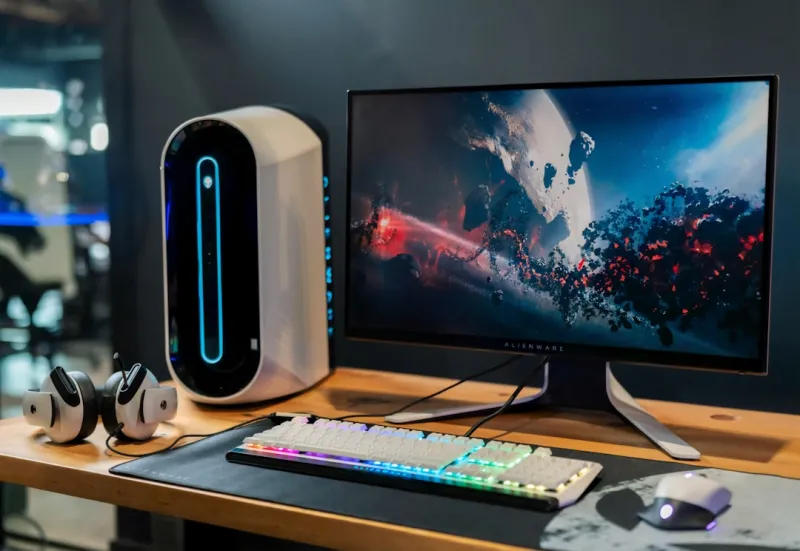
When I first built my rig back in the early 2020s, upgrades felt like a seasonal hobby—swap a RAM stick here, a graphics card there, and you were good for another year. Fast‑forward to 2026, and the upgrade landscape has turned into a strategic chess game, driven by AI‑optimized workloads, ever‑thinner silicon, and the relentless push for efficiency. My own approach now starts with a clear performance goal: am I chasing higher frame rates for competitive gaming, crunching AI models on the side, or simply future‑proofing my workstation for the next wave of software? That decision shapes everything from the socket I pick to the cooling solution I trust. In this post, I’ll walk you through the upgrades that actually move the needle, share a few hard‑won lessons, and point you toward resources that can save you time and money. Think of this as a living roadmap—one you’ll revisit each time a new chipset or memory standard lands on the market.
CPU: Choosing the Right Brain for Your Machine
The centerpiece of any upgrade is the processor, and 2026 offers a fascinating split between high‑core‑count “AI‑ready” CPUs and traditional high‑clock‑speed models for gaming. I’ve found that pairing a 16‑core Zen 4‑plus chip with a modest overclock gives me the sweet spot for both content creation and the occasional 4K title. But don’t chase the highest core count blindly; consider the software you run daily. If your workloads lean heavily on parallel processing—think deep‑learning inference or video rendering—the extra cores translate into tangible time savings. For users focused on pure gaming, a 10‑core, 5 GHz part still outperforms many multi‑core behemoths at lower latency. To make an informed decision, I always start with the Future‑Proofing Your PC guide, which breaks down socket compatibility, power envelopes, and upgrade paths in plain language.
Memory and Storage: Speed Meets Capacity
Memory upgrades in 2026 are less about sheer gigabytes and more about bandwidth. DDR5 is now the norm, but the emerging DDR6 modules are already hitting 6400 MT/s, offering a noticeable lift in latency‑sensitive tasks like AI model training. I upgraded my kit to 32 GB of DDR5‑5600, and the performance boost in my photo‑editing suite was immediate—no more stutter when juggling multiple 4K assets. On the storage front, NVMe SSDs have become the default boot drive, with PCIe 5.0 drives delivering sequential reads above 14 GB/s. If you’re still on a SATA drive, the jump to a PCIe 5.0 SSD will shave seconds off boot times and drastically improve load times in modern games. Remember to check your motherboard’s M.2 lane configuration; some boards split bandwidth between Wi‑Fi and storage, which can bottleneck even the fastest drives.
GPU Upgrades and Troubleshooting: Getting the Most Out of Your Visual Powerhouse
Graphics cards remain the most visible upgrade, and 2026’s lineup is dominated by AI‑accelerated GPUs that double as rasterization monsters. I recently swapped a 3080‑Ti for the new RTX 5080, which brings dedicated Tensor cores that accelerate DLSS 4.0 and real‑time ray tracing with less power draw. The performance delta is roughly 35 % in the latest titles, but the real surprise was the card’s stability under sustained loads—something older models struggle with. If you encounter artifacting or driver crashes, don’t panic; the Mastering GPU Troubleshooting article walks you through BIOS settings, firmware updates, and even how to test for PSU sag. My rule of thumb: always keep your GPU drivers a notch behind the absolute latest release unless a game explicitly requires the newest version, as this can prevent early‑adopter bugs from affecting your workflow.
Power Delivery and Cooling: The Unsung Heroes
A high‑performance CPU and GPU demand clean, reliable power and efficient thermal management. I upgraded to an 850 W 80+ Platinum PSU that features active power factor correction and modular cables—this not only reduces clutter but also minimizes voltage drop across high‑draw components. When it comes to cooling, the shift toward hybrid liquid‑air solutions is undeniable. A 240 mm AIO with a high‑static pressure pump keeps my CPU temps under 55 °C even during 30‑minute stress tests, while a well‑placed front‑intake fan maintains positive pressure in the case. Don’t overlook the role of smart fan curves; many modern motherboards let you tie fan speed to both temperature and power consumption, letting AI algorithms fine‑tune cooling on the fly. This balance ensures you get maximum boost clocks without risking thermal throttling—a critical factor for both gaming and AI workloads.
Case Selection and Cable Management: Form Meets Function
In my experience, the case you choose is more than a housing; it’s the platform that determines airflow, expansion options, and even acoustic performance. Mid‑tower chassis with tempered‑glass side panels remain popular, but the real game‑changer is the modular interior layout. I opted for a case that supports vertical GPU mounting and includes built‑in cable routing channels. Clean cable management isn’t just about aesthetics; it reduces airflow obstruction, which translates to lower temperatures and quieter operation. Using sleeved, twisted‑pair cables with the same gauge throughout the system ensures consistent power delivery and a professional look. If you’re planning a future‑proof build, verify that the case accommodates 360 mm radiators and has enough clearance for longer graphics cards—many high‑end models now exceed 350 mm in length.
Peripheral Upgrades: Enhancing the Whole Experience
While the core components get most of the spotlight, peripherals can dramatically affect perceived performance. A 144 Hz, low‑response‑time monitor paired with Adaptive‑Sync technology makes even modest frame rates feel buttery smooth. I upgraded to a 27‑inch IPS panel with a 2560 × 1440 resolution, which strikes a sweet spot between pixel density and GPU demand. On the input side, mechanical keyboards with hot‑swap switches let me fine‑tune actuation force without soldering—perfect for both typing and fast‑paced gaming. And don’t forget high‑fidelity audio; a USB‑C DAC/amp combo can bypass noisy onboard sound chips, delivering clearer communication in voice chats and richer game immersion. These upgrades may not push benchmark numbers, but they elevate the overall user experience, making the hardware investment feel more worthwhile.
Security Considerations: Keeping Your Upgraded System Safe
Every hardware upgrade introduces a new firmware surface, and in 2026, AI‑driven malware can target BIOS or GPU firmware to embed persistent threats. Before flashing any component, I always verify the manufacturer’s digital signature and run a checksum comparison. It’s also wise to enable Secure Boot and keep the TPM firmware up to date—these layers add hardware‑rooted verification that can thwart rogue code. For those who stream or run remote workstations, a hardened firewall and network segmentation are essential, especially when the upgraded system connects to cloud AI services. If you need a deeper dive into defending against AI‑driven attacks, check out How to Stay One Step Ahead of AI‑Driven Cyber Threats, which outlines practical steps you can take right now.
Final Checklist and Next Steps
Before you close the case, run through a quick sanity check: confirm BIOS recognizes the new CPU and RAM frequencies, verify that the GPU driver version matches your performance expectations, and benchmark the power draw to ensure your PSU isn’t operating near its limit. Run a stress test like Prime95 for the CPU and 3DMark for the GPU, watching temperatures and stability for at least 30 minutes. Once everything passes, take a moment to document your build—photos, part numbers, and a list of firmware versions make future upgrades painless. And if you’re looking for a comprehensive guide on squeezing every last ounce of performance, the How to Upgrade Your PC for Maximum Performance in 2026 article breaks down tuning knobs you might have missed. With a methodical approach, you’ll not only see immediate gains but also set a foundation that can evolve with the next generation of tech.




