
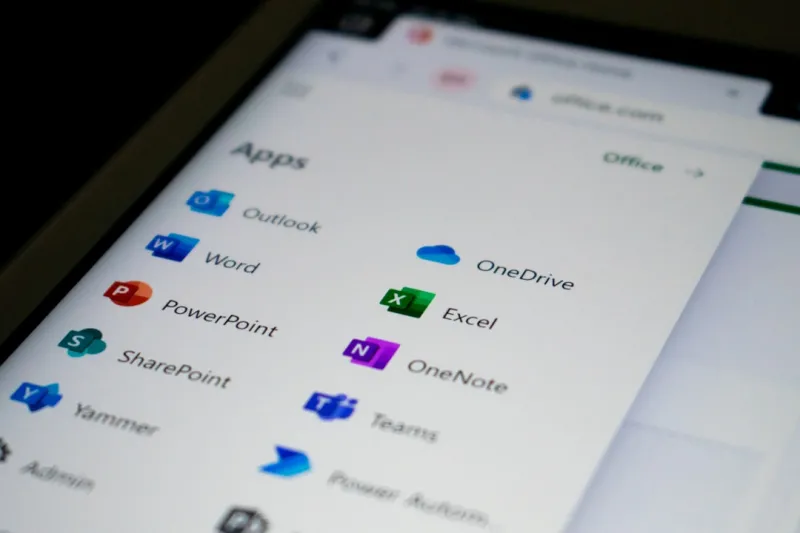
When I first cracked open a brand‑new copy of Microsoft Office back in the early 2010s, the sheer power of Word and Excel felt like a super‑charged toolbox for anyone daring enough to dream beyond pen‑and‑paper. Fast forward to 2026, and that toolbox has turned into a full‑blown workshop, humming with AI assistants, real‑time collaboration, and security layers that would have made the original developers gasp. As someone who’s spent countless nights wrestling with spreadsheets while juggling a side hustle in tech consulting, I’ve watched Office evolve from a static suite into a living, breathing partner in productivity. In this post, I’ll walk you through the biggest trends shaping Microsoft Office today, why they matter to your workflow, and how you can harness them without getting lost in the hype. Think of it as a backstage pass to the office suite that powers everything from boardroom decks to indie podcasts—delivered in my signature blend of practical tips and a dash of humor.
AI is No Longer a Feature; It’s the Core Engine
Microsoft’s biggest bet on artificial intelligence has finally paid off, and the payoff sits squarely in the heart of Office apps. The Copilot in Word can draft a contract, summarize a meeting memo, or even rewrite a paragraph to match a brand’s tone—all in a few keystrokes. In Excel, AI‑driven data types automatically pull live market data into cells, while the new “Analyze Data” pane suggests charts, trends, and even predictive forecasts based on your raw numbers. What’s truly mind‑blowing is that these assistants learn from your own usage patterns, tailoring suggestions that feel almost psychic. As a longtime spreadsheet junkie, I’ve seen the time saved by AI‑generated formulas cut my model‑building hours in half. The key, however, is to treat Copilot as a collaborator, not a crutch—always verify the output, especially when dealing with financial or legal content. This balance of automation and human oversight defines the new productivity paradigm in Office.
Collaboration Has Gone Hyper‑Real
Remember the days when you’d email a Word doc back and forth, hoping no one overwrote the other’s changes? Those days are gone, replaced by a seamless, real‑time co‑authoring experience that feels more like a shared whiteboard than a document. Whether you’re drafting a proposal in Teams or brainstorming a budget in Excel, multiple users can edit the same file simultaneously, with changes highlighted instantly. The integration with Microsoft Teams adds a layer of context—inline comments now surface as chat bubbles, and you can jump from a Teams call straight into a shared PowerPoint deck with a single click. I’ve used this feature to run virtual workshops where participants contribute ideas in real time, and the result is a dynamic, ever‑evolving artifact that captures the collective brainpower of the group. The underlying tech leverages Microsoft’s Fluid Framework, which synchronizes edits across the cloud with near‑zero latency, making remote collaboration feel as natural as sitting side‑by‑side.
Security Gets Smarter, Not Just Stronger
With AI‑driven threats becoming more sophisticated, Microsoft has fortified Office with a suite of intelligent defenses that go beyond traditional passwords and firewalls. Built‑in ransomware detection now scans documents for suspicious macros before they execute, while sensitivity labels automatically apply encryption based on the content’s classification. If you’ve ever worried about a confidential spreadsheet slipping into the wrong hands, the new “Information Protection” engine encrypts the file at rest and in transit, ensuring only authorized users can decrypt it. This aligns perfectly with the broader security landscape we’ve discussed in the AI‑Driven Threats and Adaptive Defenses series. In practice, these safeguards mean you can share a budget plan with a vendor without fearing that a stray macro will become a backdoor. The best part? All of this happens transparently, so you stay focused on creating value rather than micromanaging security protocols.
Encryption Isn’t Optional—it’s the Backbone
One of the most under‑appreciated upgrades in Office 2026 is the default end‑to‑end encryption for cloud‑stored files. When a document lives in OneDrive or SharePoint, it’s automatically encrypted with AES‑256, and the decryption keys are managed by Microsoft’s Zero‑Trust architecture. This is a game‑changer for industries bound by strict compliance regimes, such as healthcare or finance, where a single data breach can cost millions. If you’re skeptical, take a look at the deep dive we did on why encryption is now non‑negotiable in modern PC security: Why Encryption Is the Non‑Negotiable Backbone of Modern PC Security. In everyday terms, this means you can confidently attach a client‑sensitive PowerPoint to an email, knowing that the file remains sealed until the intended recipient opens it with the proper credentials. The result is a smoother workflow without the constant anxiety of data exposure.
Productivity Hacks Powered by AI
Beyond the headline‑grabbing Copilot, Office hides a trove of smaller AI‑driven shortcuts that can shave minutes—or even hours—from your day. In Outlook, the new “Focused Inbox” learns which senders you prioritize, while the “Play My Emails” feature reads messages aloud and drafts quick replies based on your typical tone. PowerPoint now suggests design ideas that match your brand colors, and its “Presenter Coach” uses natural language processing to give you real‑time feedback on pacing and filler words. For the power user, the “Quick Steps” in Excel let you automate repetitive tasks with a single click, such as cleaning data or generating month‑end reports. I’ve built a custom macro that pulls data from a SharePoint list, runs a regression analysis, and emails the result—all orchestrated by a few clicks in Excel. These micro‑automation tricks are the secret sauce that separates the “busy” from the “productive.”
Seamless Integration with the Cloud and Your PC
Office 2026 doesn’t exist in a vacuum; it’s tightly woven into the fabric of Windows, Azure, and the broader Microsoft ecosystem. When you upgrade your workstation with the recommendations from our Future‑Proof Your PC with Essential 2026 Upgrades guide, you unlock hardware acceleration for AI features, meaning Copilot runs faster and more responsively. Moreover, the Office Cloud Cache ensures that the latest version of a document is always at your fingertips, even when you’re offline. Integration with Azure Active Directory streamlines single sign‑on across all Office apps, reducing password fatigue and enhancing security compliance. For creators, the ability to embed live Power BI visuals directly into Excel or PowerPoint transforms static reports into interactive dashboards that update in real time. This tight coupling between hardware, cloud, and software creates an ecosystem where the sum is truly greater than its parts, empowering you to push the boundaries of what a “document” can do.
The Outlook‑Teams Synergy for Remote‑First Teams
In a world where remote work is no longer a perk but the norm, Outlook and Teams have merged their functionalities to deliver an unparalleled communication hub. Calendar events in Outlook now automatically generate Teams meeting links, complete with pre‑populated agendas pulled from associated OneNote pages. Inside Teams, you can launch an Outlook email thread directly into a channel, preserving the conversation context and allowing teammates to collaborate on the attached files without leaving the chat. This integration reduces context‑switching, which studies show can cost up to 30 % of productive time. I’ve leveraged this workflow to run weekly sprint reviews where the agenda lives in Outlook, the meeting is in Teams, and the retrospective notes are captured in a shared OneNote notebook—all linked together seamlessly. For a broader view on how Office is evolving, check out our deep analysis: Microsoft Office in 2026: AI, Security & Collaboration Trends. The result is a unified environment where email, chat, and documents coexist without friction.
Looking Ahead: Embrace the Change, Own Your Workflow
The rapid evolution of Microsoft Office is a reminder that staying static is no longer an option for modern professionals. By embracing AI assistants, leveraging real‑time collaboration, and trusting the robust security fabric Microsoft has woven into the suite, you can focus on what truly matters: creating value and driving results. My advice? Start small—pick one AI feature, like Copilot in Word, and experiment with it on a low‑risk document. Gradually expand to Excel’s “Analyze Data” and Outlook’s “Play My Emails,” all while keeping an eye on the security settings discussed earlier. As you become comfortable, layer in the deeper integrations with Teams and the cloud, and watch your productivity soar. Remember, the tools are only as good as the habits you build around them. So, take the plunge, stay curious, and let Office be the catalyst that turns your ideas into tangible outcomes.




