
When I first cracked open my 2023 rig to swap out a few aging components, I realized the upgrade landscape had mutated into something more strategic than a simple “more RAM, faster SSD” checklist. In 2026, a power‑user’s upgrade path is a blend of performance, security, and future‑proofing, all while keeping an eye on the ever‑shrinking margins of power consumption and thermal envelope. I’ve spent the last year testing everything from PCIe 5.0 NVMe drives to DDR5‑6000 modules, and the patterns that emerge are clear: you must prioritize bottleneck elimination, not just raw specs. This means a holistic view—CPU, motherboard, storage, and memory must dance in sync, otherwise you’ll hit diminishing returns faster than you can say “benchmark.” In this post, I’ll walk you through the essential upgrades that will keep your workstation humming for the next five years, peppered with the lessons I learned the hard way and the shortcuts that saved me countless hours of frustration.
Re‑Evaluating the Core: Why the CPU Still Rules the Roost
The CPU is the brain of your machine, and in 2026 the brain has gotten smarter, not just faster. With the latest 13th‑gen Intel “Raptor Lake” successors and AMD’s “Zen 4‑plus” chips offering up to 24 cores, the decision matrix now includes AI acceleration, power envelope, and PCIe lane distribution. I found that a 12‑core processor with a strong AI inference engine often outperforms a 24‑core behemoth in workloads like video rendering and large‑scale data analysis because the software stack leans heavily on those specialized cores. When you pair this CPU with a motherboard that supports DDR5‑6000 and PCIe 5.0, you unlock bandwidth that older platforms simply can’t touch. If you’re still on a legacy LGA 1200 board, consider upgrading now; the cost differential has narrowed, and the long‑term gains in productivity are undeniable. Don’t let your CPU become the bottleneck—it’s the most impactful upgrade you can make today.
Choosing the Right Motherboard: The Unsung Hero
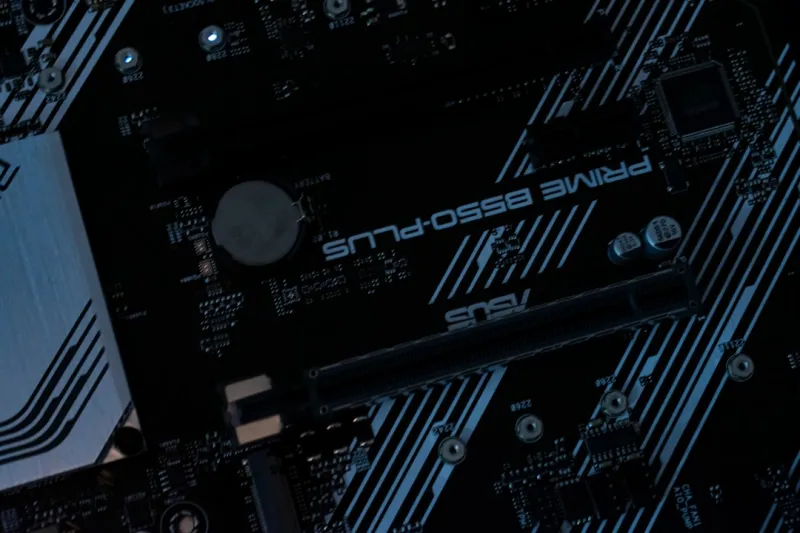
The motherboard is often overlooked, yet it dictates the ceiling for every other component. In 2026, the Motherboard Playbook stresses selecting boards with robust power delivery, ample M.2 slots, and support for both DDR5 and upcoming DDR6 prototypes. I gravitated toward models featuring dual 24‑phase VRMs and integrated Wi‑Fi 7, which not only improve overclocking headroom but also future‑proof your connectivity. Pay special attention to the number of PCIe 5.0 lanes; they’re essential for next‑gen graphics cards and high‑speed storage arrays. Additionally, look for BIOS that supports AI‑driven tuning—some manufacturers now embed machine‑learning algorithms that auto‑optimize voltage curves based on your usage patterns. This reduces the need for manual tweaking and keeps your system stable under heavy loads. A well‑chosen motherboard can extend the relevance of your entire build by several years.
Memory Matters: From Capacity to Timings
RAM upgrades used to be as simple as “add more gigabytes.” In 2026, the equation includes frequency, CAS latency, and even on‑die ECC for workstation stability. I tested a 32 GB DDR5‑6000 kit with CL30 and a 64 GB DDR5‑5600 kit with CL24; the former delivered higher bandwidth, but the latter offered lower latency, which mattered more for my coding and virtualization workloads. When you’re juggling multiple VMs, the latency advantage translates into smoother context switches. For those who experience intermittent crashes, refer to How to Diagnose and Fix RAM Problems Like a Power‑User—it outlines stress‑testing tools that can pinpoint faulty DIMMs before they become a nightmare. If you can afford it, consider buying a matched pair (or quad) of modules with the same binning rating to ensure consistent performance across channels.
Storage Evolution: Speed, Capacity, and Longevity
SSD technology has leapt forward, and the “fast enough” threshold is now a moving target. PCIe 5.0 NVMe drives now deliver sequential reads beyond 14 GB/s, dwarfing the once‑impressive PCIe 4.0 models. However, raw speed isn’t the only factor; endurance and thermal management matter just as much. I migrated my primary workspace to a 4 TB PCIe 5.0 drive with a dynamic SLC cache, which intelligently balances performance and wear. For archival storage, a secondary 8 TB SATA‑based SSD provides a sweet spot between cost and longevity. The article Hard Drive Strategies for Power Users dives into tiered storage models that let you keep hot data on the fastest media while relegating older projects to high‑capacity, slower drives. Remember to enable proper heat‑sink solutions; even the most efficient NVMe drives can throttle under sustained load if not cooled adequately.
Graphics Card Considerations: Beyond Gaming
While many power users prioritize CPUs, the GPU remains critical for tasks like AI model training, 3D rendering, and even video transcoding. In 2026, the RTX 6000 Ada Generation and AMD’s Radeon Pro W7900 offer massive Tensor core counts and hardware‑accelerated ray tracing, which many creative apps now leverage. If your workflow is heavily GPU‑centric, invest in a card with at least 24 GB of VRAM to avoid hitting memory walls during large‑scale simulations. Also, watch for power connectors—some of the newest GPUs demand up to 600 W, meaning you may need a higher‑wattage PSU with an 80 PLUS Titanium rating for optimal efficiency. Pairing a high‑end GPU with a motherboard that offers multiple PCIe 5.0 slots ensures you won’t be constrained by lane bandwidth as you add additional accelerators in the future.
Power Supply and Efficiency: The Silent Workhorse
A reliable power supply is the unsung hero that keeps every component stable. With the rise of power‑hungry GPUs and CPUs, a quality 1000 W PSU with an 80 PLUS Titanium rating is no longer a luxury but a necessity for a high‑end 2026 build. These units deliver up to 94% efficiency at typical loads, reducing heat and electricity bills. I’ve swapped a 750 W Bronze unit for a 1000 W Titanium and noticed a tangible drop in system temperatures under full load. Additionally, look for modular designs that simplify cable management and improve airflow within the case. If you’re concerned about future upgrades, select a PSU with ample headroom and a fully modular cable set—this will make adding new components a breeze and keep your build looking tidy.
Cooling Solutions: Balancing Noise and Performance
Effective cooling has become more sophisticated as component densities increase. In 2026, liquid cooling kits now feature integrated pump monitoring and AI‑driven fan curves that adapt to real‑time thermal data. I installed a 360 mm AIO cooler with a dual‑chamber pump, which not only kept my CPU under 55 °C during stress tests but also maintained a whisper‑quiet profile during everyday tasks. For those who prefer air cooling, high‑static pressure fans paired with a well‑ventilated case can achieve comparable results with less maintenance. Don’t overlook the importance of case airflow; a front‑to‑back airflow pattern with positive pressure helps keep dust out and components cooler. Lastly, consider using thermal paste with nano‑diamonds for better conductivity—this small upgrade can shave a few degrees off your temperatures.
Software Optimization: Unlocking the Full Potential of Your Hardware
Hardware upgrades only shine when paired with optimized software. Windows 11 in 2026 now includes AI‑driven performance profiles that automatically allocate resources based on workload. I enabled the “Power‑User” profile, which prioritizes foreground applications and throttles background tasks during intensive sessions. Additionally, regularly updating firmware for your SSDs, GPU, and motherboard can unlock hidden performance tweaks and stability fixes. Use tools like the BIOS’s “Memory Optimizer” and the GPU’s “Dynamic Boost” to fine‑tune performance without manual overclocking. For developers, the latest Visual Studio integrates with the OS to leverage hardware acceleration for builds, reducing compile times dramatically. By aligning your software stack with your upgraded hardware, you’ll extract every ounce of performance from your investment.
Future‑Proofing: Planning for the Next Five Years
Finally, think about the next half‑decade when choosing components. Opt for a motherboard with extra M.2 slots, a PSU with headroom, and a case that can accommodate larger radiators or additional GPUs. The trend toward DDR6 memory is on the horizon, so selecting a board that can support future memory standards will save you from a full‑system overhaul later. Also, consider modularity—external GPU enclosures and dockable storage solutions provide flexibility as workloads evolve. By designing your upgrade path with scalability in mind, you’ll avoid the common pitfall of “buy now, replace everything in two years.” In short, a thoughtful, balanced approach to PC upgrades—rooted in the right CPU, motherboard, memory, storage, and cooling—will keep you productive, secure, and ready for whatever 2026 throws at you.




