When I first tore open my 2015 tower, the hard drive was a hulking 7200 RPM beast that rattled like a vintage car engine. Fast‑forward to 2026, and the storage landscape feels like a sci‑fi showroom: ultra‑dense QLC NAND, PCIe 5.0 NVMe drives that shave milliseconds off load times, and even hybrid SMR solutions that try to blend capacity with cost‑effectiveness. As a power‑user who lives for that tactile click of a SATA cable and the hum of spinning platters, I’m constantly weighing raw performance against longevity, price, and the ever‑looming specter of data loss. In this deep dive, I’ll walk you through the current hard‑drive hierarchy, why some “legacy” drives are still worth a place in a modern build, and how to future‑proof your storage without breaking the bank. Expect a mix of hard‑core specs, real‑world anecdotes from my own rigs, and a few strategic links to help you stitch together a storage plan that can handle AI‑driven workloads, massive game libraries, and the occasional binge‑watch marathon.
Why 2026 Is the Year of the NVMe Superhighway
PCIe 5.0 is no longer a buzzword; it’s the backbone of every high‑performance workstation I’ve assembled this year. With bandwidth topping 32 GB/s per lane, NVMe drives can sustain sequential reads that dwarf even the most aggressive SATA SSDs, delivering near‑instantaneous boot times and lightning‑fast file transfers. The real magic, however, lies in the latency improvements—sub‑10 µs response times mean AI‑enhanced applications can pull training data directly from storage without stalling the CPU. I’ve swapped out a 4 TB PCIe 4.0 drive for a 2 TB PCIe 5.0 model in my daily driver, and the difference is palpable when loading massive Photoshop canvases or compiling large codebases. If you’re still clinging to SATA, consider a tiered approach: keep your OS and most‑used apps on an NVMe drive, and stash bulk media on a high‑capacity QLC SSD or even a traditional HDD for cost‑effective archiving.
The Resilience of Traditional Hard Disk Drives
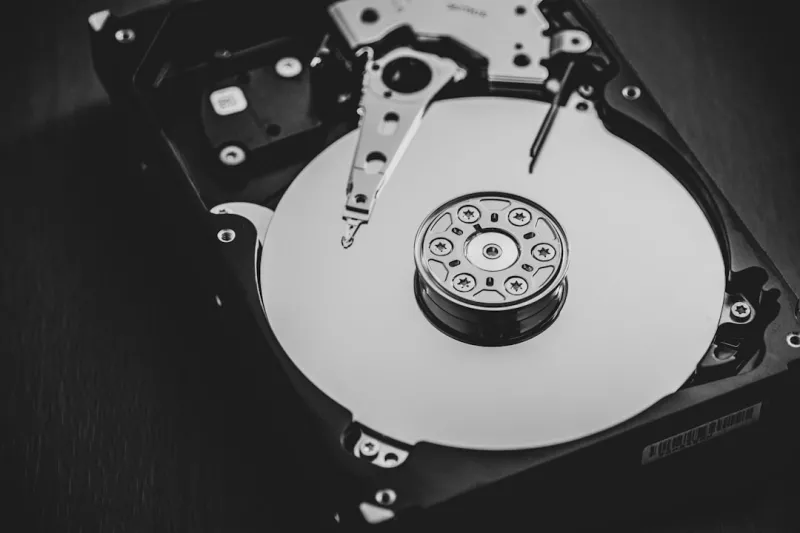
Despite the meteoric rise of solid‑state storage, there’s a stubborn niche where spinning hard drives still reign supreme: cold storage and archival. Modern 3.5‑inch HDDs have benefited from technologies like Shingled Magnetic Recording (SMR) and Helium‑filled interiors, pushing capacities past 20 TB while keeping power draw low. I keep a 12 TB SMR drive in my NAS solely for backing up raw video footage and 4K game captures that I don’t need on instant‑access media. The trade‑off is slower random I/O, but for sequential writes—think backing up a whole project folder—it’s more than adequate. Plus, the cost per gigabyte remains unbeatable compared to even the most affordable QLC SSDs. For power‑users who juggle massive datasets, a hybrid setup—NVMe for speed, HDD for depth—offers the best of both worlds. Just remember to monitor drive health with SMART tools and schedule regular surface scans to catch the dreaded “slow sector” before it spirals into catastrophic failure.
Data Integrity in an AI‑Driven Era
Artificial intelligence workloads are hungry for data, and any hiccup in storage integrity can cascade into model corruption or training delays. To mitigate this, I employ a layered protection strategy: RAID‑10 on my primary NVMe array for redundancy and performance, combined with ZFS snapshots on a dedicated SSD cache that mirrors critical system partitions. This approach gives me instant roll‑backs if a rogue update—say, a Windows 2026 patch—throws a wrench in the works. Speaking of Windows, you might find the insights from Unlocking the Full Potential of Windows in 2026 especially useful when configuring storage policies that leverage Storage Spaces Direct for hybrid environments. By aligning your OS’s storage tiers with the physical media’s strengths, you can keep AI pipelines humming while safeguarding against the occasional bit‑rot.
Choosing the Right Form Factor for Your Build
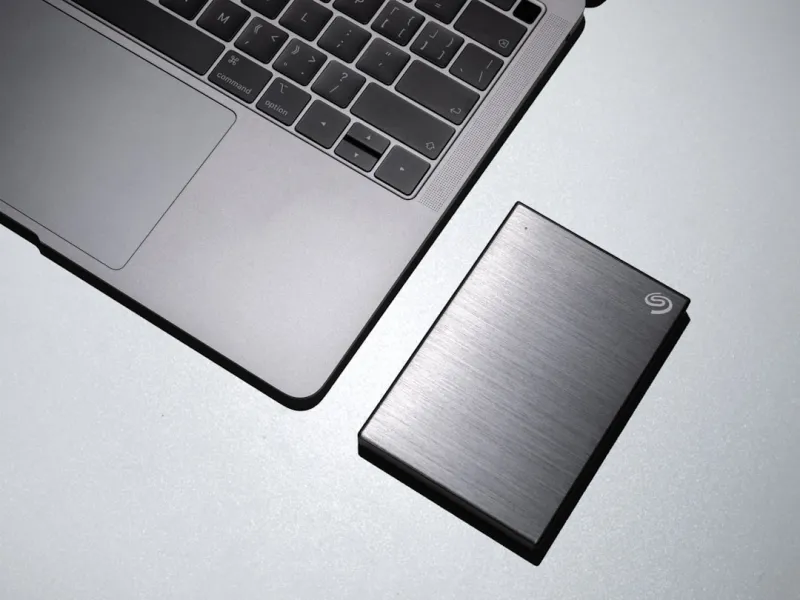
Form factor matters more than ever as cases shrink and thermal envelopes tighten. M.2 2280 drives are the de‑facto standard for most desktops, but for those building ultra‑compact rigs, the new M.2 2230 and 2242 modules slip into slim profiles without sacrificing PCIe 5.0 speeds. I recently outfitted a mini‑ITX case with a 2 TB 2230 NVMe drive and paired it with a 4 TB 2.5‑inch HDD tucked into a dedicated bracket. The result: a sleek system that boots in under two seconds, yet still houses enough space for my entire music library and a backlog of indie games. If you’re planning a future‑proof upgrade, keep an eye on the motherboard’s lane allocation—some boards in the Motherboard Playbook Every Power User Needs in 2026 allocate extra PCIe lanes specifically for storage, letting you add multiple NVMe drives without sacrificing GPU bandwidth.
Backup Strategies That Actually Work for Power Users
Backup fatigue is real; copying terabytes of data every week can feel like a Sisyphean task. The solution is a blend of local redundancy and off‑site cloud snapshots. I run a daily incremental backup from my primary NVMe array to a RAID‑5 HDD enclosure, then push weekly full snapshots to an encrypted bucket in the cloud using tools like Restic. This tiered system ensures that if a drive fails, I can restore the most recent state within minutes, while the cloud copy protects against ransomware—a threat that’s becoming more sophisticated each year, as detailed in Inside the Malware Maze. Additionally, employing file‑system level checksums (e.g., Btrfs or ZFS) adds a layer of self‑healing, automatically correcting silent data corruption before it propagates.
Emerging Technologies: Persistent Memory and Storage-Class Memory
While NVMe dominates today, the next frontier is Storage‑Class Memory (SCM) and Persistent Memory (PMEM) that blur the line between RAM and storage. Intel’s Optane DC Persistent Memory modules can be configured as a memory tier that survives power loss, offering near‑RAM speeds with the durability of NAND. For a power‑user who runs massive virtual machines or container clusters, integrating a few terabytes of SCM can shave seconds off boot times and drastically improve database transaction rates. I’m currently experimenting with a 1 TB PMEM module on a workstation that also hosts a local Kubernetes cluster. The result? Faster pod spin‑ups and reduced latency for AI inference workloads that read model weights directly from persistent memory. While still pricey, the price per gigabyte is dropping, and early adopters can reap significant performance gains in data‑intensive scenarios.
Future‑Proofing Your Storage Ecosystem
Looking ahead, the most resilient storage strategy is one that embraces modularity. Opt for motherboards with ample M.2 slots, SATA ports, and U.2 connectors; keep spare drive bays in your case; and select power supplies that can handle the additional draw of multiple high‑speed SSDs. When budgeting for upgrades, allocate roughly 20 % of your total cost to future‑proofing—think extra PCIe lanes, a robust cooling solution for NVMe drives, and a UPS to guard against power spikes that can corrupt spinning disks. Finally, stay informed about firmware updates; manufacturers often release performance patches that can extend the life of your drives by years. By treating storage as a living ecosystem rather than a one‑time purchase, you’ll ensure your PC stays razor‑sharp, whether you’re rendering 8K video, training deep‑learning models, or just hoarding the latest indie titles.