
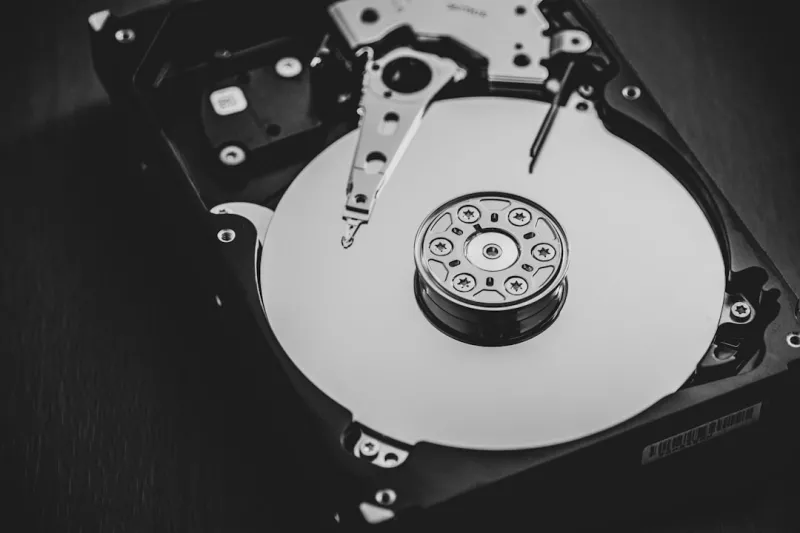
When I first tore apart a 2010 tower to harvest its 2 TB spinning drive, I never imagined I’d still be championing hard drives a decade later. Fast‑forward to 2026, and the landscape of storage is dominated by blinding‑fast NVMe SSDs, yet I find myself reaching for that trusty 10 K RPM platter whenever I need raw capacity without breaking the bank. In this piece, I’ll walk you through why hard drives remain a power‑user’s secret weapon, how they’ve evolved, and how to integrate them intelligently into today’s high‑performance rigs. Expect a blend of hard‑won anecdotes, technical deep‑dives, and actionable tips that will let you squeeze every ounce of value out of your storage stack.
From 5400 RPM to 10 K RPM: The Technical Leap
Hard‑drive technology has quietly but steadily progressed over the past few years. In 2026, manufacturers are shipping 18‑TB, 12‑platters, 10 K RPM models that rival early‑generation SSDs in sequential read/write throughput, thanks to advanced shingled magnetic recording (SMR) and heat‑assisted magnetic recording (HAMR). These innovations push the theoretical bandwidth to 250 MB/s sustained, which, while still behind the 5 GB/s of a PCIe 5.0 NVMe, is more than adequate for bulk data tasks like video rendering caches, large‑scale backups, and AI training dataset storage. Moreover, the latency gap has narrowed; modern drives sport built‑in caches of up to 256 MB, dramatically reducing seek times to under 4 ms. The result is a storage medium that delivers massive capacity, respectable speed, and, most importantly, a cost structure that scales far better than flash for petabyte‑level workloads.
SSD vs HDD: Not a Zero‑Sum Game
Power users often frame storage decisions as a binary: SSD for speed, HDD for capacity. While that simplification works for casual builds, it fails under the weight of professional workloads. For instance, my own workstation runs a tiered storage architecture where the OS, applications, and active project files live on a 2 TB NVMe, while a 16 TB 10 K RPM drive houses raw footage, simulation outputs, and archived code repositories. This hybrid approach leverages the instant responsiveness of SSDs for everyday tasks while relegating massive, rarely‑touched datasets to the HDD. The strategy also aligns with the insights from Optimizing 2026 PC Builds: A Power‑User’s Blueprint for Peak Performance, which stresses the importance of balancing latency, bandwidth, and budget across the storage hierarchy. The result? A system that feels snappy, stays affordable, and scales gracefully as data needs grow.
Reliability: The Unseen Advantage
One of the biggest misconceptions is that hard drives are inherently less reliable than solid‑state drives. In reality, modern HDDs boast mean time between failures (MTBF) figures exceeding 2 million hours, comparable to many consumer‑grade SSDs. The mechanical nature of HDDs provides a natural wear‑leveling mechanism—there are no flash cells to degrade after a finite number of program/erase cycles. For long‑term archival, especially for data that must survive years of infrequent access, this is a critical advantage. I still store my personal photo archive—spanning over 30 TB—on a pair of 20 TB enterprise‑grade drives, confident that they’ll retain integrity longer than a similarly sized SSD, which would eventually suffer from wear‑out and data retention issues. Coupled with SMART monitoring and regular surface scans, HDDs offer a transparent, predictable path to data safety.
Cost‑Per‑Gigabyte: The Budgetary Reality Check
When you crunch the numbers in 2026, the price gap between SSDs and HDDs is stark. A 4 TB NVMe SSD still carries a price tag north of $600, while a 12 TB 7200 RPM hard drive can be found for under $250. That translates to roughly $0.05 per GB for HDDs versus $0.15 per GB for SSDs—a threefold difference. For power users juggling multiple projects, each demanding terabytes of storage, those savings add up quickly. My own budget allocations for a recent build earmarked 70 % of the storage spend on HDDs, allowing me to invest more in a high‑end GPU and a robust cooling solution. The article Why Hard Drives Remain a Power‑User’s Secret Weapon in 2026 underscores this point, highlighting that cost efficiency is not just about the initial purchase but also about long‑term upgrade paths and replace‑ability.
Hybrid Storage Architectures: Getting the Best of Both Worlds
Today’s motherboards and operating systems make it easier than ever to blend SSDs and HDDs into a cohesive storage ecosystem. Features like Windows 12’s Storage Spaces Direct and Linux’s btrfs with SSD‑cache support enable you to designate a fast SSD as a read/write cache for a larger HDD pool. The effect is a perceptible boost in performance for large sequential workloads without sacrificing capacity. In my own rig, I’ve configured a 1 TB PCIe 4.0 SSD as a cache for a 24 TB RAID‑0 array of 12 TB HDDs, achieving near‑SSD speeds for frequently accessed data while maintaining massive storage for bulk files. This approach mirrors the principles laid out in the Mastering the 2026 PC Upgrade: A Power‑User’s Playbook, which advocates for layered storage to meet varied workload demands efficiently.
Selecting the Right HDD: RPM, Cache, and Platters
Not all hard drives are created equal, and choosing the right model depends on your specific workload. For sequential tasks—like video editing or large database imports—a 10 K RPM drive with a 256 MB cache offers the fastest read/write times. If your use case leans toward random I/O, such as virtual machine hosting, a 7200 RPM drive with larger multi‑tiered caches may be sufficient and more power‑efficient. The number of platters also matters: more platters often mean higher capacity and better sustained throughput, but they increase power draw and heat. I recommend looking for drives that support TLER (Time‑Limited Error Recovery) if you plan to use them in RAID configurations, as this prevents long error‑recovery cycles from causing array timeouts. Brands like Western Digital’s “Ultrastar” series or Seagate’s “Exos” line continue to dominate the enterprise space, offering robust firmware and warranty support.
Maintenance, Longevity, and Data Safety
Even the most robust hard drive will falter if subjected to harsh operating conditions. Vibration dampening is essential—mount drives on rubber grommets or use dedicated drive cages that isolate mechanical shock. Keep the drive bay temperature below 45 °C; excessive heat accelerates bearing wear and can corrupt magnetic domains. Regular SMART health checks, combined with periodic surface scans using tools like SeaTools or HD Tune, can flag developing issues before they become catastrophic. I also schedule quarterly full‑disk backups to a separate external HDD array, employing the 3‑2‑1 backup rule: three copies of data, on two different media, with one off‑site. This layered safety net ensures that even if a drive fails, your workflow remains uninterrupted.
Looking Ahead: HDDs Beyond 2026
While SSDs continue to push the envelope on speed, the physics of magnetic storage suggest that hard drives will remain relevant for the foreseeable future, especially as data volumes explode. Emerging technologies like SMR and HAMR are set to push per‑platter capacities beyond 20 TB, further lowering cost per gigabyte. Moreover, as AI and machine learning workloads generate petabytes of training data, the need for affordable, high‑capacity storage will only intensify. In my view, the secret weapon for power users isn’t abandoning SSDs, but mastering a balanced, hybrid storage strategy that leverages the strengths of both mediums. By staying informed and vigilant, you can ensure your storage infrastructure remains both performant and economical well into the next decade.




