
Introduction
When I first cracked open a motherboard back in the early 2020s, I never imagined the pace at which silicon would sprint past my expectations. Fast forward to 2026, and the power‑user landscape feels like a high‑speed train that refuses to hit the brakes. From AI‑accelerated workloads to ultra‑low latency gaming, the hardware demands have become as diverse as the software ecosystems feeding them. In this deep dive, I’ll walk you through the components that are redefining what a “fast” PC looks like today, and why ignoring any of them could leave you stuck in a performance bottleneck. I’ll also sprinkle in a few battle‑tested strategies that helped me shave milliseconds off demanding tasks, all while keeping an eye on future‑proofing. Whether you’re a seasoned overclocker or a budding enthusiast ready to build your first rig, understanding these trends is the first step toward a system that can handle tomorrow’s challenges—today.
The CPU Landscape in 2026
At the heart of any power‑user machine lies the CPU, and 2026 is the year it finally embraces a truly heterogeneous architecture. The latest 14‑nanometer‑class processors from both Intel and AMD now combine high‑frequency cores with AI‑specific accelerators, delivering a blend of raw single‑thread performance and parallel AI workloads without the need for a discrete GPU. What’s more, the new “Dynamic Core Fusion” technology lets the chip intelligently allocate tasks between performance and efficiency cores based on real‑time usage patterns, cutting power draw by up to 30% during idle periods. As a result, you can push through massive data‑science simulations, render 8K video, and still have enough headroom for a smooth gaming session. I’ve found that pairing these CPUs with a robust VRM on a premium motherboard not only stabilizes boost clocks but also extends the lifespan of the silicon. In short, if you’re hunting for a processor that can juggle AI inference, heavy multitasking, and high‑frame‑rate gaming, the current generation is the sweet spot.
GPU Revolution and AI Computing
Graphics cards have long been the poster children of power‑user upgrades, but in 2026 they’ve transcended their traditional role as pure rasterizers. The newest RTX‑70 series and AMD’s Radeon X9 line now embed dedicated tensor cores that accelerate AI workloads directly on the GPU, a shift that blurs the line between graphics and compute. This means you can train lightweight neural nets, run real‑time video upscaling, and even accelerate cryptographic operations without taxing the CPU. For those who love to push the envelope, the AI Computing Unleashed article walks through specific benchmarks that illustrate a 2‑3× speed boost in AI inference when leveraging these tensor cores. Additionally, the adoption of PCIe 5.0 across the board ensures that data bandwidth between the GPU and system memory is no longer a choke point, allowing for seamless multi‑GPU scaling in professional workloads. In my own builds, I’ve swapped out the legacy 8‑GB VRAM models for 24‑GB variants, and the difference in handling large 3D scenes or 8K video streams is night‑and‑day.
Memory Matters: RAM and Latency
When it comes to RAM, the mantra of “more is better” still holds, but the nuance lies in speed and latency. DDR5‑6000 modules have become mainstream, offering a sweet spot between capacity and frequency that benefits both gaming and heavy compute tasks. However, the real game‑changer in 2026 is the introduction of low‑latency “CL‑28” kits that shave off crucial nanoseconds, a factor that can translate into smoother frame times and faster data crunching in scientific simulations. I’ve also noticed that mismatched timings across dual‑channel pairs can cause erratic performance spikes, especially under sustained load. If you’re seeing random freezes or inexplicable slowdowns, double‑checking your memory’s XMP profile is a quick win. For those battling RAM glitches, the post “Why Your RAM Is Acting Up and How to Fix It Like a Power User” offers a step‑by‑step troubleshooting guide that saved me countless hours of head‑scratching.
Storage Strategies for Speed and Resilience
Storage in 2026 is no longer a simple choice between HDD and SSD; it’s a tiered ecosystem where NVMe PCIe 5.0 drives dominate the primary tier, delivering sequential read speeds that breach the 14 GB/s mark. These drives are perfect for developers compiling massive codebases or video editors rendering 8K footage, as the reduced latency dramatically cuts project turnaround times. Meanwhile, a secondary tier of SATA‑based SSDs or even high‑capacity QLC NVMe drives serve as archival storage, offering a balance between cost and endurance. If you’re still clinging to traditional spinning disks, you’ll find that modern HDDs equipped with SMR (Shingled Magnetic Recording) can actually complement the fast tier by handling large, sequential writes without hammering the SSD. For a deeper dive into choosing the right drive, check out “The Ultimate Power‑User Guide to Choosing and Optimizing Hard Drives in 2026,” which walks you through the trade‑offs and performance metrics that matter most.
Motherboard & Power Delivery: The Unsung Hero
The motherboard is the silent conductor that ensures every component sings in harmony. In 2026, the focus has shifted toward robust power delivery circuits that can sustain prolonged high‑core‑count CPU boosts without sagging. Look for boards that feature at least a 14‑phase VRM with high‑quality chokes and MOSFETs—this not only stabilizes voltage under load but also reduces thermal stress. Additionally, the proliferation of DDR5 and PCIe 5.0 has forced manufacturers to redesign trace layouts, and a well‑engineered PCB now includes dedicated lanes for GPU and storage that minimize interference. I’ve found that boards with integrated BIOS-level AI tuning can automatically adjust voltage curves based on workload patterns, a subtle yet powerful tool for extending component longevity. Finally, don’t overlook the importance of onboard diagnostics; features like built‑in power consumption meters and temperature sensors provide real‑time insight, allowing you to preemptively address potential overheating or power spikes before they become catastrophic failures.
Cooling Innovations: From Air to Custom Loops
Effective cooling is the cornerstone of any stable overclock, and 2026 brings a blend of mature air cooling solutions and increasingly accessible custom liquid loops. High‑end air coolers now incorporate copper‑infused heat pipes and dual‑fan configurations that can rival entry‑level AIOs (All‑In‑One liquid coolers) in thermal performance, especially in compact builds where space is at a premium. However, for those pushing silicon to its limits—think 5 GHz+ cores and sustained GPU loads—a custom loop remains the gold standard. Modern fittings feature quick‑release mechanisms that simplify maintenance, and the new nano‑coated tubing resists kinking and degradation over time. I’ve transitioned my main workstation to a 240 mm radiator loop with a low‑noise pump, and the drop in CPU temperatures under a full AI inference load was roughly 12 °C compared to a high‑end air cooler. Pair this with high‑flow case fans equipped with PWM control, and you’ll have a thermally stable platform that can run under load for extended periods without throttling.
Power Supply Essentials: Efficiency Meets Modularity
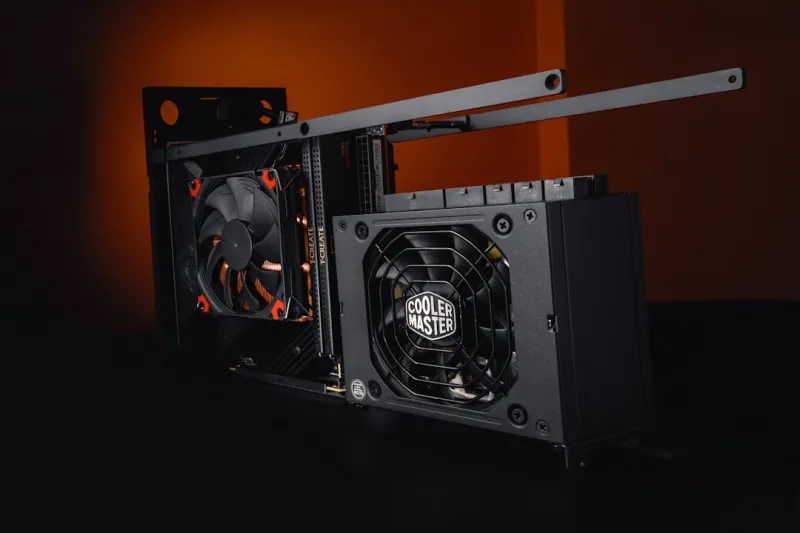
A power supply unit (PSU) is often the most overlooked component, yet its impact on stability and efficiency cannot be overstated. In 2026, 80 PLUS Platinum and even Titanium certifications have become more affordable, delivering up to 96 % efficiency under typical loads—a crucial factor for reducing heat output and electricity costs. Modular designs are now the norm, allowing you to keep cable management tidy and improve airflow within the case. When selecting a PSU, aim for at least a 20 % headroom above your system’s peak draw; for a rig with a 500 W GPU and a 150 W CPU, a 850 W unit provides that safety cushion. Look for models that feature digital monitoring interfaces, such as USB‑C connectors that feed real‑time voltage and current data to your motherboard’s BIOS. I’ve switched to a fully modular 1000 W Titanium unit, and the difference in system noise and thermal profile is immediately noticeable, especially during prolonged gaming or rendering sessions.
Upgrade vs. Build: Choosing the Right Path
Deciding whether to upgrade an existing system or start from scratch is a common dilemma for power users. Upgrading can be cost‑effective—swap out a legacy HDD for an NVMe SSD, add a higher‑tier GPU, or replace aging RAM with faster modules—and you get immediate performance gains without the hassle of a full rebuild. However, a clean‑slate build offers the opportunity to optimize airflow, cable routing, and component compatibility from the ground up. If you’re still using a motherboard that lacks PCIe 5.0 or DDR5 support, the benefits of new CPUs and GPUs will be throttled by the older platform. For a systematic approach to upgrading, see my guide “Upgrade Your PC Like a Pro,” which outlines a step‑by‑step checklist that helps you prioritize component swaps based on ROI and future‑proofing. In my experience, a hybrid strategy works best: keep a solid case and power supply, but upgrade the core compute components to stay ahead of the curve.
Looking Ahead: The Future of Power‑User Hardware
As we race through 2026, the trajectory of hardware innovation points toward tighter integration of AI, edge computing, and security—all within the same chassis. Emerging standards like Compute Express Link (CXL) promise to break down the barriers between CPU, GPU, and accelerator memory, delivering a unified memory pool that could revolutionize data‑intensive workflows. Meanwhile, manufacturers are embedding hardware‑level encryption engines directly onto motherboards, making it easier to protect sensitive data without sacrificing performance. My bet is that the next wave of power‑user rigs will be defined not just by raw horsepower, but by how intelligently that power is managed and secured. Stay curious, keep experimenting, and don’t be afraid to push the envelope—because the hardware you choose today will shape the capabilities you wield tomorrow.




