
When I first opened the lid of my custom build back in the early 2020s, I never imagined the pace at which hardware would sprint ahead. Fast‑forward to 2026, and the PC landscape feels like a living laboratory where silicon, firmware, and AI converge daily. As a long‑time tinkerer, I’ve watched CPUs shed a few nanometers, GPUs morph into dedicated AI accelerators, and storage devices whisper speeds once thought impossible. Yet the most exciting trend isn’t just raw numbers; it’s the way these components now talk to each other, delivering smarter performance without demanding a PhD to configure. In this post, I’ll walk you through the hardware breakthroughs that are reshaping our rigs, share practical tips for getting the most out of your current setup, and point you toward resources that make the upgrade journey less intimidating.
CPU: From Clock‑Speed Obsession to Context‑Aware Computing
The era of chasing ever‑higher GHz is officially behind us. Modern processors prioritize context‑aware execution, leveraging built‑in AI cores to predict workloads and allocate resources on the fly. In 2026, the leading desktop chips blend traditional cores with dedicated inference engines, meaning a single chip can handle your gaming session, a video render, and an AI‑enhanced background task without a performance dip. What this translates to in everyday use is smoother multitasking and less heat generation—thanks to smarter power gating. If you’re still running a legacy CPU from a few generations ago, you’ll notice a tangible latency reduction even in simple tasks like web browsing. The key takeaway? Look beyond base clocks; prioritize chips that advertise integrated AI acceleration and adaptive power management for a future‑proof build.
GPU: The Rise of Hybrid Rendering Engines
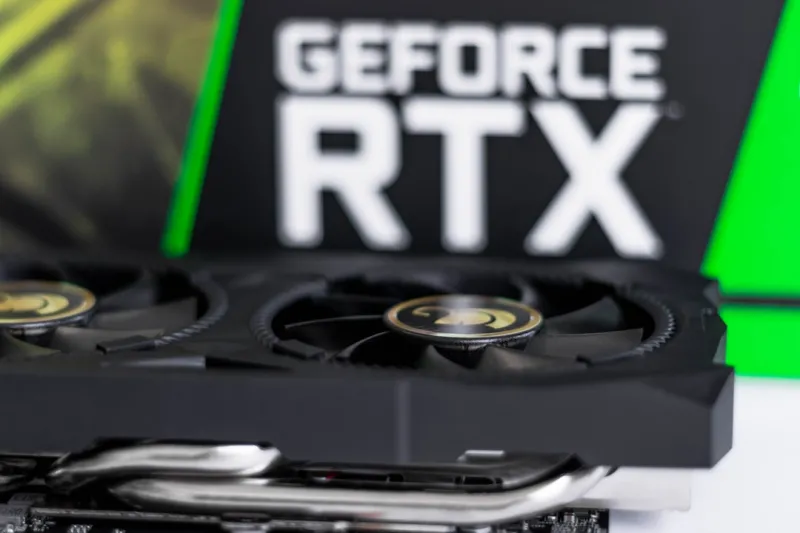
Graphics cards have always been the marquee component for gamers, but 2026 sees them evolving into hybrid rendering engines that split the load between rasterization, ray tracing, and AI‑driven upscaling. The latest GPUs sport Tensor cores that not only enhance DLSS‑style performance but also accelerate real‑time AI workloads such as video transcoding and deep‑learning inference. This shift has narrowed the gap between workstation and gaming hardware, allowing creators to render 8K footage on a single card while still enjoying buttery‑smooth frame rates in the latest titles. For those wrestling with artifacts or sudden black screens, mastering the fundamentals of GPU troubleshooting can save you hours of frustration. I recommend checking out the guide Mastering GPU Troubleshooting for step‑by‑step diagnostics that keep your card humming at peak efficiency.
RAM: Capacity Meets Intelligent Management
Memory has always been the unsung hero of a responsive system, and today’s DDR5 modules are smarter than ever. With built‑in on‑die error correction and adaptive latency scaling, RAM can now dynamically adjust timing based on the workload, reducing bottlenecks in both gaming and content creation. However, even the most advanced kits can falter if left unchecked. Subtle timing mismatches or defective chips can cause intermittent crashes that are hard to trace. Before you spend on a full memory upgrade, run a thorough diagnostic to ensure your existing sticks are healthy. Our deep dive How to Diagnose and Fix RAM Problems Before They Cripple Your Workflow walks you through free tools and quick tests that catch issues before they snowball into data loss.
Storage: NVMe Dominance and the Advent of Compute‑Class SSDs
SSD technology has reached a sweet spot where speed, endurance, and capacity intersect. NVMe drives now routinely top 10 GB/s sequential reads, and the newest compute‑class SSDs embed ARM cores for on‑device data processing. This means you can offload compression, encryption, or even AI inference directly to the storage tier, freeing up CPU cycles for more demanding tasks. For the average power user, the upgrade path is straightforward: replace any legacy SATA drive with an NVMe model that supports PCIe 5.0 to unlock the full bandwidth of your motherboard. Don’t overlook thermal considerations—high‑performance SSDs can throttle under sustained loads, so pair them with a modest heatsink or ensure adequate case airflow. The payoff is instantaneous boot times, near‑instantaneous application launches, and a smoother overall system feel.
Cooling & Power: Sustainable Performance at Home
As performance climbs, so does the importance of efficient cooling and power delivery. Modern power supplies now boast 95%+ efficiency ratings, cutting waste heat and reducing electricity bills—an essential factor for eco‑conscious builders. Meanwhile, hybrid cooling solutions combine liquid loops with high‑flow air coolers to maintain sub‑70°C temperatures even under heavy AI workloads. The rise of AI‑driven fan curves means your system can predict thermal spikes and adjust fan speeds proactively, striking a balance between silence and performance. If you’re still relying on an older PSU or a single‑fan cooler, you’ll likely encounter throttling before your components truly reach their limits. Upgrading to a high‑efficiency PSU and a modern cooling solution not only extends component lifespan but also aligns your rig with the sustainability goals many tech enthusiasts champion today.
Upgrade Strategy: Planning for Long‑Term Value
Jumping into a component upgrade without a roadmap can be tempting, but a strategic approach saves both money and headaches. Start by assessing the bottleneck that most impacts your workflow—whether it’s CPU, GPU, RAM, or storage. Then, prioritize upgrades that complement each other; a new GPU shines brighter when paired with sufficient RAM and a fast SSD. For those looking to future‑proof their rigs, the guide The Smart Way to Upgrade Your PC offers a phased plan that balances budget constraints with performance gains. By tackling upgrades in logical stages—first power and cooling, then core compute components, followed by peripheral enhancements—you’ll avoid the classic “bottleneck shuffle” and keep your system humming efficiently for years to come.
Security & Firmware: Keeping the Hardware Trustworthy
Hardware security has leapt from an afterthought to a front‑line defense. Modern motherboards incorporate TPM 2.0 modules, secure boot chains, and firmware‑level encryption that protect against supply‑chain attacks. While software firewalls are essential, neglecting firmware updates can leave your system vulnerable to low‑level exploits. Regularly check the manufacturer’s site for BIOS and microcode patches, especially after major OS updates. Additionally, enable hardware‑based encryption on your NVMe drives to safeguard data at rest without sacrificing speed. Combining these practices with strong passwords and multi‑factor authentication creates a layered defense that preserves both performance and privacy.
Looking Ahead: What’s Next for PC Hardware?
Peering into the horizon, I see a continued convergence of AI, quantum‑inspired processing, and ultra‑efficient silicon. Expect upcoming CPUs to offload more AI inference to on‑die accelerators, while GPUs will blur the line between graphics rendering and general‑purpose compute. Storage will likely adopt persistent memory technologies, erasing the distinction between RAM and SSD. For hobbyists and professionals alike, staying adaptable will be key—embrace modular designs, keep an eye on firmware updates, and don’t shy away from incremental upgrades. As we navigate this exhilarating era, remember that the best hardware is the one that serves your unique workflow, fuels your creativity, and keeps you excited to fire up the machine day after day.