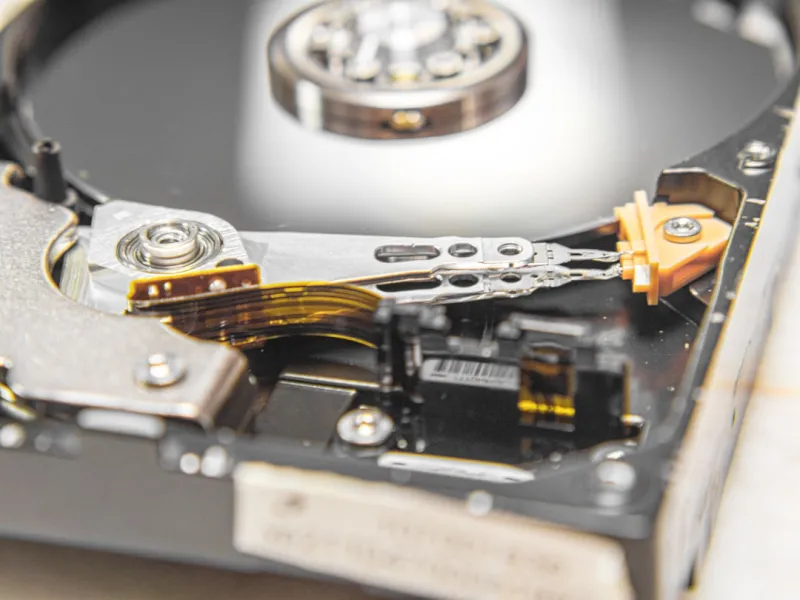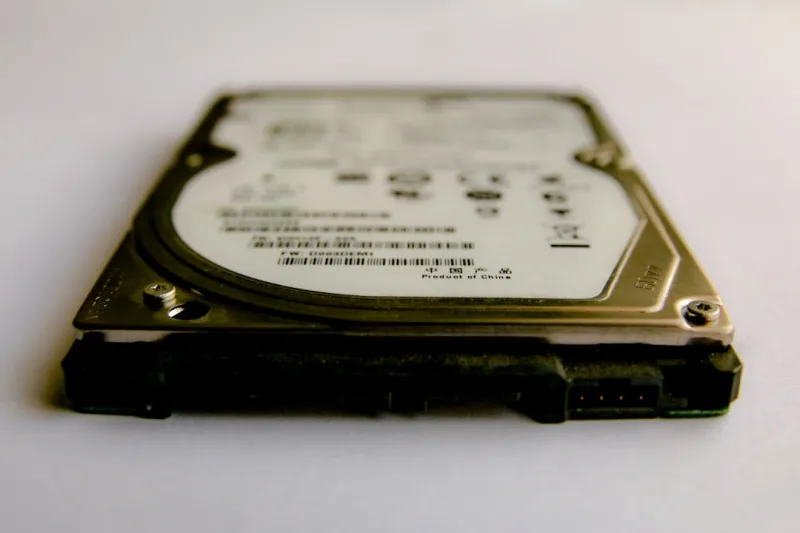
When I first cracked open a brand‑new 3.5‑inch hard drive back in the early 2020s, the whirr of the spindle was music to my ears—a promise of raw, uncompressed storage that could hold every project, dataset, and video edit I could imagine. Fast forward to 2026, and while flash storage has taken the spotlight for speed, the hard drive remains the quiet workhorse that power‑users like myself can’t afford to ignore. In my day‑to‑day grind building AI‑ready rigs and juggling terabytes of raw footage, I’ve learned that the right HDD isn’t just a budget choice; it’s a strategic asset that shapes workflow, redundancy, and long‑term scalability. In this post I’ll walk you through why hard drives still matter, how to pick the perfect model for a high‑performance build, and what emerging technologies will keep them relevant for years to come.
Why the Hard Drive Still Holds Its Own in a Flash‑First World
SSD prices have fallen dramatically, and the latency advantage of NVMe is undeniable for operating systems and active workloads. Yet the economics of sheer capacity tell a different story. In 2026 a 20 TB HDD can be purchased for a fraction of the cost of a comparable SSD, delivering a cost‑per‑gigabyte ratio that still outpaces flash by 5‑to‑1. For power‑users who archive massive machine‑learning datasets, raw video libraries, or versioned codebases, that price differential translates directly into more headroom for experimentation. Moreover, HDDs offer a level of data permanence that many flash drives can’t guarantee after thousands of write cycles. When I spin up a new AI training node, I’ll load the model and active tensors onto an NVMe drive for blistering speed, but I’ll dump the final checkpoints onto a high‑capacity, enterprise‑grade hard drive for safe, long‑term storage.
Performance‑Optimized Storage: Tiering and Caching Strategies
One of the smartest tricks in my toolbox is a tiered storage architecture that pairs blazing‑fast SSDs with massive HDDs. By using the SSD as a cache—either through Windows Storage Spaces Direct or a Linux LVM cache—I can keep hot data instantly accessible while the bulk of my archive sits safely on the slower, but far cheaper, spindle. This approach not only slashes load times for frequently accessed files but also extends the lifespan of SSDs by offloading bulk writes. In practice, I configure a 2 TB NVMe for OS, applications, and active project files, and then attach a 12 TB 7200 RPM drive as a secondary tier. The operating system automatically migrates data based on usage patterns, so I never have to manually shuffle files. It’s a strategy that feels almost magical, and it’s one of the reasons I constantly advocate for Future‑Proofing Your Power‑User PC in every build guide I write.
Selecting the Right HDD for a Power‑User Build
Choosing a hard drive isn’t a one‑size‑fits‑all decision. The key variables are spindle speed, cache size, interface, and the underlying magnetic technology—CMR (Conventional Magnetic Recording) versus SMR (Shingled Magnetic Recording). For workloads that involve frequent random reads and writes—think database indexing or real‑time video editing—a 7200 RPM drive with a large onboard cache (256 MB or more) and CMR is indispensable. SMR drives, while cheaper per terabyte, excel at sequential write‑once‑read‑many scenarios such as backup archives or media libraries. In my latest AI workstation, I paired a 14 TB 7200 RPM CMR drive for active dataset storage with a 20 TB SMR drive dedicated to nightly backups. The interface also matters; SATA III still dominates HDD connections, but for ultra‑high‑throughput needs you can look at the emerging SATA‑Express hybrid that bridges the gap between SATA and PCIe, though it remains niche in 2026.
Hard Drives in AI‑Ready Workstations
When I design an AI‑ready power‑user workstation, I treat the storage subsystem as the backbone of the entire machine. The GPU and CPU can only process what the storage can feed them, and massive training sets can quickly outgrow even the most generous SSD allocations. By integrating a dedicated HDD array—often using a RAID‑0 or RAID‑5 configuration—I can provide petabyte‑scale capacity without blowing the budget. This is where I lean on the concepts outlined in Designing an AI‑Ready Power‑User Workstation That Stays Ahead. A RAID‑5 array of four 16 TB drives offers both redundancy and the combined throughput needed for streaming large tensors. The parity calculations are handled by the RAID controller, freeing the CPU to focus on model training. The result is a seamless pipeline where raw data lives on reliable, high‑capacity disks, and the fast SSD cache ensures the GPU never idles waiting for data.
Reliability, Backup, and the Power‑User Mindset
Hard drives have a reputation for being “less reliable” than solid‑state media, but that perception often stems from improper usage and inadequate backup practices. In my experience, selecting enterprise‑grade drives with a 5‑year MTBF (Mean Time Between Failures) and leveraging SMART monitoring tools eliminates most surprise failures. I also schedule weekly SMART scans and set up automated alerts that feed into my personal monitoring dashboard. For redundancy, I adopt the 3‑2‑1 backup rule: three copies of data, on two different media types, with one off‑site copy. This means the primary HDD array, a secondary external SSD, and a cloud snapshot. By combining on‑premise hard drive storage with cloud tiering, I ensure that even if a drive catastrophically fails, my critical datasets remain intact. This disciplined approach mirrors the philosophy in Critical Update Playbook for Power Users in 2026, where proactive maintenance beats reactive firefighting every time.
The Emerging Technologies Keeping HDDs Relevant
Hard drive manufacturers aren’t sitting idle while flash dominates headlines. In 2026, two innovations—HAMR (Heat‑Assisted Magnetic Recording) and SMR‑optimized controllers—are pushing capacities beyond 30 TB while maintaining acceptable performance for most power‑user scenarios. HAMR uses a tiny laser to momentarily heat the platter, allowing for denser magnetic bits and thus higher capacities without sacrificing reliability. While the early HAMR drives were pricey, recent price drops have made 20‑30 TB models competitive for archival workloads. Meanwhile, smarter SMR controllers mitigate the write‑amplification issue that plagued early SMR drives, making them viable for mixed‑use environments. Keeping an eye on these trends ensures that your storage strategy doesn’t become obsolete in the next three to five years, aligning perfectly with the forward‑thinking ethos of the power‑user community.
Putting It All Together: A Blueprint for the Modern Power‑User
To sum up, the modern power‑user’s storage stack should be a harmonious blend of speed, capacity, and resilience. Start with a high‑performance NVMe drive for OS and active workloads, layer in a 7200 RPM CMR HDD for hot data, and add an SMR or HAMR drive for cold archives and backups. Implement tiered caching, monitor drive health obsessively, and back everything up using the 3‑2‑1 rule. By treating hard drives not as a relic but as a strategic component, you can unlock cost efficiencies and data security that flash‑only builds simply can’t match. For a deeper dive into why hard drives remain the secret weapon of elite power‑users, check out Why Hard Drives Remain the Power‑User’s Secret Weapon. With the right mix of technology and best practices, your rig will stay fast, reliable, and ready for whatever data‑heavy challenges 2026 throws at you.