
Why Power‑User Hardware Planning Is More Critical Than Ever
In 2026 the line between “good enough” and “future‑proof” has thinned dramatically, especially for professionals who demand uncompromised performance. As a long‑time power‑user, I’ve learned that every component you choose is a strategic move on a chessboard that spans years, not months. The rapid adoption of AI‑accelerated workloads, real‑time ray tracing, and high‑resolution multi‑monitor setups means that bottlenecks appear sooner than they used to. This is why a disciplined, forward‑looking hardware roadmap is non‑negotiable. It’s not merely about raw specs; it’s about balancing latency, bandwidth, and thermal headroom to ensure that today’s investment remains viable tomorrow. By treating your rig as a living platform—one that can be upgraded, tuned, and optimized—you protect both your productivity and your budget. In the sections that follow, I’ll walk you through the exact hardware categories that demand careful scrutiny and show how to align them with the evolving demands of modern software stacks.
Selecting a CPU That Grows With Your Workloads
The CPU remains the beating heart of any power‑user workstation, and in 2026 the market is dominated by hybrid architectures that blend high‑performance cores with efficiency cores. When I’m configuring a new build, I prioritize a chip that offers at least 16 performance cores, because AI inference, video encoding, and large‑scale simulations thrive on parallelism. However, raw core count isn’t the sole metric; instruction‑per‑clock (IPC) improvements and support for next‑generation instruction sets such as AVX‑512‑VNNI are equally vital. Look for platforms that support DDR5‑5600 memory and PCIe 5.0 to avoid premature constraints. Moreover, consider the longevity of the socket—AMD’s AM5 and Intel’s LGA 1851 are designed for multiple generational upgrades, meaning you can swap in a newer processor without replacing the motherboard. Pairing a future‑ready CPU with a robust cooling solution ensures sustained boost clocks under heavy loads, keeping your workflow smooth whether you’re compiling massive codebases or rendering photorealistic scenes.
GPU Choices: Power, Compatibility, and Reliability
Graphics cards in 2026 have become multi‑purpose engines, handling everything from rasterization to AI tensor operations. When I select a GPU, I examine three pillars: raw raster performance for traditional workloads, tensor core count for AI acceleration, and driver stability across the software ecosystem I use daily. Mid‑range RTX 5000‑series cards now deliver enough CUDA cores for most content‑creation pipelines, while the flagship RTX 7000‑series excels in heavy‑duty AI training. Yet, hardware is only half the story—software quirks can cripple performance. If you ever encounter flickering, driver crashes, or unexpected throttling, a solid troubleshooting resource can be a lifesaver. I recommend checking out Diagnosing and Fixing Common Video Card Issues in 2026 for a systematic approach to diagnosing and resolving those headaches before they impact deadlines.
Memory Architecture: Capacity, Speed, and Future Bandwidth
Memory is the silent workhorse that determines how many tasks you can juggle simultaneously. In 2026, DDR5‑5600 is the baseline for new builds, but DDR5‑6400 and emerging DDR6 modules promise higher throughput with only marginal latency penalties. My rule of thumb is to start with a minimum of 64 GB of RAM for AI‑centric workloads; this cushions large model loads and multi‑threaded applications. If you anticipate scaling to larger datasets or more virtual machines, 128 GB is a worthwhile investment. Look for kits with dual‑rank configurations and low‑latency timings (CL30 or better) to maximize bandwidth. Additionally, ensure your motherboard supports memory overclocking profiles (XMP 3.0) and has enough DIMM slots for future expansion. By planning a memory roadmap now, you avoid the costly process of replacing the entire board later, keeping your system agile as software demands continue to rise.
Storage Strategy: Balancing Speed, Capacity, and Reliability
Fast storage is non‑negotiable for power‑users, but speed alone doesn’t tell the whole story. NVMe PCIe 5.0 SSDs now deliver read/write speeds exceeding 14 GB/s, making them ideal for OS drives and active project directories. However, large video archives, raw datasets, and backup images still benefit from high‑capacity HDDs, especially those built for 24/7 operation. That’s why I maintain a hybrid storage tier: a lightning‑quick NVMe for the OS, applications, and active files, complemented by a robust 12‑TB 7200 RPM hard drive for long‑term storage. This approach not only saves money but also leverages the strengths of each medium. For a deeper dive into why HDDs remain a secret weapon for power‑users, read Why Hard Drives Remain the Power‑User’s Secret Weapon. Pairing solid‑state speed with mechanical endurance gives you the best of both worlds—instant access for daily work and dependable capacity for archival needs.
Motherboard Selection: The Foundation of Expandability
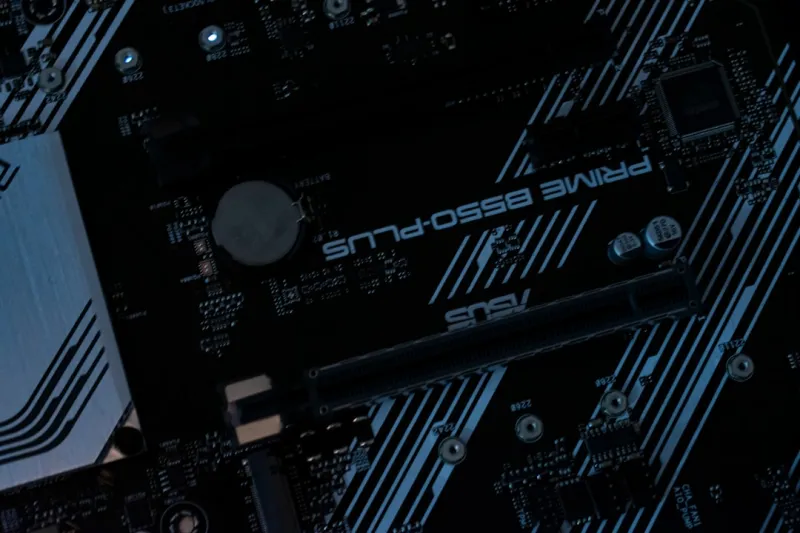
The motherboard you choose dictates the ceiling of what your system can achieve. In 2026, the most versatile boards feature a robust VRM design (12 + phases) to feed power‑hungry CPUs and GPUs, while offering ample PCIe 5.0 slots for future expansion cards. I always verify that the board supports the latest USB4/Thunderbolt 4 ports, Wi‑Fi 7, and has at least three M.2 slots with thermal pads. BIOS stability is another critical factor; a clean, regularly updated BIOS reduces the risk of incompatibilities with new CPUs or memory kits. For a comprehensive checklist, consult The Ultimate Motherboard Guide for Power Users in 2026. A well‑chosen motherboard not only maximizes current performance but also provides the flexibility to add emerging technologies—like dedicated AI accelerators or additional storage—without a full system redesign.
Power Delivery and Cooling: Keeping the System Stable Under Load
A reliable power supply unit (PSU) is the unsung hero of any high‑performance rig. I recommend a fully modular, 80 Plus Platinum unit with at least 850 W capacity for a typical power‑user workstation, allowing headroom for future GPU upgrades or additional drives. Look for PSUs with a high transient response and low ripple to protect delicate components during sudden load spikes. Cooling, on the other hand, must address both CPU and GPU thermal envelopes. A hybrid cooling loop—combining a high‑efficiency AIO for the CPU and dedicated case fans for GPU and VRM areas—delivers consistent temperatures while maintaining low noise levels. Don’t overlook the importance of airflow design; a positive pressure setup with dust filters prolongs component lifespan. Proper power and thermal management ensures that performance stays consistent, stability remains high, and you avoid throttling during marathon rendering sessions or intensive AI training runs.
Future‑Proofing Through Expandability: PCIe, USB, and Modular Design
Future‑proofing isn’t just about buying the latest parts; it’s about creating a platform that can adapt as standards evolve. PCIe 5.0 is now mainstream, but PCIe 6.0 devices are on the horizon, promising double the bandwidth. By selecting a motherboard with multiple PCIe 5.0 x16 slots and ensuring enough lane allocation, you leave room for next‑generation GPUs or specialized accelerator cards. Similarly, USB4/Thunderbolt 4 ports provide up to 40 Gbps connectivity for external GPUs, fast storage, and docking stations—critical for mobile power‑users. I also favor chassis with removable panels and tool‑less drive bays, making upgrades a breeze. Planning for additional M.2 slots, 2.5 " bays, and extra fan mounts means you can scale storage, improve cooling, or add new modules without a complete rebuild. This modular mindset turns a single investment into a long‑term productivity engine, capable of absorbing the rapid pace of hardware innovation.
Software Hygiene: Keeping Firmware and Drivers Up‑to‑Date
Even the most meticulously built hardware can be held back by outdated firmware or drivers. In 2026, manufacturers release critical updates monthly, addressing security vulnerabilities, performance tweaks, and compatibility fixes for new operating systems. I maintain a disciplined update schedule using a curated playbook that prioritizes BIOS patches, GPU driver releases, and chipset firmware. The Critical Update Playbook for Power Users in 2026 offers a step‑by‑step framework to test, stage, and roll out these updates without disrupting workflow. Automated tools can help, but manual verification ensures that you’re not caught off‑guard by a driver regression that could jeopardize a tight deadline. By marrying hardware foresight with diligent software maintenance, you create a resilient workstation that delivers peak performance day after day.




