
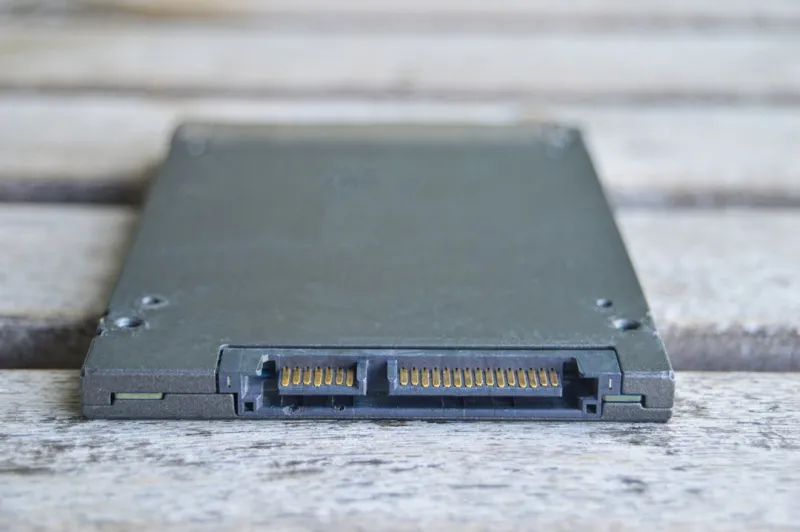
When most people talk about storage in 2026, the conversation immediately jumps to NVMe flash and the ever‑shrinking cost per gigabyte of solid‑state drives. Yet the humble hard disk drive (HDD) still commands a sizable share of the market, especially for bulk archival, media libraries, and cost‑sensitive workstations. I’ve spent years tinkering with both extremes—high‑end SSD arrays in AI‑focused rigs and massive platter‑based vaults for 4K video editing. The key insight? HDDs offer a unique blend of capacity, durability, and price that no flash technology can fully replicate, provided you understand their strengths and limitations. In this post, I’ll walk you through why hard drives remain relevant, how to pair them with modern SSDs for a hybrid solution, and what AI‑driven security trends mean for your data. By the end, you’ll have a clear roadmap for choosing, configuring, and future‑proofing your mechanical storage in an age where AI is reshaping every layer of the tech stack.
Why Hard Drives Still Matter in an SSD‑Dominated World
First, let’s talk capacity economics. A 10‑terabyte HDD now sits comfortably under $150, while a comparable SSD can cost three times as much for the same raw space. For content creators, archivists, and small businesses that need to store terabytes of raw footage, backups, or log files, that price differential adds up fast. Moreover, HDDs still excel at sequential write workloads—think long‑term backup tapes that stream data in one direction without the random‑access demands that SSDs love. The magnetic platters also have a proven track record for data retention over decades, making them ideal for compliance‑driven “cold storage.” Finally, the mechanical nature of HDDs offers a form of “fail‑soft” where degraded sectors can be remapped without catastrophic loss, a feature that many consumers overlook but that enterprise environments still value.
The Rise of Hybrid Storage: Combining HDD Capacity with SSD Speed
Hybrid storage solutions are no longer a niche experiment; they’re becoming the default architecture for power users who want the best of both worlds. By installing a modest NVMe SSD as a cache or primary OS drive, you can offload the most latency‑sensitive tasks—booting, app launches, and frequent file accesses—while relegating large, infrequently touched datasets to a high‑capacity HDD. Modern operating systems now include intelligent tiering algorithms that automatically move data between tiers based on usage patterns, effectively creating a self‑optimizing storage pool. I’ve personally set up a 2 TB NVMe boot drive paired with a 12 TB 7200 RPM HDD for my AI‑training workstation, and the performance uplift is palpable: model load times drop by 40 % while archival data stays safely on the platter. If you’re curious about broader strategies, check out Future‑Proof Your PC for a deeper dive into building resilient hybrid rigs.
Choosing the Right HDD for Your Needs in 2026
The market now offers three main HDD categories: desktop‑grade 5400 RPM, performance‑oriented 7200 RPM, and enterprise‑class 10 K or 15 K drives. Desktop‑grade drives are perfect for home media servers where power consumption and noise are paramount. The 7200 RPM models strike a balance between speed and cost, making them ideal for gaming PCs that need extra storage without compromising load times. Enterprise drives, meanwhile, bring higher spindle speeds, larger cache buffers, and advanced error‑correction codes (ECC), which translate to lower latency and higher reliability under sustained workloads. When evaluating, pay attention to areal density—modern drives now pack over 2 TB per platter—because that directly impacts both capacity and power efficiency. Also, consider the interface: SATA III remains ubiquitous, but many new NAS devices support 12 Gb/s SAS for faster back‑plane throughput. Pairing the right drive with your workload will save you both money and headaches down the line.
Performance Tuning: How to Get the Most Out of Your Mechanical Drive
Even though HDDs can’t match the raw latency of flash, there are several tweaks you can apply to squeeze out every ounce of performance. Start with alignment—ensure your partitions are aligned on 1 MiB boundaries to avoid unnecessary read‑modify‑write cycles. Next, enable write caching in the OS but pair it with a reliable UPS to protect against sudden power loss; modern drives also feature built‑in power‑loss data protection (PLDP) that can salvage in‑flight writes. Defragmentation, once a dreaded ritual, is now less critical thanks to higher areal densities, yet a quarterly quick defrag can still improve sequential throughput for heavily fragmented video libraries. Finally, consider a dedicated hardware RAID controller if you’re aggregating multiple drives; RAID‑0 offers a simple speed boost, while RAID‑5 or RAID‑6 provide redundancy without sacrificing capacity. Remember to monitor SMART attributes regularly—especially “Reallocated Sector Count” and “Current Pending Sector”—to catch early signs of wear before they become catastrophic.
Data Security and the New AI Threat Landscape
AI isn’t just reshaping compute; it’s also redefining how cyber‑threat actors target storage. Recent AI‑generated ransomware strains can analyze a drive’s SMART data to predict failure points, then prioritize encryption of the most vulnerable sectors for maximum damage. To counter this, you need a layered security posture: encrypt sensitive data at rest using hardware‑based LUKS or BitLocker, and couple that with regular, immutable backups stored on an offline HDD. For those interested in the broader AI‑security narrative, the piece How AI Is Redefining Malware—and What You Can Do About It outlines practical steps you can take today, such as deploying behavioral analytics that flag anomalous disk I/O patterns. By treating your hard drive as both a performance asset and a potential attack surface, you can safeguard critical files while still enjoying the storage benefits HDDs provide.
Future‑Proofing Your Storage: Planning for AI‑Intensive Workloads
As AI models grow in size—some now exceeding 100 GB of parameters—the pressure on storage subsystems intensifies. While SSDs handle random access superbly, the sheer volume of training data often lives on HDDs due to cost constraints. A forward‑looking strategy is to stage data: keep the active training set on high‑speed NVMe, and store the rest on a tiered HDD array with automated data lifecycle policies. In practice, you can use software like Windows Storage Spaces Direct or Linux LVM to create a virtual pool that dynamically migrates files based on usage frequency. This approach not only optimizes performance but also reduces wear on your flash media. Additionally, consider drives that support shingled magnetic recording (SMR) for cold storage; while SMR introduces write‑amplification, its higher density can be advantageous for static AI datasets that rarely change. Pair these tactics with the guidance from Upgrade Your PC Like a Pro to ensure your storage architecture scales alongside your AI ambitions.
Maintenance Best Practices: Longevity Tips for Your HDD
Mechanical drives are built to last, but they still benefit from a disciplined maintenance regimen. Keep the operating environment cool and vibration‑free; temperatures above 50 °C can accelerate head wear and reduce bearing lifespan. Use fan profiles that maintain a steady 35‑40 °C on the drive chassis. Regularly run SMART diagnostics—tools like CrystalDiskInfo or smartmontools can be scheduled to log health metrics every week. If you notice rising “Spin‑Retry Count” or “Seek Error Rate,” back up the data immediately and consider replacing the drive. Also, avoid frequent power cycling; modern drives handle standby states well, but rapid on/off sequences can strain the spindle motor. Finally, implement a “disk health day” each month where you run a surface scan (e.g., chkdsk /r on Windows or badblocks on Linux) to map out and isolate bad sectors before they propagate.
When to Upgrade: Signs Your Hard Drive Is Holding You Back
Even the most robust HDD will eventually become a bottleneck. Pay attention to symptoms such as prolonged file copy times, frequent stuttering during large video playback, or OS boot times creeping past a minute. If SMART reports a rising “Reallocated Sector Count” or “Uncorrectable Sector Count,” that’s a clear indicator of imminent failure. In a hybrid setup, you may also notice that the SSD cache isn’t being fully utilized because the HDD can’t feed data quickly enough, negating the performance gains of your fast tier. When these signs appear, it’s time to evaluate a refresh. Upgrading to a higher‑density 4 TB 7200 RPM drive can double capacity while maintaining similar performance, or you might consider moving to an enterprise‑grade 10 K drive if your workflow demands sustained throughput. Remember, the cost of unplanned downtime often outweighs the expense of a proactive upgrade.
Bottom Line: Making Informed Storage Decisions in 2026
Hard drives are far from obsolete; they’re evolving alongside SSDs, AI workloads, and sophisticated security threats. By understanding the economics of capacity, leveraging hybrid tiering, selecting the appropriate drive class, and applying disciplined maintenance, you can extract maximum value from your mechanical storage for years to come. The key is to treat your HDD as a dynamic component of a larger ecosystem—one that must be tuned, monitored, and refreshed just like any other piece of hardware. Whether you’re a gamer, a content creator, or an AI researcher, the right hard drive strategy will keep your data accessible, secure, and affordable. Stay proactive, keep an eye on SMART health, and don’t shy away from hybrid configurations; that’s the recipe for a resilient, future‑proofed storage setup in 2026.




