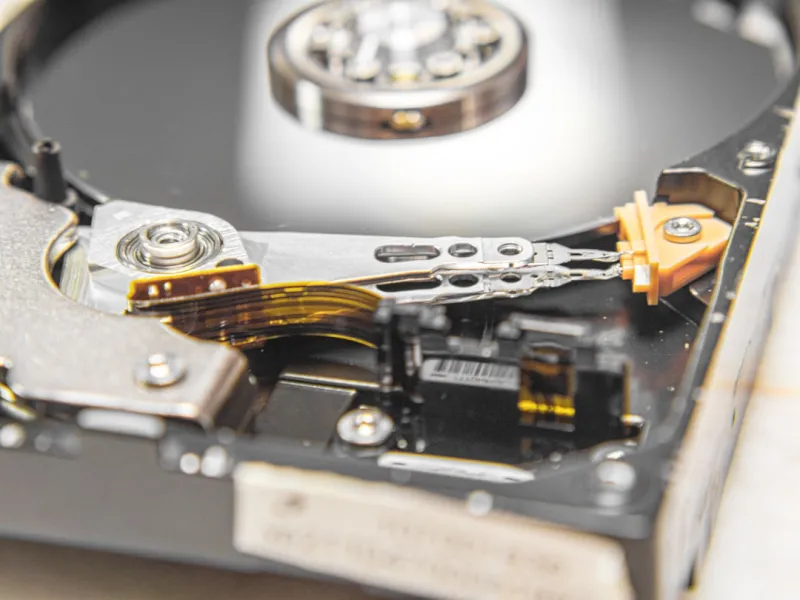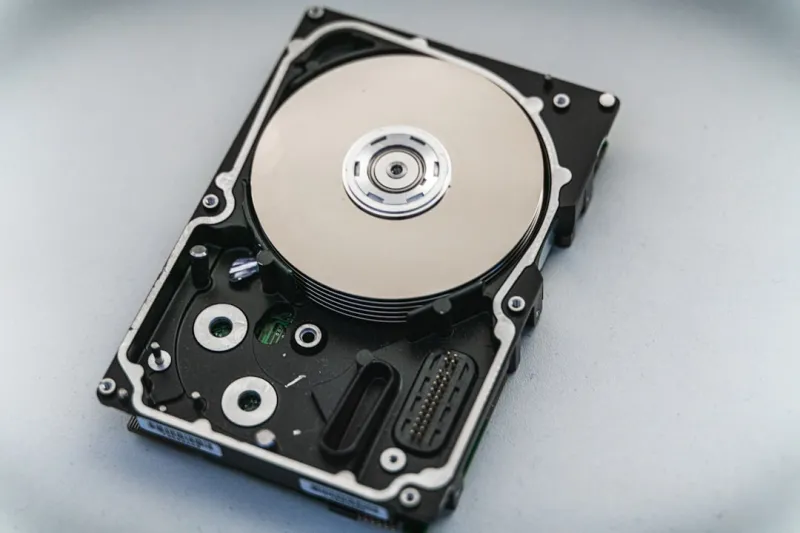
When I first started tinkering with high‑performance rigs back in the early 2020s, the buzz was all about SSDs eating the world. By 2026, the narrative hasn’t changed—NVMe flash still commands headlines for raw speed. Yet, as a longtime power‑user who lives at the intersection of AI workloads and massive media archives, I keep reaching for the humble hard drive. There’s a reason why the spinning platter hasn’t been consigned to the dustbin of tech history. In this post, I’ll walk you through the strategic advantages of hard drives, how they fit into a modern AI‑centric workflow, and why ignoring them could leave a serious gap in your storage strategy. Expect a blend of hard‑earned anecdotes, data‑driven insights, and actionable tips that you can apply to your own build right now.
Why the Hard Drive Myth Needs a Rewrite
Many power users assume that SSDs are the only viable storage option for high‑end systems, but that’s a simplification that hurts more than it helps. Why Hard Drives Remain a Power‑User Essential in 2026 dives deeper into this, yet the core idea is simple: hard drives excel where capacity, cost‑per‑gigabyte, and longevity intersect. A 12‑TB 7200 RPM drive can be priced at a fraction of a comparable SSD, giving you massive storage without breaking the bank. Moreover, for workloads that involve sequential reads—think video editing, large dataset training, or massive backup archives—hard drives can actually keep pace thanks to their higher sustained throughput on large files. The reality is that a balanced storage tier, where SSDs handle OS and hot data while HDDs hoard the cold, bulk files, delivers the best of both worlds. This hybrid model isn’t a compromise; it’s a strategic optimization that aligns with how AI models, media pipelines, and enterprise backups consume data today.
Capacity Meets Cost: The Economics of Scale
In 2026, the price curve for storage has plateaued, but the gap between SSDs and HDDs remains stark. A 4 TB NVMe drive may cost $300‑$350, while a 12 TB 7200 RPM hard drive can sit comfortably under $150. For power users juggling terabytes of raw video footage, 3‑D assets, or scientific datasets, that difference compounds quickly. Imagine a content creator producing 8 K video daily; a single hour of footage can balloon to 200 GB. Storing a week’s worth on SSDs alone would be financially untenable for most. Hard drives provide the “cold storage” layer where you can archive completed projects, raw footage, or model checkpoints that aren’t accessed daily but must remain readily available. The trade‑off is marginal latency, but when you pair a fast SSD cache with a high‑capacity HDD pool, you achieve a workflow that feels instantaneous for active tasks while keeping long‑term storage affordable.
Performance Strategies: Caching, Tiering, and Hybrid Setups
Speed isn’t an all‑or‑nothing metric; it’s about where that speed is applied. Modern operating systems and storage controllers allow you to configure tiered caching, where an SSD acts as a “fast lane” for frequently accessed blocks, while the HDD sits in the “slow lane” for everything else. This approach is especially powerful for AI training pipelines that repeatedly read massive training sets. By placing the training dataset on a high‑capacity HDD and letting the OS cache hot tensors on a PCIe SSD, you minimize bottlenecks without sacrificing storage volume. Tools like Windows Storage Spaces or Linux LVM cache modules make this configuration accessible even to those who aren’t kernel hackers. The result is a system that feels snappy for day‑to‑day tasks, yet can still host petabytes of archival data without a single performance hiccup.
Reliability, Longevity, and Data Integrity
When you think reliability, the first thing that comes to mind is usually “no moving parts,” but hard drives have matured to a point where they’re remarkably dependable for long‑term storage. Modern 7200 RPM drives boast MTBF (Mean Time Between Failures) ratings of over 2 million hours, and SMART monitoring provides real‑time health diagnostics. The key is to align the drive’s purpose with its endurance profile. HDDs excel at write‑once, read‑many scenarios—exactly the pattern seen in archival backups and model checkpoint storage. By pairing regular SMART checks with a robust backup strategy, you can detect early signs of wear before data loss occurs. Moreover, many enterprise‑grade drives now incorporate advanced error‑correcting codes (ECC) and vibration resistance, ensuring data integrity even in noisy, high‑density rack environments that power users often build.
Hard Drives in an AI‑Powered Workstation
Integrating hard drives into a cutting‑edge AI workstation is less about compromise and more about architectural foresight. When you’re building an AI‑powered workstation, your primary concerns are GPU bandwidth, CPU cores, and fast VRAM. Yet storage bandwidth can become the silent bottleneck if you’re feeding terabytes of training data into your GPUs. By allocating a dedicated HDD array for raw dataset storage and a high‑speed NVMe tier for pre‑processed batches, you free up the PCIe lanes for GPU communication while still delivering data at a rate that keeps the GPUs fed. This separation also simplifies maintenance: you can swap out a failed HDD without touching the high‑value SSD cache, minimizing downtime. The result is a resilient, scalable workstation that can evolve with your AI ambitions, without forcing you to choose between speed and capacity.
Future‑Ready Hardware Strategies for Power Users
Looking ahead, the storage landscape will only get more nuanced. As AI models grow larger and 8 K+ media becomes the norm, the need for massive, affordable storage will intensify. Future‑Ready Hardware Strategies for Power Users recommends a layered approach: start with an NVMe boot drive, add a mid‑range SSD for active project files, and round out the system with multiple high‑capacity HDDs in a RAID‑0 or RAID‑5 configuration, depending on your tolerance for redundancy versus performance. RAID‑0 can boost sequential read/write speeds, useful for bulk data transfers, while RAID‑5 offers parity protection without sacrificing too much capacity. Additionally, keep an eye on emerging storage protocols like SMR (Shingled Magnetic Recording) and HAMR (Heat‑Assisted Magnetic Recording), which promise even higher densities at comparable costs. By designing your system with modularity in mind, you’ll be ready to slot in next‑gen drives as they become viable, ensuring your workstation remains competitive for years to come.
Practical Buying Guide: What to Look for in 2026
When you head to the retailer or browse online, focus on three core specs: spindle speed, cache size, and interface. A 7200 RPM drive is the sweet spot for most power‑user workloads, offering a solid balance of speed and power consumption. Look for drives with at least 256 MB of onboard cache; larger caches smooth out random access patterns, which can be a hidden performance win in mixed workloads. As for interfaces, SATA‑III remains dominant, but if your motherboard supports U.2 or SAS, you can squeeze additional throughput—particularly useful for RAID arrays. Don’t overlook the warranty period; a five‑year warranty often signals a manufacturer’s confidence in durability. Finally, consider the drive’s acoustic profile—quiet models reduce noise in a workstation that may double as a home studio. Pair these criteria with the cost‑per‑gigabyte calculation, and you’ll land on a drive that feels both powerful and fiscally responsible.
Conclusion: Embrace the Spin for a Balanced Arsenal
In 2026, the hard drive is not a relic; it’s a strategic asset that complements the blistering speed of modern SSDs. By understanding where HDDs shine—capacity, cost efficiency, and long‑term reliability—you can construct a storage ecosystem that fuels AI experiments, media production, and massive data archives without breaking the bank. My own builds have proven that a well‑planned hybrid stack delivers the responsiveness you crave and the space you need. So, the next time you’re configuring a power‑user rig, remember to give the spinning platter its rightful place. It’s not just about preserving legacy tech; it’s about leveraging every tool in your arsenal to stay ahead of the curve.