
Why Your Network Needs a 2026 Refresh
Every year I wake up, stare at the blinking LEDs on my router, and wonder why my streaming buffer still spins like a hamster wheel. In 2026 the networking landscape isn’t just faster—it’s smarter, more secure, and increasingly intertwined with AI‑driven workloads that were once the domain of enterprise data centers. With Wi‑Fi 7 finally hitting the mainstream, 10 GbE becoming affordable for home labs, and a flood of IoT devices demanding constant connectivity, the old “plug‑and‑play” approach simply won’t cut it. My own experience as a power‑user has taught me that a network must be treated like a living organism: you monitor its health, you feed it the right firmware, and you periodically prune outdated components. In this article I’ll walk you through a systematic overhaul that leverages the latest standards while preserving the budget‑friendly mindset we all share. Expect a blend of hard‑core specs, practical step‑by‑step tweaks, and a few of my personal shortcuts that keep the network humming without turning my living room into a server farm.
Assessing What You’ve Got: The Baseline Audit
The first step toward a lightning‑fast, secure home network is an honest audit of your existing gear. I start by cataloguing every networked device—router, modem, switches, access points, and even the occasional Ethernet‑to‑USB adapter tucked behind a TV. Use a free tool like Wi‑Fi Analyzer to map signal strength across each room, noting dead zones and interference sources. Don’t forget to check the firmware version; many consumer routers ship with outdated code that leaves you vulnerable to the latest exploits. On the wired side, pull out the cables and examine their markings: are they Cat 5e, Cat 6, or the newer Cat 8? The latter can handle 40 Gbps over short runs, which is overkill for most households but a future‑proof choice for a dedicated media server. Once you have a spreadsheet of device models, ports, and capabilities, you can pinpoint the low‑hanging fruit—like swapping a dusty Cat 5e cable for a sleek Cat 6a—to instantly boost throughput and reliability.
Choosing the Right Router and Firmware for 2026
In the realm of power‑users, the router is the crown jewel of the network. In 2026 the sweet spot is a Wi‑Fi 7‑compatible device that supports 320 MHz channels and up to 12 Gbps aggregate throughput. Brands are still ironing out the final specs, so I recommend buying a model that offers open‑source firmware support—think Mastering the Modern Power‑User Network style flexibility. Installing OpenWrt or DD‑WRT gives you granular control over QoS, VLANs, and even AI‑based traffic shaping algorithms that can prioritize gaming packets over background backups. When selecting a router, look for multiple 2.5 GbE WAN/LAN ports, a 2.5 GbE or 10 GbE uplink for a future‑proof backbone, and built‑in security features like WPA3‑Enterprise. A router that supports automatic firmware updates is a must; you’ll thank yourself when a zero‑day vulnerability is patched overnight without manual intervention.
Harnessing AI‑Driven Traffic Management
AI isn’t just a buzzword—it’s now an integral part of traffic orchestration in modern routers. The latest firmware releases embed machine‑learning models that analyze packet flows in real time, automatically adjusting QoS policies to keep latency‑sensitive apps like video conferencing and cloud gaming smooth. I enabled “Smart Queue Management” on my router, which uses a combination of Deep Packet Inspection (DPI) and reinforcement learning to identify and throttle bandwidth‑hungry background services during peak hours. Coupled with a mesh network of Wi‑Fi 7 nodes, the AI can seamlessly hand off devices between access points, maintaining optimal signal strength without user intervention. For power‑users who run home labs or self‑hosted containers, this means you can schedule heavy builds or backups to run during off‑peak windows, letting the AI allocate spare bandwidth to your workstations when you need it most.
Securing the Network: Zero‑Trust and Segmentation
Security in 2026 is no longer an afterthought; it’s baked into every layer of the network stack. I adopt a zero‑trust mindset, assuming every device could be compromised until proven otherwise. The first line of defense is to create separate VLANs for trusted devices (laptops, workstations) and untrusted ones (smart TVs, IoT gadgets). Most Wi‑Fi 7 routers allow you to assign SSIDs directly to VLANs, isolating traffic at the hardware level. Next, enable WPA3‑Enterprise with a RADIUS server for strong authentication—yes, it sounds corporate, but the added security is worth the setup effort. For an extra layer of protection, I reference Hardening Your Power‑User Rig and apply the same hardening principles to my network equipment: disable WPS, change default admin passwords, and enforce firmware signing. Finally, enable DNS over HTTPS (DoH) and set up a local DNS sinkhole to block malicious domains before they even reach your devices.
Optimizing the Wired Backbone: Cabling and Switches
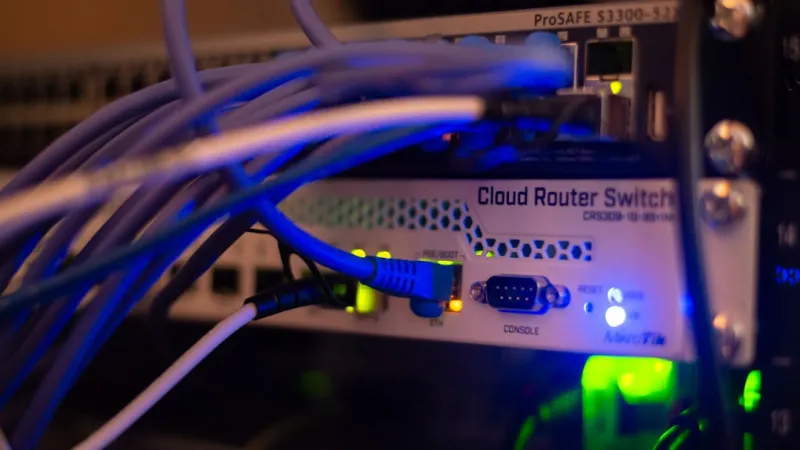
While Wi‑Fi 7 dazzles with multi‑gigabit speeds, a solid wired backbone remains the backbone of any high‑performance network. I upgraded all my primary connections to Cat 6a for 10 GbE capability over 100 meters, and where space permits, I ran a short run of Cat 8 between my server rack and the main router to future‑proof against 40 GbE upgrades. A managed 10‑port 2.5 GbE switch gives me the flexibility to assign dedicated ports to NAS devices, a home lab server, and a 10 GbE‑capable PC without saturating the router’s LAN ports. Power‑over‑Ethernet (PoE++) is another game‑changer: it powers my mesh access points and a few IP cameras directly from the switch, eliminating the need for separate power adapters and reducing cable clutter. Remember to enable flow control and enable LACP (Link Aggregation Control Protocol) if you plan to bond multiple ports for higher bandwidth.
Integrating Smart Home and IoT Safely
Smart speakers, thermostats, and security cameras have become household staples, but each new device expands the attack surface. My strategy is to create a dedicated IoT VLAN that routes only to the internet and a limited set of services—no direct access to my workstations or NAS. I also employ MAC address filtering on this VLAN, allowing only known devices to connect, and I regularly scan the subnet with Nmap to detect rogue devices. For devices that support it, I enable local encryption and avoid cloud‑only control panels, opting instead for a self‑hosted home automation hub like Home Assistant, which runs behind my firewall. By segmenting the IoT traffic, you protect your critical data while still enjoying the convenience of voice‑controlled lighting and temperature settings.
Future‑Proofing with Modular Upgrades and Edge Computing
Technology moves fast, and a network that feels cutting‑edge today can feel ancient in two years. To stay ahead, I design my network with modularity in mind. My primary router sits on a rack with spare 1U slots for a dedicated 10 GbE SFP+ module, ready to be swapped in when my ISP offers fiber speeds beyond 1 Gbps. I also keep an eye on emerging edge‑computing devices that can offload AI inference tasks locally, reducing latency for real‑time applications like AR gaming. Investing in a small, low‑power Intel NUC or a Raspberry Pi 5 as an edge node lets you run containerized services—think ad‑blocking, DNS filtering, or even a personal AI assistant—right at the network edge. This modular approach means you can upgrade individual components without tearing down the entire infrastructure.
Wrapping Up: Your Roadmap to a 2026‑Ready Network
Building a future‑ready home network isn’t a one‑time project; it’s an ongoing journey of assessment, upgrade, and hardening. Start by auditing your current setup, then prioritize a Wi‑Fi 7 router with open‑source firmware, and layer in AI‑driven traffic management for optimal performance. Secure every device with VLAN segmentation, WPA3‑Enterprise, and zero‑trust principles, referencing resources like Power‑User’s Blueprint for a Lightning‑Fast, Secure Home Network for detailed implementation steps. Don’t neglect the wired backbone—upgrade to Cat 6a or higher and adopt managed switches with PoE. Finally, keep an eye on modular upgrades and edge‑computing opportunities to stay ahead of the curve. Follow these steps, and you’ll enjoy a network that feels as fast as it is safe, ready to handle the bandwidth‑hungry, AI‑driven workloads of 2026 and beyond.




