
When I first set up a home office back in the early 2020s, the biggest network headache was coaxial cables choking the ceiling and an unreliable 802.11ac router that seemed to forget which device it was serving at any given moment. Fast‑forward to 2026, and the landscape has transformed dramatically—thanks to Wi‑Fi 7, mesh networking, and AI‑driven traffic orchestration. As a power user who juggles multiple high‑resolution streams, low‑latency gaming rigs, and a growing roster of IoT devices, I’ve learned that a truly modern network must be built on three pillars: raw speed, adaptive security, and intelligent automation. In this article I’ll walk you through the latest trends, why they matter for a power‑user setup, and how to future‑proof your network without breaking the bank. Expect deep dives into multi‑gigabit Ethernet backbones, zero‑trust LAN segmentation, and the role of edge AI in keeping latency down while keeping your data locked down—plus actionable steps you can implement today.
Wi‑Fi 7 and the Promise of Multi‑Gigabit Wireless
Wi‑Fi 7 (802.11be) finally arrived in 2026, delivering theoretical speeds up to 46 Gbps, ultra‑low latency, and support for up to 16 spatial streams. For power users, this isn’t just a marketing buzzword; it means you can stream 8K HDR content to multiple rooms while simultaneously running a local AI inference server without the dreaded “buffering” icon. The key to unlocking this potential lies in using tri‑band routers that combine the traditional 2.4 GHz, 5 GHz, and the new 6 GHz spectrum. Pairing a Wi‑Fi 7 router with a robust mesh system ensures seamless handoff as you move from the study to the garage, eliminating dead zones that used to plague my dual‑monitor setup. Don’t forget to enable MU‑MIMO and OFDMA in the router’s advanced settings—they allow multiple devices to share the channel efficiently, turning what used to be a congested bandwidth hog into a well‑orchestrated traffic flow. When you combine Wi‑Fi 7 with a 10 Gbps Ethernet backbone, you achieve a hybrid network that feels both lightning‑fast and resilient.
Hardwiring the Core: 10 Gbps Ethernet and Beyond
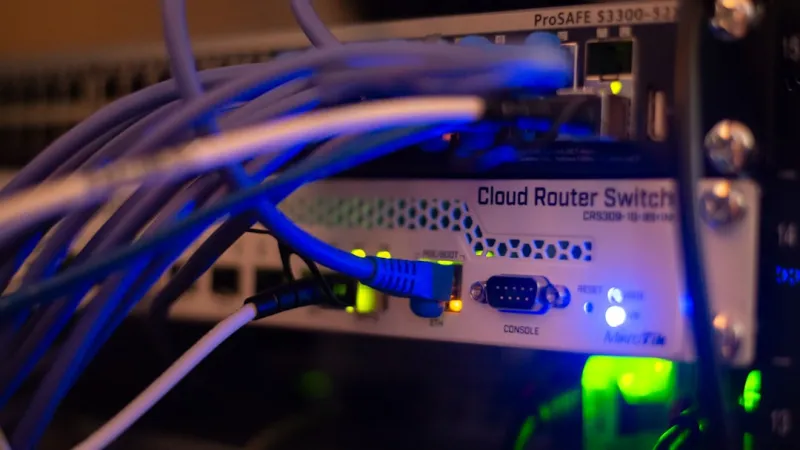
Even with blazing Wi‑Fi, the backbone of a power‑user network still relies on wired connections for mission‑critical devices. In 2026, 10 Gbps Ethernet is now the sweet spot for most enthusiasts, offering a cost‑effective balance between speed and hardware availability. I upgraded my central switch to a managed 24‑port 10 GbE model, which not only gives each workstation a dedicated lane but also lets me implement VLANs for traffic isolation—an essential step for zero‑trust security. When selecting cables, look for Cat 8 or shielded Cat 7 to guard against electromagnetic interference from nearby power supplies. If you’re eyeing future‑proofing, consider a 25 GbE or 40 GbE switch, but be mindful that the cost curve is still steep for home labs. Once your wired core is solid, you can leverage link aggregation (LACP) to double bandwidth for storage arrays or high‑performance NAS units, ensuring that your data pipelines never become bottlenecks during heavy workloads.
Zero‑Trust LAN Segmentation for Power Users
Security is no longer an afterthought; it’s a foundational layer of network design. Zero‑trust networking, once the domain of enterprise data centers, is now viable for the home power‑user thanks to affordable managed switches and open‑source firewalls like pfSense. By segmenting your LAN into distinct VLANs—one for work devices, another for IoT, and a third for entertainment—you dramatically reduce the attack surface. Each VLAN can enforce its own policies: strict outbound rules for workstations, limited inbound traffic for smart thermostats, and QoS prioritization for gaming rigs. I pair this approach with strict MAC address filtering and regular firmware updates, a combo that makes lateral movement for a potential intruder practically impossible. To tie it all together, consider deploying a lightweight identity‑aware firewall that authenticates devices before granting network access—think of it as a digital bouncer that never sleeps. This strategy not only protects sensitive data but also helps you meet compliance standards if you ever handle client information from a home office.
AI‑Powered Network Management and Predictive Maintenance
The rise of AI in 2026 has seeped into network management tools, turning mundane monitoring into proactive optimization. Modern routers now ship with built‑in machine‑learning engines that analyze traffic patterns, automatically reallocating bandwidth during peak gaming sessions or video conferences. I use a cloud‑integrated AI dashboard that flags abnormal spikes—often a sign of ransomware lurking in the background—allowing me to quarantine the offending device before any damage occurs. Additionally, predictive maintenance algorithms can alert you when a port is likely to fail based on error rates, saving you from unexpected downtime. For power users with multiple switches and access points, centralizing logs via a syslog server and feeding them into an AI analytics platform provides a holistic view of network health. This level of insight was once reserved for Fortune 500 companies, but today it’s accessible to anyone willing to invest a modest amount in a subscription or open‑source solution.
Integrating Edge Computing for Ultra‑Low Latency
Edge computing isn’t just for large enterprises; it’s a game‑changer for home labs that run AI inference, video rendering, or real‑time data processing. By placing a small, high‑performance compute node—often a single‑board server with an ARM‑based AI accelerator—right at the edge of your network, you can offload tasks that would otherwise saturate your core bandwidth. For example, I run a local Stable Diffusion model on an edge node, feeding the generated images directly to my workstation via a 10 Gbps link. This eliminates the need to stream large data sets across the LAN, keeping latency in the single‑digit millisecond range. Pair the edge node with your Wi‑Fi 7 mesh, and you can even serve AI‑enhanced video streams to mobile devices without a noticeable lag. The secret sauce is ensuring your edge hardware is securely isolated—again, VLANs and strict firewall rules are vital—to prevent a compromised node from becoming a gateway for attackers.
Choosing the Right Mesh System for Seamless Coverage
Mesh networking has matured beyond the basic plug‑and‑play kits of the early 2020s. In 2026, mesh nodes support Wi‑Fi 7, integrated 2.5 GbE backhaul, and even built‑in AI for dynamic channel selection. When I built my own mesh, I prioritized nodes with dedicated wired backhaul ports, allowing each unit to communicate over a 10 Gbps Ethernet link rather than relying on wireless inter‑node traffic, which can degrade performance under heavy load. This approach ensures that bandwidth‑hungry devices—like a VR headset in the living room—receive a direct, low‑latency path to the router. Additionally, look for systems that expose granular settings, such as per‑node transmit power and band steering controls; these let you fine‑tune coverage and avoid interference from neighboring networks. For a deeper dive into building a rock‑solid home network, check out The Power‑User’s Blueprint for a Lightning‑Fast, Secure Home Network.
Secure Remote Access Without Compromising Performance
Remote work remains a staple for power users, but traditional VPNs can introduce latency that hampers real‑time collaboration and gaming. The solution is a combination of WireGuard for its lightweight encryption and a split‑tunnel configuration that routes only corporate traffic through the VPN while keeping local traffic on the home network. I also enable Multi‑Factor Authentication (MFA) on the VPN gateway, adding a robust layer of identity verification. To protect the tunnel itself, I employ a hardened firewall rule set that only allows connections from known IP ranges, effectively creating a “digital moat.” For those who need to access internal services like a self‑hosted Git server, consider setting up a reverse proxy with TLS termination—this not only encrypts traffic but also provides granular access controls via JWT tokens. With these measures, you can work from a coffee shop or a mountain cabin without sacrificing security or speed.
Future‑Proofing: Embracing IPv6 and Emerging Standards
While IPv4 still dominates, the inevitable shift to IPv6 is accelerating in 2026, especially as ISPs roll out native IPv6 connectivity. For power users, enabling IPv6 on your router and devices unlocks direct end‑to‑end communication, reducing reliance on NAT and simplifying firewall rules. I configured my network to run dual‑stack, allowing devices to prefer IPv6 when available but fall back to IPv4 when necessary. This not only improves latency for services that support IPv6 but also future‑proofs your setup against address exhaustion. Additionally, keep an eye on emerging standards like Thread and Matter for smart home integration, as they promise seamless, low‑power connectivity across devices. By staying ahead of these trends and regularly updating firmware—something I detail in Elevating Power‑User Security: Practical Steps for a Safer 2026 Rig—you ensure your network remains both cutting‑edge and resilient for years to come.




