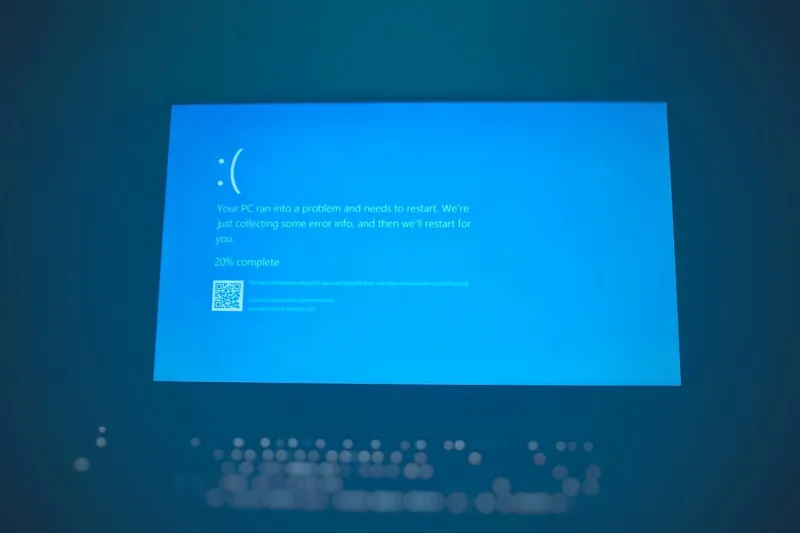
When the screen suddenly erupts into a sea of cobalt, most users scream “error!” and reboot. For a power user like me, that blue canvas is a data‑rich SOS, a diagnostic billboard that still matters in an AI‑driven 2026. While the cloud whispers that the era of “local crashes” is over, the truth is that modern operating systems still rely on the infamous Blue Screen of Death (BSOD) to protect the kernel from catastrophic failures. In today’s hyper‑connected workstations, a BSOD can flag a rogue AI accelerator driver, a misbehaving firmware module, or a stealthy memory corruption that would otherwise slip past logs. That’s why I often reference Why the Blue Screen Still Matters to Power Users—it reminds us that the blue screen isn’t a relic, but a real‑time health monitor that demands our attention.
My own relationship with the blue screen started back when I was assembling a custom workstation for deep‑learning inference. I remember the first time the system froze mid‑training, flashing the classic error code with a cryptic STOP message. Instead of panicking, I dove into the memory dump, traced the fault to an outdated PCIe driver, and updated the firmware. That experience taught me that a BSOD is less an embarrassment and more a privileged glimpse into the low‑level choreography of hardware and software. In 2026, the stakes are higher: AI models now consume terabytes of RAM and leverage tensor cores that sit on the bleeding edge of silicon. Each new capability adds another variable to the stability equation, turning the blue screen into a vital checkpoint for power users who can’t afford downtime.
Windows 11 remains the de‑facto playground for power users, and its stability architecture leans heavily on the BSOD to enforce kernel integrity. The OS’s modern driver model, combined with a robust memory manager, means that when a driver misbehaves, the system can isolate and terminate the offending component without taking the entire machine down. Yet, the complexity of Windows 11’s update cadence introduces its own quirks. A cumulative patch may silently rewrite a driver’s signing certificate, leaving legacy hardware in a state of perpetual conflict. That’s why I keep an eye on the insights in Why Windows 11 Remains the Power User’s Playground, which breaks down how the OS’s telemetry and error reporting can be harnessed to preempt blue‑screen events before they happen.
The new triggers for blue‑screen events in 2026 are a blend of old‑school hardware fatigue and cutting‑edge AI workloads. Today’s GPUs and dedicated AI accelerators push the memory bus to its limits, and a tiny timing mismatch can cascade into a kernel panic. Meanwhile, the malware landscape has evolved; sophisticated ransomware now targets firmware layers, corrupting boot sectors and forcing a blue screen as a defensive fallback. Even networking stacks aren’t immune—AI‑optimized NICs with offload engines can misinterpret high‑throughput packet streams, causing a fatal ISR (Interrupt Service Routine) overflow. All of these vectors converge on one common denominator: the system’s inability to reconcile contradictory state information, prompting Windows to display that unmistakable blue warning.
Hardware health, especially RAM integrity, continues to be a primary suspect when troubleshooting a BSOD. In the era of DDR5 and LPDDR5X, memory modules are faster but also more sensitive to voltage fluctuations and timing mismatches. A single bad stick can cause sporadic crashes that mimic driver faults, leading users down a rabbit hole of unnecessary updates. That’s why I rely on a disciplined approach outlined in Diagnose and Fix RAM Issues. Running memory diagnostics after each hardware upgrade, monitoring ECC error counters, and using firmware‑level health checks can dramatically reduce blue‑screen frequency. Pair those steps with a clean BIOS configuration—disable over‑clocking profiles you don’t need, and ensure that your voltage rails are within manufacturer specifications—to keep the memory subsystem from becoming the hidden trigger.
Beyond RAM, the firmware and BIOS layers have become a battleground for stability. Modern motherboards ship with UEFI shells that can load third‑party drivers before the OS even boots, and any incompatibility here can manifest as a BSOD during early kernel initialization. Firmware updates, once a once‑a‑year chore, are now monthly in many high‑performance platforms, driven by AI‑optimizing patches that fine‑tune power management and thermal throttling algorithms. Ignoring these updates is a recipe for disaster; the system may attempt to run an AI workload with outdated power tables, leading to sudden voltage drops and a blue‑screen shutdown. My routine includes checking the motherboard vendor’s release notes for each update, applying only those that address stability or security concerns, and keeping a rollback plan ready should a new BIOS introduce unforeseen regressions.
When a blue screen does appear, the first step is to capture the STOP code and any accompanying parameters. Windows’ built-in “View memory dump” utility can translate those codes into human‑readable clues, pointing you toward the offending driver or subsystem. Next, I cross‑reference the dump with recent system changes: Did I install a new AI library? Was there a Windows cumulative update? Did a firmware patch go live? The Event Viewer also logs “BugCheck” events with timestamps, which help narrow down the window of failure. If the dump points to a driver, I verify its signature, check for known compatibility issues on the vendor’s site, and test with an older version if possible. For memory‑related codes, I rerun the full suite of MemTest86+ tests, watching for intermittent errors that only show under stress.
Staying ahead of the blue‑screen curve also means staying on top of Microsoft’s critical updates. In 2026, the “Patch Tuesday” cadence has expanded to include security‑only releases that address zero‑day exploits targeting kernel memory. Ignoring these updates can leave your workstation vulnerable to a malware‑induced BSOD that masquerades as a hardware fault. I schedule a weekly “maintenance window” where I apply all pending updates, reboot, and run a quick sanity check using the built‑in “System File Checker”. This habit not only reduces the likelihood of unexpected crashes but also ensures that your system’s telemetry continues to feed accurate data back to Microsoft’s error‑reporting service, improving future stability for the entire power‑user community.
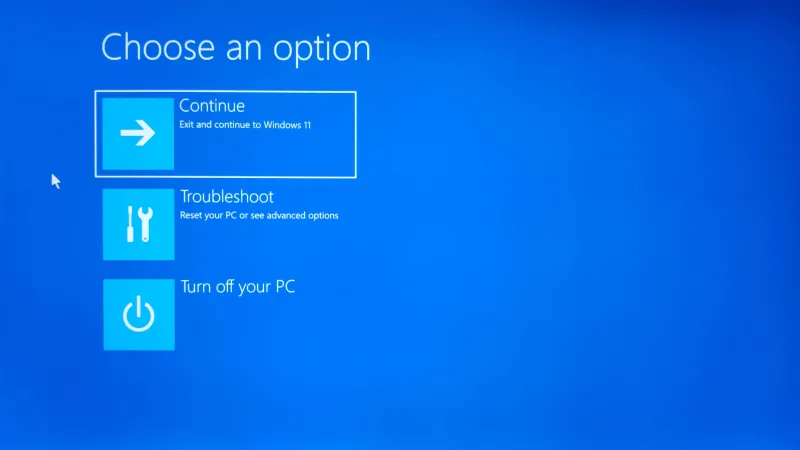
Looking forward, the best defense against blue screens is a proactive upgrade strategy. Building a future‑ready platform means selecting a motherboard that supports both the latest AI accelerators and a robust BIOS update ecosystem, pairing it with high‑quality DDR5 modules, and keeping your power supply well‑margined to handle peak loads. I also recommend allocating a dedicated “recovery partition” with the latest Windows 11 build and essential drivers, so you can quickly restore a stable environment if a rogue update corrupts the main OS. By treating the BSOD as a diagnostic ally rather than a nuisance, power users can turn each crash into a learning opportunity, fine‑tuning their rigs for maximum uptime in an AI‑centric world.